
Talk where the work is
Discussion, decisions and ownership, attached to the work.
- Multilingual, LTR and RTL
- Free to start, no upfront payment
- Secure online payment
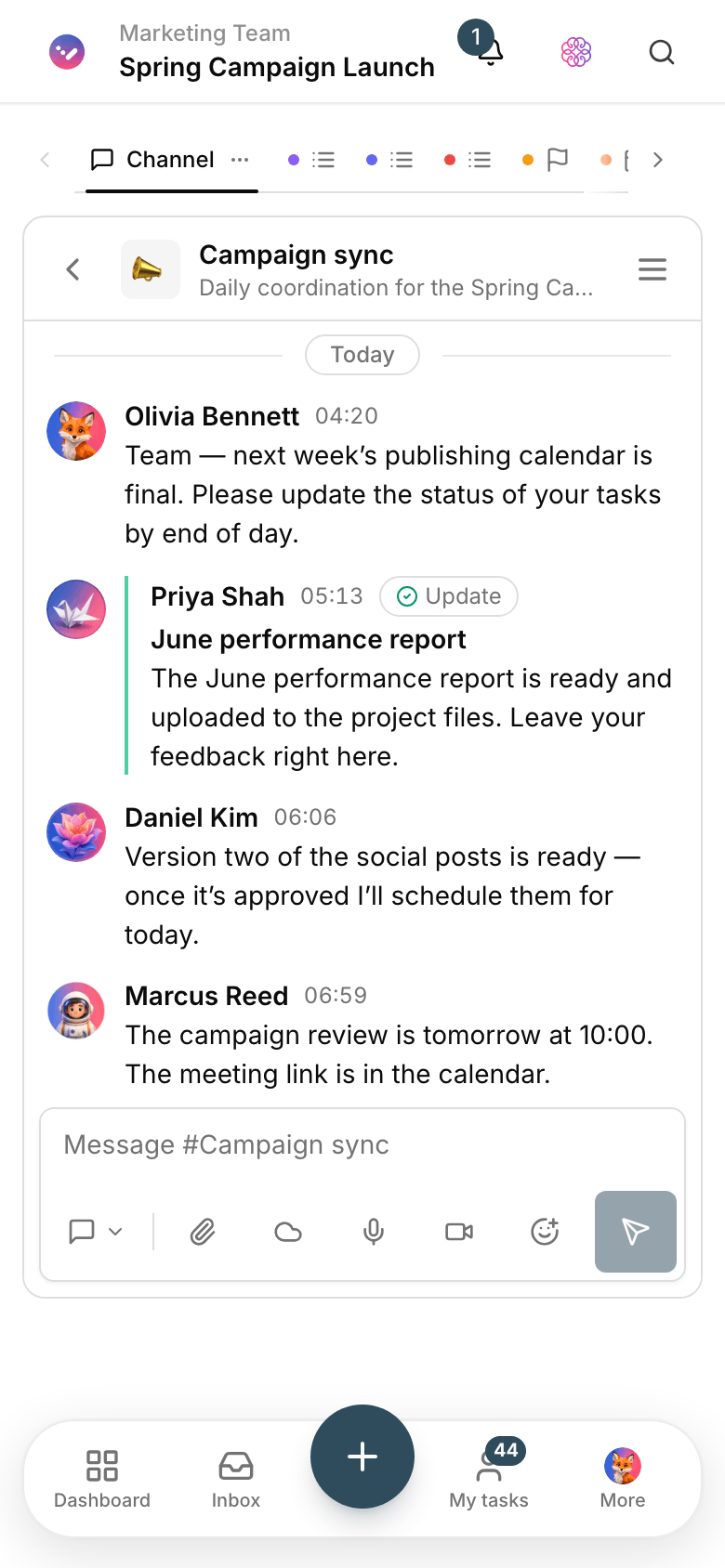
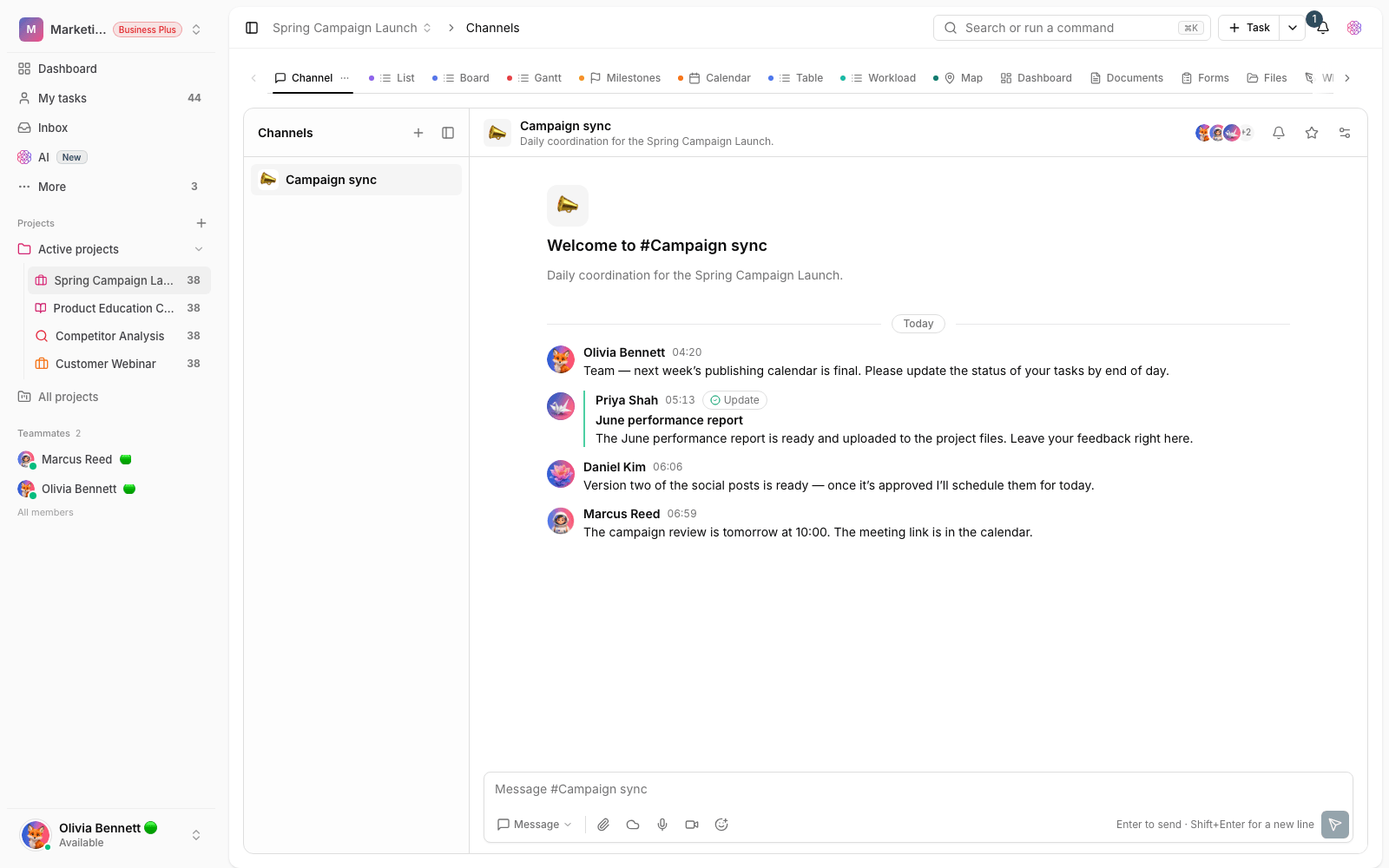
Problem and solution
Why explain every decision twice?
01 The problem
When the discussion lives in a messenger and the work in another tool, every member sees only a piece of the story. And the project manager spends most of their time stitching those pieces together.
- Comments, files and agreements end up spread across separate tools.
- To learn the latest status you have to ask people, not the system.
- New members depend on others retelling the history of every topic.
02 Taskie's answer
Every discussion has an address: its task, its doc
Team members comment on tasks, docs and files, mention each other, and turn the outcome of a discussion into a decision or a new task right there.
- Comments, mentions and reactions on tasks, docs and project items.
- Targeted notifications; each member sees only the changes that concern them.
- Owner, admin, member and guest roles give everyone clear boundaries.
Workflow
From inviting members to a recorded decision
Invite with the right role
Add people to the workspace and projects as an owner, admin, member or guest.
Discuss on topic
Keep every discussion on the task or doc it’s about — not in a separate, noisy group chat.
Turn talk into tasks
Turn the outcome into a task with an assignee and due date right there, so the agreement gets done.
Stay in the loop
Notifications and the activity feed bring important changes to the people involved — without the noise.
Outcome
Team collaboration in practice: what actually changes?
Every decision’s history stays put
Each agreement is recorded next to its task or doc; you can come back to it months later.
Shorter status meetings
Project activity is the report; meetings go to new decisions, not recapping the past.
Faster onboarding
New members catch up in a few days by reading tasks and comments — no ten intro meetings.
Safe guest access
A client or outside collaborator sees only the project they were invited to.
- Access levels
- 4
- Owner, admin, member and guest; everyone sees exactly what they should.
- Where discussions live
- On the task
- Comments stay with their topic; no digging through chat history.
- Coordination
- No extra meetings
- Activity and notifications bring important changes to the people involved.
Use cases
Put Collaboration to work in these situations
Design and content feedback
Feedback is left on the task and file, and the final version closes with its full history.
Cross-team coordination
Sales, operations and support work on one shared project without parallel group chats.
Working with clients
Clients join as guests, give feedback within a clear scope and follow the progress.
FAQ
Questions about Collaboration
Does Taskie replace our messenger?
Not for casual chat — your messenger stays. But every discussion about a task, doc or decision is recorded in Taskie next to its topic, so you can find it later without searching chats.
What can guests see?
Guests see only the projects they were invited to; workspace settings, members and other projects stay hidden from them. That role is all you need to work with clients.
Won’t notifications get in the way?
Each member is notified only about things they’re involved in: mentions, assignments or changes to their own tasks. And they control their own notification settings.
Related features
Alongside Collaboration, explore these too
Tasks
Work is scattered across chats and meetings; nobody knows who owns what or when it’s due.
View detailsDocs
Guides and decisions sit in scattered files; nobody knows which version is the right one.
View detailsPermissions
When roles are vague, everyone sees and changes more than they need to.
View detailsStarting today, move your team's work forward in one workspace
- Set up in minutes
- Start with no upfront payment
- Support from real people