
Goodbye, repetitive work
How much of today’s work was a copy of yesterday’s?
- Multilingual, LTR and RTL
- Free to start, no upfront payment
- Secure online payment
Problem and solution
A process that relies on people’s memory eventually gets forgotten.
01 The problem
Moving a status, telling the next person, adding a label — none of it takes expertise, just time and attention. And attention runs out sooner or later.
- Repetitive steps like notifying people and moving statuses get skipped.
- The right routine lives only in two or three people’s heads, not in the system.
- Instead of making decisions, the project manager checks that simple steps were followed.
02 Taskie's answer
Hand your team’s routines to rules
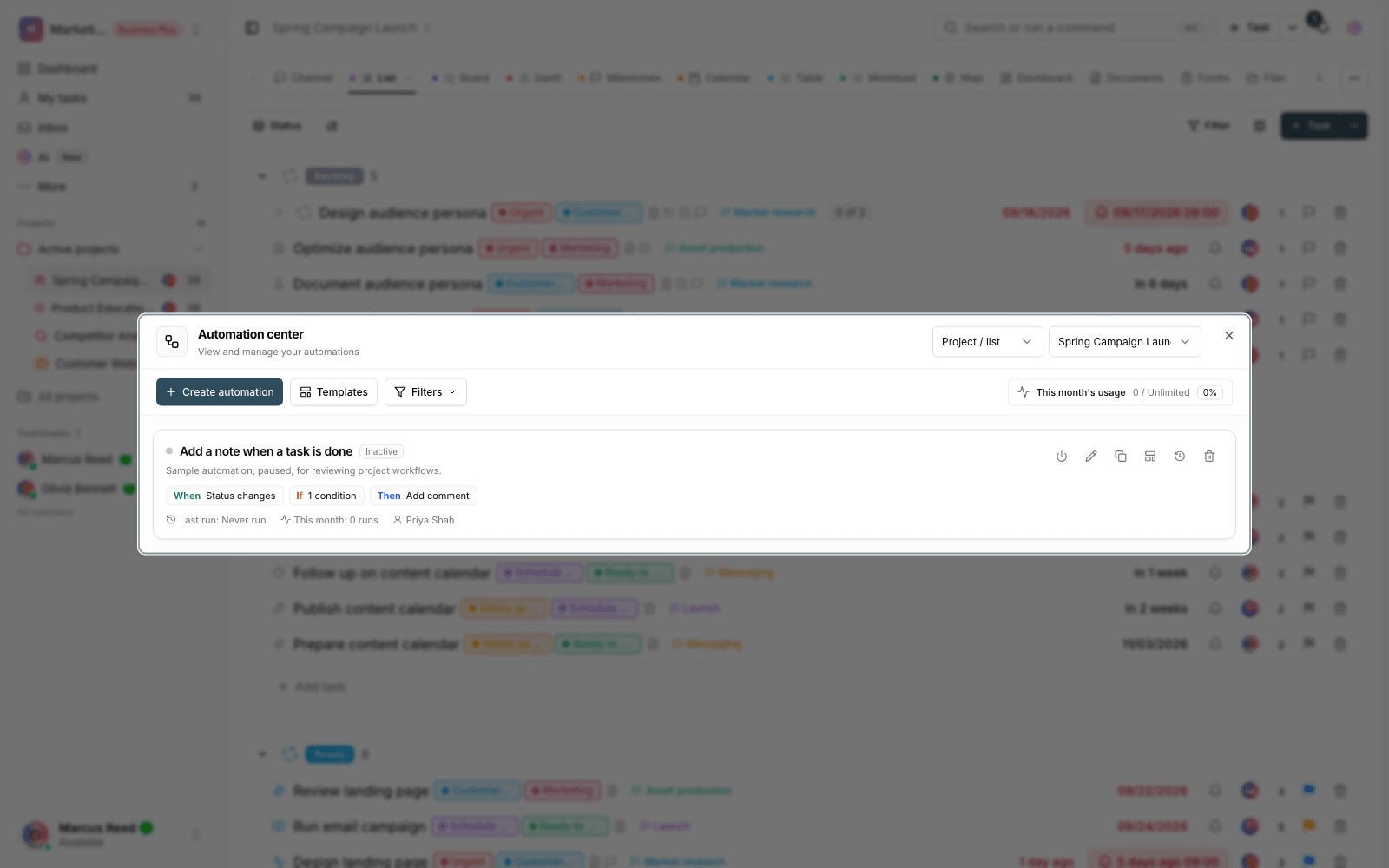
A rule has three parts: a trigger (like a status change), a condition (say, high priority) and an action (notify, assign, change). Write it once and from then on it runs by itself.
- Triggers from real project events: task created, status changed, due date reached.
- Precise conditions on fields so a rule runs only where it should.
- Automatic actions: change status, assign, label and notify.
Workflow
From an unwritten routine to a working rule
Pick a trigger
Choose the starting event — for example, “the task moved to review”.
Add a condition
Decide where the rule should run — for example, only on high-priority tasks.
Define the action
Set up the automatic action: assign to the next person, add a label or send a notification.
Monitor and refine
See the rule’s results in practice and adjust it right there if needed.
Outcome
Automations in practice: what actually changes?
No step gets skipped
A rule never gets tired or forgets; the routine runs completely every time.
Processes move from heads to the system
The right routine no longer depends on a specific person being around; it’s recorded in the project.
Team time for real work
Members spend their energy solving problems, not moving statuses by hand.
Start small, grow gradually
Start with one simple rule; real needs decide the next ones.
- Parts of every rule
- 3
- Trigger, condition, action — these three parts cover most team routines.
- Running routines
- No reminders needed
- A rule doesn’t wait on anyone’s memory; it runs on time with every event.
- Rule scope
- On project data
- Rules work with the project’s own statuses and fields.
Use cases
Put Automations to work in these situations
Handoff flows
When a task reaches review, it’s automatically assigned to the reviewer and a notification goes out.
Routing requests
A new request gets the right label, queue and assignee based on its type.
Checks before closing
Before a task closes, the required notifications and checks run automatically.
FAQ
Questions about Automations
Does building a rule take technical skills?
No. You build a rule from three simple lists: which event, under what condition, what action. If you can describe the routine in plain words, you can build its rule.
Which rule should we start with?
The most painful repetition: that “please pick this up” message you send every day. An auto-assign rule proves itself in the first week.
What if a rule runs the wrong way?
Turn any rule off or fix it on the spot, and tighten its conditions so it runs only where it should; task changes are recorded in the history too.
Related features
Alongside Automations, explore these too
Task types
One fixed template for bugs, campaigns and customer requests — and the result is missing data.
View detailsForms
Requests arrive by email and message; half are incomplete and the other half never get followed up.
View detailsTasks
Work is scattered across chats and meetings; nobody knows who owns what or when it’s due.
View detailsStarting today, move your team's work forward in one workspace
- Set up in minutes
- Start with no upfront payment
- Support from real people