
Terms, courses and school operations on one shared calendar
Term plans, content and admin work move forward on one page.
- Multilingual, LTR and RTL
- Free to start, no upfront payment
- Secure online payment
Metrics
Three things that should be clear from day one
01 Metric
One term calendar
The operations team sees classes, events and content deadlines in one view, not in three separate files.
02 Metric
Course content doesn’t get lost
Each course’s syllabus, files and notes stay attached to its project and are still there next term.
03 Metric
Requests have a path
Enrollment, support and instructor requests come in through forms and never go unanswered.
The problem
In Education today, where does work get stuck?
A term scattered across Excel and a messenger gets lost before it’s half over.
- Requests from learners, instructors and the admin office have no clear owner and sink to the bottom of the chat.
- Every new course is planned from scratch, as if last term’s experience was never written down.
Workflow
From the first request to the report, built for Education
01 Step
Design the course
The academic team sets out the syllabus, resources and an owner for each part in the course doc and project.
02 Step
Plan delivery
The operations team turns sessions, content production and instructor coordination into tasks with due dates.
03 Step
Take in requests
Enrollment and feedback forms route submissions straight to the right owner.
04 Step
Wrap up the term
The record of tasks and feedback stays, so the next course starts from where this one ended.
Taskie's promise
Every term builds on the one before
- A calendar and smart views for each course’s classes, assignments and events.
- A course doc for the syllabus, resources and internal notes, right where the work moves forward.
- Templates and checklists to repeat courses without replanning from scratch.
The tools that keep this promise
- DocsKeep each course’s syllabus and resources next to its delivery tasks.
- Smart viewsSee each instructor’s tasks, each course’s or just this week’s with one click.
- FormsCollect enrollments and feedback with forms so no request gets left in the chat.
- AIThe AI assistant helps write course descriptions and break down the term’s work.
Inside the product
Two scenes from a workspace for Education
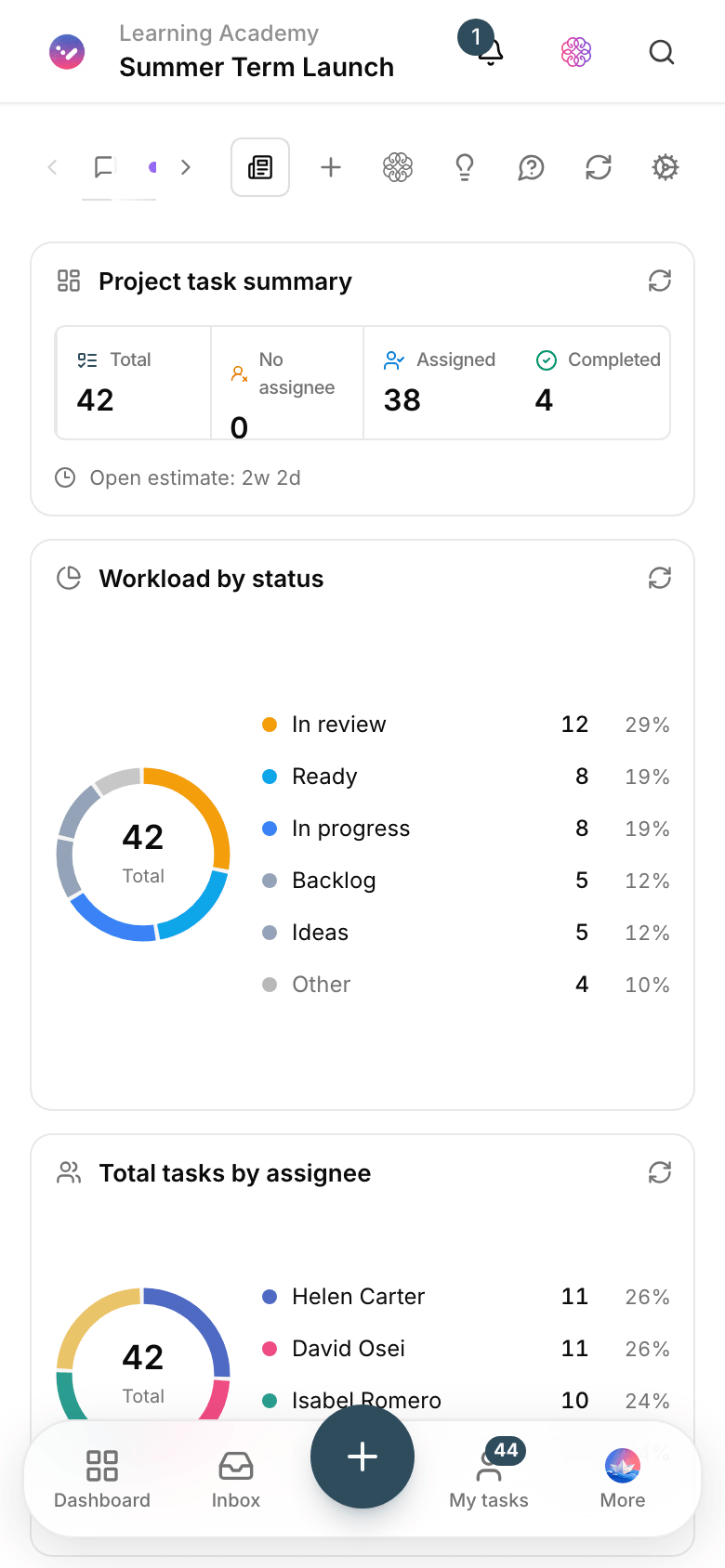
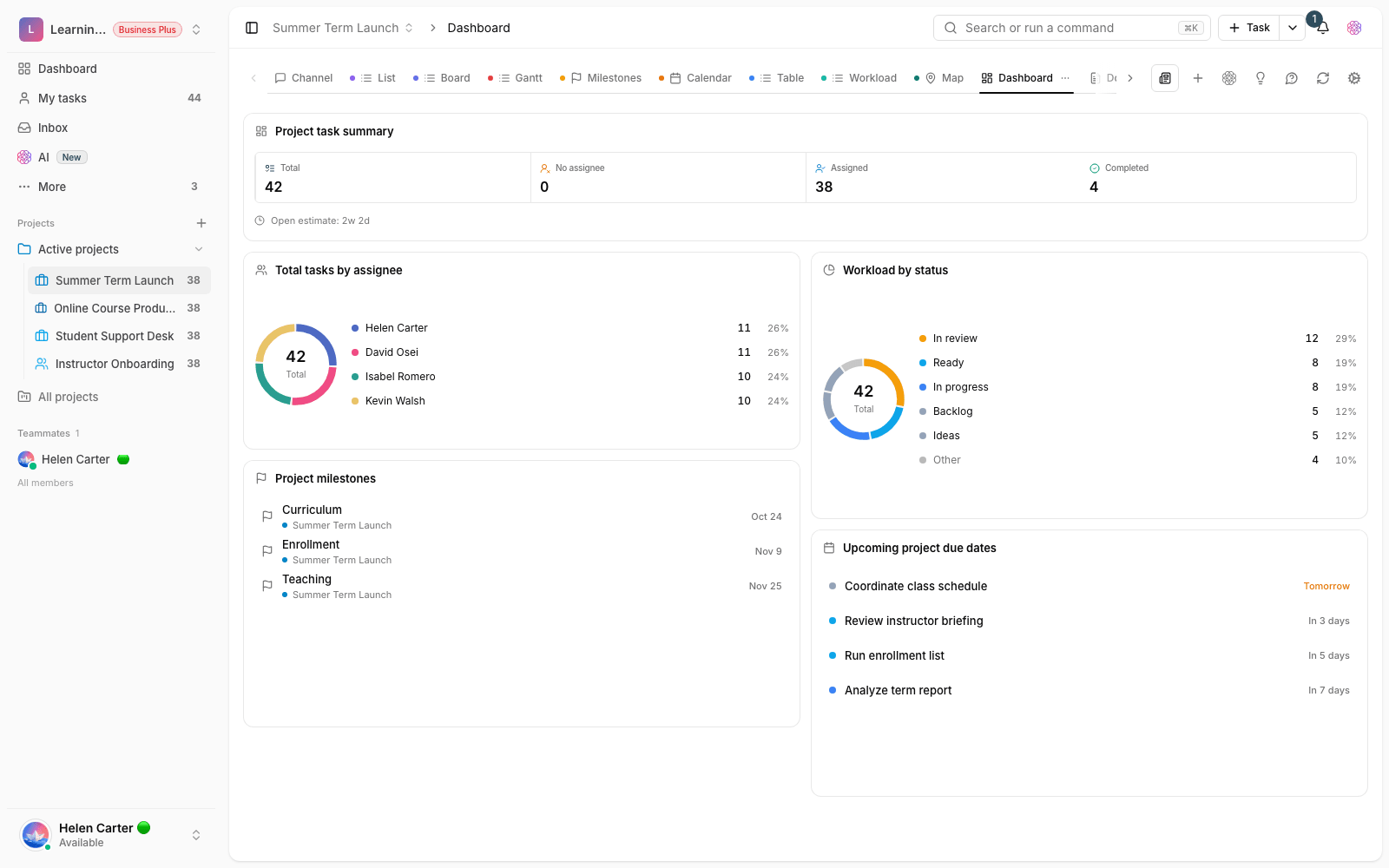
Term delivery dashboard
Class status, content in progress and the term’s admin work in one frame.

Course enrollment form
A learner fills in the form, and Taskie creates the follow-up task in the course project.
Use cases
What this solution does in practice
Launching the summer term
Start from last term’s template; classes, instructors and content are ready after a few changes.
Hosting an end-of-course event
Invitations, venue, equipment and content each have an owner and a due date — no surprises on the day.
Onboarding new instructors
A checklist guides each new instructor’s onboarding, and the head of training can see their progress.
FAQ
Questions that usually come up before you start
Does it make sense for a small school, or only large institutions?
Both. A small school gets going with one project and a few simple statuses; a larger institution creates a project per course and adds forms and dashboards over time.
Where do each course’s files and content live?
Next to that course’s tasks. Files and docs stay attached to the course project, so the operations team has full context and everything is still in place next term.
Our term plan is in Excel today. Do we have to move it all?
No. Start with the course that’s running right now and bring the rest over when you have time. After a week or two, Taskie’s calendar becomes the team’s source of truth.
Does Taskie cost anything for an education team?
You can start for free with no upfront payment. Whenever your team or needs grow, you upgrade your plan; the pricing page spells out the details.
Related solutions
Solutions in the same family
Starting today, move your team's work forward in one workspace
- Set up in minutes
- Start with no upfront payment
- Support from real people