
Clear boundaries, peace of mind
Every member sees exactly what they should.
- Multilingual, LTR and RTL
- Free to start, no upfront payment
- Secure online payment
Problem and solution
Everyone accessing everything isn’t called trust.
01 The problem
The team grows, guests and contractors join and projects become shared. Without clear boundaries, one simple mistake — a deletion, a change, seeing data you shouldn’t — gets expensive.
- People can reach projects and settings that have nothing to do with their work.
- Clients and outside collaborators need to contribute without seeing everything.
- Nobody knows which devices their account is signed in on.
02 Taskie's answer
Four roles, unambiguous boundaries
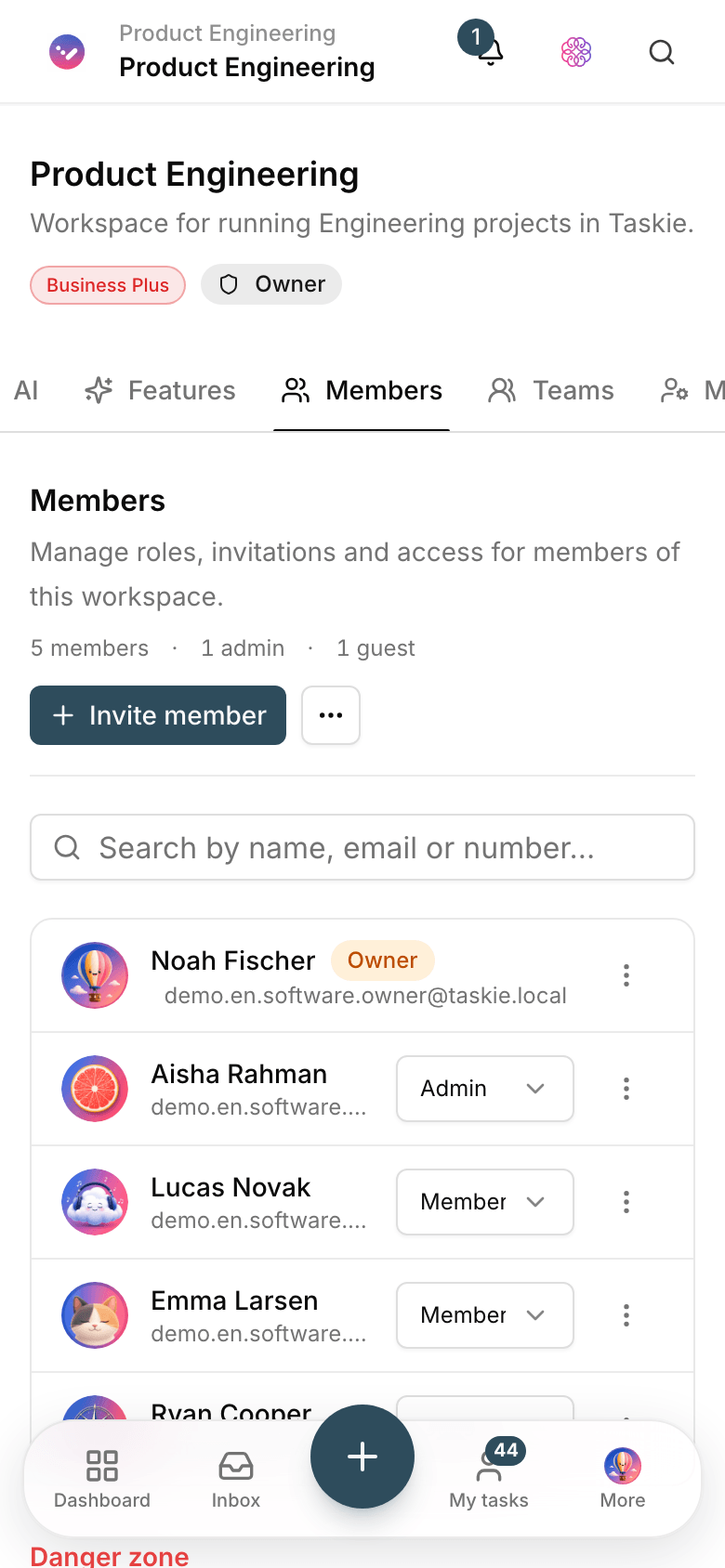
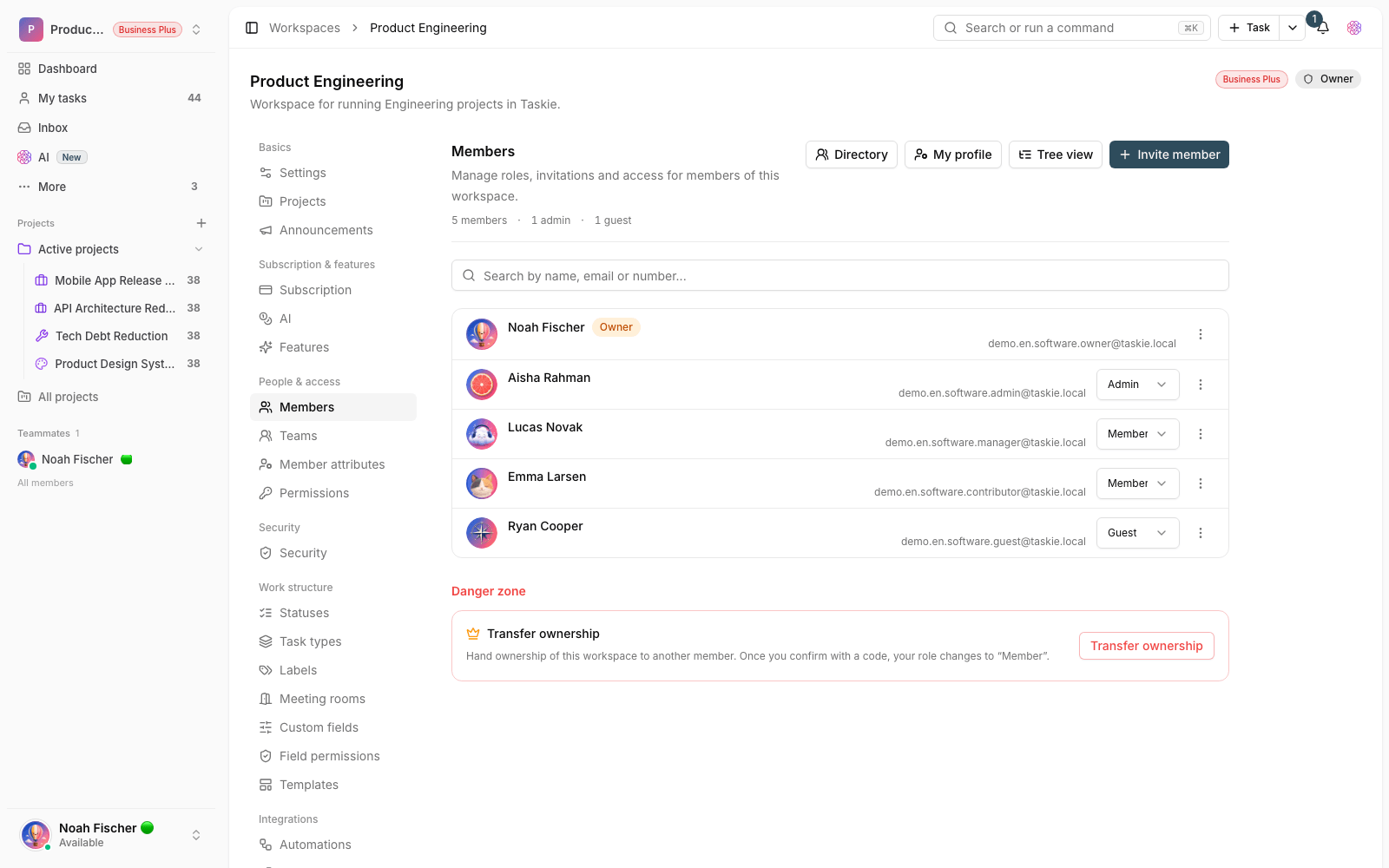
Every member joins with one of four roles, and project membership decides what they can see. Active sessions and sign-in history are transparent for every user.
- Owner, admin, member and guest roles with defined permissions.
- Project membership: each project’s data is open only to its members.
- Manage active sessions and review sign-in history from account settings.
Workflow
The right access in four moves
Assign a role
Add every member with a role that matches their responsibility — nothing more.
Scope the projects
Manage each project’s membership separately; guests see only their own project.
Monitor sessions
See active devices and sessions, and end anything suspicious right there.
Review regularly
As people move around, review and adjust roles and memberships.
Outcome
Access & security in practice: what actually changes?
Human error stays small
Everyone can only touch their own area, so the reach of any mistake is limited in advance.
Worry-free outside collaboration
Clients contribute as guests, and the rest of the workspace stays closed to them.
Your account, under your eye
Active sessions and recent sign-ins are in plain view; end anything unfamiliar.
Ready for team growth
The role model works the same with ten people or a hundred; the structure doesn’t change.
- Access levels
- 4
- Owner, admin, member and guest — four roles with clear boundaries.
- Data boundary
- Project membership
- Each project is open only to its own members; nobody else sees it.
- Sessions
- In your control
- The list of connected devices and sign-in history is always in account settings.
Use cases
Put Permissions to work in these situations
Client projects
Clients follow the progress and give feedback; settings and internal data stay protected.
Multi-team organizations
Each department has its own projects, and managers run only their own area.
Account security reviews
Every member sees the devices connected to their account and ends suspicious sessions.
FAQ
Questions about Permissions
What’s the difference between a member and a guest?
A member is part of the team and has full access to the projects they belong to; a guest reaches only the projects they were invited to, and only to contribute. For clients and contractors, guest is the right choice.
What happens when someone leaves the team?
An owner or admin removes their access; their tasks and activity history stay in the project, and you reassign their open tasks to another member. The team’s history stays intact.
Do you have two-factor authentication?
Yes. Every user can turn on two-factor authentication for their account. Alongside it, active sessions and sign-in history are available for security reviews.
Related features
Alongside Permissions, explore these too
Collaboration
Agreements get lost in the messenger; a few days later nobody remembers the final decision.
View detailsFiles
The final file is scattered across messengers, email and several drives; finding it is a daily chore.
View detailsDocs
Guides and decisions sit in scattered files; nobody knows which version is the right one.
View detailsStarting today, move your team's work forward in one workspace
- Set up in minutes
- Start with no upfront payment
- Support from real people