
Leads, follow-ups and client handoff, without relying on a rep’s memory
What’s the next step with each client? Your sales team knows.
- Multilingual, LTR and RTL
- Free to start, no upfront payment
- Secure online payment
Metrics
Three things that should be clear from day one
01 Metric
The next step is always clear
Every client has a next action with an owner and a date; follow-up isn’t tied to anyone’s memory.
02 Metric
Handoff to delivery is complete
A handoff checklist delivers agreements and documents to the delivery team in one go — no “this got left behind.”
03 Metric
Sales managers see the bottleneck
A view of upcoming due dates and overdue tasks shows which opportunities need attention right now.
The problem
In Sales today, where does work get stuck?
When a rep goes on leave, their client follow-ups go with them.
- After the contract is signed, client information reaches the delivery team late and in pieces.
- The sales manager can’t tell which opportunities are hot and which haven’t moved in two weeks.
Workflow
From the first request to the report, built for Sales
01 Step
Capture the lead
Leads come in from the website form or quick add, with source, need and contact details.
02 Step
Follow up actively
The rep lines up calls, meetings and proposals with due dates on the opportunity itself.
03 Step
Coordinate internally
The rep turns a pricing or legal question into a task for the right team, and the answer comes back right there.
04 Step
Hand off to delivery
Agreements and documents reach the delivery team with a checklist, so the client never has to tell the story twice.
Taskie's promise
No client is left without a next step
- A consultation request and lead capture form, so sales intake stays consistent.
- A view per rep, per stage and for upcoming due dates, for the daily review.
- A client handoff checklist and proposal docs, attached to the opportunity itself.
The tools that keep this promise
- FormsReceive leads and consultation requests with complete, consistent information.
- TasksThe next step on every opportunity is a task with an owner and a due date, not a mental note.
- AutomationsHand follow-up reminders and repetitive stage changes over to Taskie.
- GoalsSet the quarter’s sales goal and see its progress straight from the work.
Inside the product
Two scenes from a workspace for Sales
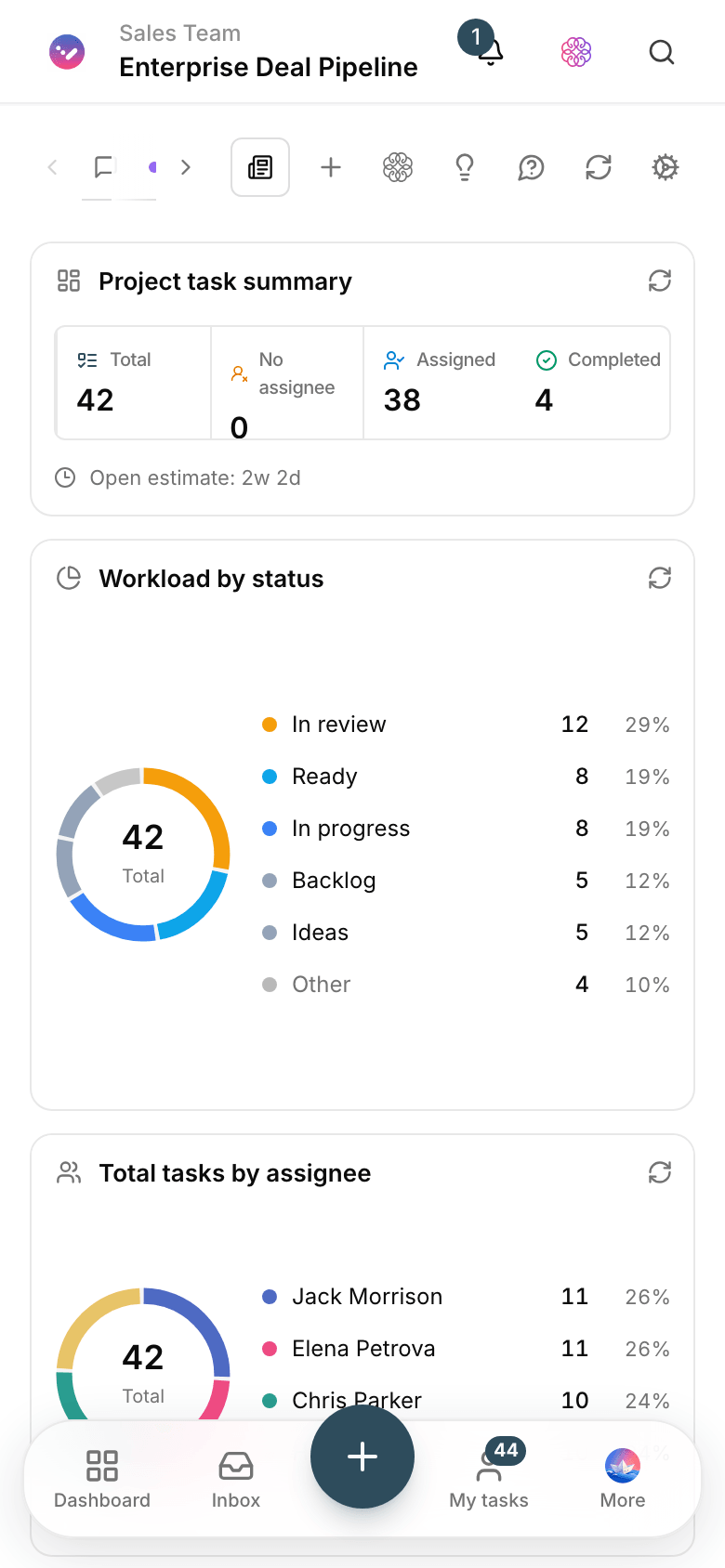
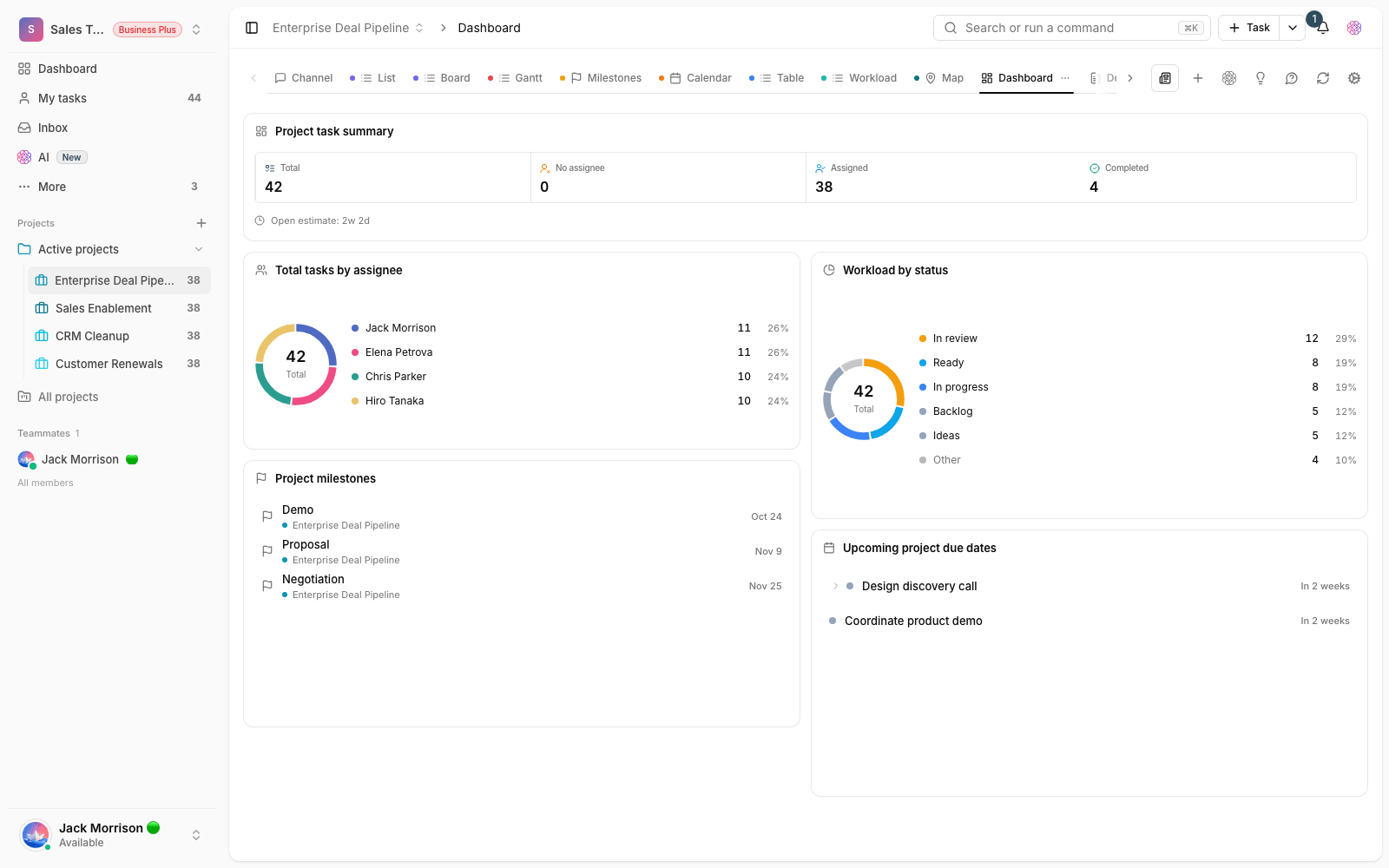
Sales opportunities dashboard
Open opportunities by stage and owner, with today’s due dates at the top of the list.

Consultation request form
The client fills in the form, and the opportunity lands in the rep’s queue with complete information.
Use cases
What this solution does in practice
Following up trade show leads
After the event, every lead has an owner and a call date; a week later, no business card is left forgotten in a jacket pocket.
Handing a client to delivery
A kickoff checklist spells out what needs to reach delivery, and records that it did.
Contract renewal reminders
A recurring task lands on the rep’s desk two months before the contract ends; renewals aren’t left to chance.
FAQ
Questions that usually come up before you start
Does Taskie replace a CRM?
Taskie isn’t a replacement for a dedicated CRM (customer relationship management software) and doesn’t claim to be. But if your sales process runs on follow-ups, tasks and internal handoffs, this structure of tasks, forms and checklists makes your pipeline dependable.
Can each rep have their own view?
Yes. Smart views show each rep’s tasks, each stage or upcoming due dates on their own; every morning each rep sees just their own list, and the sales manager sees the whole picture.
Our leads are in Excel today. Do we have to import them all?
No. Bring over this month’s active opportunities and archive the rest in Excel. New leads come straight into Taskie from the form; within a few weeks, the team’s source of truth has changed.
How does a multi-person sales team get started? Does it cost anything?
You can start for free with no upfront payment, and log leads on day one. When the team grows, you pick the right plan; the details are on the pricing page.
Related solutions
Solutions in the same family
Starting today, move your team's work forward in one workspace
- Set up in minutes
- Start with no upfront payment
- Support from real people