
Site office, job site and contractors, without endless phone calls
No item in the meeting minutes is left without an owner.
- Multilingual, LTR and RTL
- Free to start, no upfront payment
- Secure online payment
Metrics
Three things that should be clear from day one
01 Metric
Meeting minutes get done
The site office turns each item into a task with an owner and a due date, not a sheet of paper in a filing cabinet.
02 Metric
Photos and drawings don’t get lost
Site photos and drawings attach to the task itself, not to the site supervisor’s phone gallery.
03 Metric
Every contractor’s status is clear
The project manager sees each contractor’s tasks with status and due date, without calling three people.
The problem
In Construction today, where does work get stuck?
The minutes were written, signed and filed — and nobody ever did item four.
- Site photos are on one person’s phone, drawings in someone else’s email, and the decision was made in a meeting with no minutes.
- To learn where each contractor stands, the project manager has to make several calls and still isn’t sure.
Workflow
From the first request to the report, built for Construction
01 Step
Log from the site
The site supervisor logs a defect or need with a photo and a note, right on the spot.
02 Step
Assign an owner
The site office hands the task to a contractor or team member and sets a due date.
03 Step
Track the work
Status, conversation and progress photos all collect on the same task.
04 Step
Hand over and document
Proof of completion and sign-offs stay on record, so provisional handover moves ahead with a complete file.
Taskie's promise
Every item in the minutes, a task with an owner and a due date
- Quick capture of field work with photos, notes and location, even in the middle of a site visit.
- A separate view for each contractor, each phase and tasks that are coming due.
- A meeting minutes doc where every item links to the site task that carries it out.
The tools that keep this promise
- TasksEvery action on site has an owner, a due date and a status, from the concrete pour to handover.
- FilesDrawings, photos and documents are linked to the task, not scattered across people’s phones.
- Smart viewsSlice tasks by phase, contractor or urgency and see each group on its own.
- Voice captureMid-visit, just say the task; Taskie turns it into a detailed written task.
Inside the product
Two scenes from a workspace for Construction
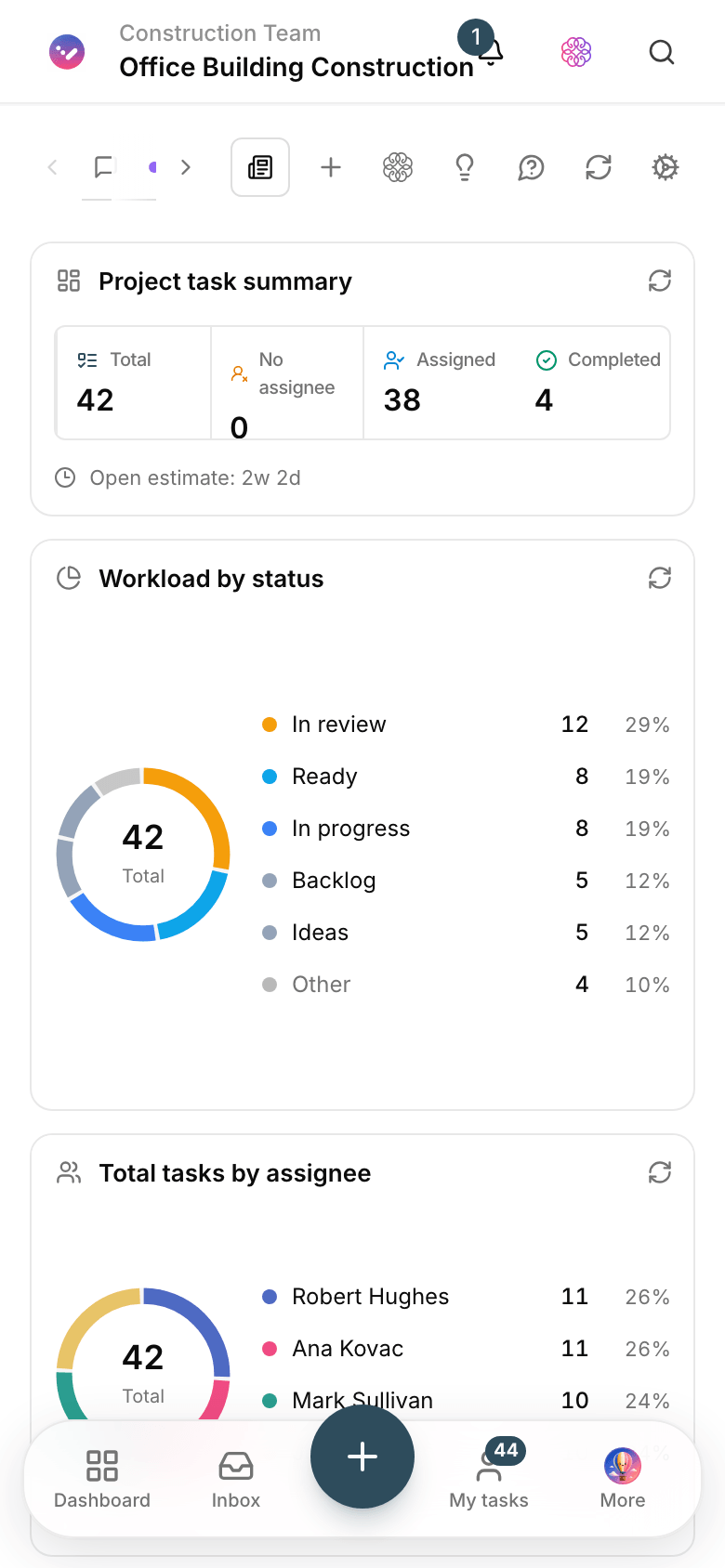
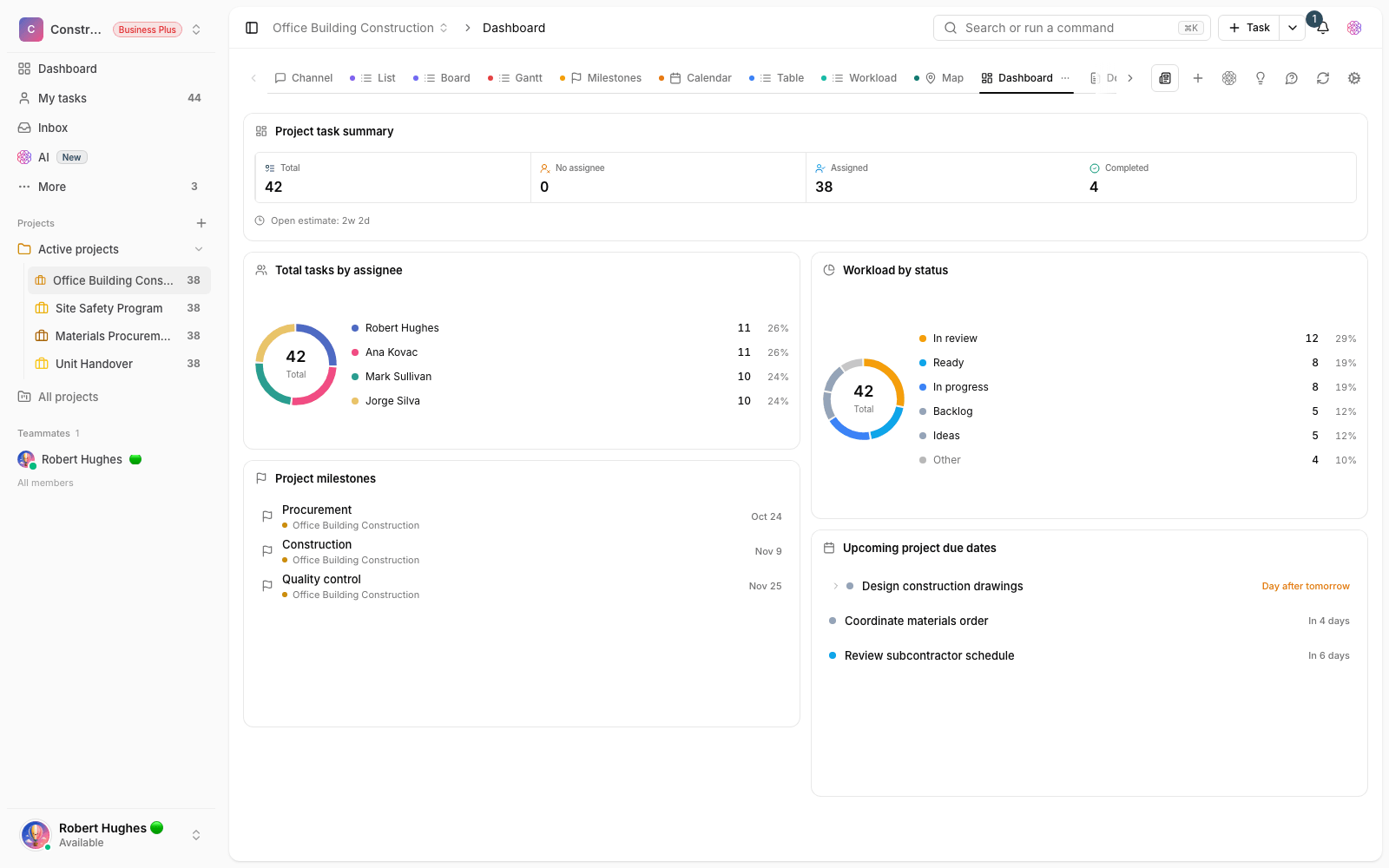
Job site status dashboard
Open defects, overdue tasks and each contractor’s share in one frame, ready for the weekly meeting.

Purchase request form
The site sends its needs through a form, and the request moves through approval and sourcing without a phone call.
Use cases
What this solution does in practice
Fixing defects before handover
The team logs each defect with a photo and assigns it to its owner, and the supervising engineer signs off when it’s closed.
A rebar purchase request
The request comes in through a form, procurement gets quotes, and the project manager records the decision right there.
Coordinating the MEP contractor
The contractor sees only their own tasks and the site office sees everything — both share the same picture.
FAQ
Questions that usually come up before you start
Will site crews get along with the software?
Taskie is simple to use: quick capture with a photo and a few fields, in the team’s own language, with no complicated structure. The site supervisor only logs and views; project settings stay with the site office.
How do we separate a multi-phase project?
Use custom statuses, labels or a separate project for each phase, and see them side by side with smart views. Reports for each phase and for the whole project are both available.
We coordinate by phone and messenger groups today. Why change?
A messenger group delivers the message but doesn’t create an owner or a due date. In Taskie every item is a logged task with a trail until it’s closed; calls go down, and disputes come with a record.
How much does it cost for a project team?
You can start for free with no upfront payment. For larger teams and more features, you upgrade your plan; the pricing page has the details.
Related solutions
Solutions in the same family
Starting today, move your team's work forward in one workspace
- Set up in minutes
- Start with no upfront payment
- Support from real people