
Your team’s lasting memory
Team knowledge stays, even when people leave.
- Multilingual, LTR and RTL
- Free to start, no upfront payment
- Secure online payment
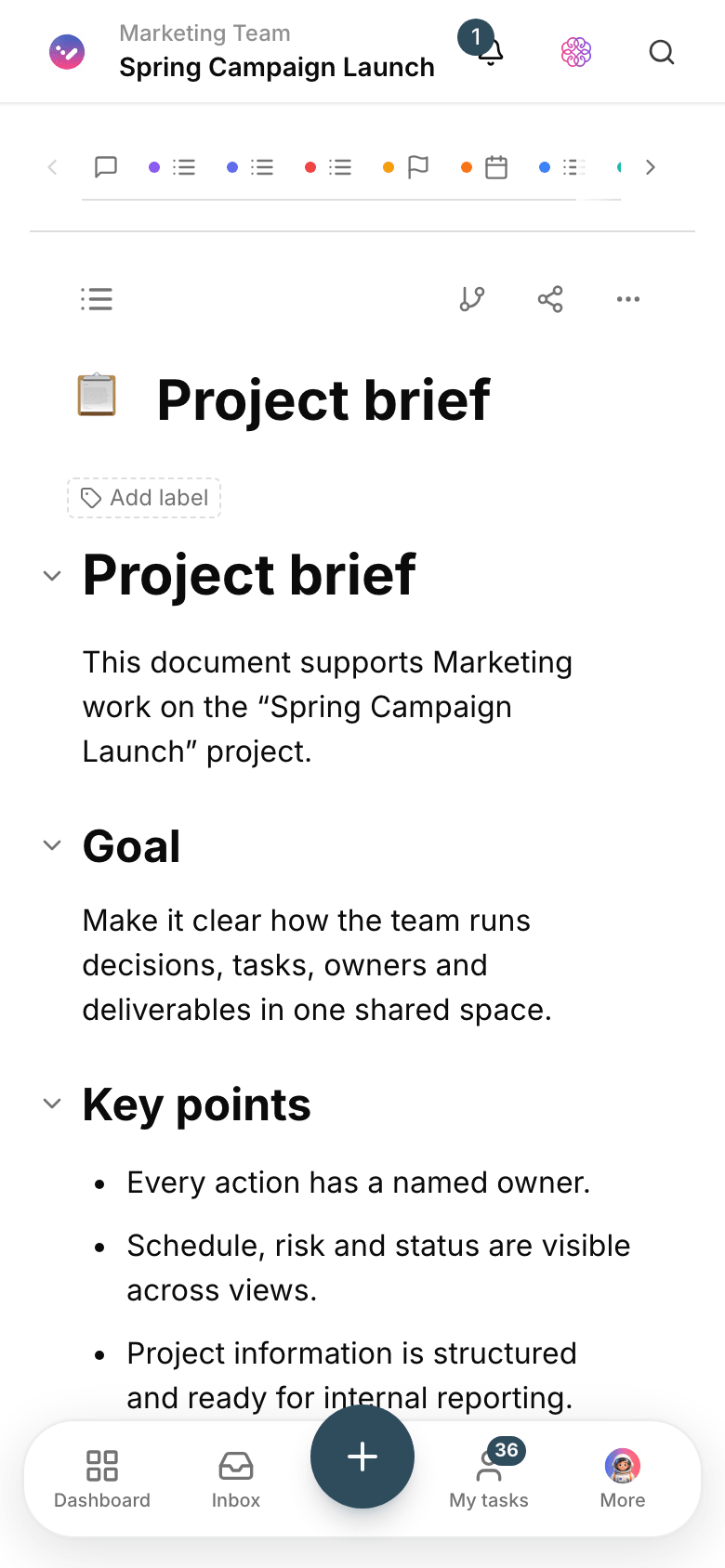
Problem and solution
When knowledge lives in personal files, every question needs a meeting.
01 The problem
Every team slowly builds knowledge: decisions, routines, guides. If it stays in personal drives and messengers, part of it vanishes every time people come and go.
- Nobody knows which version of a doc is current, so people work from old files.
- Knowledge is cut off from the work, and finding it means searching several tools.
- Important doc changes are made without history and can’t be undone.
02 Taskie's answer
Every project, its own knowledge base
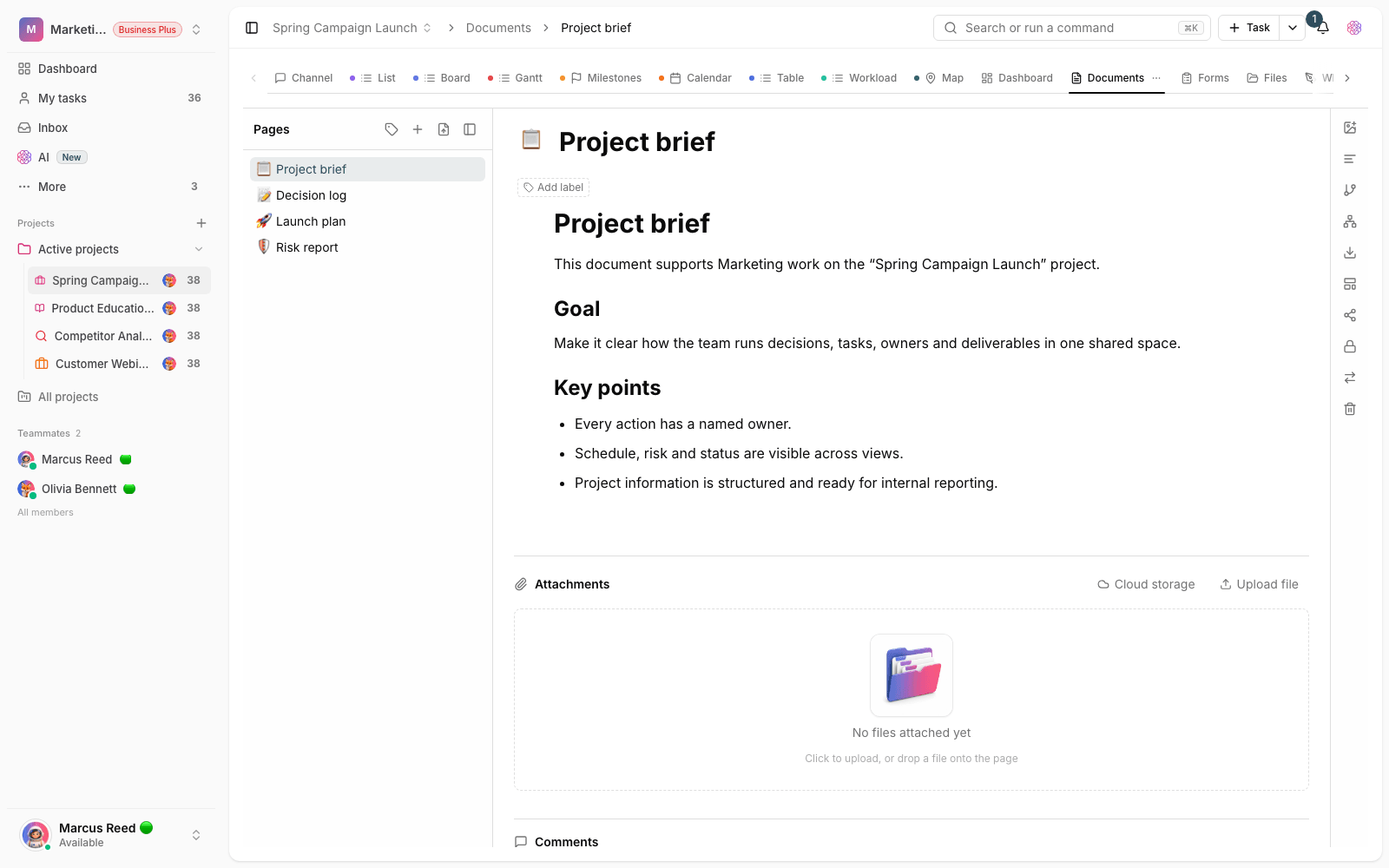
Doc pages are built inside the project in a folder structure. Your team writes together, versions are recorded and every important change can be rolled back.
- Pages and folders for meeting notes, guides, decisions and plans.
- Versioning, with a way back to any earlier version.
- Link docs to tasks and projects so knowledge stays in the middle of the work.
Workflow
Four steps to a go-to doc
Create a page
Open a page for a meeting, guide or decision in the right project folder.
Write together
Members fill in the content and leave comments right on the text.
Save versions
Important versions are saved; go back to an earlier one whenever you need to.
Use it in the work
Link the doc to related tasks so it’s in sight while the work gets done.
Outcome
Project docs in practice: what actually changes?
Answers are findable
Guides and decisions live in the project structure; search replaces asking around.
One version of the truth
Everyone works on the same page, and the change history is clearly recorded.
Company memory stays
When people leave, their knowledge doesn’t; it’s in the project docs.
Fuel for the AI assistant
Well-structured docs make the AI assistant’s summaries and answers more accurate.
- Versions
- Always reversible
- Every important version is saved, and going back is one click.
- Where knowledge lives
- In the project
- Docs live inside the project, not in people’s personal drives.
- Writing
- On one page
- Members write and edit together on one page.
Use cases
Put Docs to work in these situations
Meeting notes and decisions
The meeting’s outcome is recorded right there and its action items become tasks.
Process guides
Your team’s training and recurring routines get an always-current reference.
Technical and handover docs
Implementation and handover details stay attached to the project they belong to.
FAQ
Questions about Docs
Do Taskie docs replace Word or Google Docs?
For team knowledge, yes: the doc sits next to the work, has versions and its access is controlled by project roles. For formal printed contracts, you still have your word processor.
What if someone breaks a doc by mistake?
Earlier versions are still there; open the history and go back to a good version in one click. Changes are recorded with the author’s name.
Who can see docs?
Doc access follows project membership: members of that project can see them, and roles decide who can only read and who can edit.
Related features
Alongside Docs, explore these too
Files
The final file is scattered across messengers, email and several drives; finding it is a daily chore.
View details
AI
A simple status report means manually going through dozens of tasks, docs and comments.
View detailsCollaboration
Agreements get lost in the messenger; a few days later nobody remembers the final decision.
View detailsStarting today, move your team's work forward in one workspace
- Set up in minutes
- Start with no upfront payment
- Support from real people