
Clinic and support work, each with a clear owner and due date
Patient records live in one place; why not clinic work?
- Multilingual, LTR and RTL
- Free to start, no upfront payment
- Secure online payment
Metrics
Three things that should be clear from day one
01 Metric
It’s clear who owns what
Every request has an owner and a due date from the moment it’s logged, so nobody has to chase people down the hallway.
02 Metric
Every unit has its own boundary
Owner, admin, member and guest roles decide what each person sees, from reception to procurement.
03 Metric
Procedures stay put
Checklists and protocols live in the clinic’s docs and don’t disappear when people leave.
The problem
In Healthcare today, where does work get stuck?
Equipment requests in a messenger, the shift schedule in Excel, insurance follow-ups in a notebook — and everything in one person’s head.
- Coordinating shifts and onboarding new staff starts from scratch every time and eats up the technical director’s day.
- The center’s manager can’t tell which follow-ups are overdue or which unit is still waiting for an answer.
Workflow
From the first request to the report, built for Healthcare
01 Step
Take in requests
Each unit logs what it needs through a form or quick add, with urgency, details and attachments.
02 Step
Triage and assign
The clinic lead prioritizes each request and hands it to the right unit or person.
03 Step
Coordinate across units
Conversations, files and decisions stay on the task, so nobody has to dig for the backstory.
04 Step
Monitor and report
The dashboard and smart views show what’s open, overdue or coming due.
Taskie's promise
Taskie gives clinic work the same order your patient files have
- Internal forms for equipment, procurement, IT and admin work — no phone calls or verbal follow-ups.
- Recurring checklists for staff training, inventory checks and each shift’s tasks.
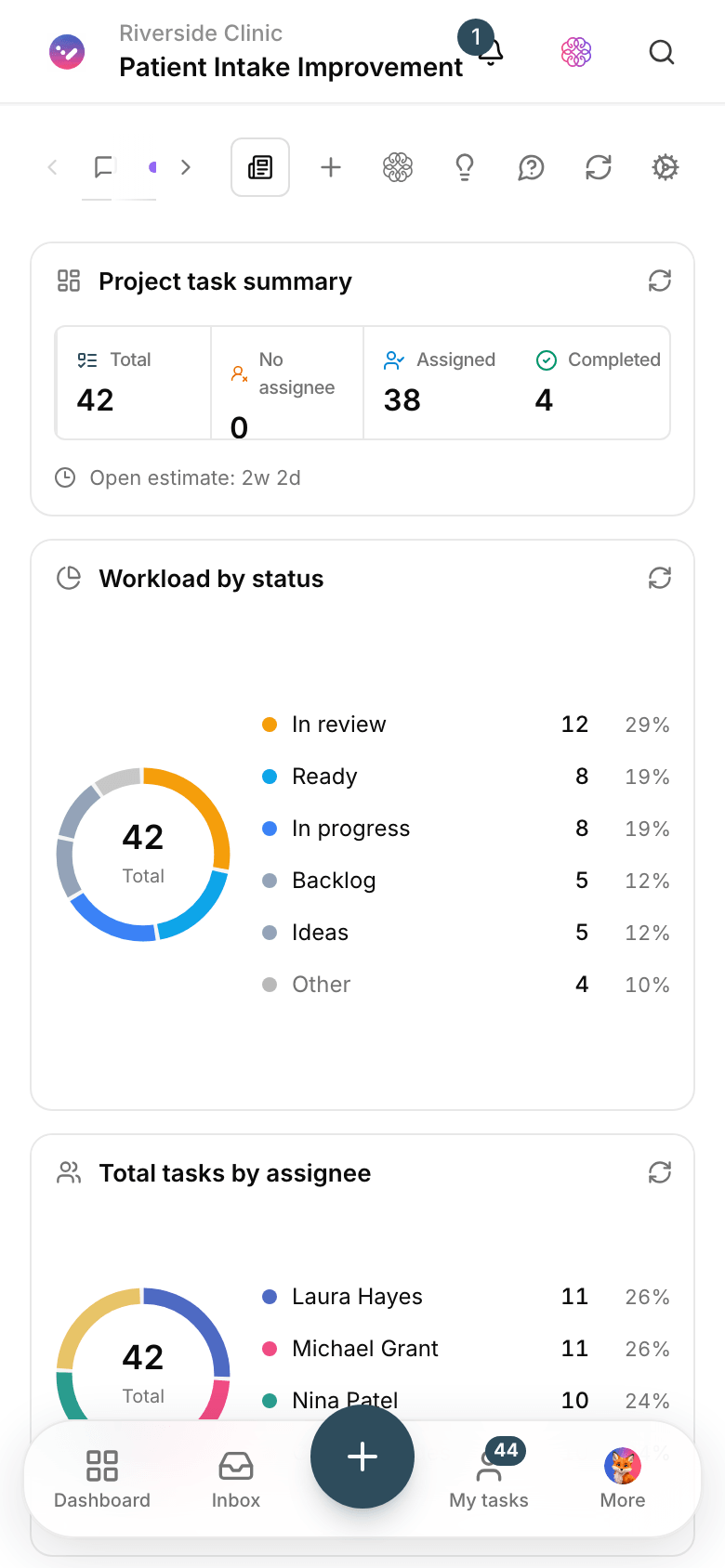
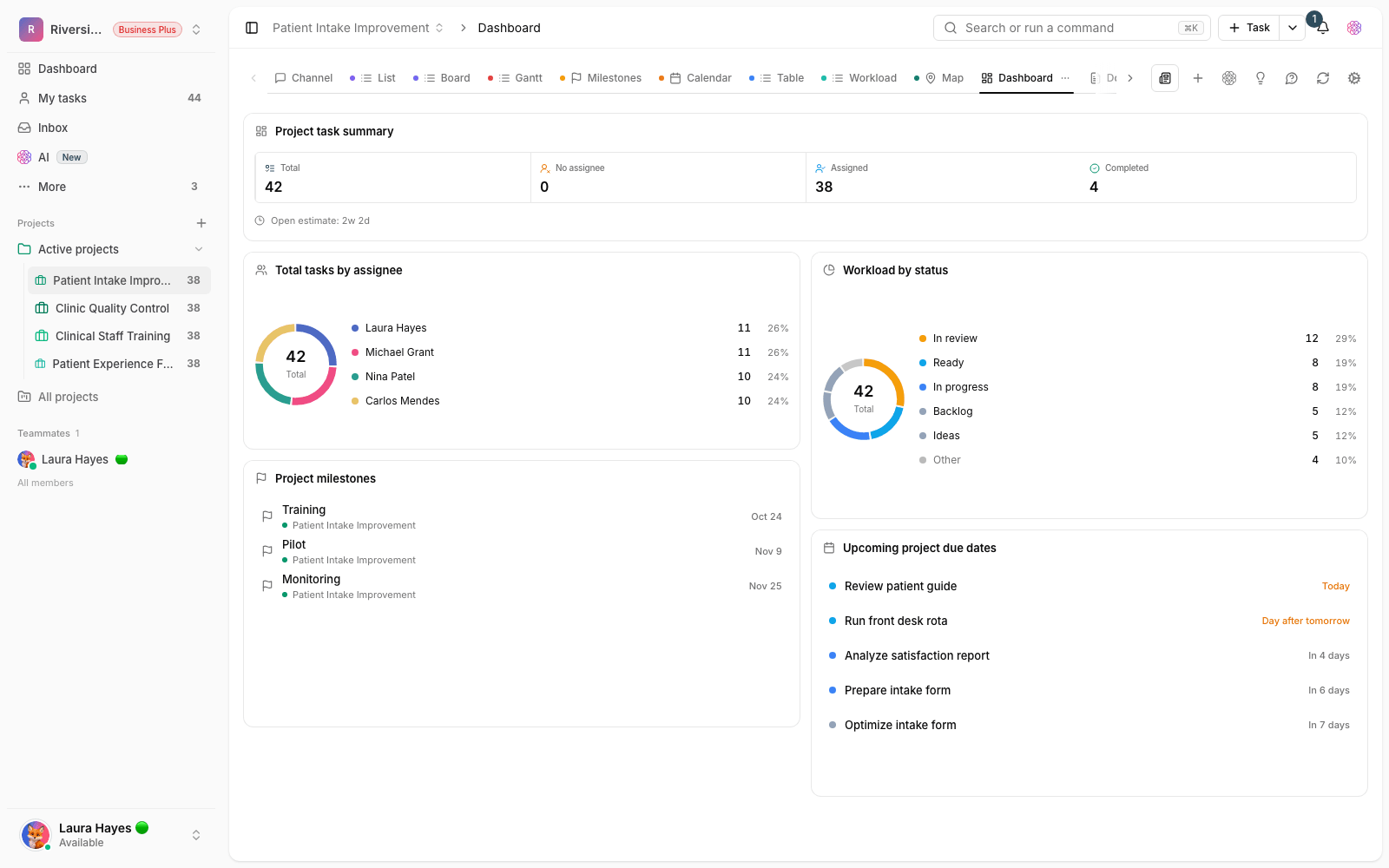
- A dashboard of open tasks and upcoming due dates, so the center’s manager has the full picture without a meeting.
The tools that keep this promise
- FormsReceive requests with defined fields, not phone calls and half-finished messages.
- DocsKeep the clinic’s protocols and procedures right where the work happens.
- PermissionsUse owner, admin, member and guest roles to decide what each person sees.
- Voice captureMid-shift, say the task out loud; Taskie turns it into a written task.
Inside the product
Two scenes from a workspace for Healthcare
Daily clinic dashboard
Open tasks, upcoming due dates and each unit’s status at a glance — exactly what the center’s manager needs every morning.

Internal request form
Units log their needs through a standard form, and Taskie creates the follow-up task on the spot.
Use cases
What this solution does in practice
Ordering IV fluids and infusion sets
The request comes in through a form, the procurement lead approves it, and delivery closes on a clear date.
Onboarding a new nurse
A training checklist shows who owns each step and where the new hire is along the way.
Following up a supplemental insurance contract
Correspondence, documents and the next step of every admin case sit in one task, not in scattered messages.
FAQ
Questions that usually come up before you start
Does Taskie replace medical records software?
No. Taskie manages teamwork, requests and coordination between units. It doesn’t replace an electronic patient record system or specialized clinical software — it sits alongside them and keeps the admin work in order.
Can we keep each unit’s access separate?
Yes. Each unit has its own project, and owner, admin, member and guest roles decide who sees what. Reception doesn’t need to see procurement’s tasks, and vice versa.
Everything lives in Excel and a messenger today. Where do we start?
Start with one project and this week’s requests; you don’t have to move everything at once. Once new requests arrive through forms, the spreadsheet retires on its own.
How much does Taskie cost for a clinic?
You can start for free with no upfront payment. When the team grows or you need more features, you upgrade your plan; the pricing page has the details.
Related solutions
Solutions in the same family
Starting today, move your team's work forward in one workspace
- Set up in minutes
- Start with no upfront payment
- Support from real people