
The front door for requests
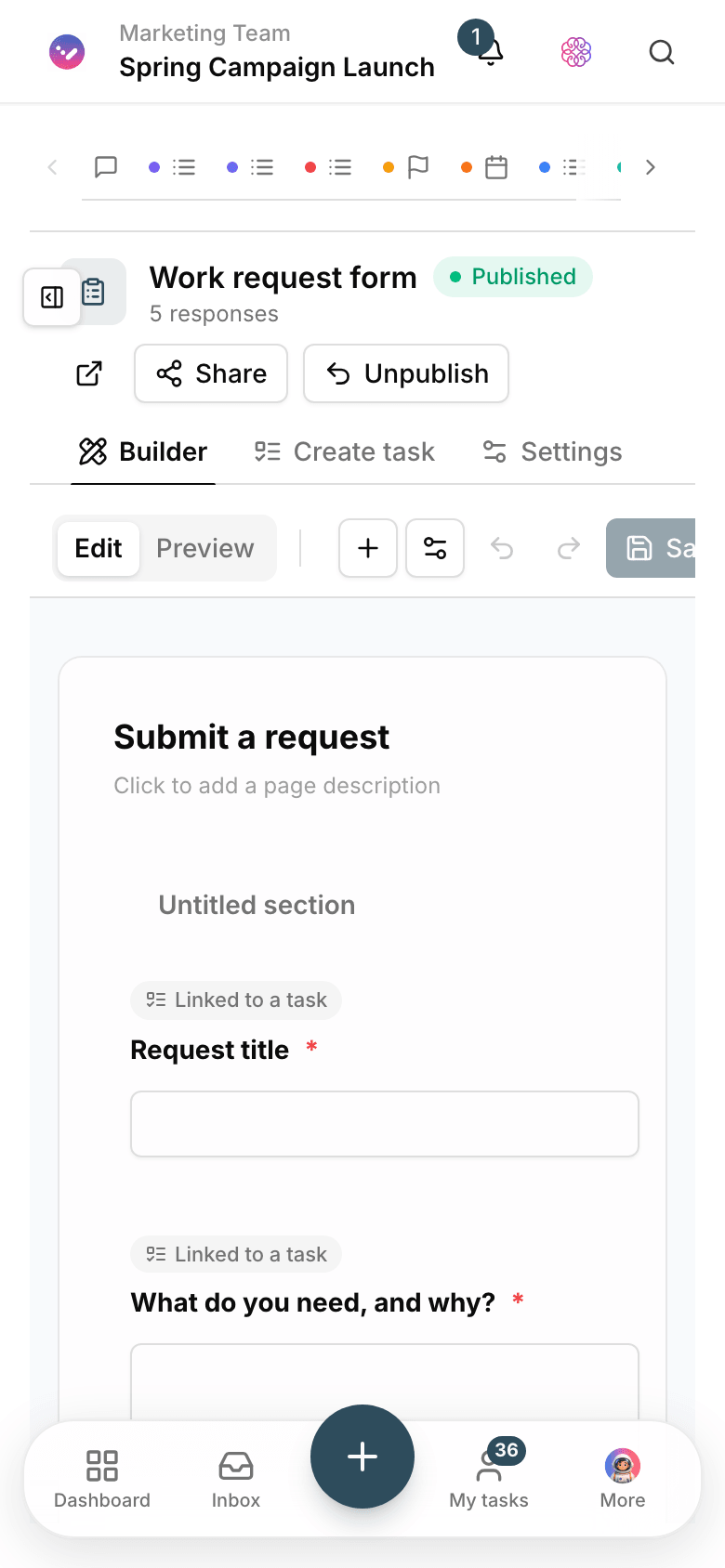
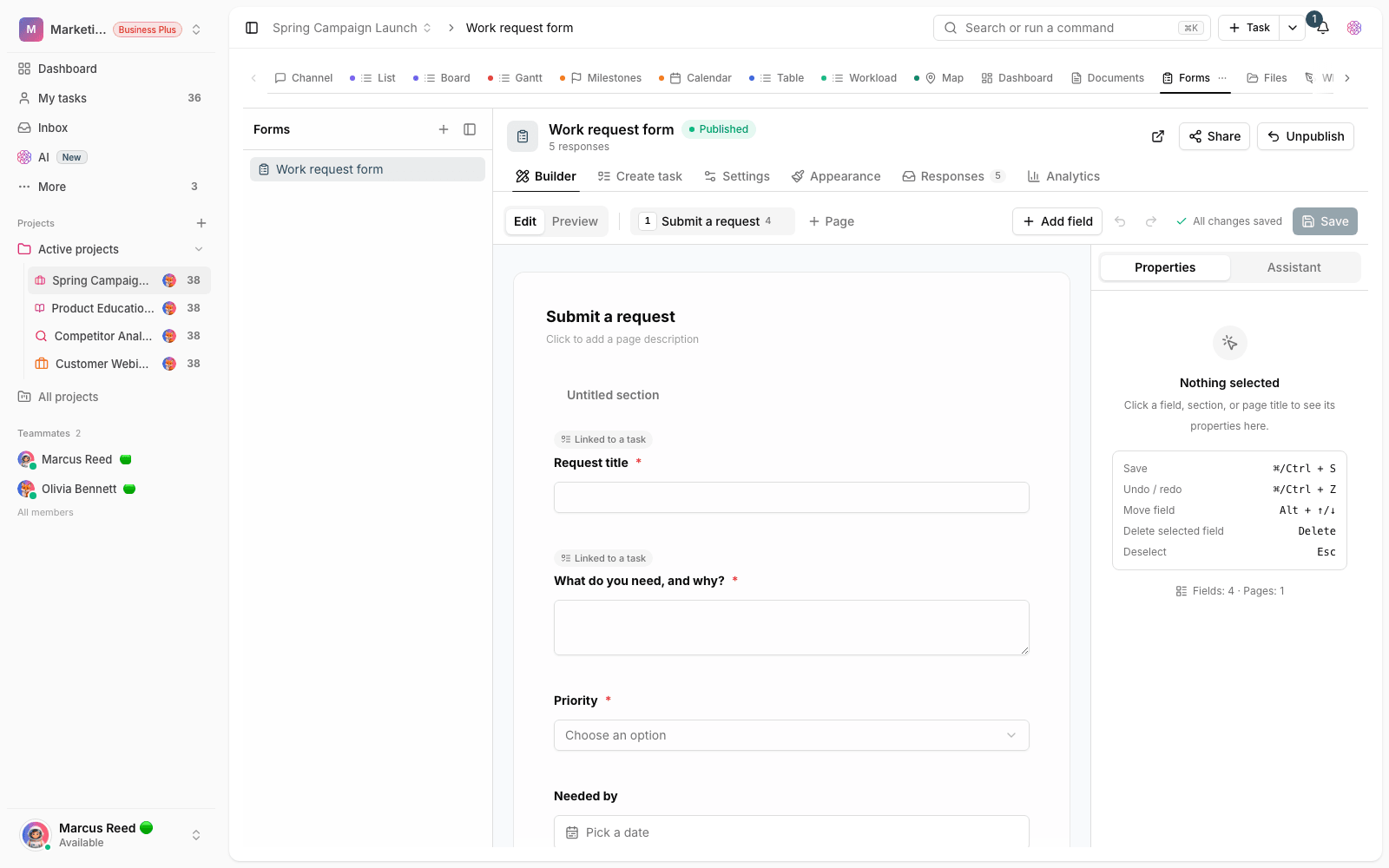
Publish the form; responses turn into tasks.
- Multilingual, LTR and RTL
- Free to start, no upfront payment
- Secure online payment
Problem and solution
A badly delivered request creates the work twice.
01 The problem
When every request arrives in its own format by email, chat or phone, the team first has to fill in the missing information before the real work can even start.
- Key information arrives incomplete, and the back-and-forth to complete it begins.
- Responses get separated from the project and the person following up.
- Uploaded files each end up saved somewhere different.
02 Taskie's answer
Your team standardizes what comes in
You decide the questions, so every response arrives complete. Responses and their files are saved in the project, and the form mapping turns them into ready-to-go tasks.
- Forms with a public link; respondents don’t need an account.
- Files and information collected within the project’s own structure.
- Responses become tasks based on how the form’s questions are mapped.
Workflow
From a public link to the team’s task queue
Design the form
Lay out the questions and fields you need; mark the required ones so no response arrives incomplete.
Publish the link
Send the public link to a client or colleague, or put it on your website.
Receive responses
Responses and their files gather in the project and the team reviews them.
Turn into tasks
An approved response becomes a task with an assignee and due date and joins the execution queue.
Outcome
Form builder in practice: what actually changes?
No incomplete responses
Required fields capture the information you need the first time; the back-and-forth disappears.
No request left behind
Every response is recorded in the project and stays in the team’s sight until it becomes a task.
Easy for outside respondents
Respondents just open the link — no install, no sign-up.
Straight into execution
From “request received” to “work started” takes a single click.
- Respondent sign-in
- No account needed
- Anyone can fill in the form through the public link; no sign-up required.
- Response path
- Form to task
- A response becomes a task with an assignee and due date in one move.
- Attached files
- In the project
- Files sent by respondents are saved right next to their response.
Use cases
Put Forms to work in these situations
Support requests
Customer requests arrive straight in the team’s queue with all the information needed.
Sign-ups and campaigns
Sign-up details or campaign leads are collected in the marketing project.
Internal requests
Requests to IT, finance or HR arrive in the same consistent format.
FAQ
Questions about Forms
Do respondents need a Taskie account?
No. Forms are published with a public link, and anyone — clients, colleagues, campaign audiences — can fill them in without signing up. Responses are visible only to your project members.
Does every response become a task automatically, or do we convert them?
It’s your call: review the responses and turn the real ones into tasks with a ready-made mapping, so the team’s queue isn’t cluttered with test or duplicate responses.
Can a form collect files too?
Yes. Add a file upload field so respondents can attach documents or images right there. Files are saved in the project next to the response.
Related features
Alongside Forms, explore these too
Files
The final file is scattered across messengers, email and several drives; finding it is a daily chore.
View detailsTasks
Work is scattered across chats and meetings; nobody knows who owns what or when it’s due.
View detailsAutomations
The same few manual steps repeat every day, and once a week one of them gets missed.
View detailsStarting today, move your team's work forward in one workspace
- Set up in minutes
- Start with no upfront payment
- Support from real people