
In your team’s own language
The tool should fit your work, not the other way around.
- Multilingual, LTR and RTL
- Free to start, no upfront payment
- Secure online payment
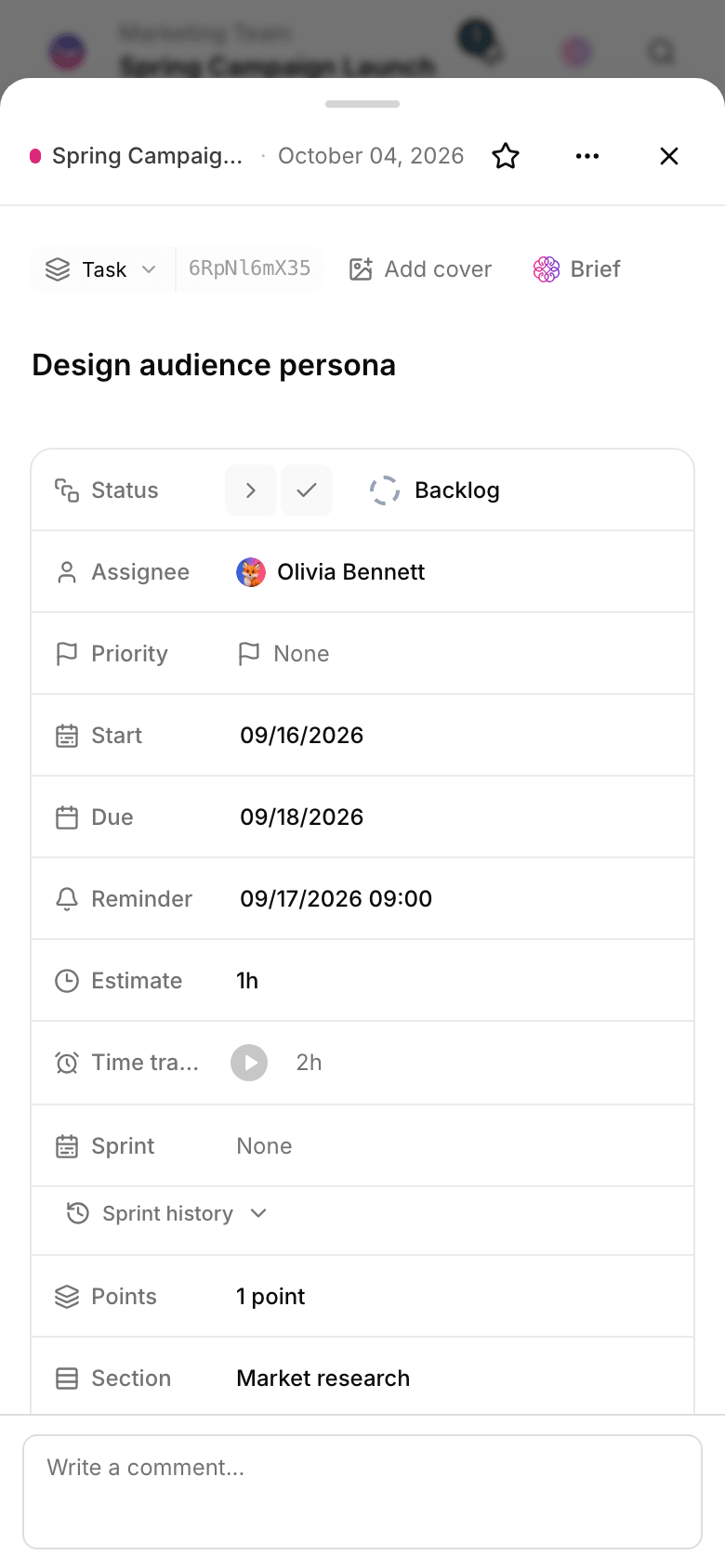
Problem and solution
A fixed form exiles key information to “description”.
01 The problem
When everything is just a plain task, bug severity, request channel and campaign budget get lost in free text — they can’t be filtered, reported on or automated.
- Every kind of work needs its own fields; one template doesn’t cut it.
- Key data gets buried in free-text descriptions and can’t be filtered.
- Reports and automations limp along on unstructured data.
02 Taskie's answer
Task structure, in your team’s hands
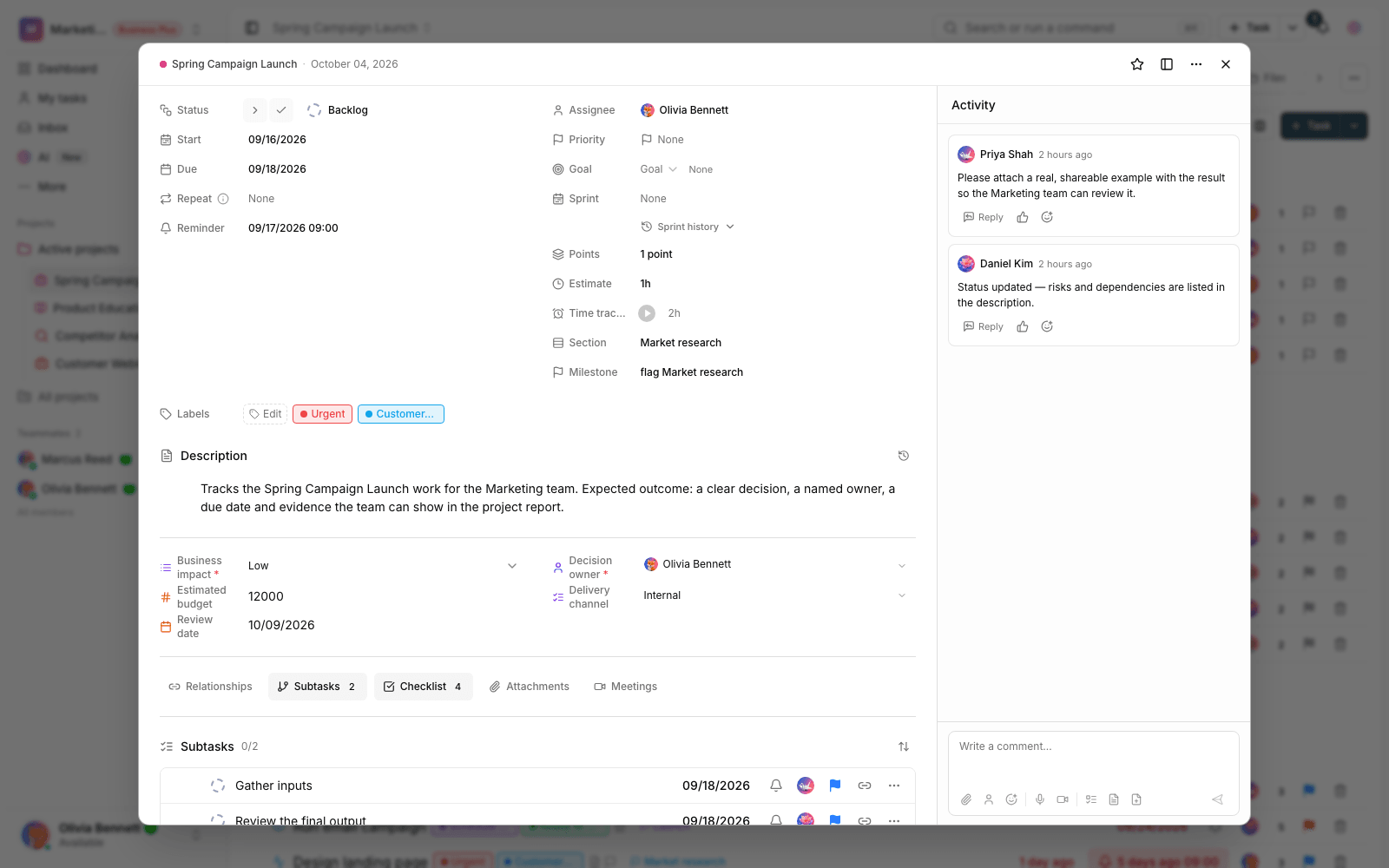
Create a task type for each process and give it custom fields — number, select, date and even calculated. Important data gets its own clear place.
- Define task types that fit each team’s process.
- Custom fields for data that needs filtering and reporting.
- Calculated fields for numeric logic inside the project.
Workflow
Build your task template from the real process
Design the model
Define task types and the fields you need based on your team’s real process.
Use it when creating tasks
When creating a task, members pick the right template and fill in the fields.
Filter and report
The same fields filter in views and tables and power accurate reports.
Refine over time
As your team’s needs change, add new fields and types without disturbing the past.
Outcome
Custom task types in practice: what actually changes?
A shared team language
Tasks are named with the same concepts your team uses every day.
Data instead of free text
Severity, channel, budget and any other key data each get their own field.
More accurate automations
Automation rules set error-free conditions on structured fields.
Many teams, one space
Product, sales and support each have their own model, all in one workspace.
- Task templates
- One per process
- Every kind of work — bug, request, campaign — has its own type.
- Custom fields
- A place for key data
- Text, number, select, date and calculated values — each with its own field.
- Reports
- On clean data
- Views and reports are fed by structured fields, not free text.
Use cases
Put Task types to work in these situations
Bugs and product development
Severity, environment and version are recorded as fields, so quality reports become real.
Customer requests
Customer type, urgency and intake channel sit on the task itself and make the queue transparent.
Marketing campaigns
Each piece of content’s channel, budget and publish date has a clear place.
FAQ
Questions about Task types
How is a custom task type different from a label?
A label is a free-form tag; a task type is a full template with its own fields. When data must always be recorded — like bug severity — a task type field is the right place for it, not a label.
Will changing types later break existing tasks?
No. New fields are added to new tasks and existing tasks stay as they are. You can build out the model step by step, together with your team.
How much work is the setup?
To start, one type and three or four fields are enough; it takes only a few minutes. Build out a fuller model later, based on what your reports really need.
Related features
Alongside Task types, explore these too
Views
Everyone reports with their own filter; two people see the same project two different ways.
View detailsAutomations
The same few manual steps repeat every day, and once a week one of them gets missed.
View detailsTasks
Work is scattered across chats and meetings; nobody knows who owns what or when it’s due.
View detailsStarting today, move your team's work forward in one workspace
- Set up in minutes
- Start with no upfront payment
- Support from real people