
Build a filter once, use it every day
Build the filter once; the picture is ready every day.
- Multilingual, LTR and RTL
- Free to start, no upfront payment
- Secure online payment
Problem and solution
One list for everyone is the right picture for no one.
01 The problem
The project manager wants risks, the designer their own tasks and operations today’s deadlines. When everyone filters all of that by hand, time slips away and mistakes creep in.
- Manual filters get rebuilt every day, slightly differently each time.
- Separate reports fall behind the project’s real status very quickly.
- Important work gets buried under piles of lists and boards.
02 Taskie's answer
One live dataset, a picture for every role
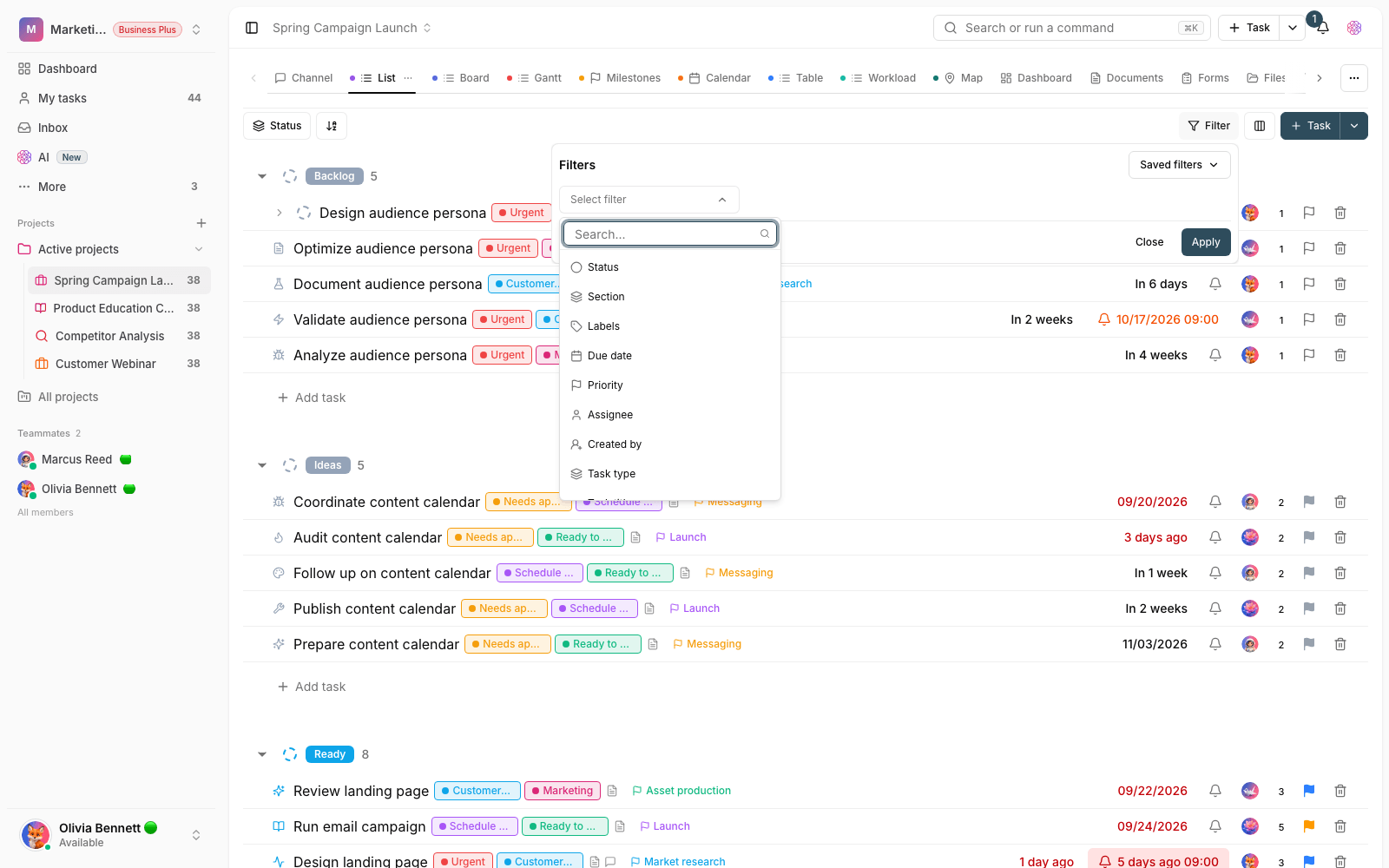
Set the conditions once — assignee, status, due date, label — and save the view for yourself or your team. Everyone reports from the same live data.
- Personal views for your own focus; team views for a shared definition.
- Filter by assignee, status, priority, label, due date and custom fields.
- The same view works in list, table and kanban board.
Workflow
Build it once, come back every day
Set the conditions
Pick the view’s conditions: assignee, status, due date, label or any other field.
Save with a clear name
Save the view under a name your team understands — personal for you or shared with the project.
Come back daily
Every day, open the same picture on up-to-date project data in one click.
Act right there
Open a task from inside the view, change it and move it forward — without switching pages.
Outcome
Smart views in practice: what actually changes?
Start mornings with the picture ready
Skip building filters and go straight to decisions; your “today” view is waiting.
A shared definition of “important”
When everyone reports from one view, the debate over numbers ends and the one about solutions begins.
Every role, its own view
Managers see risks, designers see design work and support sees today’s deadlines.
Nothing gets lost in the noise
Overdue and unassigned tasks are always in sight with one saved view.
- Set up once
- 1
- Build the filter once and come back to it every day without setting it up again.
- Data source
- Live and shared
- Every view runs on the same project data; no parallel reports get built.
- View scope
- Personal or team
- Keep a view for your own focus or share it with the whole project.
Use cases
Put Views to work in these situations
Daily stand-up
A “today’s tasks” view takes the meeting from manual review to decisions.
Project risk monitoring
Blocked, unassigned or overdue tasks are gathered in one permanent view.
Specialist team focus
Design, engineering or content teams see only the work in their own area.
FAQ
Questions about Views
How is a smart view different from a regular filter?
A regular filter is gone when you close the page; a smart view is saved, has a name and comes back in one click. A team view gives every member the same shared definition.
Who can change a team view?
A personal view is yours alone. Team views are managed by their creator and project admins, so the team’s shared definition doesn’t change without coordination.
How do I know which views to build?
Start with your team’s three recurring questions: what’s on my plate today? What’s overdue? What has no owner? Build a view for each; the rest will surface through daily use.
Related features
Alongside Views, explore these too
Tasks
Work is scattered across chats and meetings; nobody knows who owns what or when it’s due.
View detailsSprints
The backlog is huge, but nobody knows exactly what the team has committed to these two weeks.
View detailsTask types
One fixed template for bugs, campaigns and customer requests — and the result is missing data.
View detailsStarting today, move your team's work forward in one workspace
- Set up in minutes
- Start with no upfront payment
- Support from real people