
Goals wired to daily work
Goals tied to daily work are goals that get hit.
- Multilingual, LTR and RTL
- Free to start, no upfront payment
- Secure online payment
Problem and solution
A goal read only at the start of the quarter isn’t a goal.
01 The problem
Most teams write their goals in a slide deck and then get on with execution. Progress is updated by hand by whoever runs out of time, so the report is always weeks behind.
- Each goal’s owner and success measure are forgotten after the first meeting.
- People report progress from memory, not from task data.
- Nobody sees which tasks actually move the goal forward.
02 Taskie's answer
Goals live where the work lives
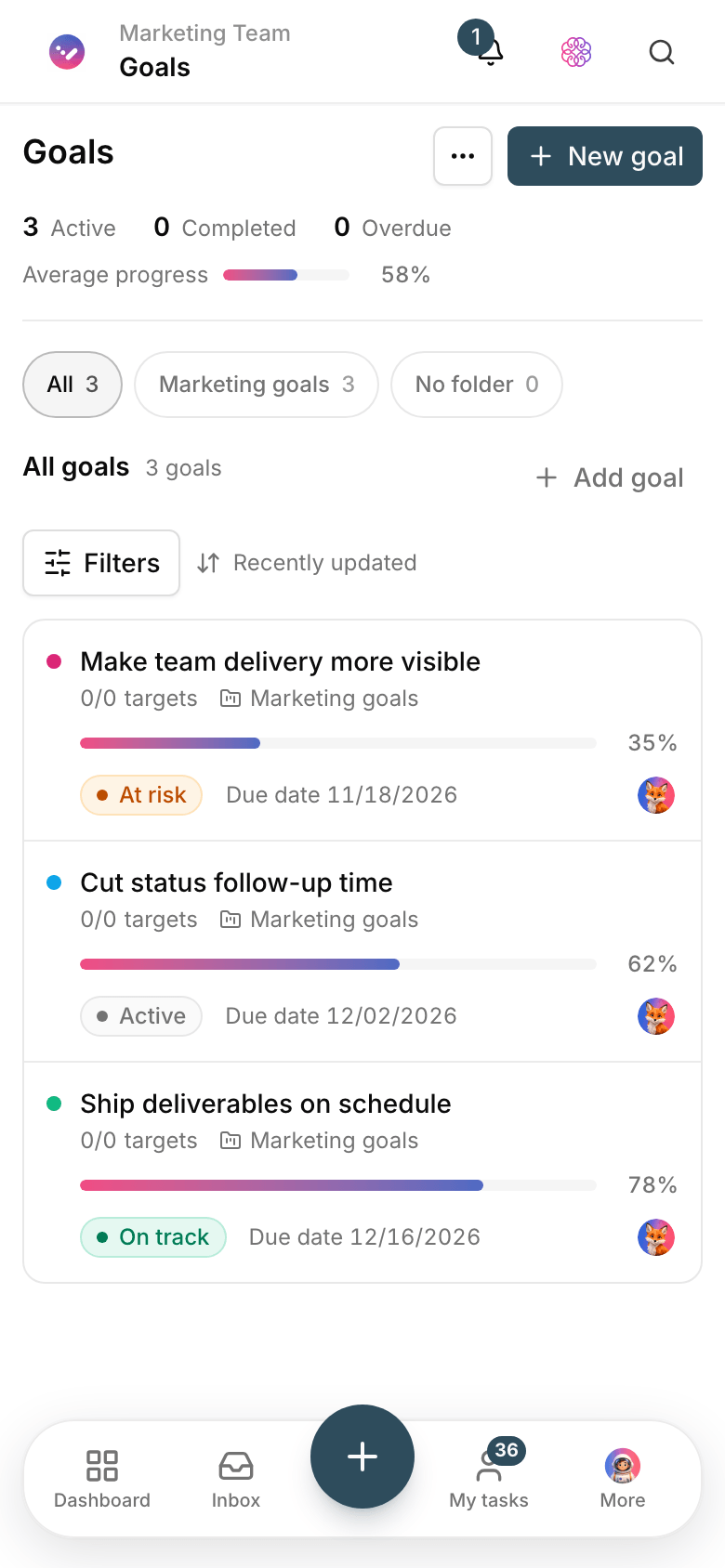
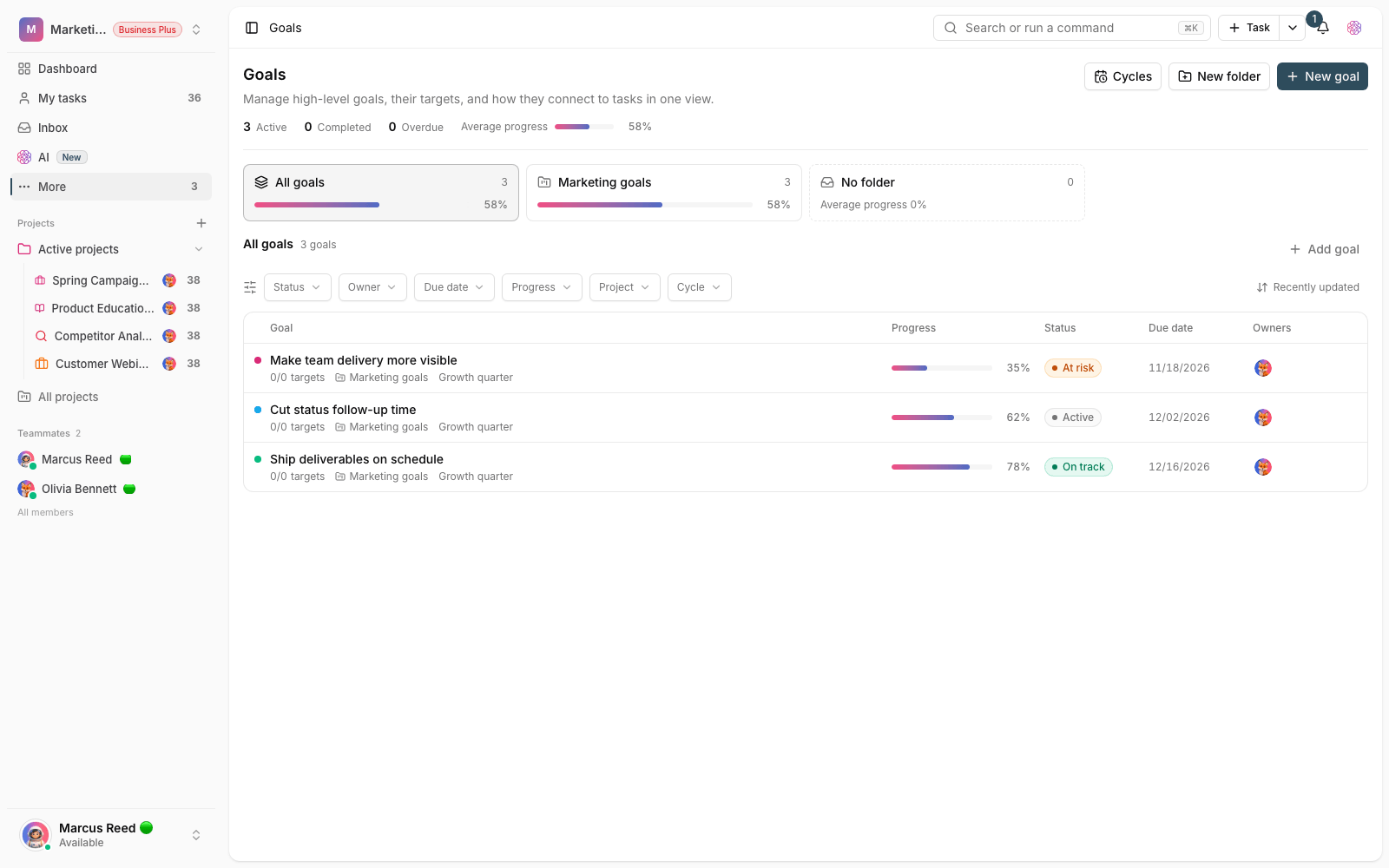
Give every goal a cycle, an owner and weighted targets, and link each target to a number, a task or a project. As the tasks move, the goal’s progress updates itself.
- OKR cycles for a quarter, a month or whatever cadence your team runs on.
- Weighted targets: numeric, yes/no, task or project.
- The linked goal shows on every task page, so everyone knows what they’re working toward.
Workflow
Write the goal; the tasks report the progress
Define a cycle
Create your team’s goal-setting period — a quarter, a month or any custom span — as an OKR cycle.
Add the goal and owner
Add the goal with an owner, a due date and related projects so it never goes unowned.
Link the targets
Link each target to a number, a task or a project, and give it a weight.
Review progress
Progress updates from task status, so the review meeting starts with real data, not guesses.
Outcome
Goals & OKRs in practice: what actually changes?
Daily work gets meaning
Every member sees on the task page which team goal the task feeds and how much it counts.
Progress reports with no manual work
Targets linked to tasks and projects update as statuses change; nobody gathers numbers at the end of the week.
Weighted results
The more important target gets more weight, so a goal’s progress reflects reality, not a raw average.
Public or private goals
Make each goal public or private and keep owner, editor and viewer roles separate.
- Target types
- 4
- Numeric, yes/no, task and project — each target is measured by what it really is.
- Updates
- From the work
- A target linked to a task or project updates itself as execution moves.
- Cycles
- Quarterly or custom
- Review goals in time-boxed cycles and compare quarter over quarter.
Use cases
Put Goals to work in these situations
Quarterly product OKRs
Measure growth or quality goals with numeric targets and spot drift mid-quarter, not at the end.
Operations team goals
Tie goals like faster response times or closing requests to that team’s actual tasks.
Aligning several projects
When several projects feed one goal, their progress comes together on one page.
FAQ
Questions about Goals
How are goals in Taskie different from an OKR file?
An OKR file is forgotten after the first meeting; in Taskie goals are linked to tasks and projects, and their progress stays current with execution. Quarterly reviews run on real data, not people’s memories.
Do I have to update goal progress myself?
Targets linked to tasks or projects update themselves from execution status. Numeric targets such as revenue or satisfaction you enter by hand whenever you have a new number.
Do we need the whole company on board to start OKRs?
No. Start with one team and one cycle. Once the first quarterly review pays off, other teams add their own goals in the same workspace.
Related features
Alongside Goals, explore these too
Tasks
Work is scattered across chats and meetings; nobody knows who owns what or when it’s due.
View detailsViews
Everyone reports with their own filter; two people see the same project two different ways.
View detailsAutomations
The same few manual steps repeat every day, and once a week one of them gets missed.
View detailsStarting today, move your team's work forward in one workspace
- Set up in minutes
- Start with no upfront payment
- Support from real people