
Capture work on the move
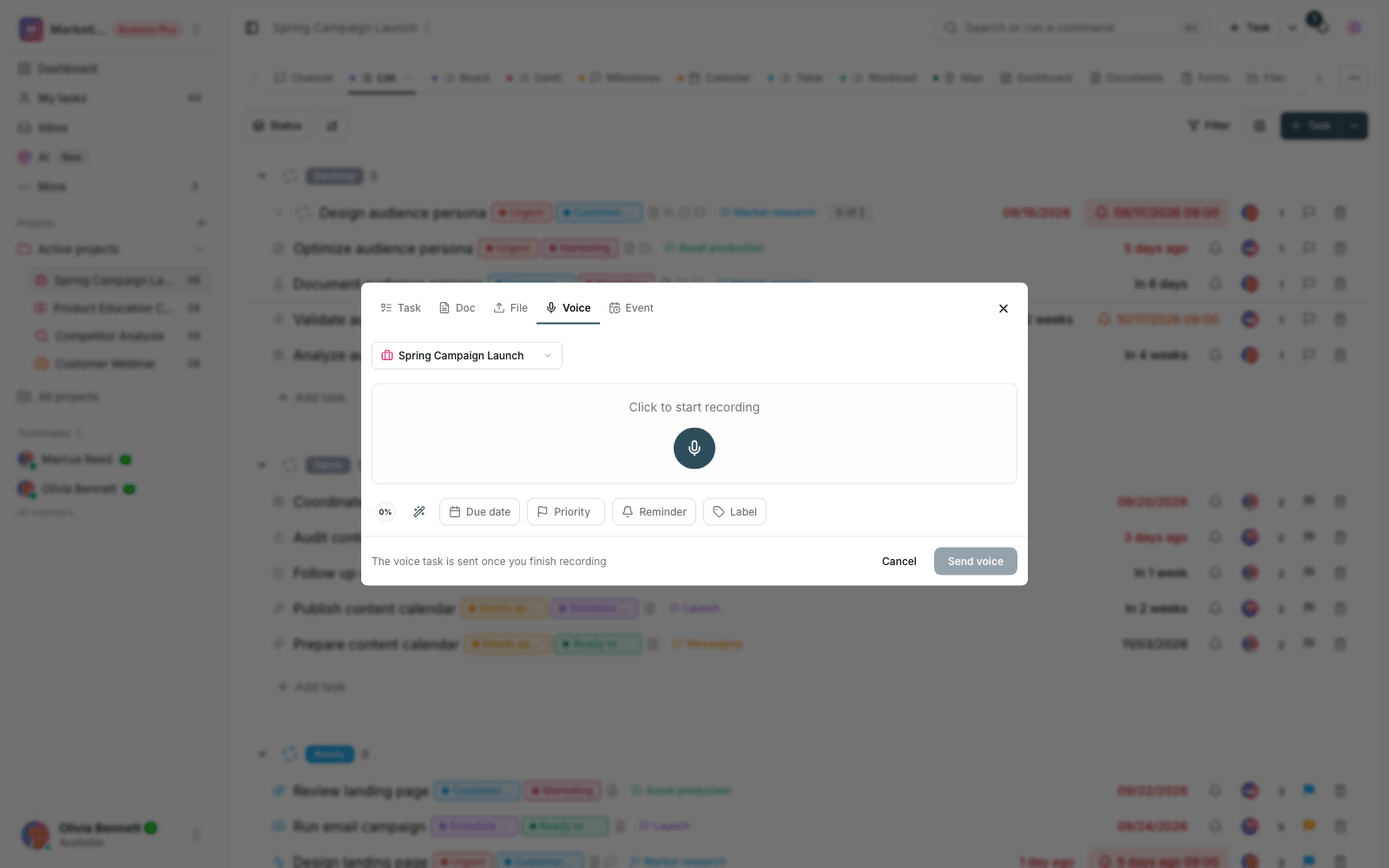
Record your voice; get a ready-to-go task.
- Multilingual, LTR and RTL
- Free to start, no upfront payment
- Secure online payment
Problem and solution
Important work won’t wait until you reach a keyboard.
01 The problem
Some tasks are born in meetings, on the street or on a phone call — places where typing is hard. By the time you’re back at your desk, half of them are forgotten.
- Verbal requests get passed on incomplete, or not at all, after the meeting.
- Typing short tasks on a phone takes patience.
- A voice note abandoned in a chat isn’t a task; it’s just a vague reminder.
02 Taskie's answer
Just talk; Taskie handles the rest
Hit record and describe the task. Taskie turns speech into text, suggests a title and details, and leaves the task ready for your review.
- Quick recording from phone or desktop, wherever you are.
- Speech-to-text in your interface language, with the task title written for you.
- Details like timing and priority pulled from the same sentences.
Workflow
Four steps, not a word typed
Record
Hit record and describe the task the way you’d tell a colleague.
Transcribe
Taskie turns your speech into text and builds a draft task.
Quick review
Check the suggested title, description and timing, and fix them if needed.
Into the project
The task joins the project like any other, with an assignee, due date and status.
Outcome
Voice tasks in practice: what actually changes?
Nothing gets lost on the way
From “remember this” to “recorded” takes seconds; nobody has to keep it in their head.
Capture without stopping work
Mid-meeting or between appointments, get the task into the system without opening a form.
Made for field teams
Sales, support and operations people who aren’t at a desk capture tasks in the moment.
A real output, not an audio file
The result is a task with a title, assignee and due date — not a voice note left in a chat.
- Typing needed
- 0
- From recording to a saved task, no keyboard needed; the review takes a few taps.
- Output
- Tasks, not audio
- Speech turns straight into a task with a title and details.
- Language
- Your language
- Speech is transcribed in the language of your Taskie interface.
Use cases
Put Voice capture to work in these situations
After a meeting
Record the meeting’s action items one by one by voice, right at the door.
Field reports
Turn a client or site visit into a few concrete tasks on the spot.
Catching ideas
An idea that strikes on the way lands in the backlog before it’s forgotten.
FAQ
Questions about Voice capture
How accurate is the speech recognition?
It’s accurate for everyday work speech, and the text is in front of you before saving so you can fix it. In noisy places or with very specialized jargon, that few-second review is all it takes.
Does it work on mobile?
Yes — it was built for exactly those moments. Record on your phone and the task lands in your team’s workspace; when you’re back at your desk, everything is in place.
Which plans include voice tasks?
Voice capture is one of Taskie’s AI features and is enabled on plans with AI capabilities; see the pricing page for each plan’s current details.
Related features
Alongside Voice capture, explore these too

AI
A simple status report means manually going through dozens of tasks, docs and comments.
View detailsTasks
Work is scattered across chats and meetings; nobody knows who owns what or when it’s due.
View detailsForms
Requests arrive by email and message; half are incomplete and the other half never get followed up.
View detailsStarting today, move your team's work forward in one workspace
- Set up in minutes
- Start with no upfront payment
- Support from real people