
Backlog, sprints, bugs and product docs in one flow
Every bug, every decision and every doc, linked to its own task.
- Multilingual, LTR and RTL
- Free to start, no upfront payment
- Secure online payment
Metrics
Three things that should be clear from day one
01 Metric
A backlog you can trust
Requirements, bugs and ideas sit in one queue with clear priorities, not in ten files and people’s heads.
02 Metric
Sprints without surprises
Every sprint’s commitment, progress and blocked tasks are in front of the team and the product manager.
03 Metric
Technical decisions don’t get lost
PRDs and architecture decisions are linked to tasks; six months later, “why did we build it this way?” still has an answer.
The problem
In Software today, where does work get stuck?
The bug was reported in a messenger and the fix was agreed in a meeting; two weeks later, neither can be found.
- Blocked tasks surface late and quietly knock the sprint off course.
- Planning and retro meetings leave nothing in writing, so the same points come up again next sprint.
Workflow
From the first request to the report, built for Software
01 Step
Add to the backlog
Ideas, user needs and bugs enter the backlog with enough context, from a form or quick add.
02 Step
Prioritize
The team readies the next sprint’s work based on value and dependencies.
03 Step
Run the sprint
Tasks move forward with status, owner and conversation, and blocked items get a label.
04 Step
Release and retro
Release notes and the retro summary stay on record, and the next cycle benefits from them.
Taskie's promise
The dev cycle, from discovery to release, in plain sight for everyone
- A sprint board with a clear commitment, so blocked tasks surface on day one.
- PRDs, technical decisions and retro notes, linked to the tasks they’re about.
- Bug report and feature request forms — complete intake, no back-and-forth.
The tools that keep this promise
Inside the product
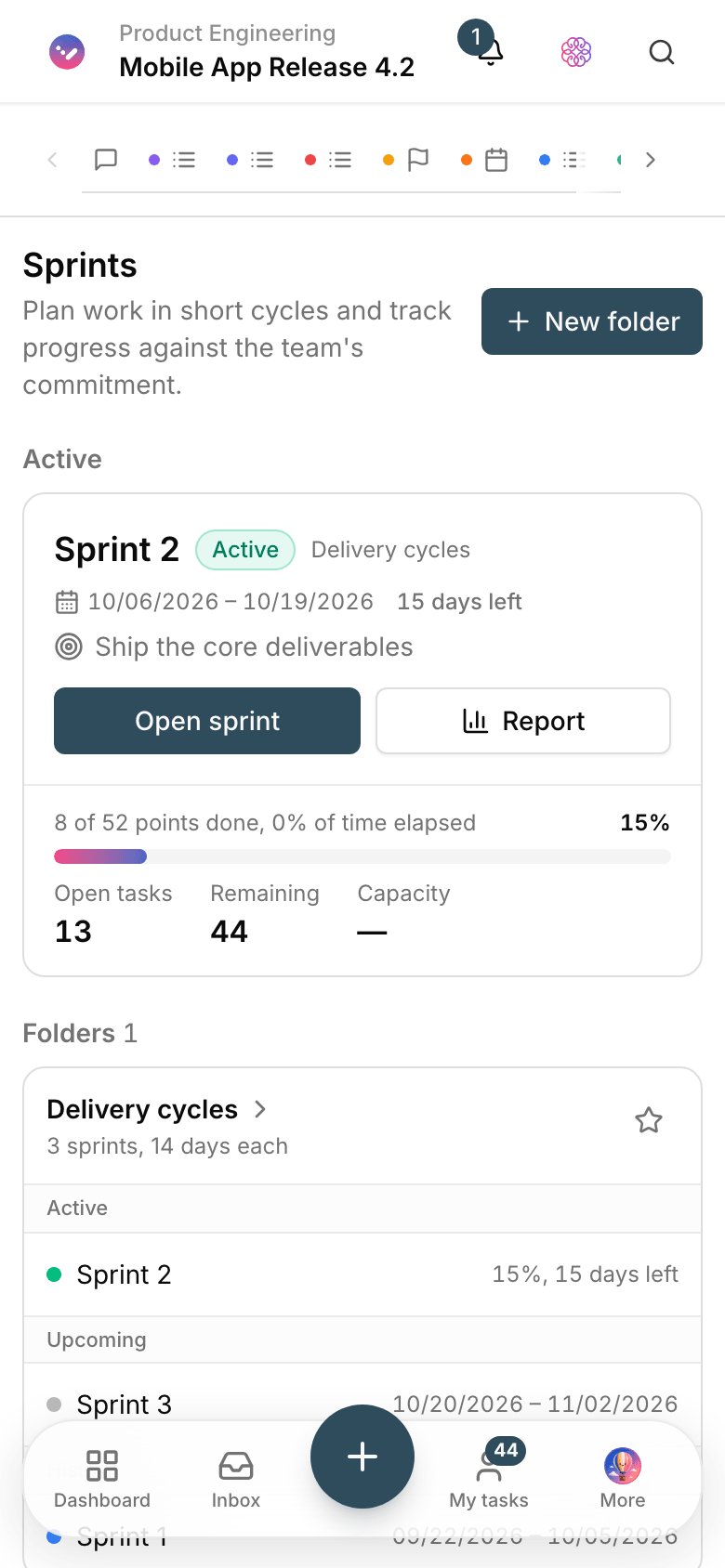
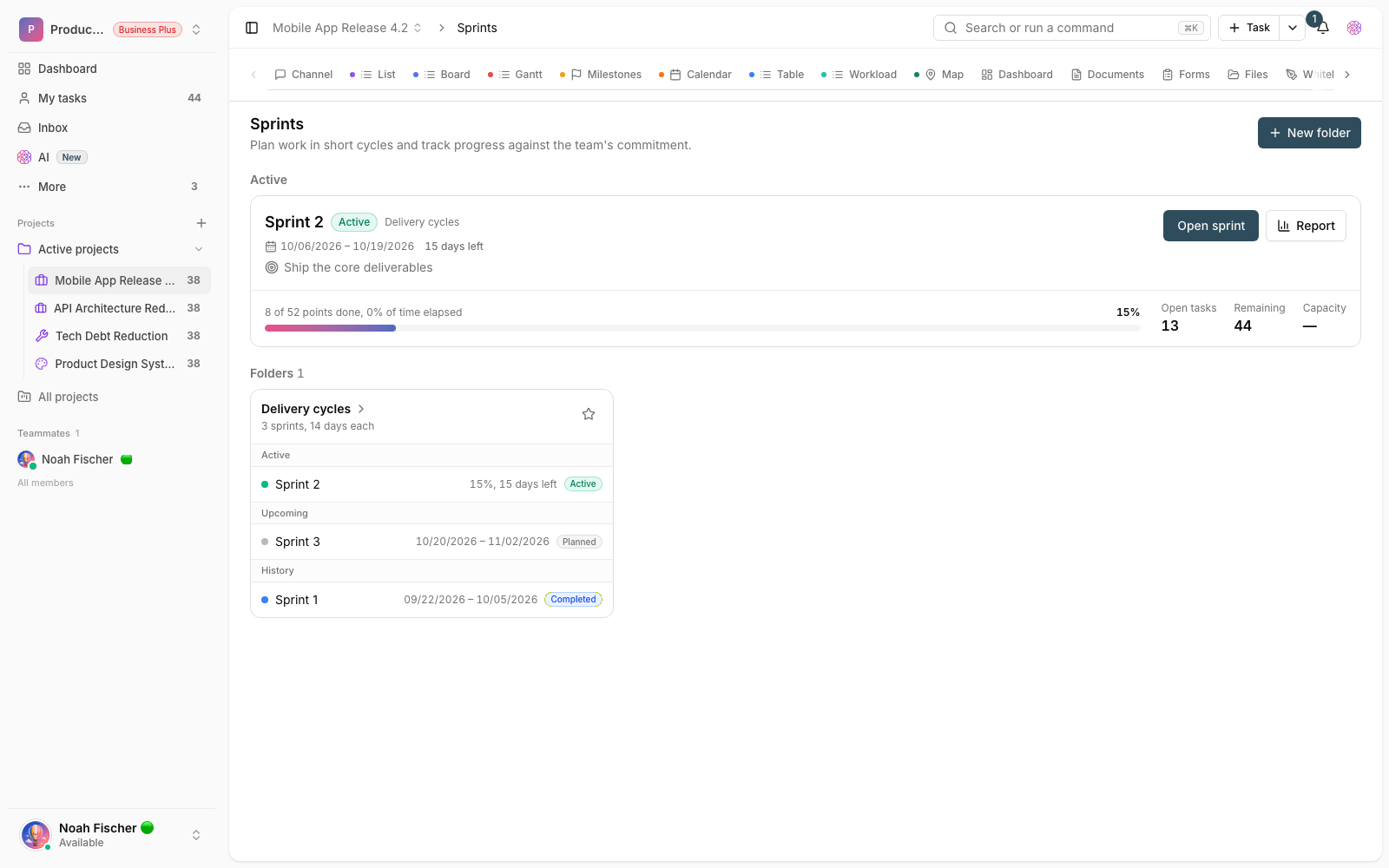
Two scenes from a workspace for Software
Current sprint dashboard
Commitment progress, blocked tasks and open bugs — the real status, not the general mood of the meeting.

Bug report form
Steps to reproduce, environment and attachments come in through the form, so developers don’t have to guess.
Use cases
What this solution does in practice
Handling user-reported bugs
The report comes in through a form, gets a priority, and its path to the shipped fix is on record.
Planning the next sprint
A prioritized backlog is ready, so sprint planning is about choosing, not archaeology.
Shipping a new release
The release checklist, changelog and post-release tasks are all in one place.
FAQ
Questions that usually come up before you start
Does Taskie replace Git and CI/CD tools?
No, and it isn’t meant to. Taskie handles planning, sprints, documentation and team coordination; your code repository and release pipeline stay right where they are.
Can a non-technical manager understand the product’s status?
Yes. Build a simple view with status and due dates and give limited access; the manager sees progress without wading into the backlog’s technical details.
We work in Trello and a few files today. How long does migrating take?
One planning session: bring in the current sprint’s tasks and carry on from that day. Bring the old backlog over topic by topic; nothing stops working along the way.
How much does it cost for a multi-person development team?
You can start for free with no upfront payment and set up your first sprint today. Once the team grows, you pick the right plan; the details are on the pricing page.
Related solutions
Solutions in the same family
Starting today, move your team's work forward in one workspace
- Set up in minutes
- Start with no upfront payment
- Support from real people