
IT requests and portfolio reporting, on live data
Data builds the Tuesday report, not phone check-ins.
- Multilingual, LTR and RTL
- Free to start, no upfront payment
- Secure online payment
Metrics
Three things that should be clear from day one
01 Metric
One queue for every request
Whichever team an IT request comes from, it enters the same queue through a form, with a clear urgency and description.
02 Metric
A transparent portfolio
The PMO sees the status, risk and due date of every project on one dashboard, without email back-and-forth.
03 Metric
Decisions are on record
Requirements, decisions and meeting minutes are linked to their project and task, and can be found later.
The problem
In IT & PMO today, where does work get stuck?
Every Tuesday, every project is green — because people fill in the report, not the data.
- IT requests arrive by phone, email and messenger, and whoever shouts loudest sets the priority.
- Decision and risk documentation gathers dust somewhere far from the actual work.
Workflow
From the first request to the report, built for IT & PMO
01 Step
Log the request
Teams submit IT or new project requests through a form with the required fields.
02 Step
Assess and prioritize
The IT manager or committee sets the importance, risk and owner of each item.
03 Step
Controlled delivery
Tasks move forward in the project with dependencies and documentation, and any drift from the plan shows up early.
04 Step
Management reporting
The dashboard keeps status, bottlenecks and overdue tasks ready for the leadership meeting.
Taskie's promise
A report that writes itself from the work
- Request forms for IT, changes and new projects — consistent intake, ready to prioritize.
- A portfolio view with each project’s status, risk, due date and owner.
- Requirement and decision docs, linked to that project’s tasks.
The tools that keep this promise
Inside the product
Two scenes from a workspace for IT & PMO
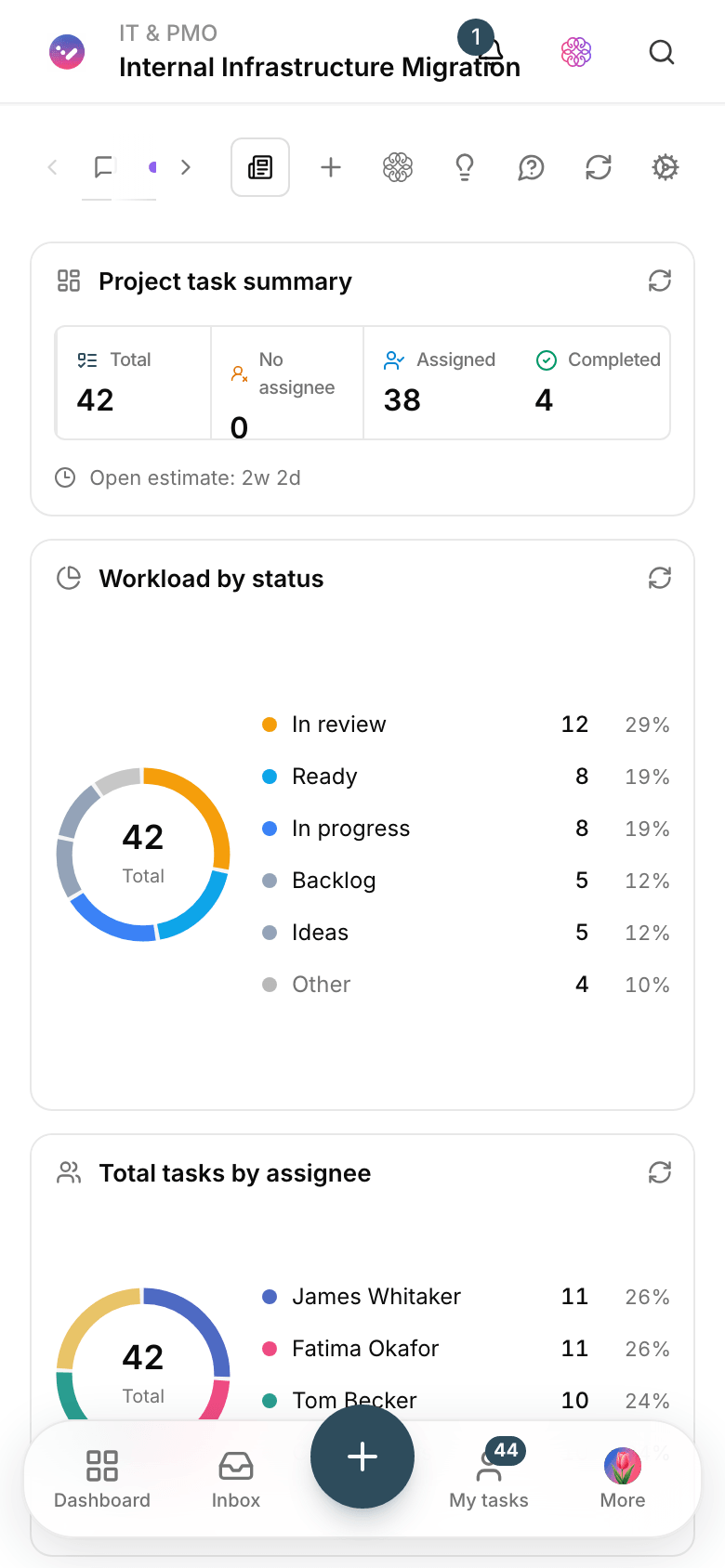
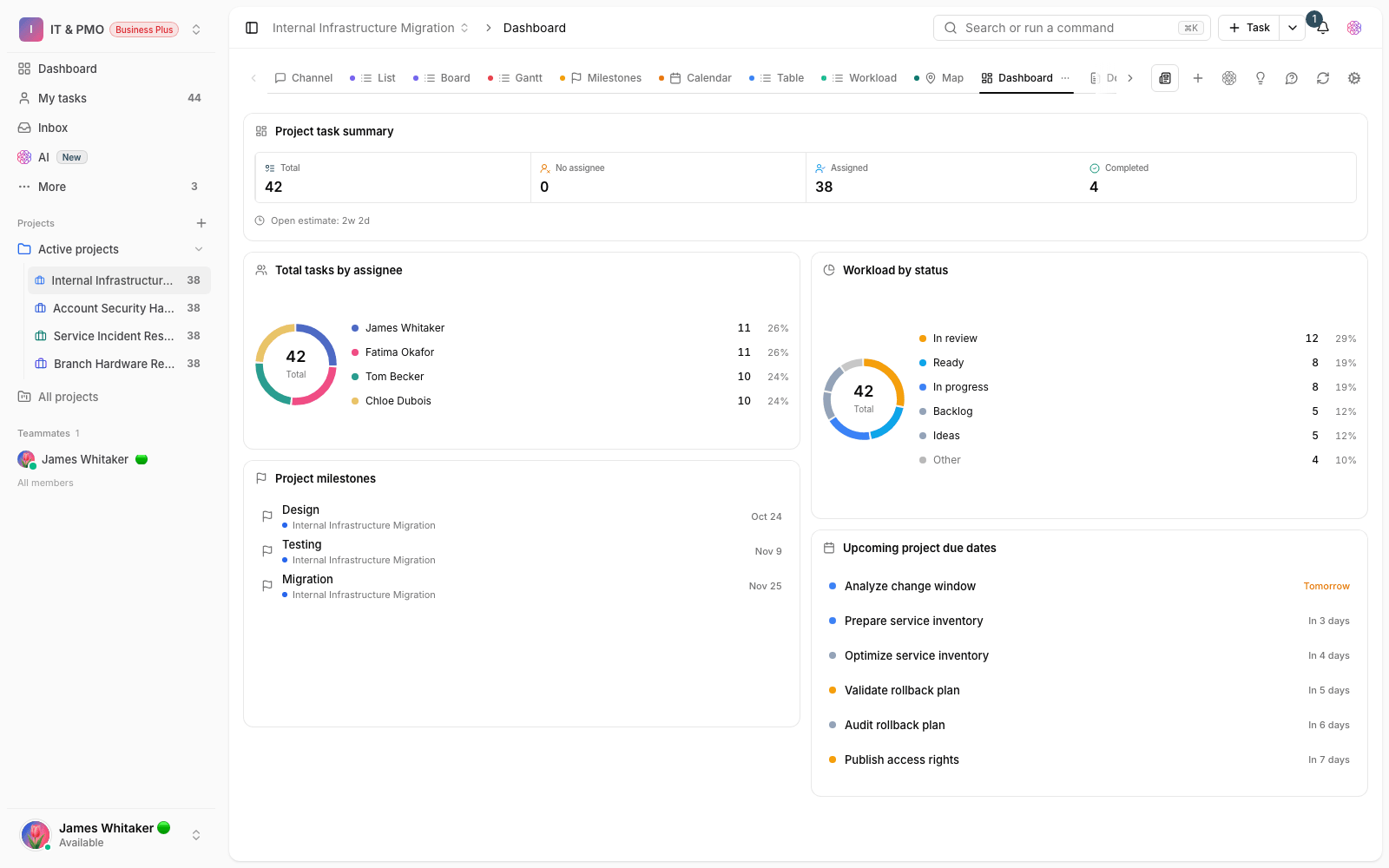
Project portfolio dashboard
Project status, open risks and overdue tasks in one management view.

IT request form
Request type, urgency, team and attachments: requests arrive complete and the queue stays organized.
Use cases
What this solution does in practice
The IT request queue
Every request has a clear path from submission to close, and the requester can see its status.
The monthly portfolio report
The PMO pulls the report from the dashboard, not from chasing each project manager one by one.
Documenting infrastructure changes
Every change is recorded with its decision, implementer and outcome; six months later, the reason is still clear.
FAQ
Questions that usually come up before you start
Does Taskie work for enterprise portfolio management?
If you run your portfolio with tasks, statuses, docs and dashboards, yes — you get a shared framework and live reporting. It isn’t a replacement for specialized financial and heavyweight project control tools.
Can the IT request queue be kept separate from projects?
Yes. Create a standalone project for the request queue that fills from a form and has its own statuses. Development projects stay separate, and reports for both are available.
We report with email and Excel today. How much work is the switch?
Less than you think: build the request form, bring in active projects with their current status and pull this week’s report from the dashboard. Old history doesn’t need to move.
How many subscriptions does the whole organization need?
One workspace is enough for every team; you invite members and control each team’s access with roles and projects. You can start for free, and plan details are on the pricing page.
Related solutions
Solutions in the same family
Starting today, move your team's work forward in one workspace
- Set up in minutes
- Start with no upfront payment
- Support from real people