
Project planning, execution and reporting in one workspace
The dashboard tells you what’s really happening in the project.
- Multilingual, LTR and RTL
- Free to start, no upfront payment
- Secure online payment
Metrics
Three things that should be clear from day one
01 Metric
One source of project truth
Tasks, docs, files and conversations stay in the project itself; reality doesn’t come in several versions.
02 Metric
Unambiguous ownership
Every task has an owner, a due date and a status; “I thought you had it” gets retired.
03 Metric
Reports are always fresh
Progress comes from the real task data, not from a file someone fills in at the end of the week.
The problem
In Project management today, where does work get stuck?
Half of every weekly meeting goes to one question: where are we, really?
- The plan is in a file and execution is in messages; every week, the two drift further apart.
- Management reports take lots of manual work and are always a few days behind reality.
Workflow
From the first request to the report, built for Project management
01 Step
Define the project
The project manager sets out the goal, scope and roles in the project doc, so the owner of each part is clear.
02 Step
Break down the work
The project manager breaks deliverables into tasks and subtasks, each with an owner and a due date.
03 Step
Track delivery
The team records each task’s status, blockers and files right there, not in a separate report.
04 Step
Report and deliver
The dashboard reads progress and risk from live data, and delivery comes with a complete record.
Taskie's promise
Planning and execution live under one roof
- Tasks, subtasks, due dates and priorities for the team’s daily execution.
- Plan and decision docs, linked to the tasks for that part of the project.
- A dashboard of progress, risks and overdue tasks for the leadership meeting.
The tools that keep this promise
Inside the product
Two scenes from a workspace for Project management
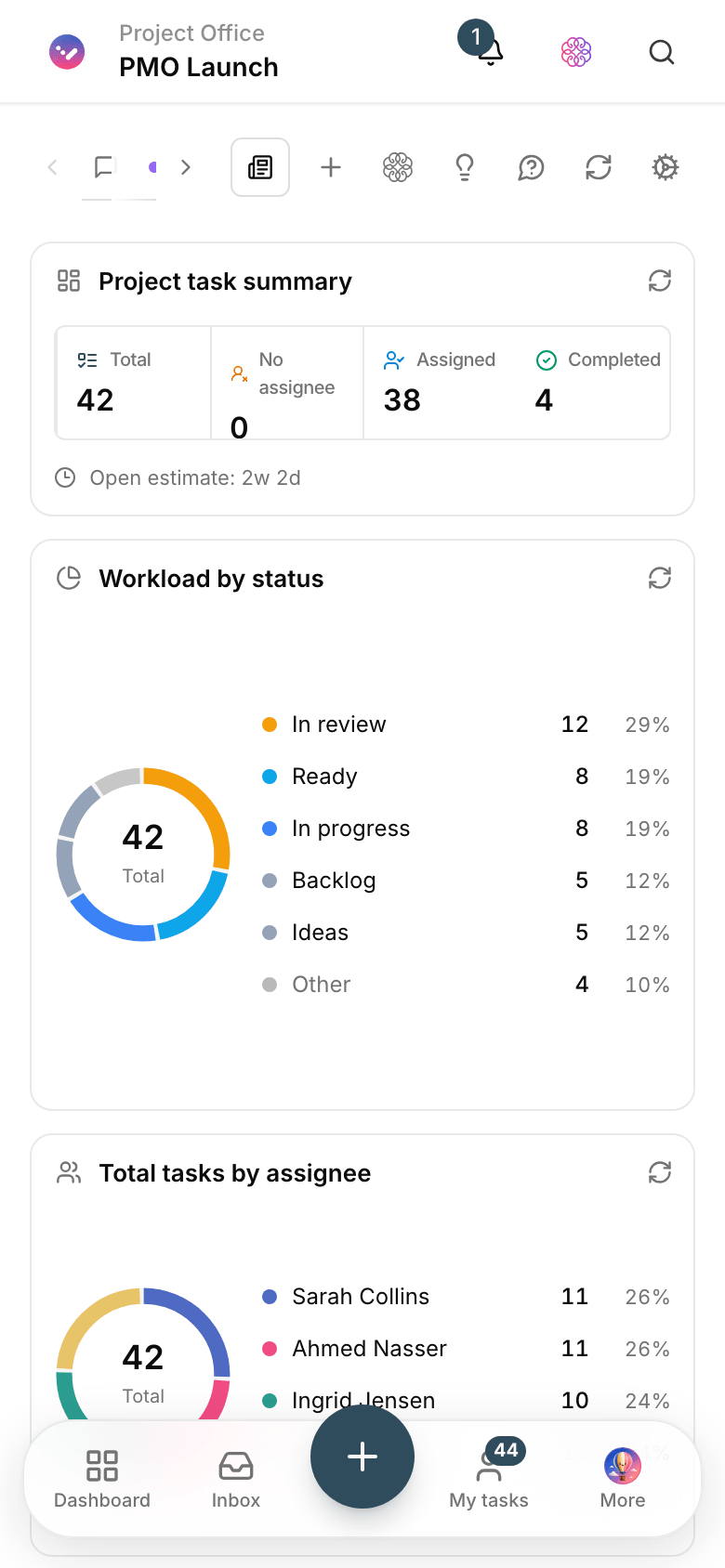
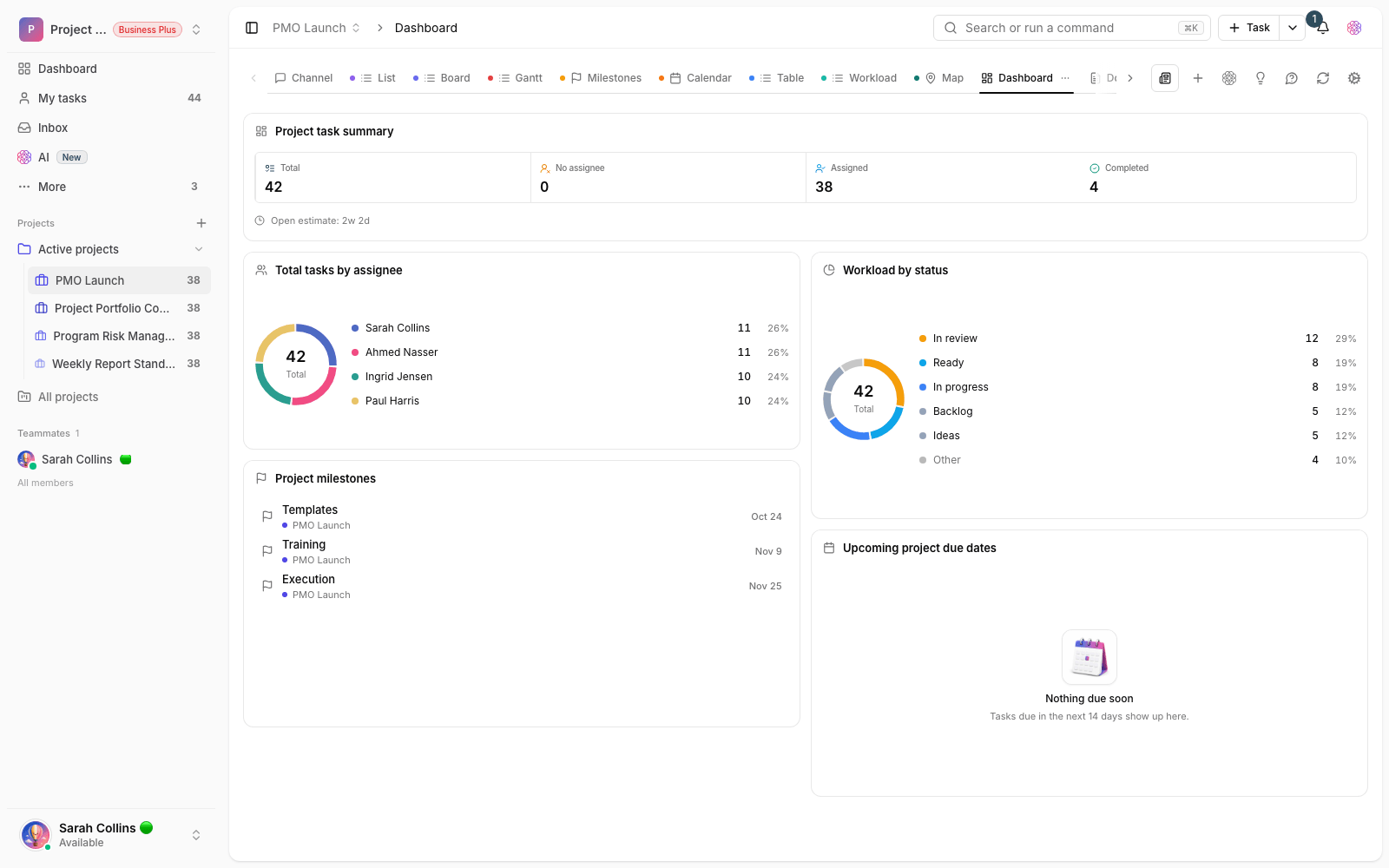
Project health dashboard
Progress, overdue work and upcoming due dates: the weekly meeting’s answer in one frame.

Project task view
A task list with owners, statuses and due dates on your calendar of choice, sorted the way each member likes.
Use cases
What this solution does in practice
Opening a new branch
Several teams, one shared deadline; everyone sees their own part and the project manager sees the whole picture.
A client project with phased delivery
The contract, tasks and each phase’s delivery in one project; every delivery closes with a recorded approval.
A product launch project
Design, development, content and the launch event arrive on a set date, with clear dependencies.
FAQ
Questions that usually come up before you start
Isn’t it too much for a team of three or four?
No. You start with one project and three simple statuses, and add docs, forms and dashboards whenever you need them. Taskie grows with your team, not ahead of it.
Is it only for software projects?
No. The structure of tasks, docs and views isn’t tied to any industry; construction, marketing, education and operations teams run their projects on the same structure.
We’re in the middle of a project. Can we switch now?
Yes — that’s actually more common. Bring in open tasks with their current status and carry on from today; past closed tasks don’t need to come along. The team shares one picture from the very first week.
What are the limits of the free start?
You can start for free with no upfront payment, and it’s enough to get a team going. The pricing page spells out each plan’s limits and features; whenever you need more, you upgrade in a few clicks.
Related solutions
Solutions in the same family
Starting today, move your team's work forward in one workspace
- Set up in minutes
- Start with no upfront payment
- Support from real people