
One orderly queue for every internal request
Every request comes through one door and gets an answer.
- Multilingual, LTR and RTL
- Free to start, no upfront payment
- Secure online payment
Metrics
Three things that should be clear from day one
01 Metric
One intake queue
Procurement, admin or support: every request reaches one queue through a form and gets a priority.
02 Metric
Routines come back on time
Daily and weekly work runs on checklists and recurring tasks, with no verbal reminders.
03 Metric
Overdue work can’t hide
The dashboard keeps open, overdue and upcoming tasks in front of the team.
The problem
In Operations today, where does work get stuck?
Requests arrive by phone, messenger and in the office hallway; there’s no single queue, just pressure from every side.
- Recurring work is tied to people’s memory; one staffing change means several forgotten tasks.
- The weekly operations report comes late and with incomplete data, and it holds decisions back.
Workflow
From the first request to the report, built for Operations
01 Step
Enter the queue
Requests come in from a form or quick add and enter the operations queue with a clear type and urgency.
02 Step
Prioritize and assign
The operations team sets the owner and response due date right at the start.
03 Step
Deliver and coordinate
Conversations, files and status collect on the request itself, so every team shares the same picture.
04 Step
Measure
The dashboard shows workload, bottlenecks and overdue items for the weekly decision.
Taskie's promise
One queue, a clear owner, an answer on time
- Internal forms with the required fields, so incomplete requests never reach the queue.
- Checklists and recurring tasks for daily, weekly and monthly routines.
- An internal SLA (service level agreement) view: what’s coming due and what’s overdue.
The tools that keep this promise
- AutomationsHand repetitive assignments, reminders and status changes over to automated rules.
- FormsReceive operations intake complete and consistent, with required fields.
- Smart viewsPull out urgent items, overdue work and each team’s share with one click.
- Voice captureLog tasks by voice mid-shift, so nothing is forgotten before you’re back at your desk.
Inside the product
Two scenes from a workspace for Operations
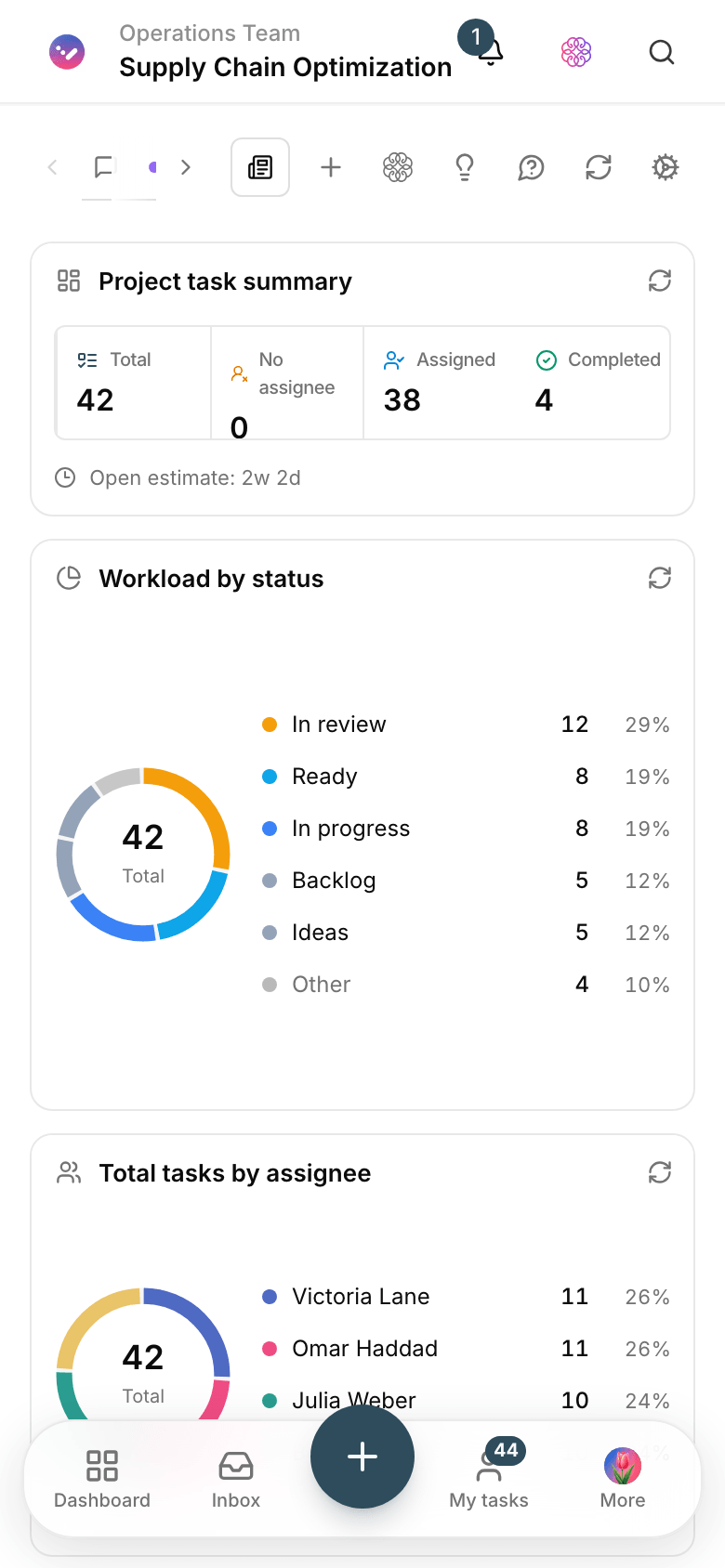
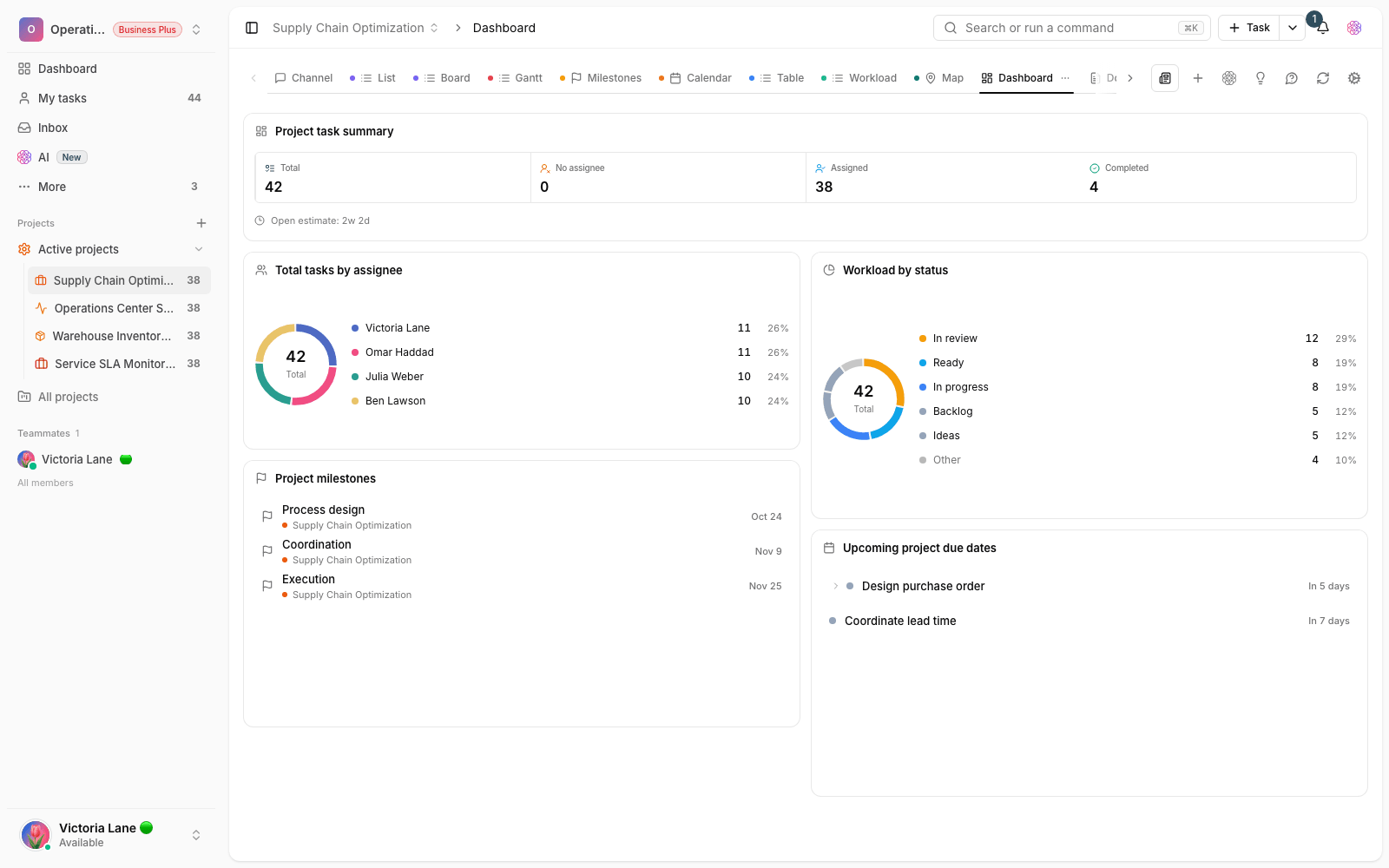
Operations queue dashboard
Open tasks by type and urgency, with overdue items always at the top of the list.

Internal request form
Teams send requests with the required fields, and each request lands in the queue instantly.
Use cases
What this solution does in practice
The internal request queue
Procurement, admin and support through one channel; every request has an owner and a response due date.
Daily and weekly checks
The opening checklist, periodic servicing or inventory check comes back on its own when it’s due.
Finance and procurement coordination
Work that moves between several teams carries its history and its current owner with it.
FAQ
Questions that usually come up before you start
How do we track response times (internal SLAs)?
Set a response due date for each request type and build a smart view that separates items coming due from those already overdue. The dashboard keeps the weekly trend in sight.
Does it support recurring tasks?
Yes. Taskie recreates a recurring task when it’s due, and its checklist comes along; daily checks, monthly servicing and closing the books no longer depend on anyone’s memory.
Every team has its own tool. How do we bring everyone into one queue?
Start with one form and share its link with every team; nobody has to drop their tool on day one. Once answers from the Taskie queue arrive faster, the rest will come on their own.
Does it cost anything for an operations team to start?
No, you can start for free with no upfront payment. When your queue and automations get serious, you pick the right plan; the details are on the pricing page.
Related solutions
Solutions in the same family
Starting today, move your team's work forward in one workspace
- Set up in minutes
- Start with no upfront payment
- Support from real people