
Create a goal and its targets
Create a goal with an owner and due date, then add number, currency, task or project targets so progress is calculated automatically.
Creating a goal has two steps: first you define the goal itself with an owner and a due date, then you add targets. Targets are what make up the goal's progress; without them, a goal is just a title.
Create a goal
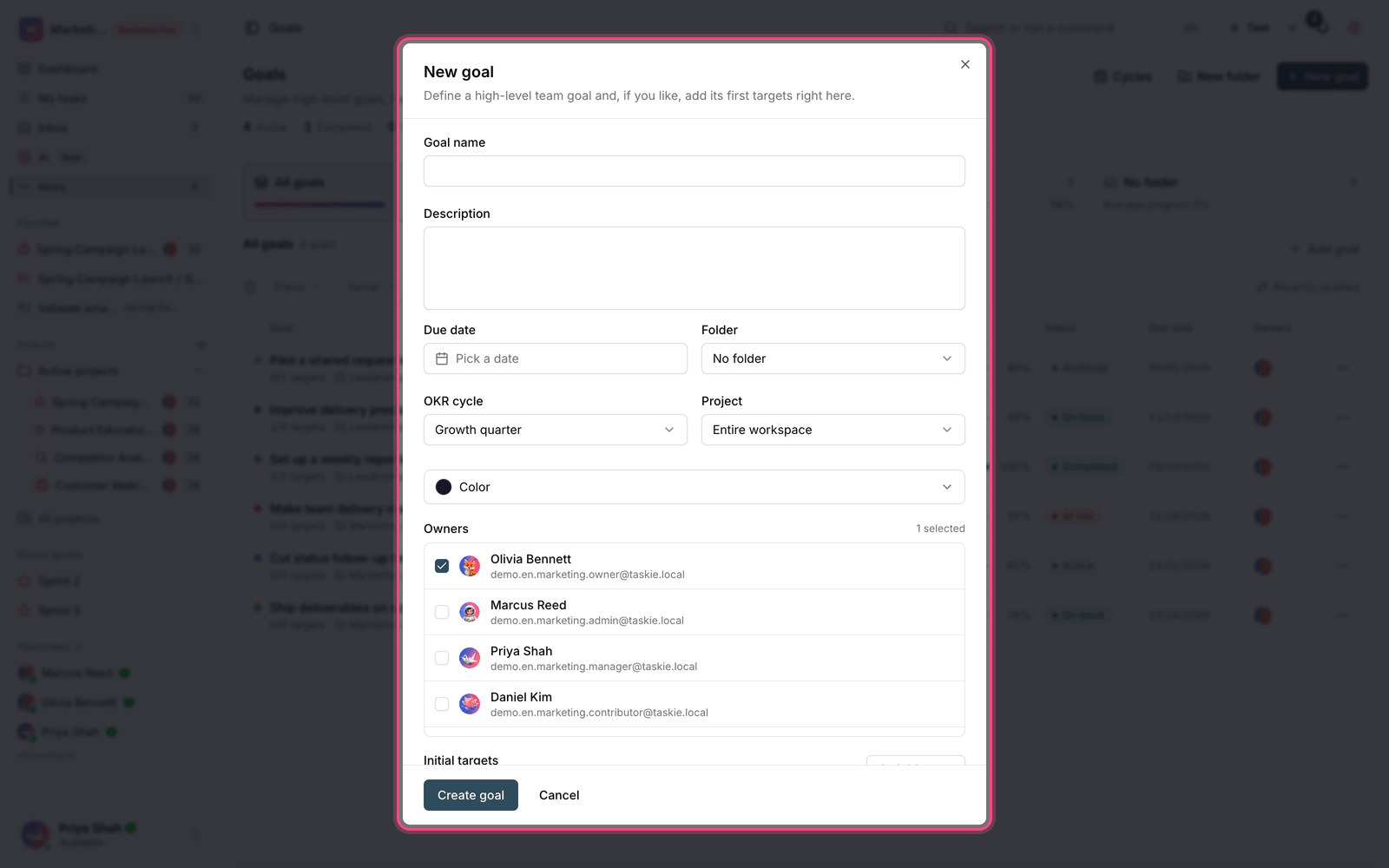
- On the Goals page, click New goal.
- Enter the goal name. This field is required.
- Add a description so others know exactly what's being measured.
- Choose at least one owner. A goal can't be saved without an owner.
- Set the due date. The date picker follows the calendar system you chose in Preferences.
- If needed, choose the goal's folder and cycle.
- You can also add a few Initial targets right there so the goal starts with progress.
Target types
When you add a target, you choose its Target type. Each type calculates progress differently:
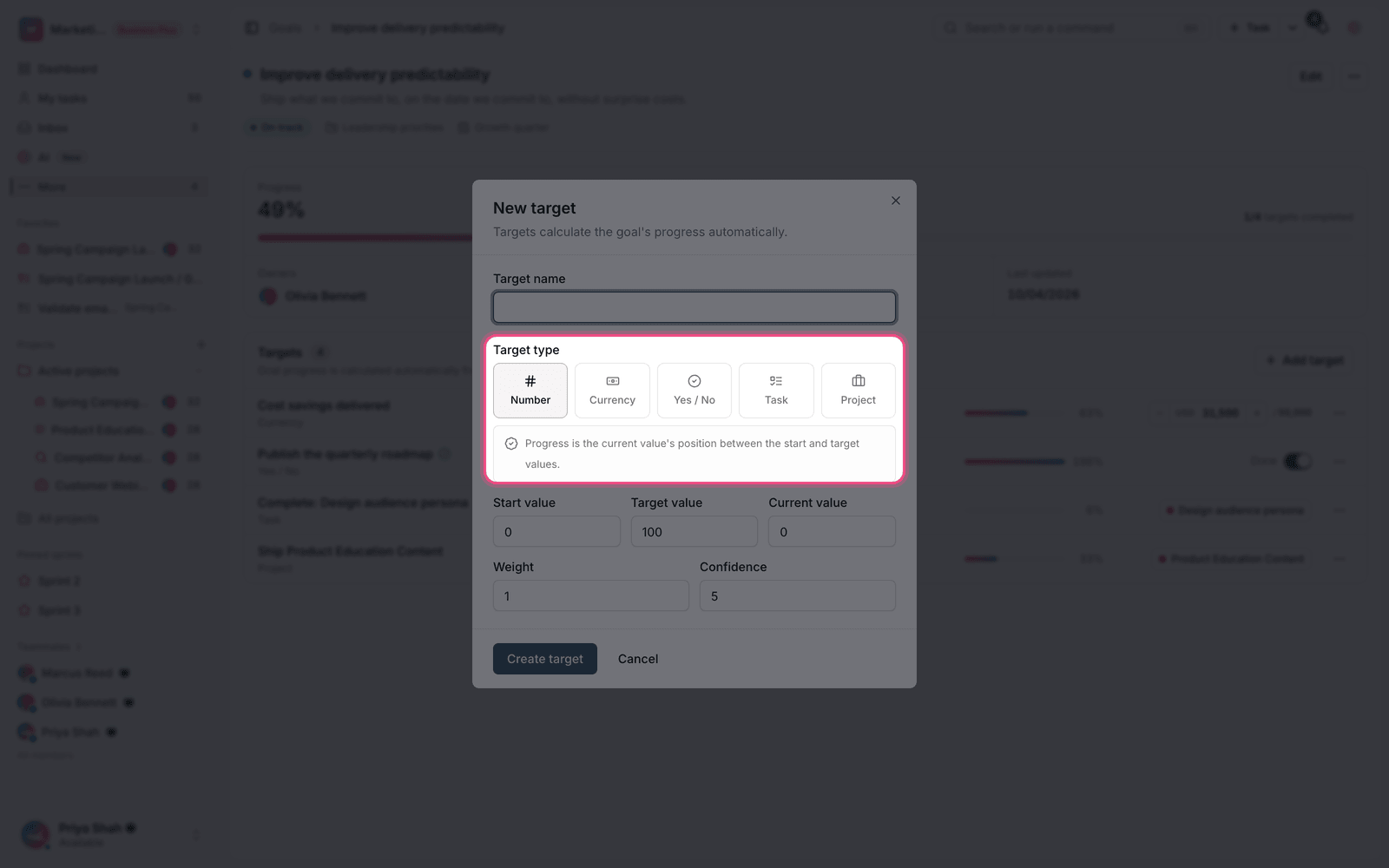
- Number: you enter a start value, current value and target value. Progress is how far the current value is between the start and the target.
- Currency: like a number, but values are shown with a currency code — a good fit for financial goals.
- Task: the target is linked to a task and is complete when that task is completed.
- Project: the target's progress is calculated from the overall state of the selected project's tasks.
- Yes / No: a simple target whose progress becomes 100% when you check it — for yes/no outcomes.
For task and project targets, you pick the related item from a list. When searching for a task, type at least two characters to see results.
Update progress
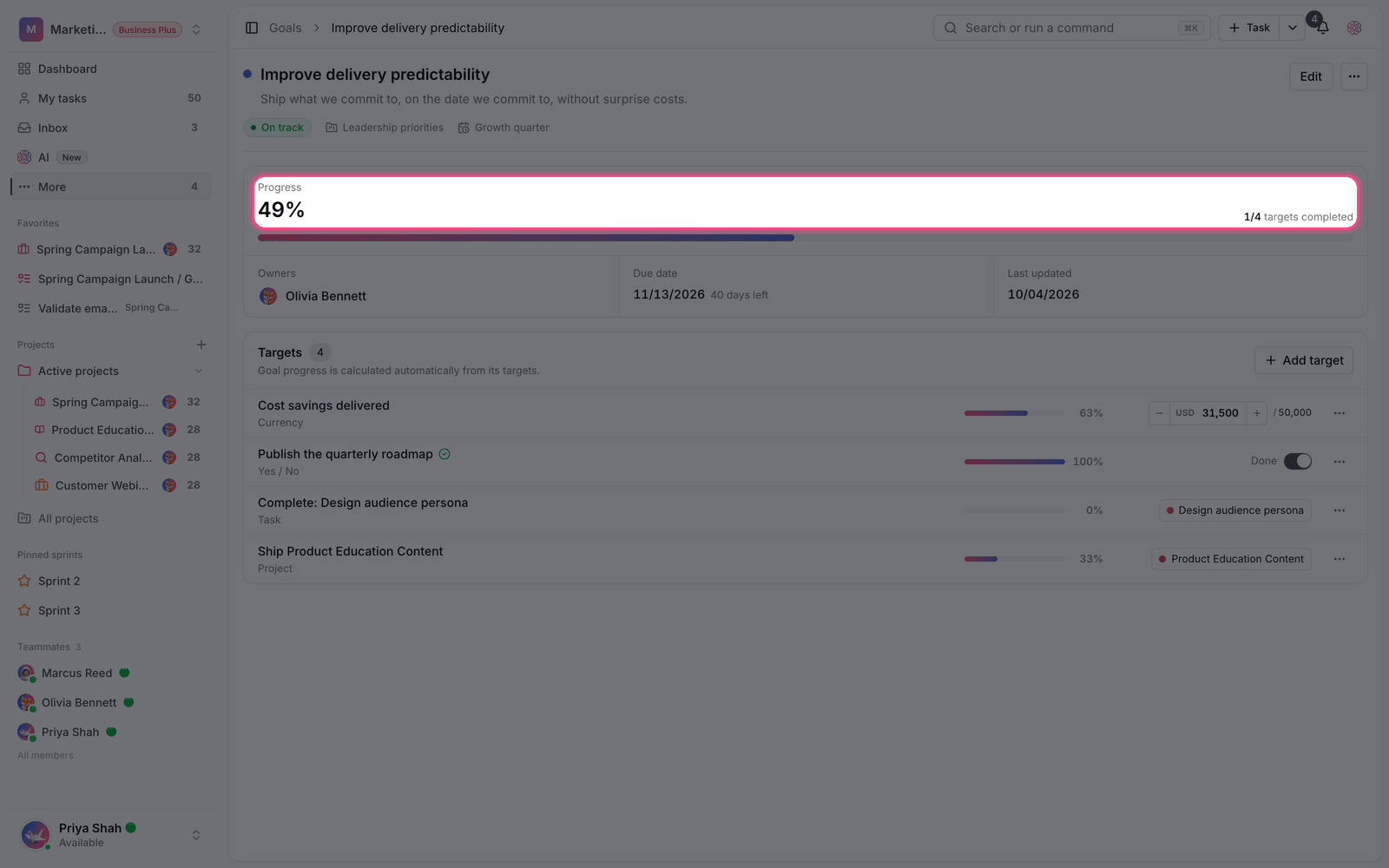
For number and currency targets, you update the Current value each time, and the goal's progress is recalculated immediately. Task and project targets don't need manual updates at all; they move on their own as the task's status or the project's progress changes.
Tip: if a target is linked to a task or project that has been deleted, it's marked as a Broken link. Edit it and link it to the right item.
Edit and delete
- Edit a goal: change the name, description, owners, due date, folder and cycle at any time.
- Edit a target: update its type, values and linked item.
- Delete: deleting a goal or target can't be undone. If you only want it out of the active list, archive it.
- Restore: you can move an archived goal back to the active list.
How many targets does a goal need?
A common rule of thumb is that three to five targets per goal gives the best balance. With one target, the goal is effectively just that target and adds no separate value. With ten targets, the goal's progress moves so slowly that there's little motivation left to update it.
- Each target should be measurable on its own.
- Targets shouldn't overlap with each other, or progress gets counted twice.
- At least one target should measure the outcome, not just the activity.
To organize your goals, see OKR cycles and goal folders, and to share progress with your team, see Link goals to work and share progress.