
Music player and focus
Listen to your workspace's audio files in the built-in player and build your own queue for focus sessions.
Many people focus better with background music. The Taskie player lets you listen to your workspace's audio files without switching to another app, so you can stay right next to your work.
Build a play queue
The player uses audio files from the file manager or project files; it doesn't play external files.
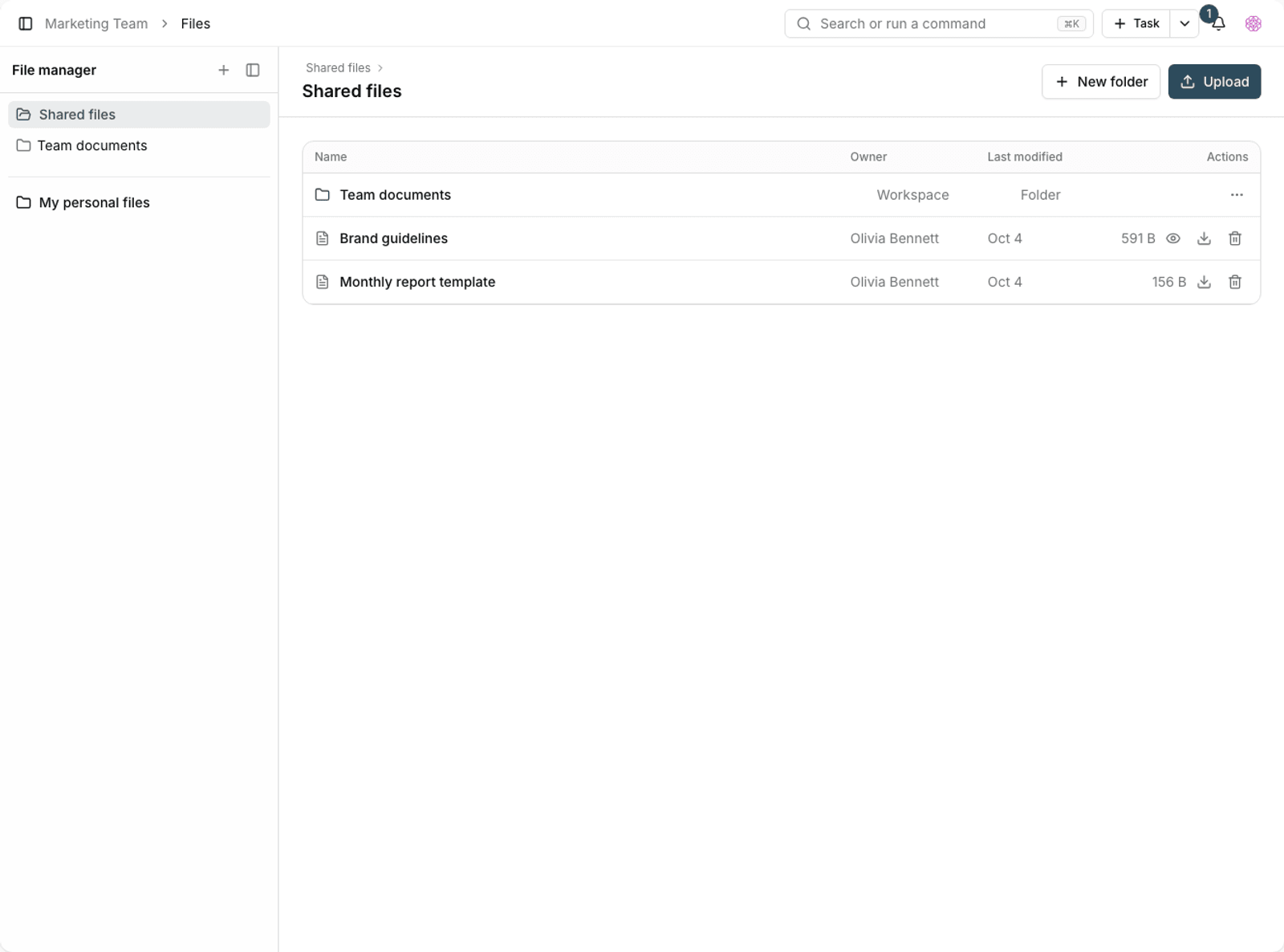
- Upload the audio files you want to the file manager or project files.
- Open the music player.
- Add the files to the Queue.
- If the queue is empty, you'll see the message No tracks in the queue yet.
- Tidy up the list with Remove from queue or Clear queue.
Playback controls
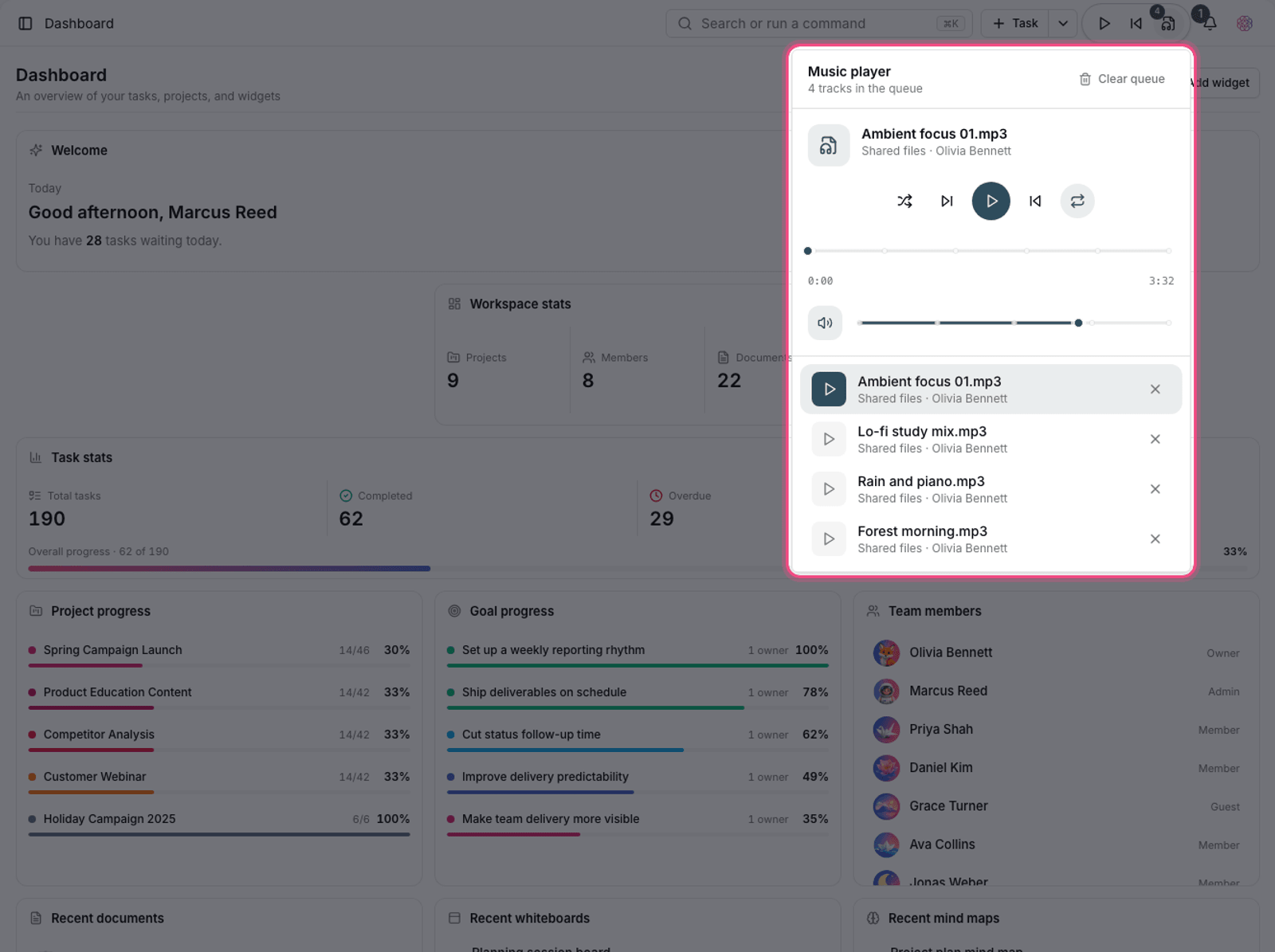
- Play or pause, Next track, and Previous track.
- Volume: set the volume as a percentage.
- Repeat: off, repeat this track, or repeat all tracks.
- Shuffle: mixes up the order of the queue.
Note: If a file is deleted from the workspace, it's marked in the queue with the message This audio file is no longer available. Remove it from the queue.
Use it with the focus timer
The player works best alongside the Pomodoro timer: build a queue that's roughly the length of one focus period, start the timer, and stay on one task until the queue ends.
- Instrumental music is usually less distracting for writing work.
- Repeat this track suits repetitive, mechanical work.
- Save Shuffle for review time and light work.
File formats and size
The player plays common audio formats, and the workspace's upload size limit applies to it. Because the files live in workspace storage, they count against your storage quota.
- To save space, compressed files at medium quality are enough.
- Keep music files in a separate folder so they don't get mixed up with work files.
- If your workspace storage is limited, keep music in your personal files rather than in project files.
Focus isn't just music
The player is one of several focus tools. Alongside it, quiet hours silence notifications during focus periods, and the My day list keeps you from scattering your attention across projects. Combining all three usually works better than any one of them alone.
Share a queue with your team
Because files are read from the workspace, if you put them in a shared folder, other members can build the same queue too. This is handy for teams that hold shared focus sessions.
- Create a shared folder for focus audio files.
- Name the files so their length or type is clear.
- Respect the copyright of the files you upload.
- If storage is limited, keep the number of files small and the quality medium.
For the focus timer, see Pomodoro timer and focus mode, and to manage audio files, see Upload and manage files.