
All tasks page: tasks from every project in one place
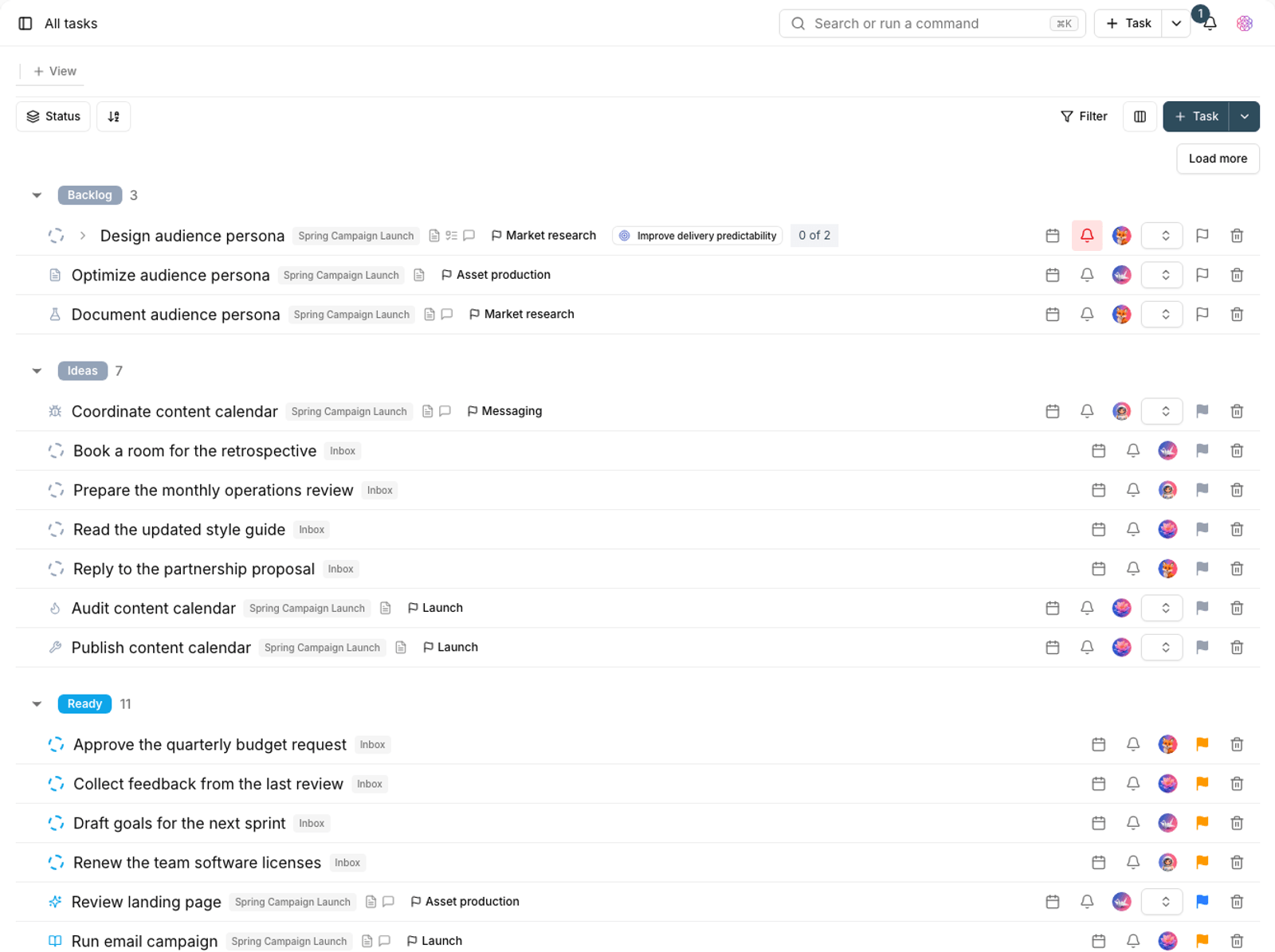
The All tasks page gathers tasks from every project in your workspace into one view, with tabs for documents, files and boards alongside them.
When you work on several projects at once, going from project to project to find out what's still open gets tiring. The All tasks page brings tasks from every project in your workspace together.
Open this page from the sidebar with All tasks. Unlike My tasks, which shows only work assigned to you, this page shows every task you have access to.
Views on this page
The same layouts you know from projects are available here too, just at the workspace level:
- List: manage tasks row by row.
- Board: move cards between columns.
- Calendar: plan, schedule and delegate by date.
- Gantt: plan dependencies and timing on a timeline.
- Table: see tasks in a table.
- Gallery: browse tasks as visual cards.
- Workload: your team members' capacity and how work is spread over time.
- Map: see tasks by location.
Tip: because different projects have different statuses, the board on this page merges statuses with the same meaning across projects so columns aren't repeated. The same logic applies to fields.
Create and manage views
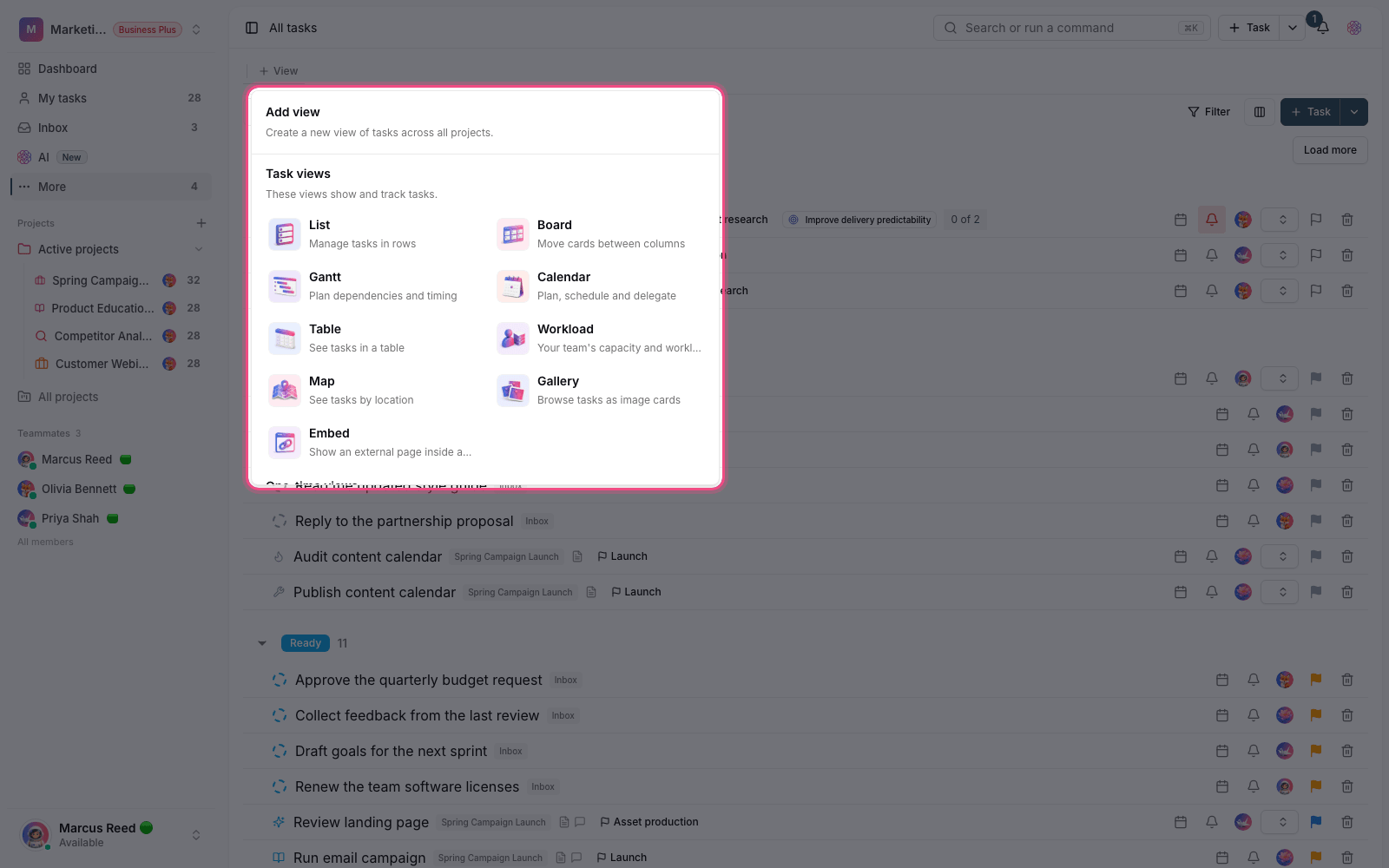
- Click Add view to open the list of layouts you can add.
- Choose a layout to create it as a new tab.
- Use View options to rename, duplicate, set as the default view, or delete a view.
- Drag tabs to change their order. For long lists, use Scroll to the first views and Scroll to the last views.
Some views can be added to this page only once. In the Add view list, they're grouped under One-time views, and once added they don't appear again.
Resource tabs: documents, files and boards
Alongside task views, you can add tabs for your workspace's resources to this page:
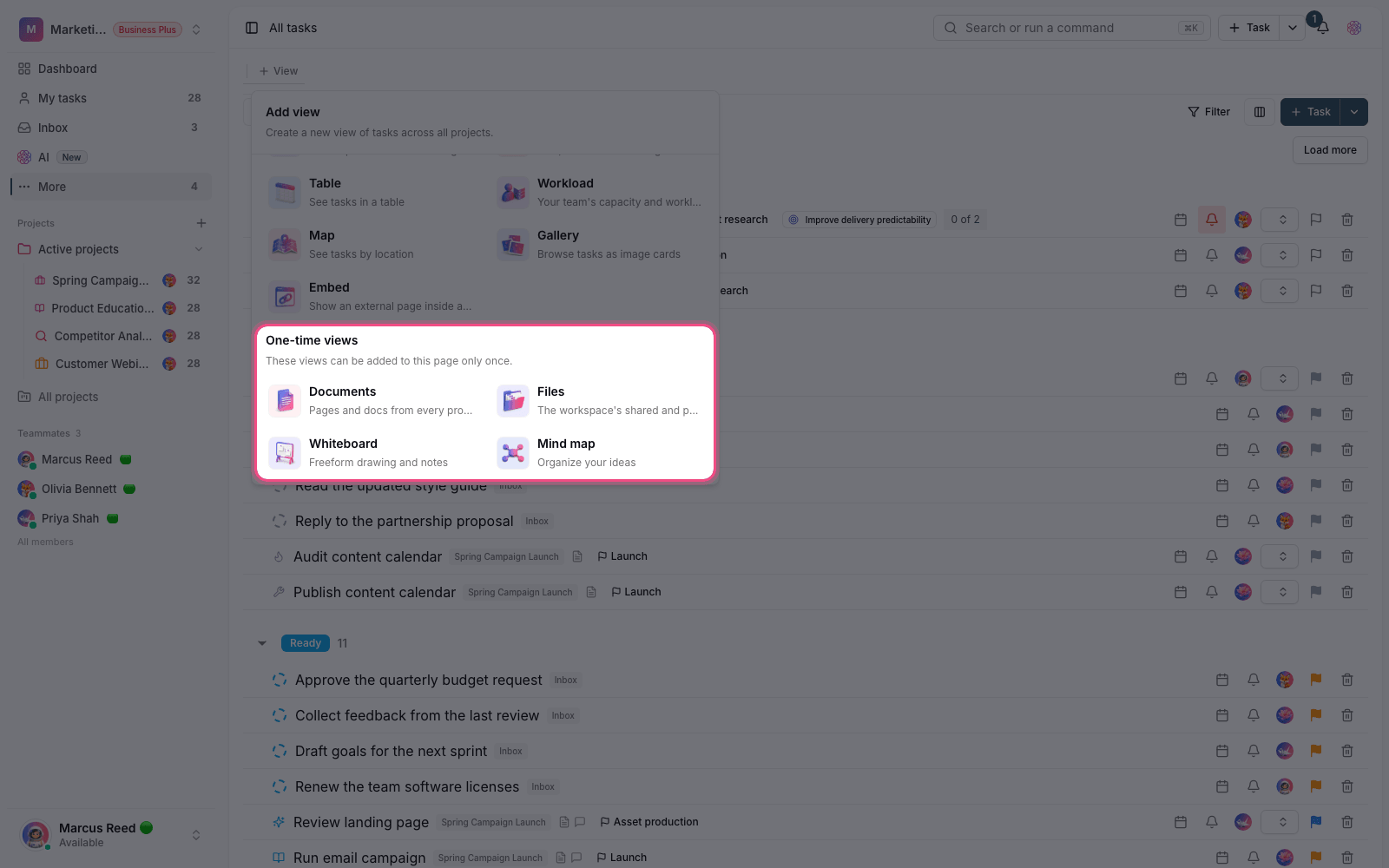
- Documents: pages and docs from every project in this workspace, which you can edit right on the page.
- Files: the workspace's shared and personal files.
- Whiteboard: sketch flows and diagrams, and brainstorm visually.
- Mind map: map out ideas and break big pieces of work into smaller parts.
These tabs are your personal preference, so each team member can have their own set of tabs without affecting anyone else.
Create tasks on this page
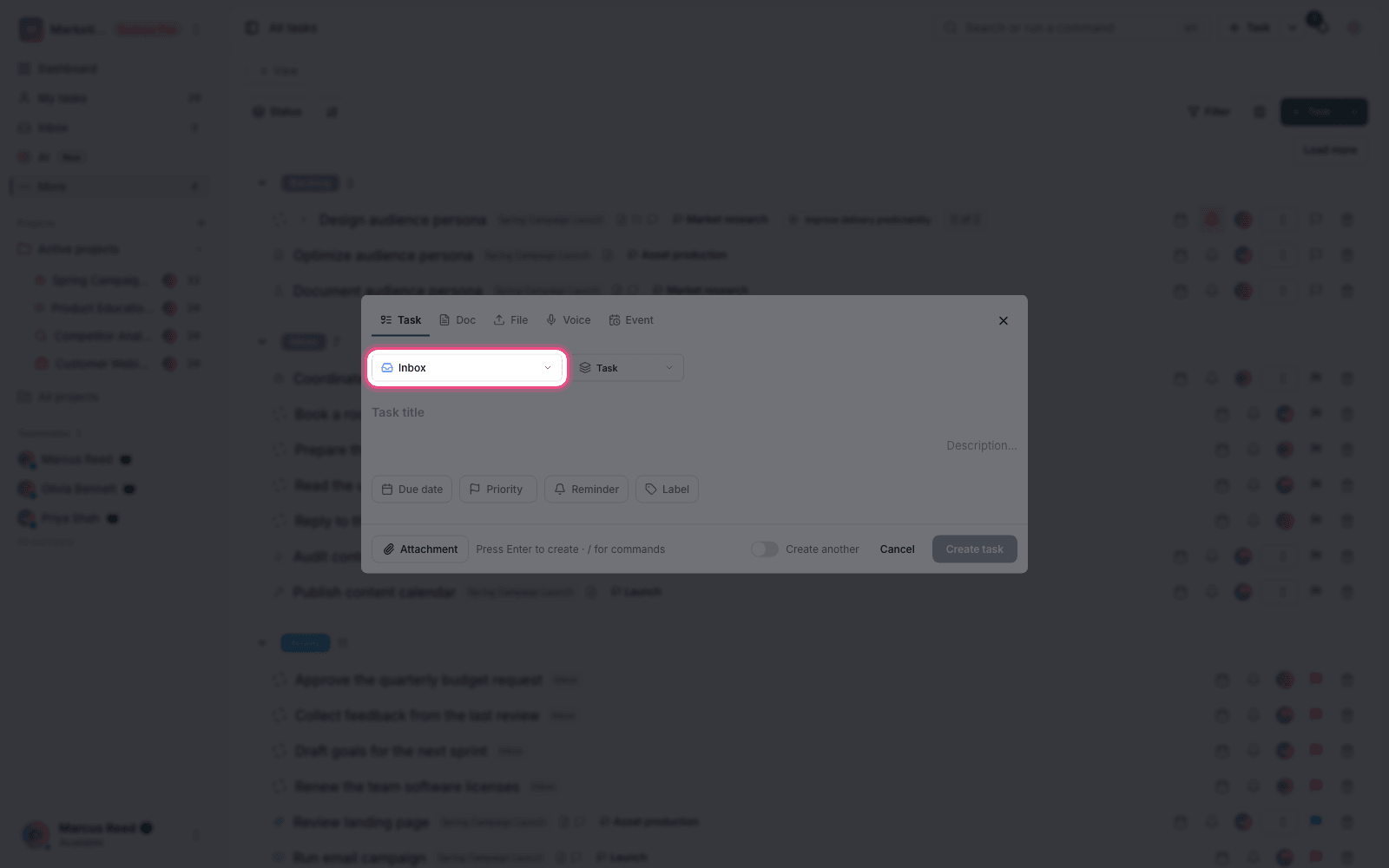
Because this page isn't tied to a specific project, you're asked which project the task should be created in when you create one. Choose the target project and the task is created with that project's statuses and fields. If you aren't allowed to create tasks in any project, you'll see a message saying so.
For a personal list of your own work, see Inbox and My tasks. For workspace-level filters, see Workspace views and saved filters.