
Agent builder, template gallery, and playbooks
Instead of filling in a form, build an agent through conversation, or start from the gallery of ready-made templates and playbooks.
Writing a good system prompt isn't easy. If it's too general, the agent rambles; if it's too detailed, it loses flexibility. Taskie gives you two shortcuts: a conversational builder and a gallery of ready-made templates.
Super agent builder: build through conversation
The builder is itself an agent that builds the agent you want by asking a few short questions. Just say what the agent should do, and it settles everything else through a series of follow-up questions.
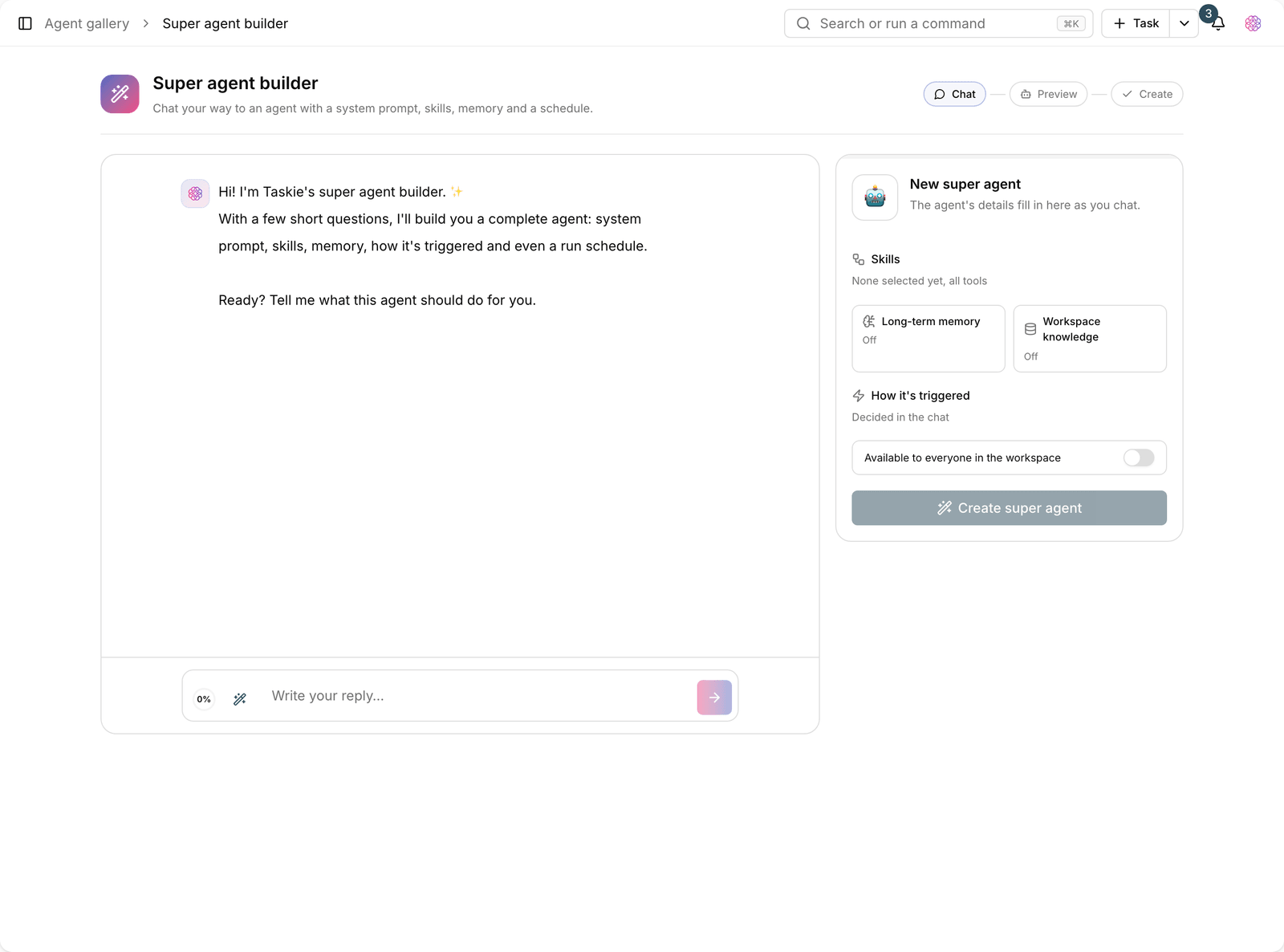
As the conversation goes on, the agent's specification fills in beside the page, so you can see what's being built:
- System prompt: the text describing the agent's role, drawn from your explanations.
- Skills: the tools the agent needs to do its job.
- Memory: whether the agent has long-term memory.
- How it's triggered: run manually, run automatically, or a mention in a comment.
- Schedule: if it should run automatically, its repeat interval is set here.
At the end, the agent is created and you can start talking to it right away. Every detail can be changed before it's created, so if something isn't right, fix it then and there.
Agent gallery: start from a ready-made template
The gallery groups ready-made agents into a few practical categories:
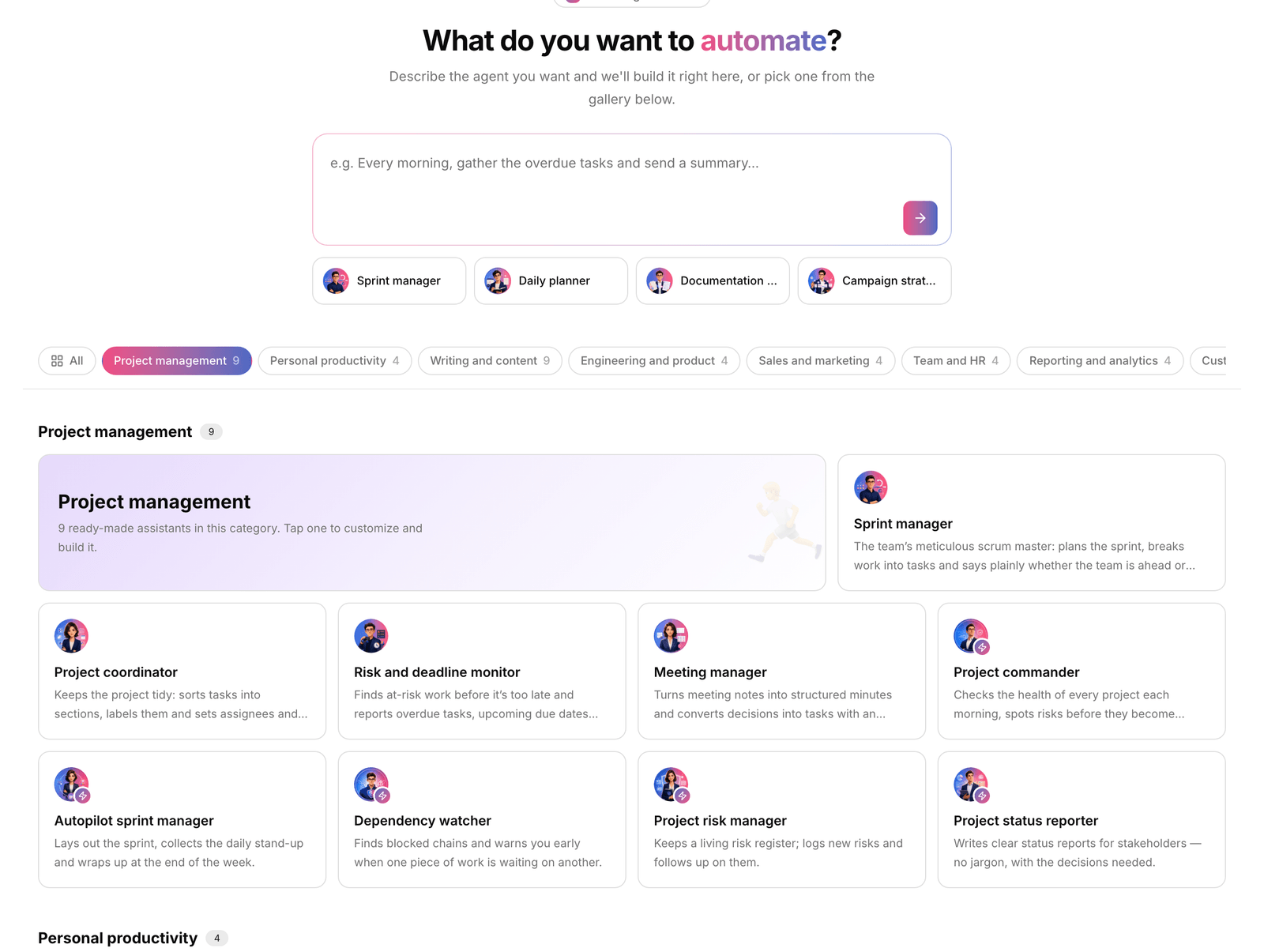
- Task management: following up on overdue work and organizing the backlog.
- Reports and analytics: status summaries and periodic reports.
- Docs and documentation: writing and reviewing project documentation.
- Milestones and goals: tracking key milestones and goal progress.
- Knowledge search: answering questions based on workspace content.
Click any template to customize its name, avatar, personality, and access level before creating it. This agent's system prompt and Suggested skills can also be viewed and edited before creation, so nothing hidden gets built.
Ready-made playbooks
A playbook is a ready-made workflow, not just an agent. When you need several steps in a row, for example "collect overdue tasks, write a summary, and notify the assignee", install the matching playbook instead of building the workflow by hand, and all the steps are created together.
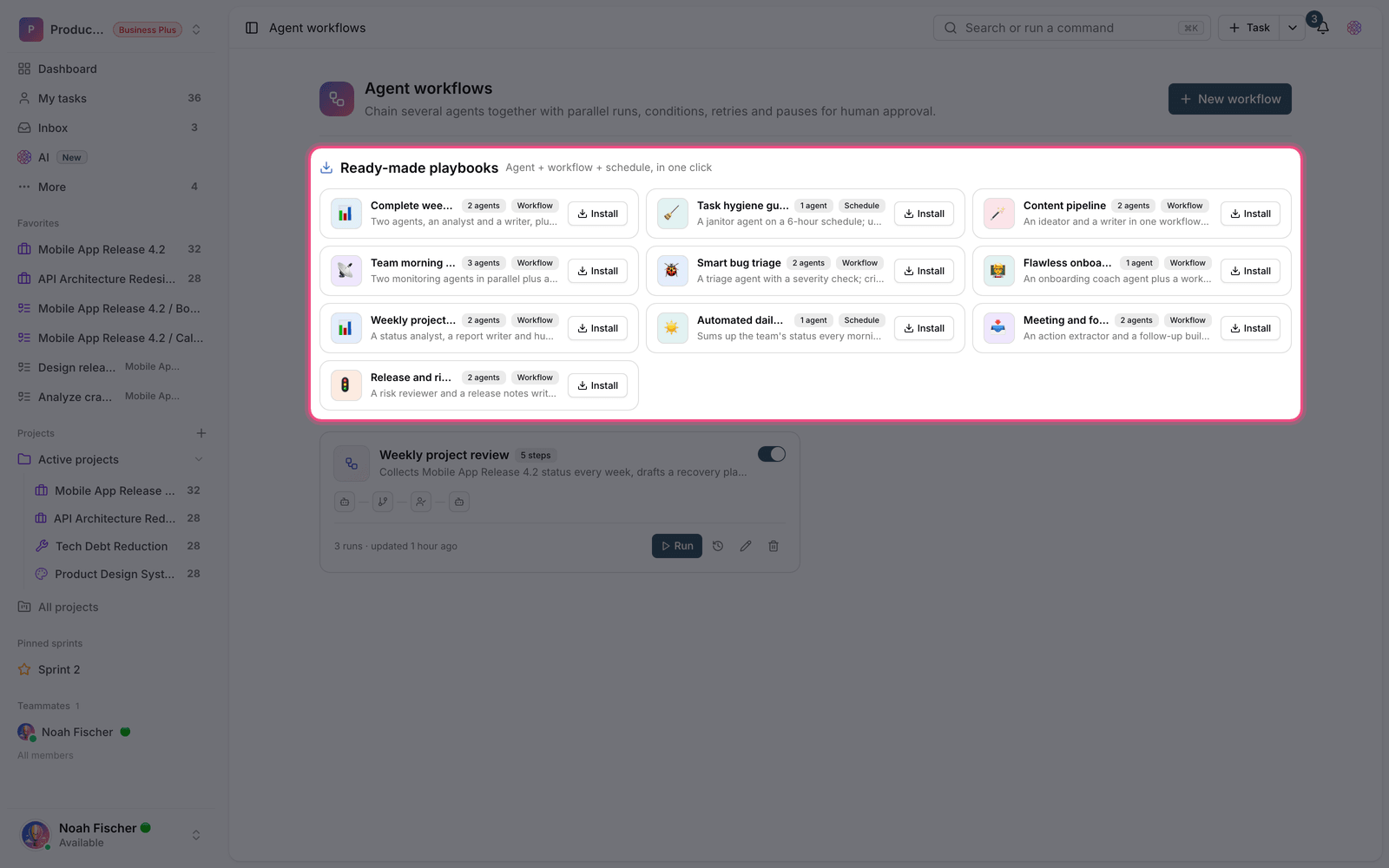
Tip: A playbook is fully editable once installed. Change its steps, agents, and conditions like any other workflow.
Plan required: Super agents and the conversational builder are available on the Pro plan and above. Because playbooks create workflows, they need agent workflows, which are enabled from the Business plan.
When to use the builder and when to use a template?
If your need resembles one of the common scenarios, a template gets you there faster because its system prompt has already been tested. If your work is specific, for example it must write output in your organization's internal report format, the conversational builder is better, because it asks you for those details and works them into the system prompt. Either way, you can change everything by hand after it's created.
- Template: fast, tested, suited to common work.
- Builder: flexible, suited to your organization's specific needs.
- Manual build: when you know exactly what you want and want to set every option yourself.
To set every option by hand, read Build a custom agent, and to chain several agents together, read Agent workflows.