
Page context, names, and dates in AI
Taskie AI knows which page you have open, finds project and people names even when they're spelled differently, saves dates correctly however you write them, and marks the work it does on your behalf.
To keep conversations with Taskie AI short and hassle-free, the assistant needs to know which project, task, and date you're talking about. This release improves four parts of that: the current page's context, name matching, reading dates in different calendars and formats, and clearly marking the work the assistant does on your behalf.
The assistant knows which page you're on
When you open the chat panel in a project, task, or document, that page is used as the conversation's context. So you can write "Push this task to tomorrow" or "List the open work in this project" without typing the full name. If you've selected several tasks in a view, that selection is passed to the assistant too.
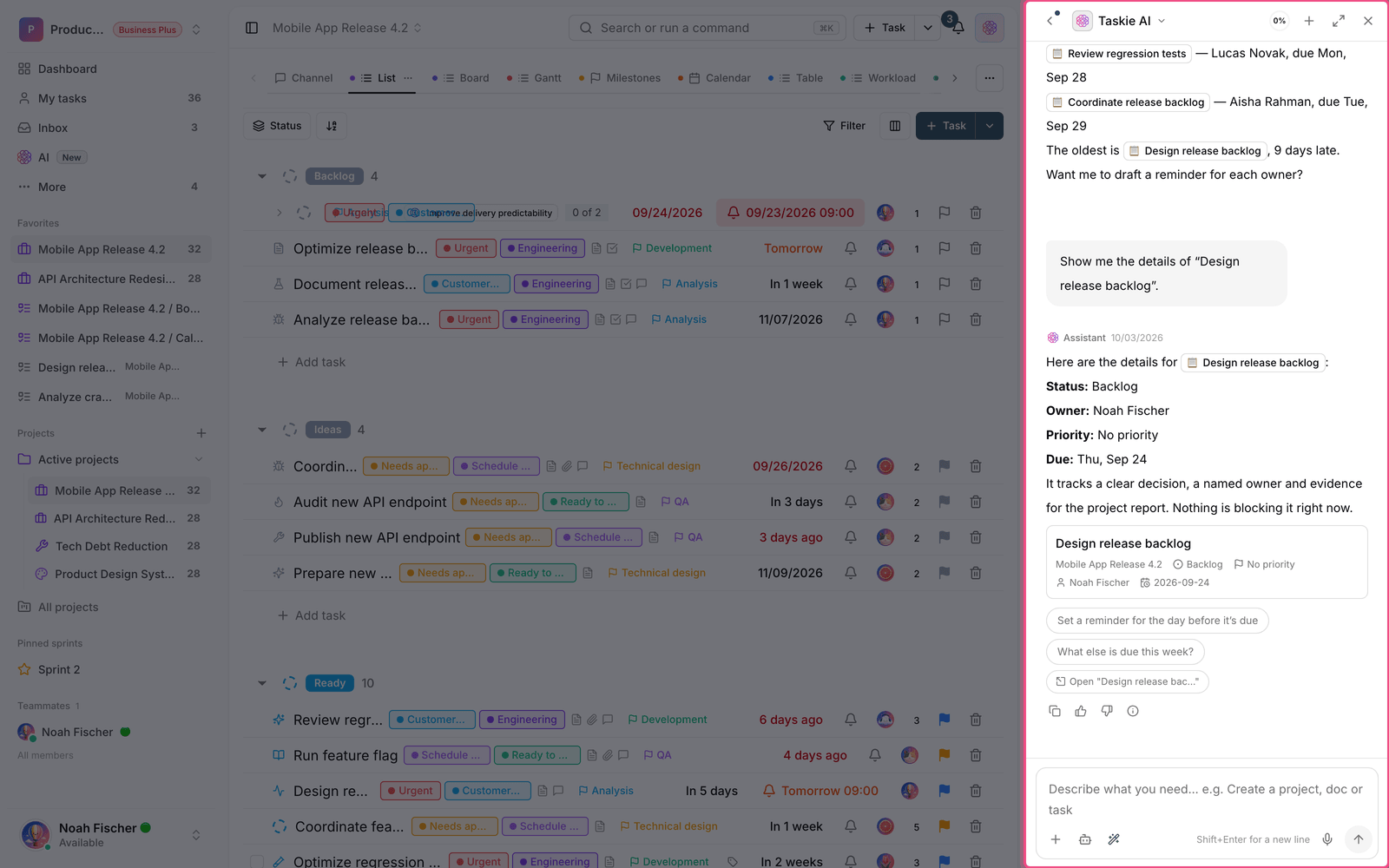
Page context only makes the scope of work narrower. It never gives you or the assistant any new access. If you don't have access to a task, it won't appear in the conversation's context either.
Recognizing project and people names
Names can be written in several ways: with look-alike forms of the same letter, with or without invisible joiner characters, with small punctuation differences, and sometimes in a different script altogether. Before, a small difference made the assistant say that no such project or member existed. Now names are compared with multi-step matching, and different spellings lead to the same result.
- Differences between look-alike letters, invisible joiner characters, punctuation, and extra spaces are ignored.
- Names typed in Latin letters are matched against names stored in another script too, so a transliterated name still finds the right person or project.
- If several results are equally close, the assistant doesn't guess. It shows you a few clickable options.
- Once a project has been identified, it's remembered for the rest of the conversation and you won't be asked again.
- If you name a different project in a new message, the assistant switches the active project and says so in its reply.
Dates are saved correctly
The assistant converts every date you mention into a standard date before saving it. Dates written in a different calendar or with non-Latin digits are accepted, and if a date is invalid, the assistant asks you to clarify instead of saving the wrong value.
- You can write "August 8", "2026/08/08", or "Thursday next week".
- Replies include the date along with its standard equivalent, so there's no ambiguity.
- The same rule applies to due dates, start dates, reminders, and report ranges.
The assistant's work is marked
When the assistant writes a comment or saves a change on your behalf, that record shows in the history with a special AI badge and your name. So it's always clear which changes you made yourself and which the assistant saved for you. Comments the assistant writes behave like regular comments: mentions work, the task's followers get notified, and the text shows up for others right away.
When the service doesn't respond
If the AI service is temporarily unavailable, the conversation stops with a clear error message, and the error text is no longer saved as the assistant's reply. For a few simple, read-only requests, such as listing today's work or overdue tasks, the answer is built directly from your Taskie data so you can keep working during an outage. Data changes aren't made in this state, and you'll need to ask again once the service is back.
To learn about the assistant's modes and permissions, see the Taskie AI guide, and to manage usage, see Credits and usage reports.