
Schedule agent runs
Run agents automatically, from every hour to weekly, with the instruction you choose and a result that's saved in your conversations.
Some work needs to happen regularly: reviewing overdue tasks every morning, writing a weekly report every Saturday, checking on critical work every few hours. Agent schedules take these off your plate.
Each schedule has an agent that runs it, a repeat interval, and, if needed, an instruction. The result of each run is saved as a conversation so you can later see what the agent said and did.
Create a schedule
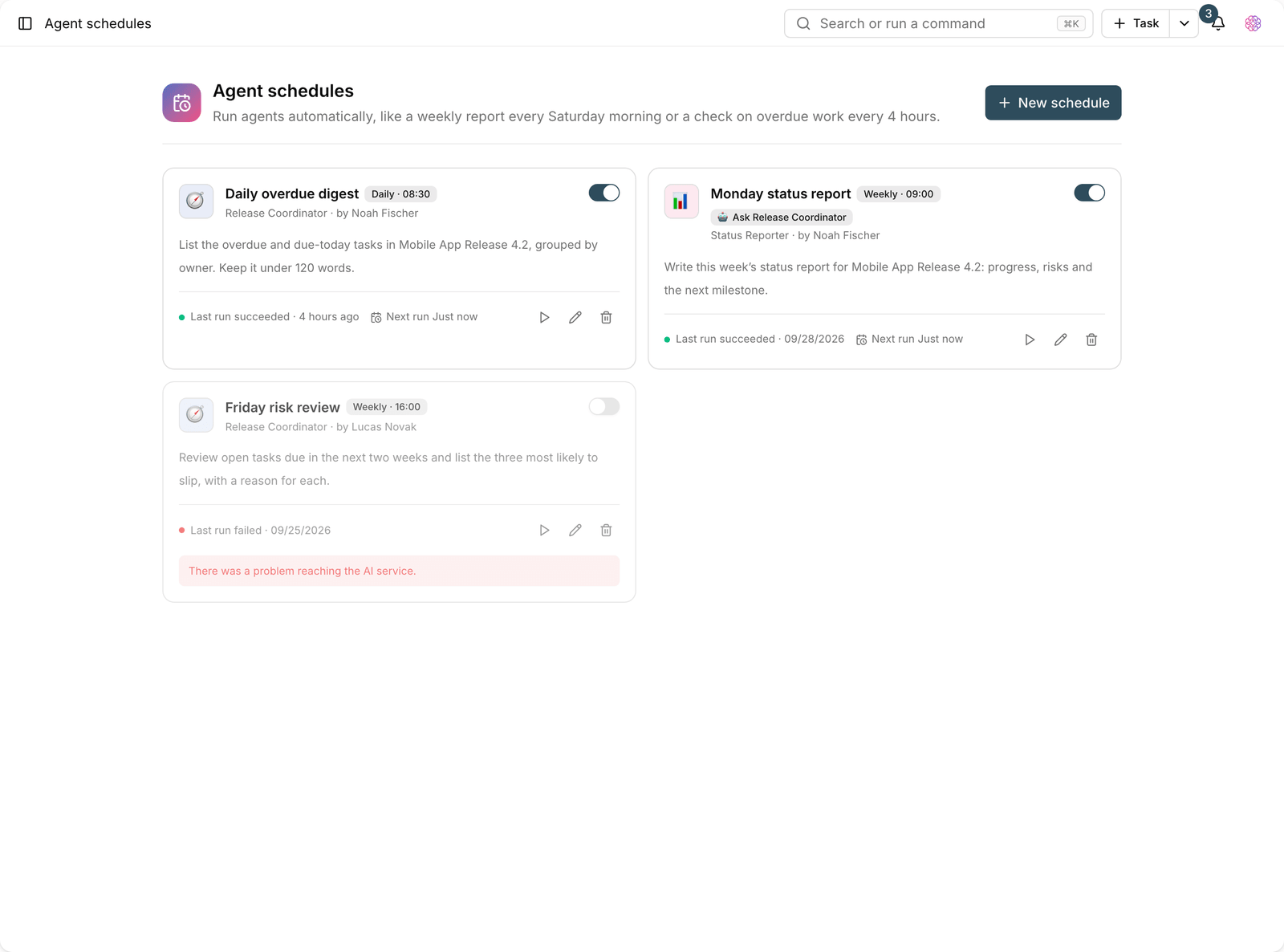
- Go to Agent schedules and click New schedule.
- Enter a schedule name, for example "Weekly team report".
- Choose the agent that runs it.
- Set the repeat interval: every hour, every 2, 4, 6, or 12 hours, daily, or weekly.
- For daily, set the run time; for weekly, set the day of the week and the time.
- If needed, write an Instruction, for example "Review the team's overdue tasks and give a summary with suggested actions".
- Save to activate the schedule.
Tip: If you leave the Instruction empty, the agent runs with its own persona and instructions. This suits agents whose job is already precisely defined.
Run options
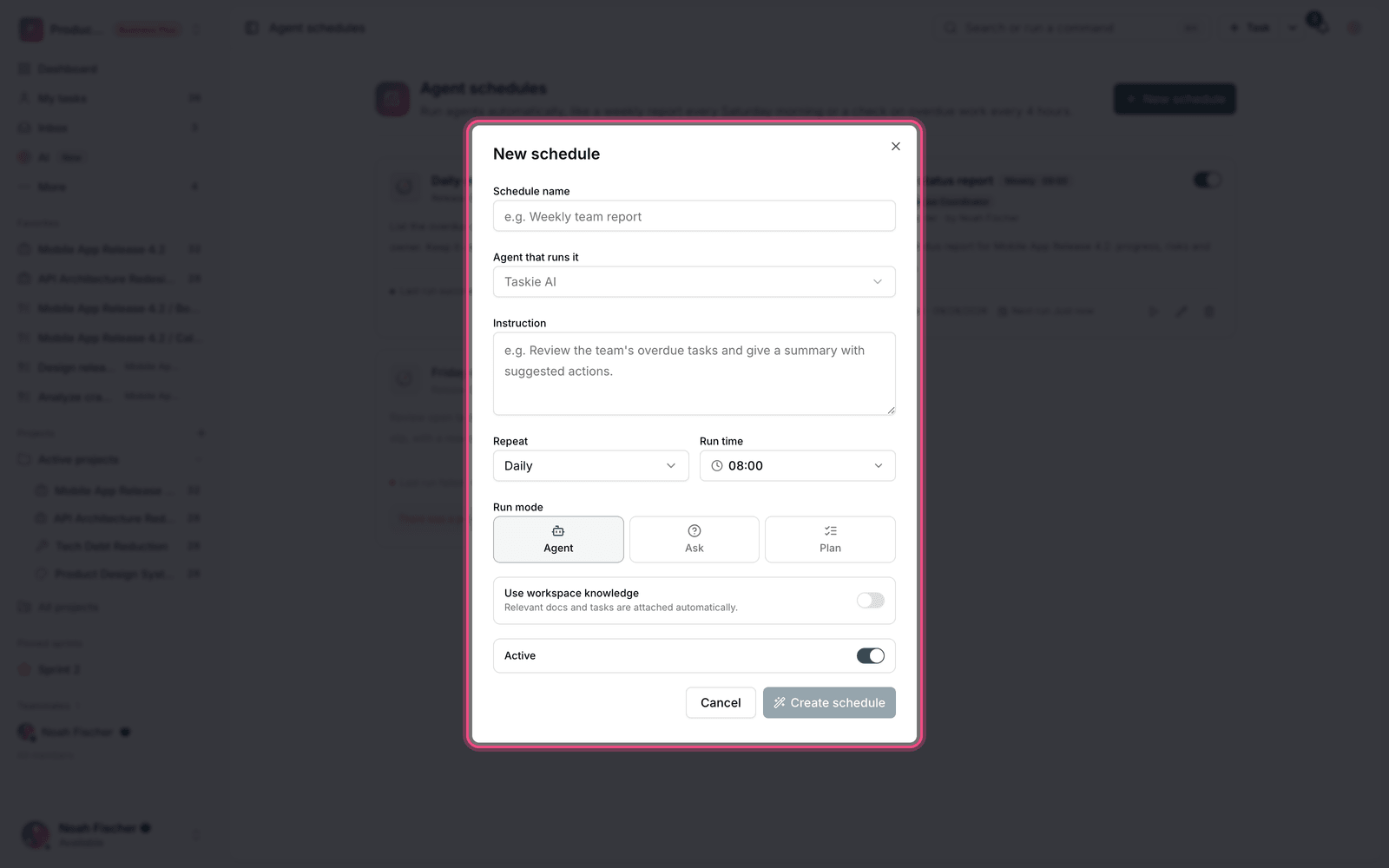
- Use workspace knowledge: relevant documents and tasks are attached to the run automatically for a more accurate answer.
- Run mode: sets whether the agent only reports or is also allowed to make changes.
- Active / inactive: pause a schedule temporarily without deleting it.
- Run now: run it once right now instead of waiting for the next turn. The run is queued and the result shows up in your conversations.
Track run status
In the list of schedules, each one shows the status of its last run and the time of the next run:
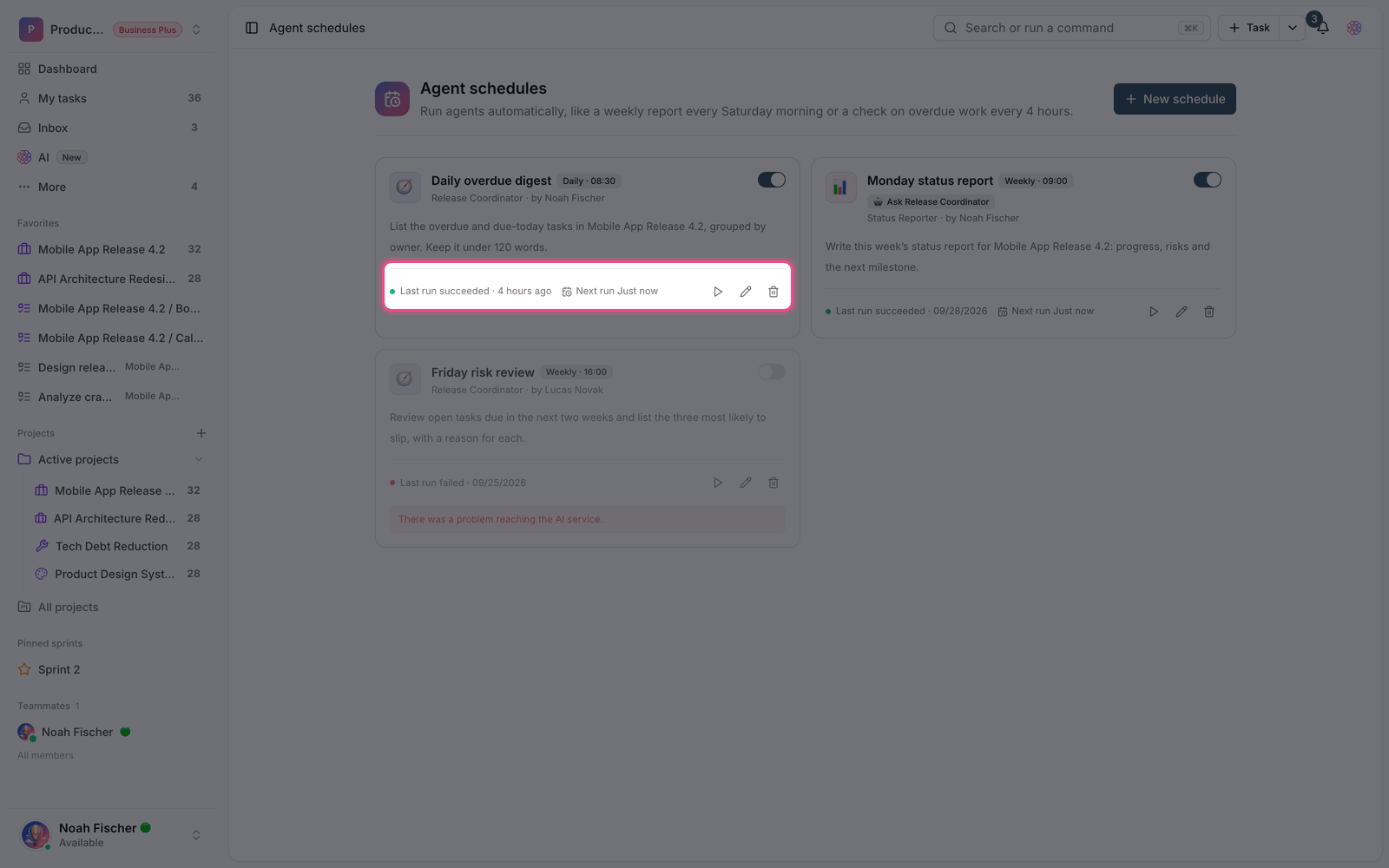
- Last run succeeded: the previous run finished without errors.
- Last run failed: the previous run ran into an error. See why in agent analytics.
- Not run yet: the schedule has been created but hasn't reached its first turn yet.
- Next run: the date and time of the next turn.
Plan required: Agent schedules are available on the Ultimate plan and above. The daily cap on agent runs also depends on your plan: 10 on Free, 50 on Pro, 100 on Ultimate, 500 on Business, and 1,000 runs per day on Business Plus.
Common scheduling mistakes
- An interval that's too short. Running every hour for a report that only makes sense daily just uses up credits.
- A vague instruction. The more precise the instruction, the more consistent the output.
- Not giving the agent the access it needs. If the agent doesn't have the required skill, the run ends with an error.
- Forgetting old schedules. Review the list every so often and turn off the ones you no longer use.
- Not using approval mode for runs that change data.
To chain several agents into one process, see Agent workflows, and to see run statistics, see Agent analytics and AI credits.