
Agent workflows
Chain several agents together with parallel runs, conditions, retries, and pauses for human approval, plus a full run history.
One agent is good for one job, but real work usually has several stages: first data is gathered, then analyzed, then a summary is written, and finally someone has to approve it. An agent workflow connects exactly these stages.
You build and manage workflows from Agent workflows. Each workflow is made of several steps, and each step can be handed to a specific agent.
Build a workflow
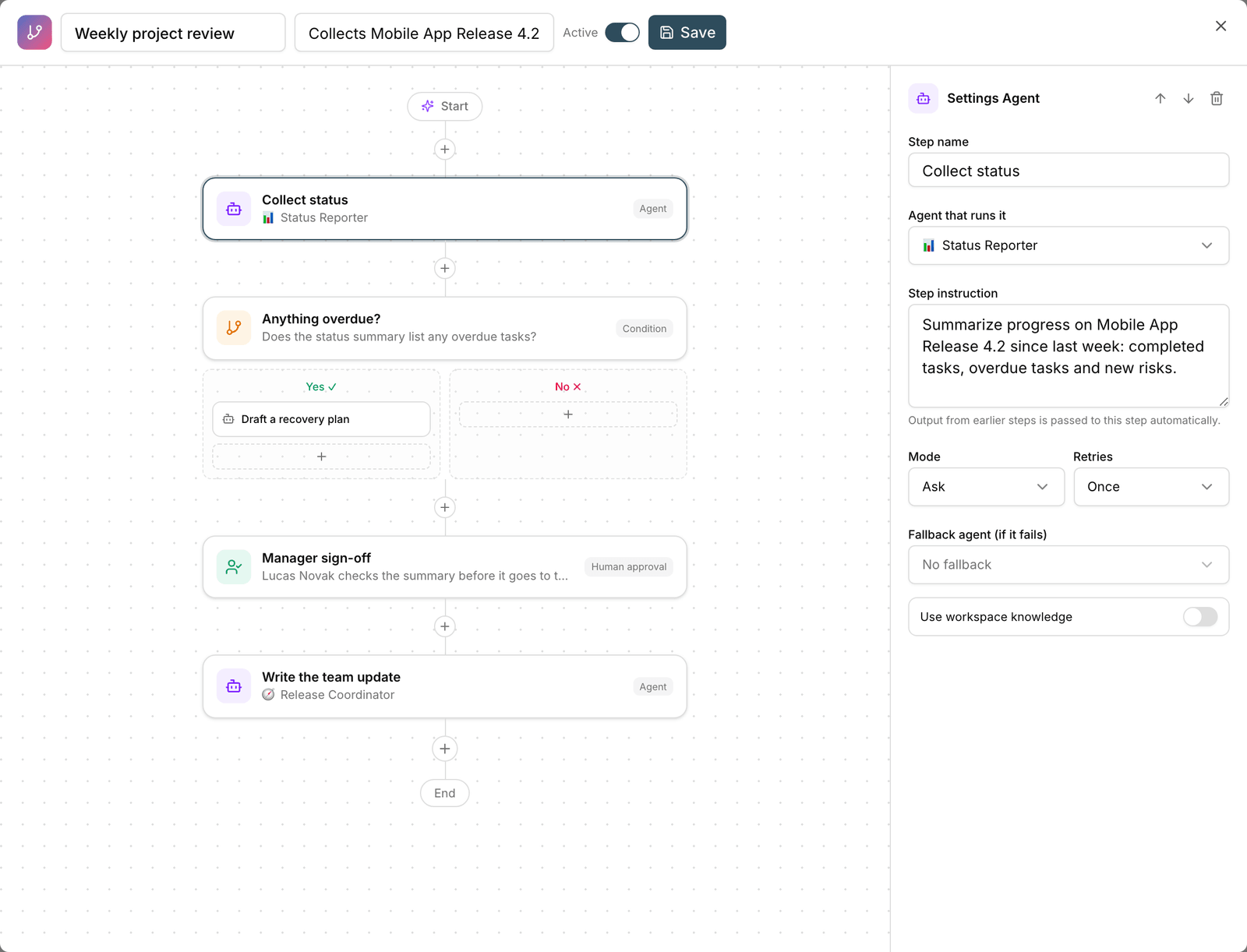
- Click New workflow.
- Name the workflow and add the steps one by one.
- For each step, choose the responsible agent and that step's instruction.
- Set the order of the steps, or run steps that don't depend on each other in parallel.
- Add any conditions you need so a step runs only when its condition is met.
- Save, then click Run to try the workflow once.
Flow control options
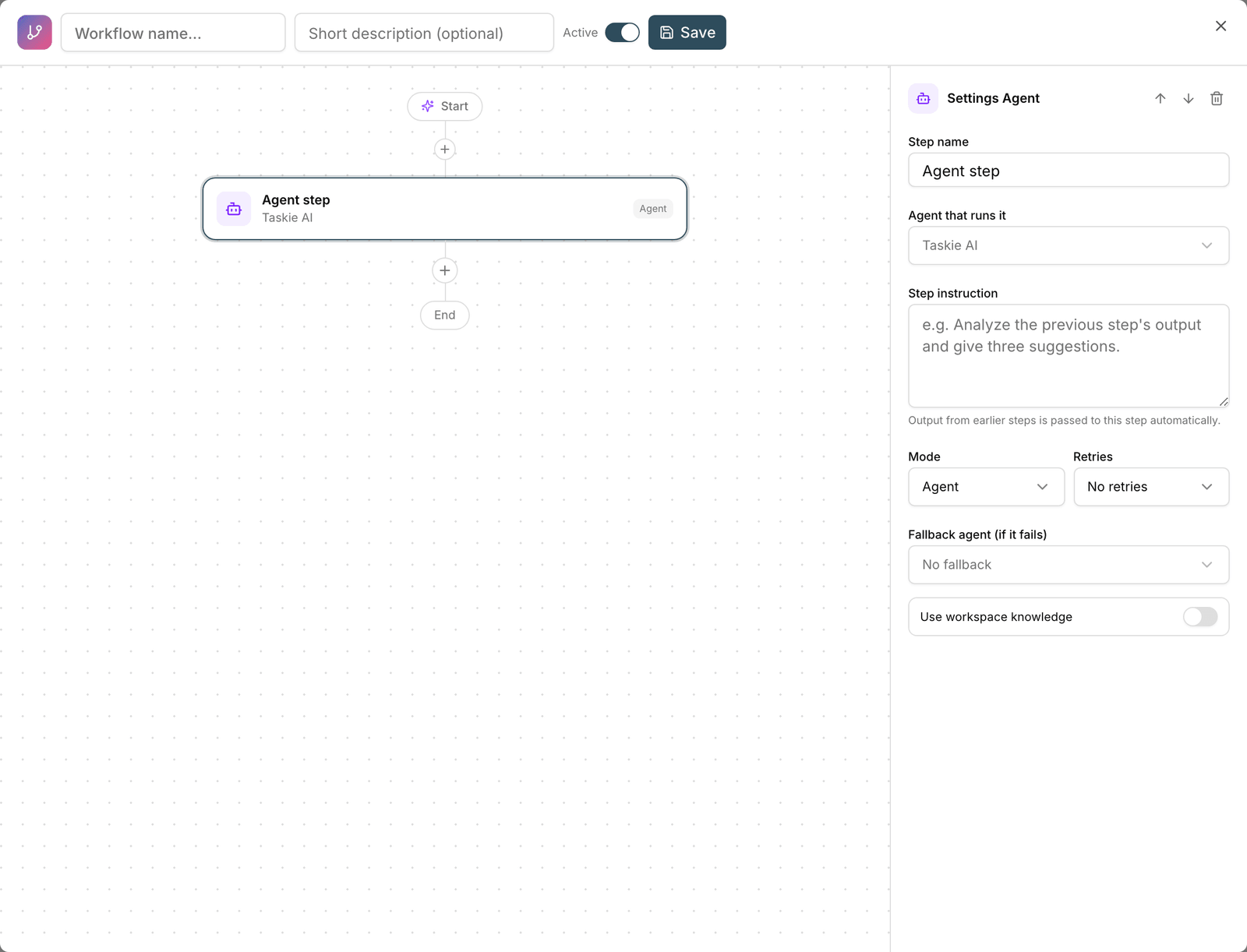
- Parallel run: steps that don't need each other's output run at the same time, so the whole workflow finishes faster.
- Condition: make a step conditional, for example send a notification only when an overdue task is found.
- Retries: if a step runs into an error, it's tried again instead of the whole workflow failing.
- Pause for human approval: the workflow stops before sensitive actions so you can approve them. This is the most important safety tool for automated workflows.
- Schedule: schedule a workflow like an agent so it runs periodically.
Suggestion: In workflows that change data, always add a human approval step before the final step, especially in the first few runs while you're still getting confident about how the workflow behaves.
Run history
Every time a workflow runs, a record is saved in Run history. Open it to see what input each step received, what output it produced, and whether it succeeded. If a workflow hasn't run yet, you'll see the message "This workflow hasn't run yet."
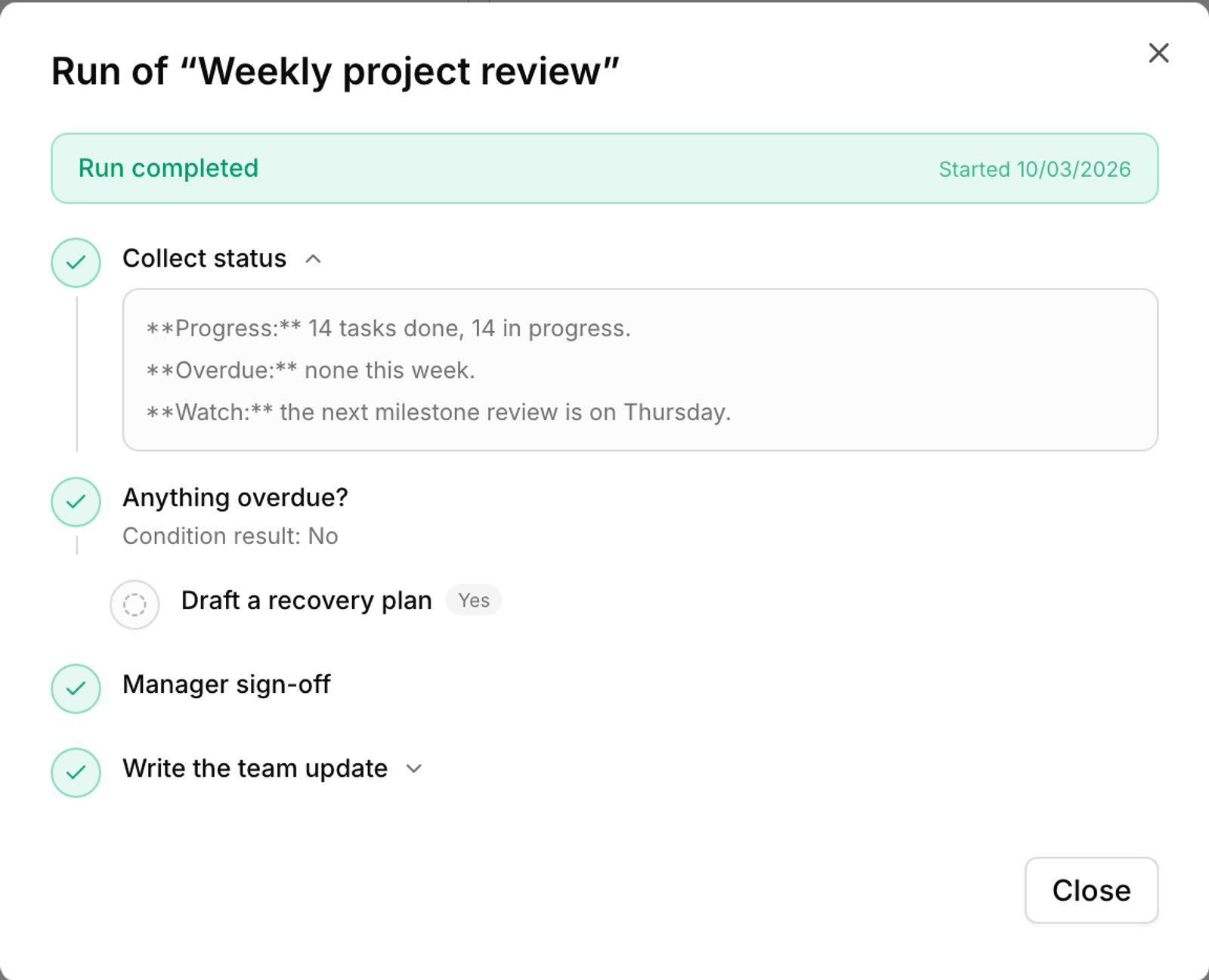
If you delete a workflow, its run history remains so the record of completed work isn't lost.
Start from a ready-made playbook
You don't have to start from scratch. Ready-made playbooks are prebuilt workflows for common scenarios. Install a playbook, then change its steps and agents to fit your team.
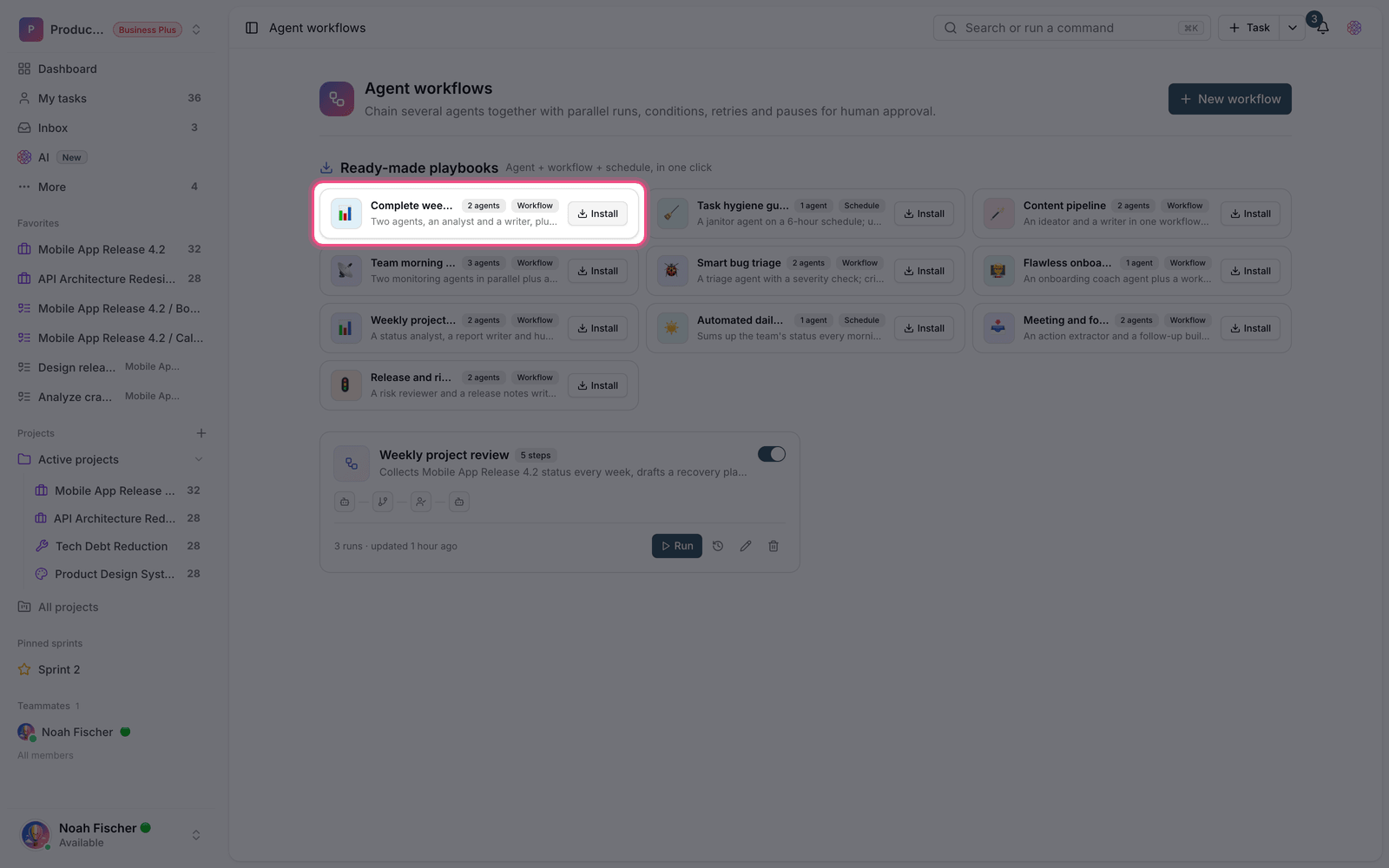
Plan required: Agent workflows are available on the Business plan and above.
To run a single agent periodically, see Agent schedules, and for rules without AI, see Automations.