
Agent analytics and AI credits
See which agents are used most, what the success rate and errors look like, and how your weekly AI credits are being spent.
Once you have several agents and schedules running, questions come up: Which agent is actually being used? What percentage of runs succeed? Why did last night's run fail? The agent analytics page shows all of this in one place.
Performance metrics
Analytics summarizes performance over the last 30 days:
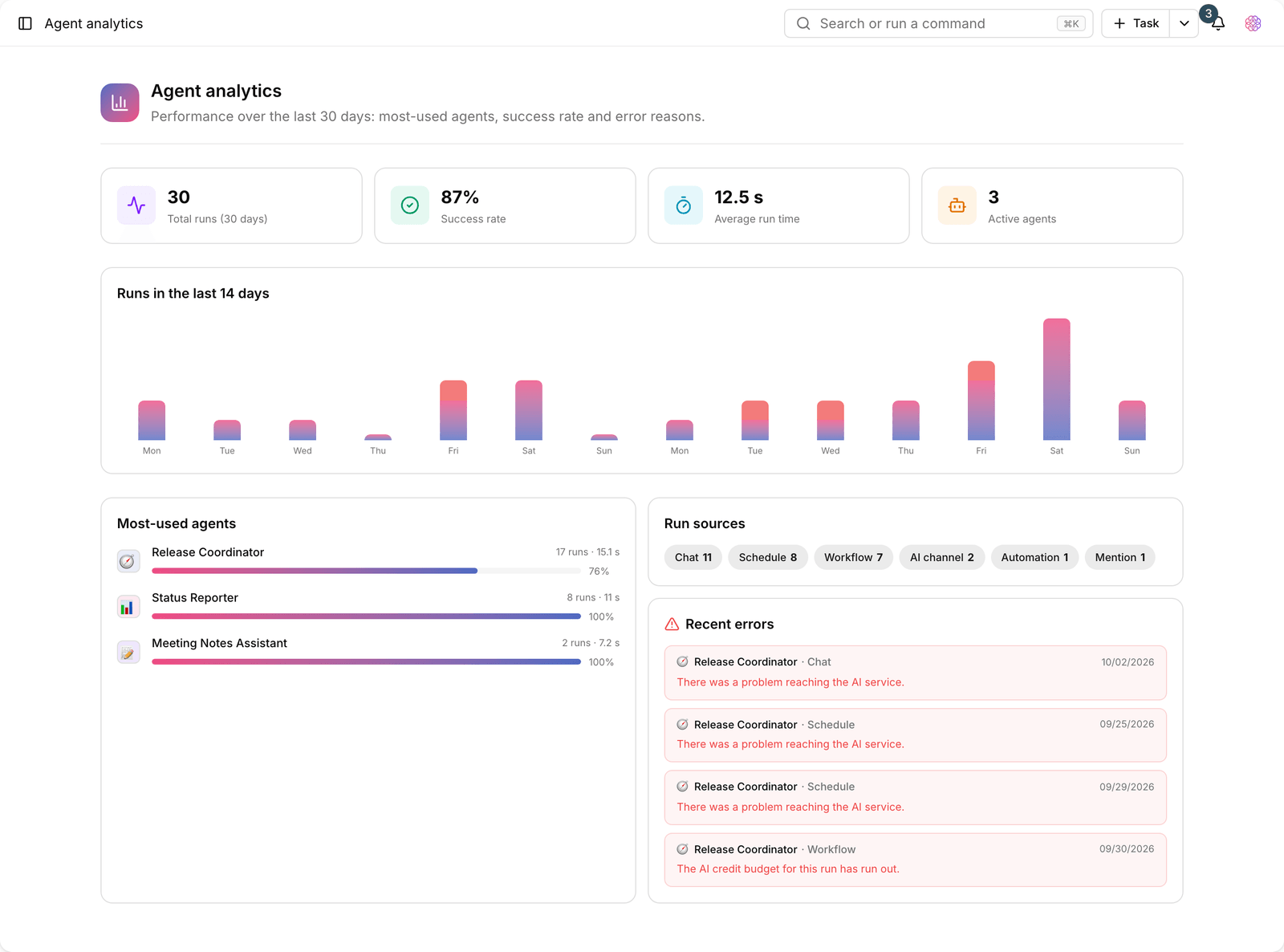
- Total runs: the total number of runs recorded in the last 30 days.
- Success rate: the share of runs that finished without errors.
- Average run time: in seconds; useful for spotting slow agents.
- Active agents: the number of agents that actually ran in this period.
- Most-used agents: agents ranked by number of runs.
- Runs in the last 14 days: a trend chart of runs so you can see the ups and downs.
Run sources
Not every run starts the same way. The Run sources breakdown shows where each run came from:
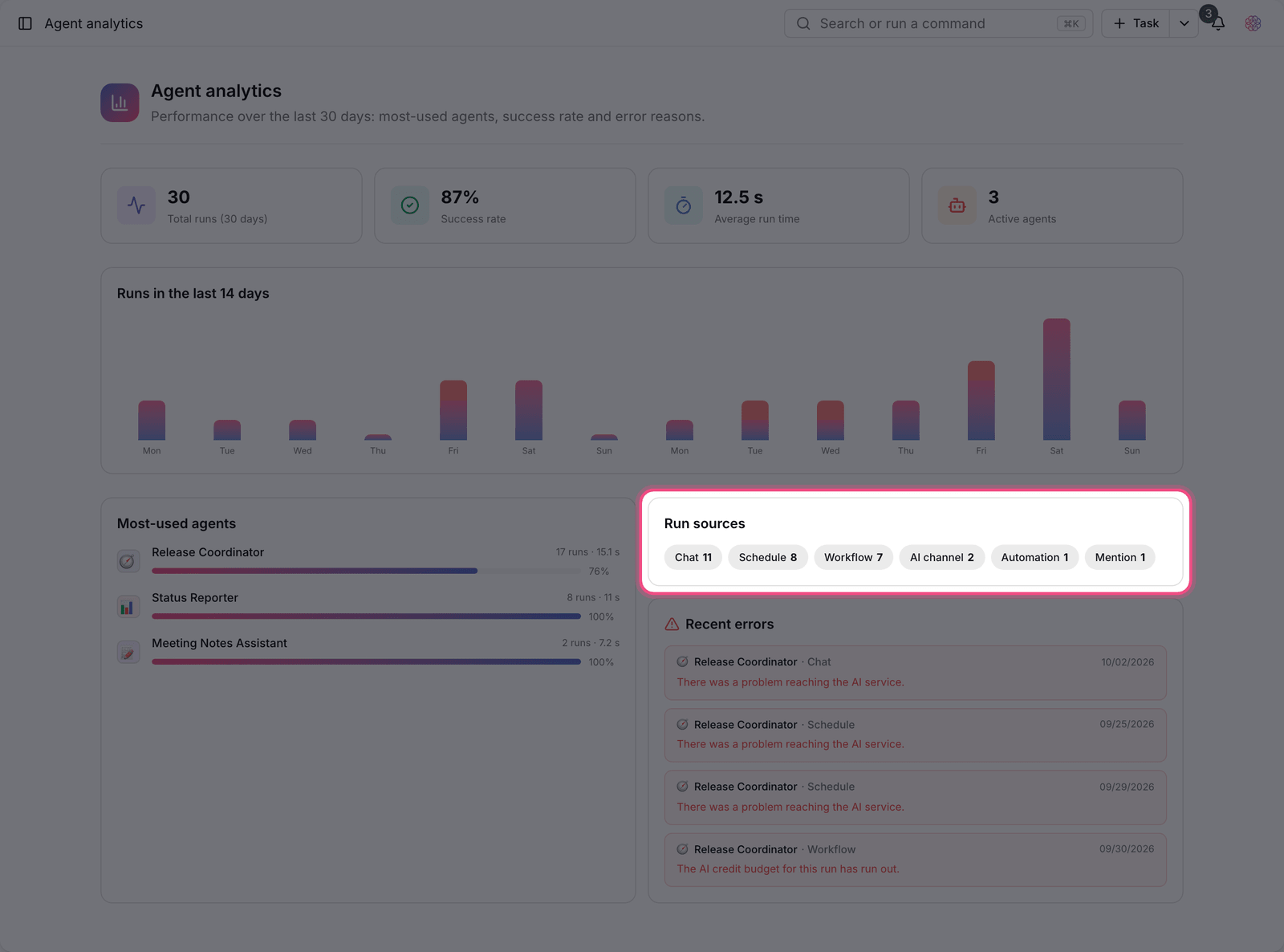
- Chat: a run you started yourself in the assistant window.
- Schedule: an automatic run on its repeat interval.
- Workflow: a run performed as a step in a workflow.
- Automation: a run triggered by an automation rule.
- Mention: a run started by calling the agent in a task comment.
- Manual: an immediate run you requested yourself.
Recent errors
The Recent errors section lists why runs failed. The most common reasons are running out of weekly credits, hitting the daily run cap, and the agent not having access to a tool it needs. If there were no errors in the last 30 days, you'll see the message "No errors in the last 30 days".
Weekly AI credits
Each workspace has a set weekly allowance of credits for AI features. These credits are shared between conversations, scheduled runs, workflows, and other smart features.
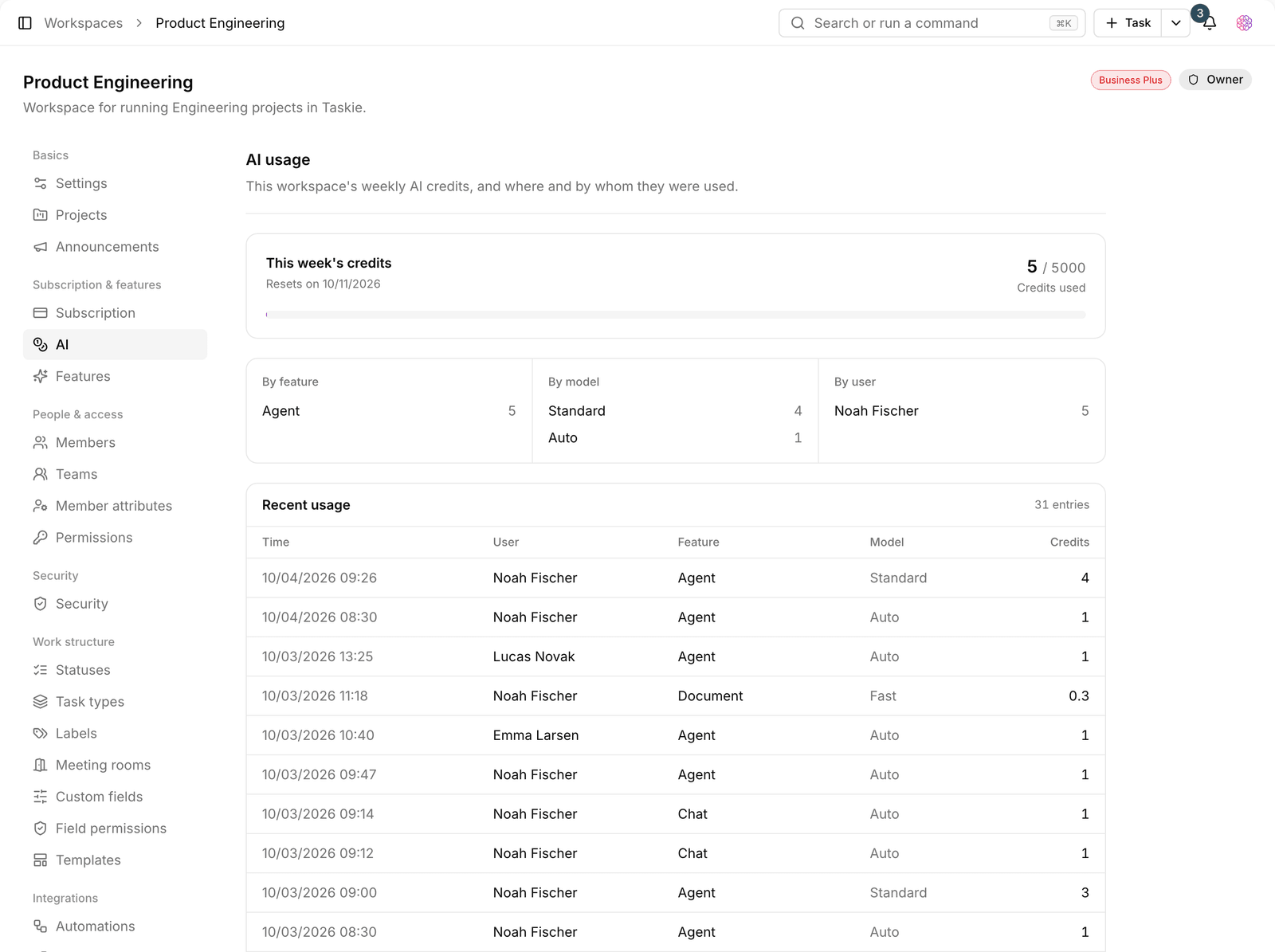
- Weekly credits: 15 on Free, 50 on Pro, 200 on Ultimate, 1,000 on Business, and 5,000 credits on Business Plus.
- Daily message cap: 3 on Free, 15 on Pro, 50 on Ultimate, 250 on Business, and 1,000 messages on Business Plus.
- Daily agent run cap: 10 on Free, 50 on Pro, 100 on Ultimate, 500 on Business, and 1,000 runs on Business Plus.
- History retention: 7 days on Free, 30 days on Pro and Ultimate, 90 days on Business, and unlimited on Business Plus.
Tip: If your credits run out early, look at the Run sources breakdown first. Usually one high-frequency schedule accounts for most of the usage. Making it run less often is cheaper than upgrading your plan.
Plan required: The agent analytics page is available on the Business plan and above. AI credit usage, however, can be viewed on every plan from the workspace's subscription section.
To manage your subscription and upgrade, see Manage your subscription, and to control how often runs happen, see Agent schedules.