
Build a custom agent
A custom agent is an assistant with the personality, skills, and memory you choose, ready to use in conversations, schedules, and workflows.
Taskie's default assistant is good for general work, but when you repeat a task every week, like writing a project status summary or reviewing overdue tasks, it's better to build an agent that already knows what you want. That's what a custom agent is.
Each agent has its own personality, tone, set of skills, and, if needed, long-term memory. You manage agents from Settings → AI agents.
Create a new agent
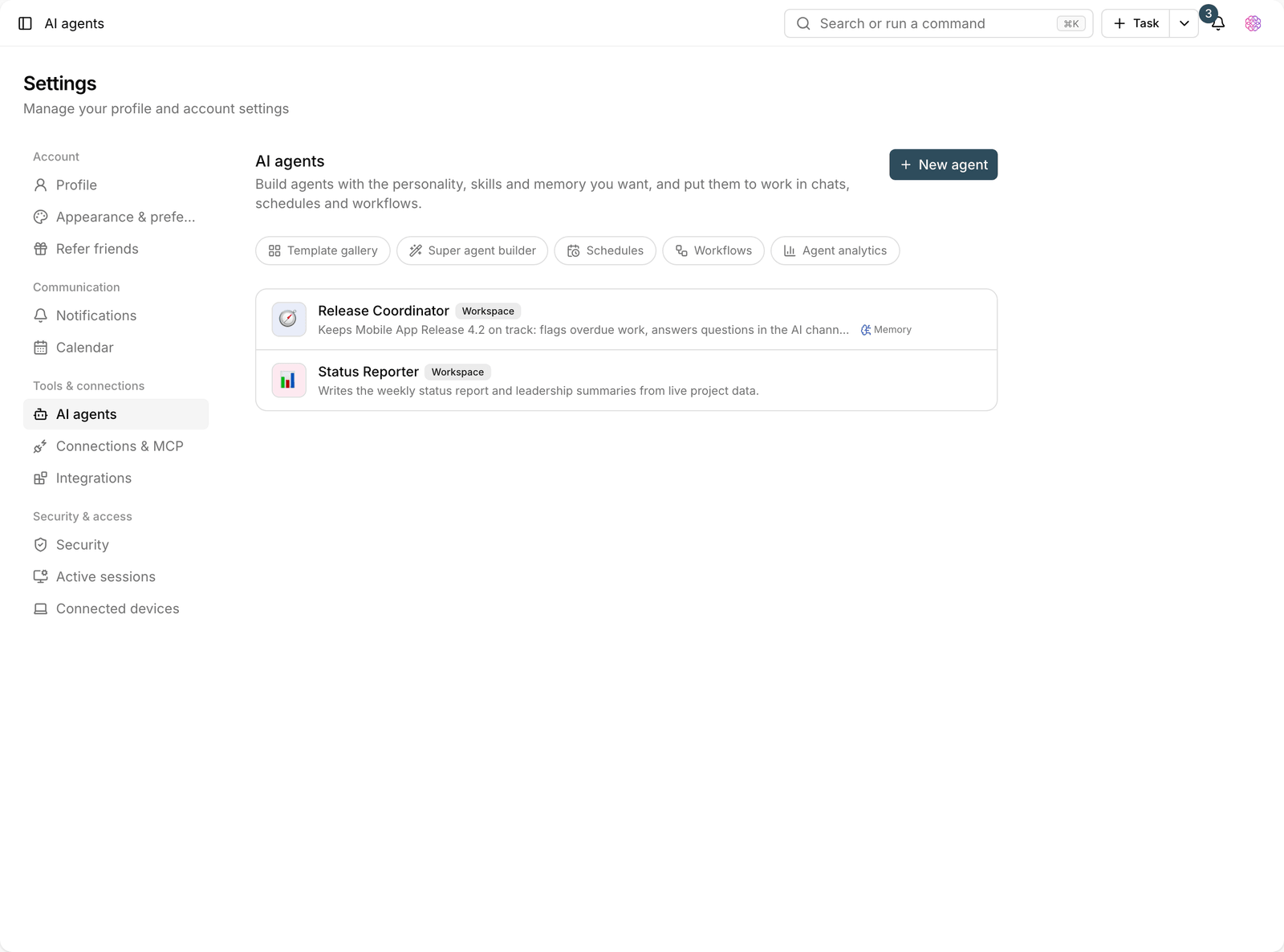
- Go to Settings and open the AI agents section.
- Click New agent and choose either Start from scratch or Choose from the template gallery.
- Set the agent's name and avatar. You can pick one of the built-in avatars or upload your own image.
- Write the system prompt: a short description of the agent's role, what it should do, and what it shouldn't.
- Choose the skills it needs so the agent has access to the right tools.
- Save. The agent shows up right away in the agent picker in conversations.
Key agent settings
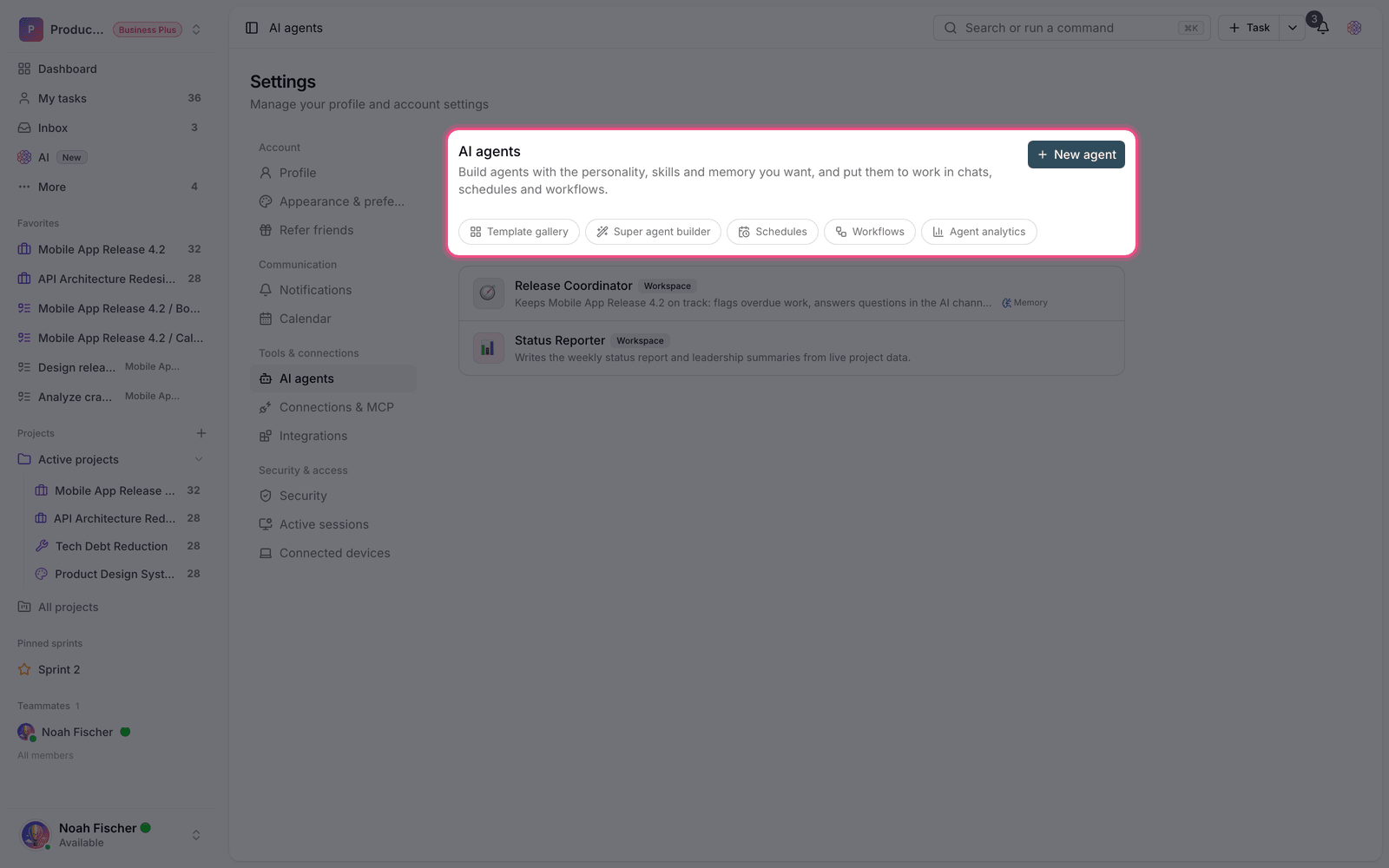
- System prompt: the most important part. The more precisely you write it, the more consistent the output. State the role, output format, and limits explicitly.
- Personality and tone: choose between formal, friendly, concise, and balanced so the style of answers stays consistent.
- Skills: decide which tools (tasks, documents, knowledge search, and more) the agent can access.
- Long-term memory: when it's on, the agent keeps the key points of conversations and uses them next time.
- Workspace knowledge: lets the agent use workspace knowledge search to answer.
- Access level: sets whether the agent is Personal or Available to everyone in the workspace.
Run mode and approving changes
Agents can either just answer or actually make changes in your workspace. That's why an agent's level of autonomy is adjustable: from Cautious (asks for your approval), which asks permission before every change, to Autonomous, which acts on its own.
Suggestion: Put a new agent in cautious mode first and watch a few runs. Once you're confident the output is right, raise its level of autonomy.
Put your agent to work
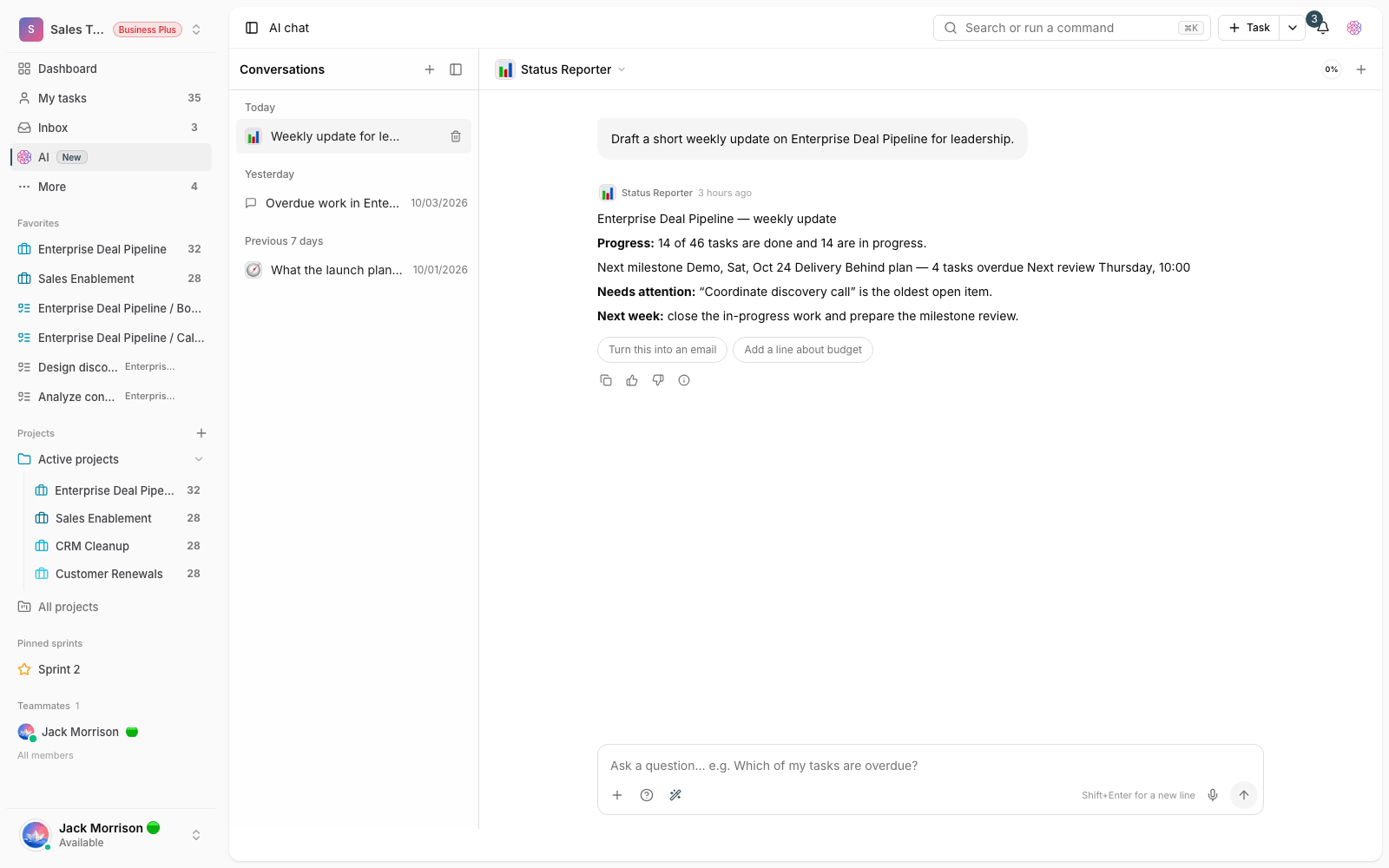
- In conversations: choose the agent from the list when you start a conversation.
- In schedules: set the agent as the Agent that runs it for an automatic schedule.
- In workflows: chain several agents together in a workflow.
- With a mention in a comment: call the agent in a task comment so it replies right there.
Use Edit agent to change its settings at any time. If you delete an agent, its earlier conversations remain.
Plan required: The number of custom agents depends on your plan: 3 on Free, 10 on Pro, 30 on Ultimate, and unlimited on Business plans. Super agents are available on the Pro plan and above.
To build an agent through conversation, visit Agent builder and templates, and for automatic runs, see Agent schedules.