
What's new in 1.1.0
Version 1.1.0 added and strengthened goal setting, task dependencies, the document center, a range of views, AI in the visual tools and team security.
The bigger a team gets, the more tools it needs to stay coordinated: a way to see big goals next to daily work, a place to keep the team's knowledge, and peace of mind about information security. This release, named "More complete tools for growing teams", added exactly these kinds of tools to Taskie, so teams can work more seriously and in a more organized way.
Version 1.1.0 was released on March 9, 2026 and brought together several core features, each covering part of teamwork. Below, we've grouped these changes so it's clear what need each group of features answers and where it helps you.
Clearer team planning and coordination
The most important part of this release is about planning. You can now track goals alongside daily work, see dependencies between tasks and improve team coordination with shared views. On top of that, you can look at a project from different angles:
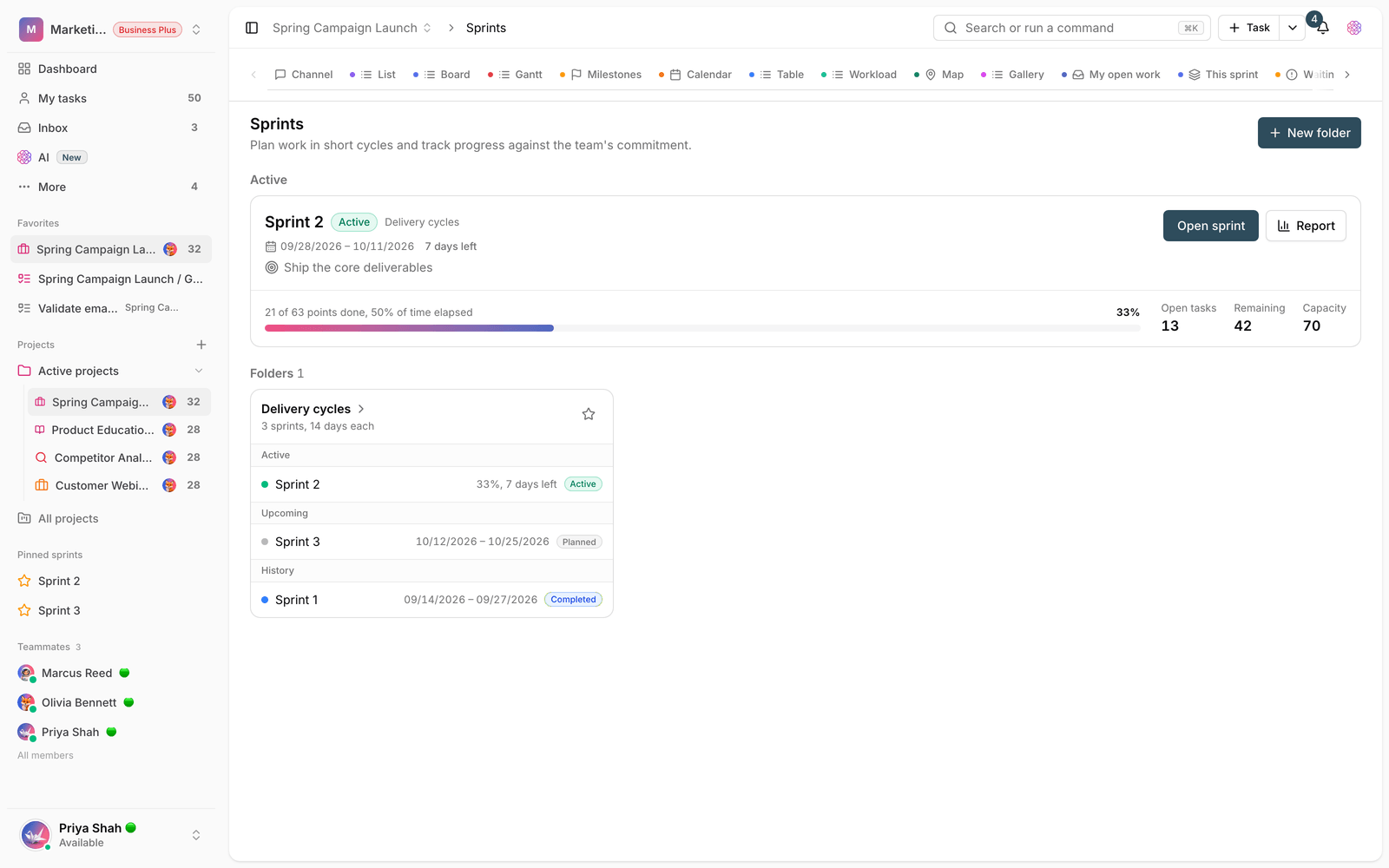
- Goal setting and task dependencies: team goals sit next to tasks, and the connections and order between pieces of work are clearer, so you know what each task depends on.
- Shared and varied views: calendar and Gantt for scheduling, plus table and automation for managing the flow of work more precisely, so each team can see the project from the angle that suits it.
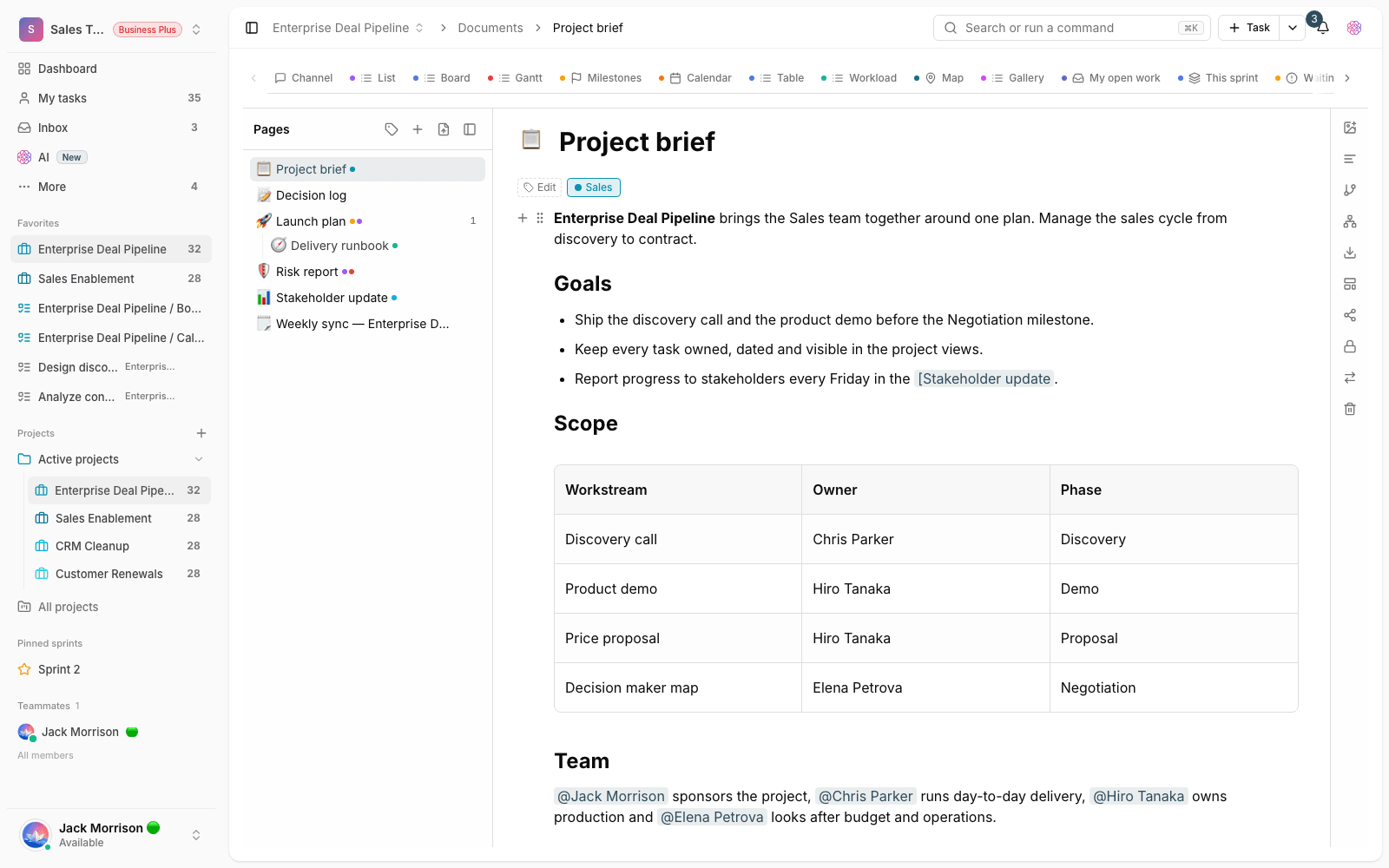
Team knowledge in one dedicated place
The document center and file management were added, so important project information doesn't get scattered across messages and separate folders. When each project's documents and files are kept in their own dedicated space, finding the latest version of a decision or a work file is simpler, and scattered work gradually decreases. This change matters especially for teams that produce a lot of knowledge.
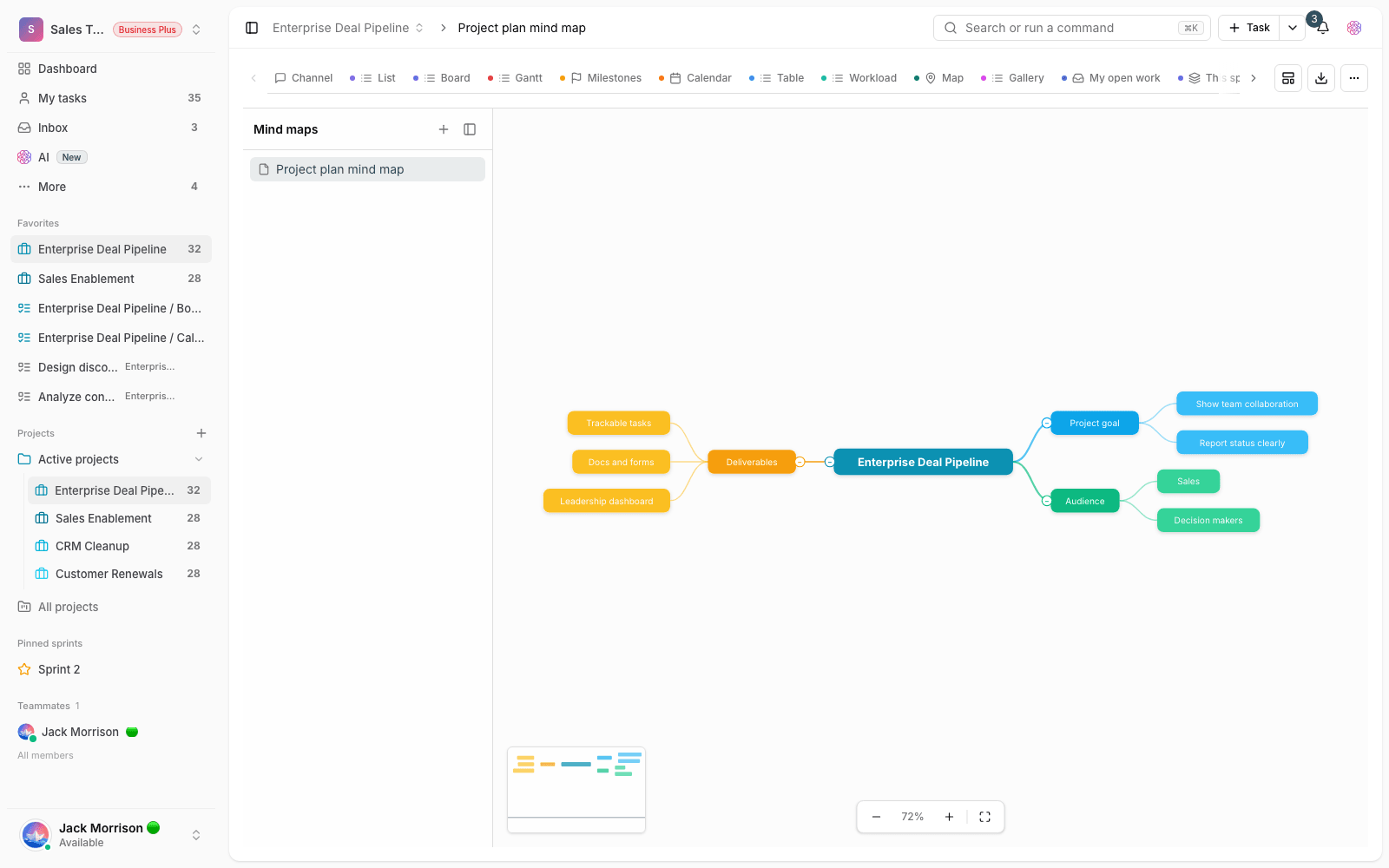
AI in the visual tools
AI was added to mind maps and whiteboards. In these visual tools, you can get help from AI to brainstorm, structure your thinking and turn it into a clearer path of work. This help saves a lot of time, especially at the start of a project or a brainstorming session, and shortens the distance between a raw idea and a practical plan.
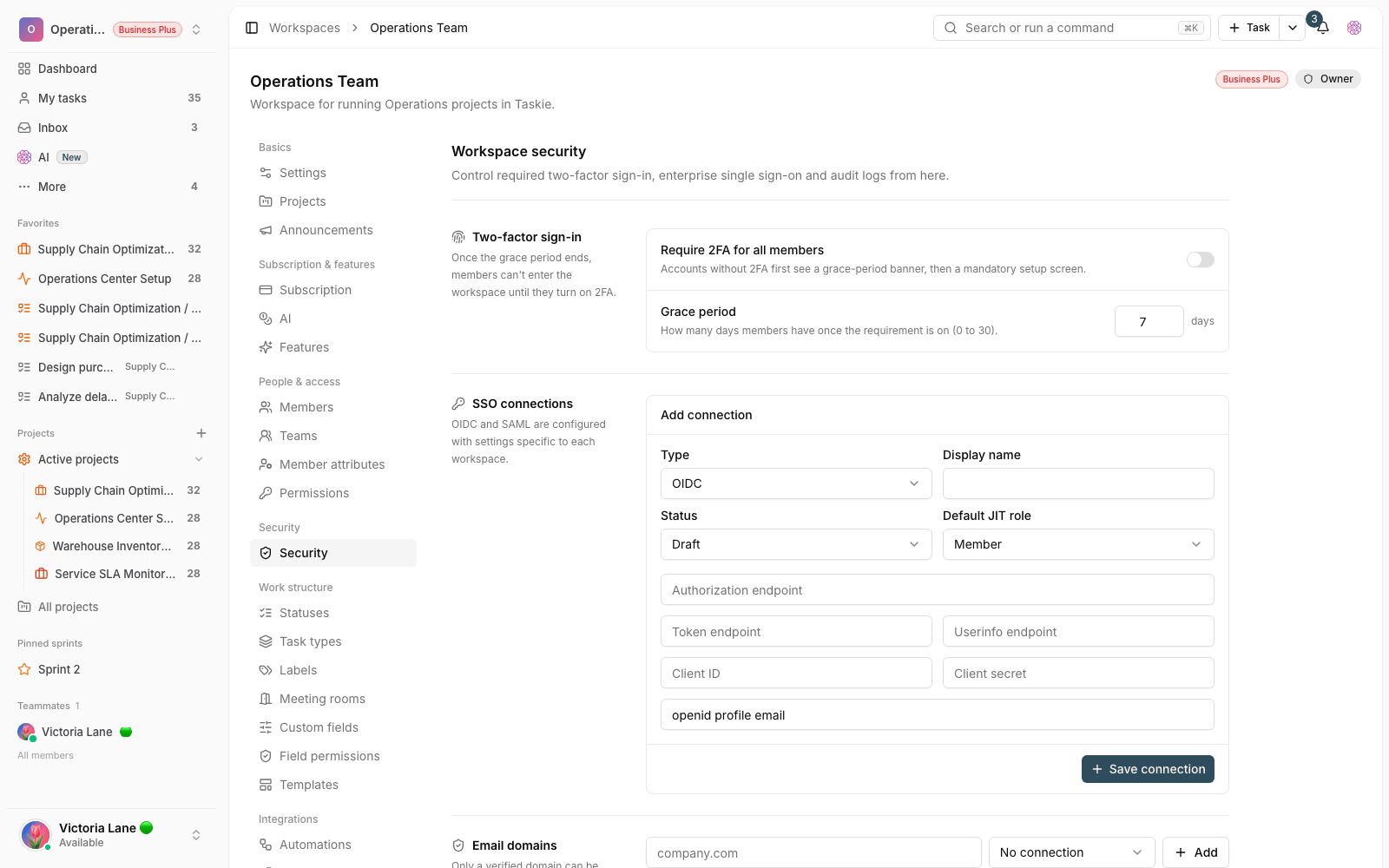
Stronger security for team and organizational use
The service's security infrastructure was strengthened for more serious use by teams and organizations. The goal of this change is to handle work information with more confidence, so teams with more sensitive data can use Taskie with greater peace of mind. This strengthening is part of getting Taskie ready for use in larger environments.
How to make the most of this release
To use the new features, we suggest trying these steps on a real project:
- Define a few clear goals for important projects and link the related tasks to them.
- Record dependencies between tasks that have to happen in order, so your planning is more realistic.
- Write down your team's decisions and recurring knowledge in the document center, so they don't get lost in conversations.
- Create a mind map or whiteboard for brainstorming, and use AI to help structure it.
- Some features, like advanced visual tools or certain views, may depend on your workspace plan. If you don't see an option, check your subscription status.
- Different views show the same project. Switching views doesn't change the data, only your point of view.
- Goals are useful when they're linked to real tasks. A goal without related work is just a note.
To see what came next, review the changes in What's new in 1.2.0, and to get to know where Taskie started, visit What's new in 1.0.0.