
What's new in 1.3.0
Taskie 1.3.0 brings AI-assisted document writing, more complete search and a more accurate assistant to your daily work.
The faster it is to find and write down information, the less time your team spends searching and doing manual work, and the more it can focus on the work itself. Taskie 1.3.0, released on April 21, 2026 under the name "Faster work with documents and search", brings a set of improvements in exactly that direction: AI-assisted document writing, more complete search and an assistant that draws on your team's knowledge.
This release is especially useful for teams that keep their knowledge and documentation in Taskie. Below, we group the most important changes and explain what each one does for you.
Writing and editing documents with AI
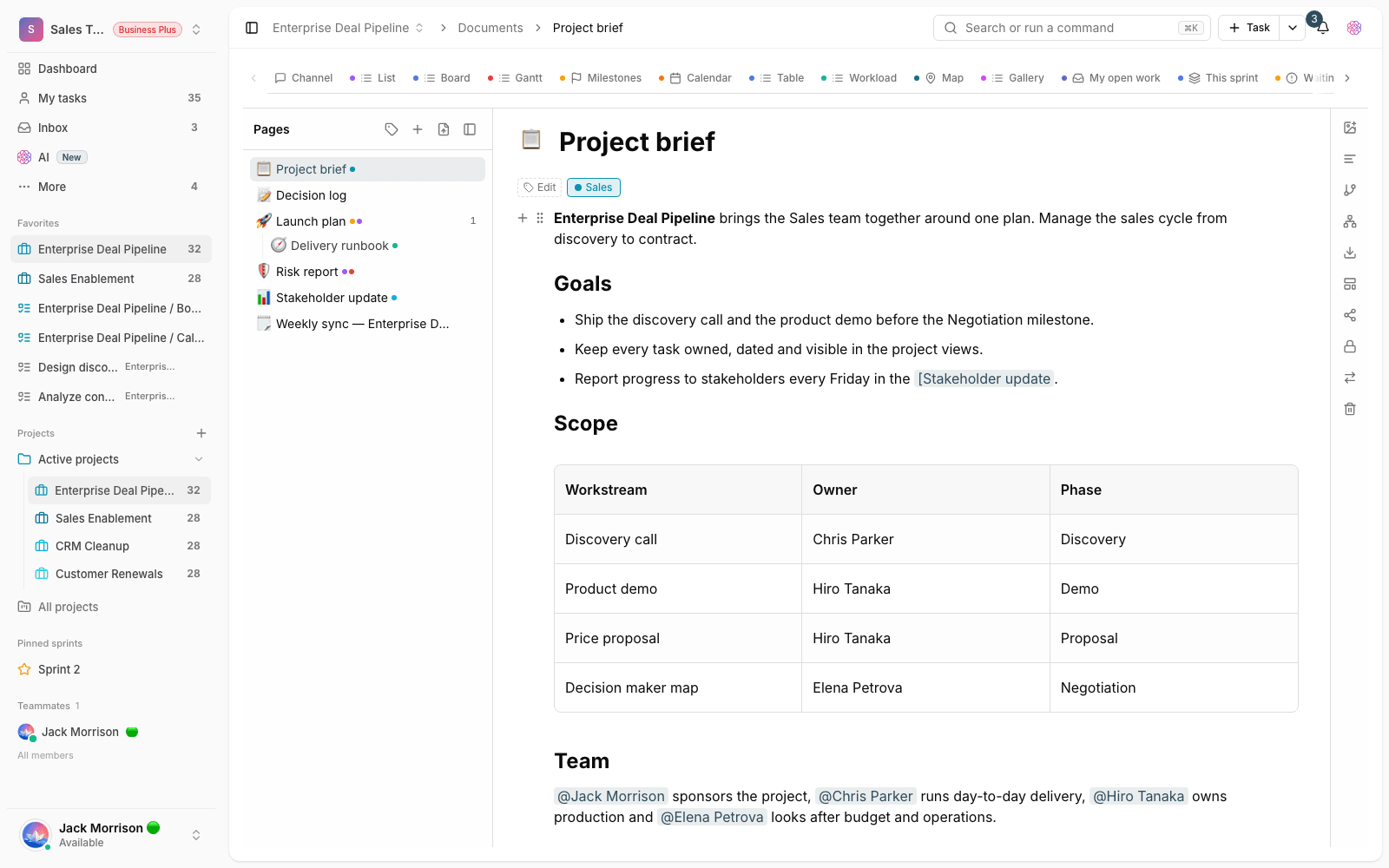
In this release, you can get help from AI while working on team documents: to write new text, rewrite a section or improve what you've written. This help speeds up documentation and makes writing from scratch less time-consuming, especially for pages that need to stay tidy and readable and that several people read.
More complete search across your workspace
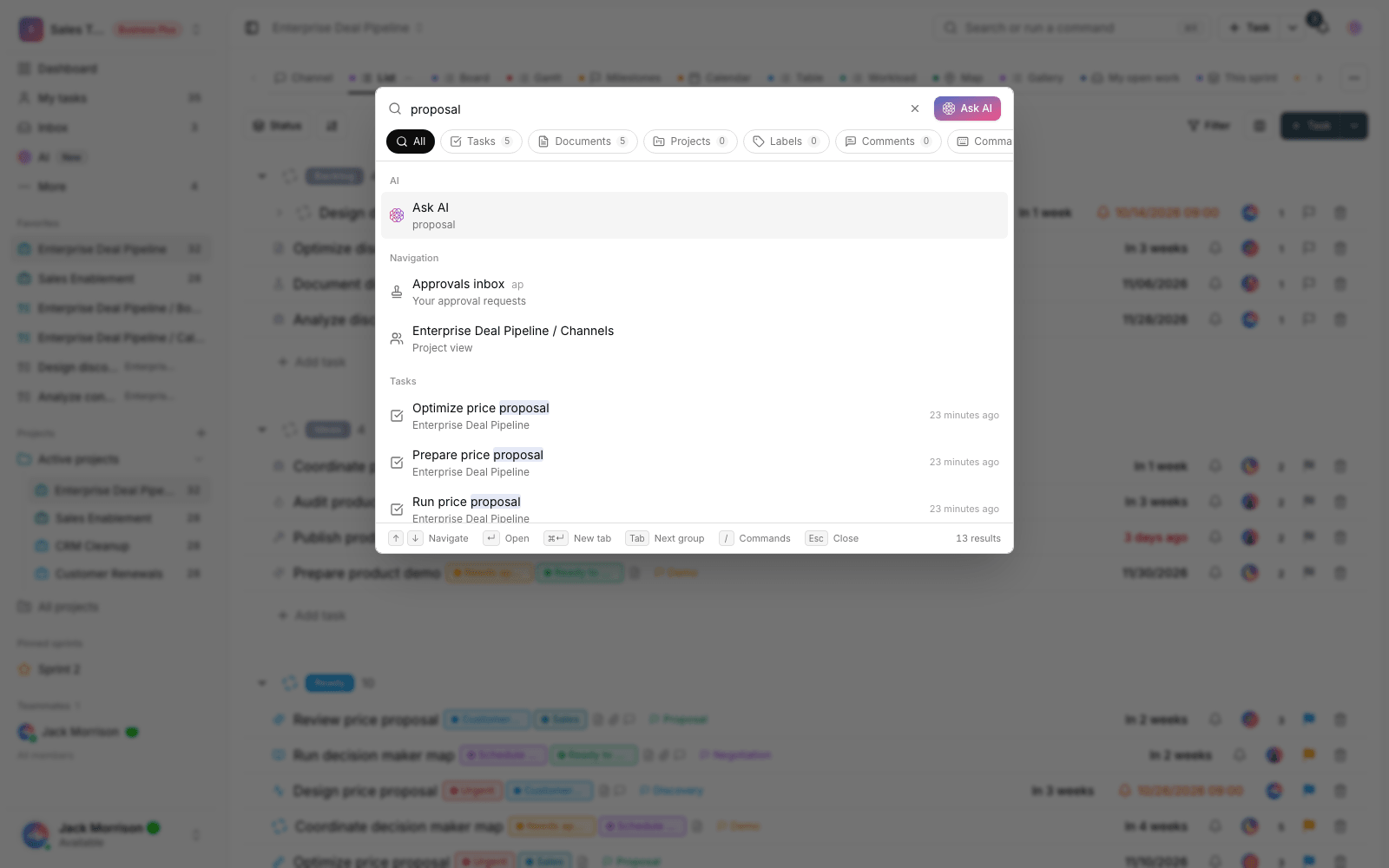
Finding things quickly is one of the most important parts of daily work. In this release, search across projects, tasks and work content is more complete, so when you remember a project's name, part of a task or some content, you get to the result faster and more accurately. That means less time spent hunting through different parts of the app.
An AI assistant that draws on your team's knowledge
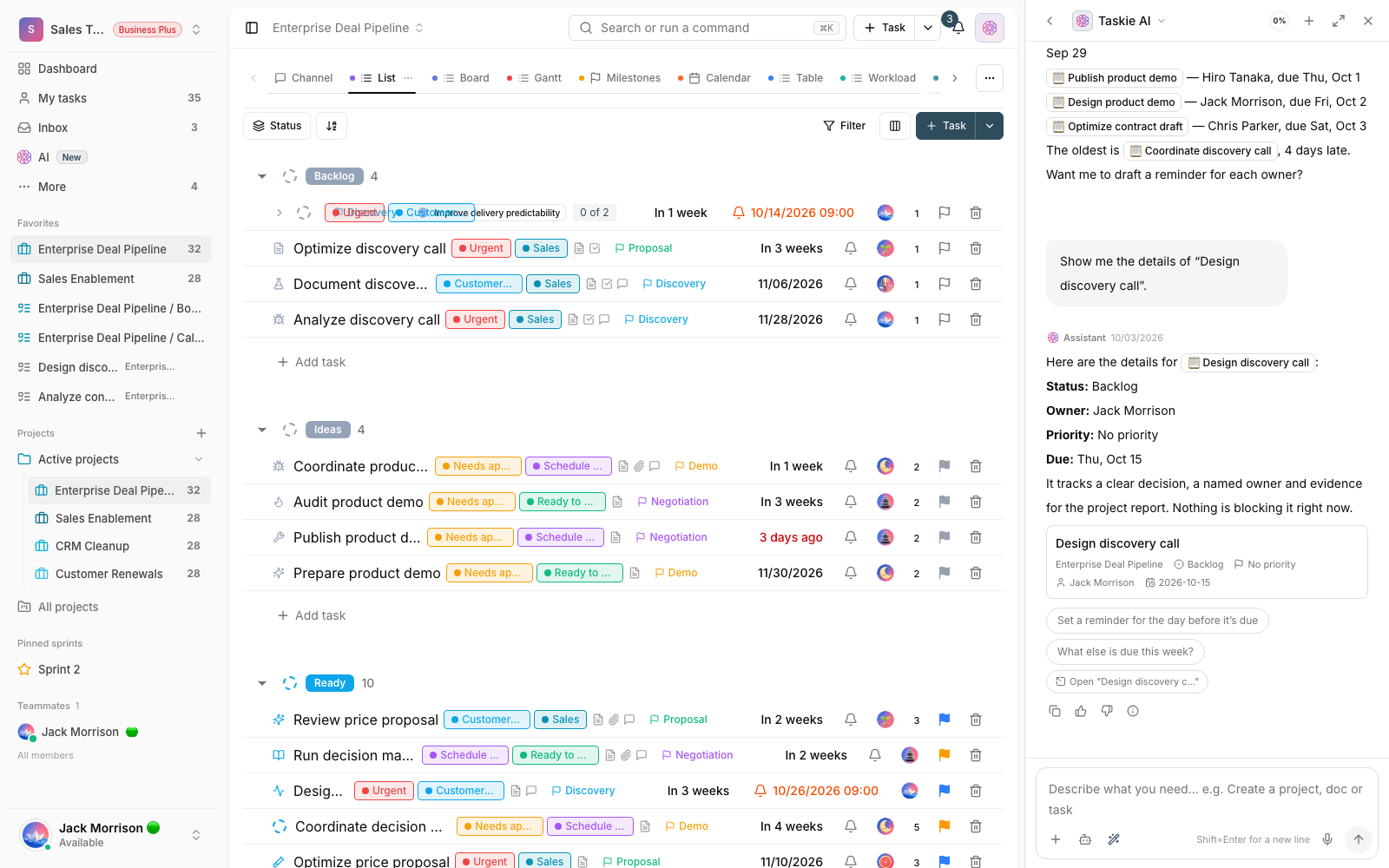
When your team's knowledge is recorded in documents, the AI assistant can use those documents to give more accurate answers. So instead of searching by hand through scattered pages, you can ask your question and get an answer grounded in your workspace's real content. The more complete your documents are, the more useful the assistant's answers will be.
Large files and everyday improvements
This release makes uploading larger files more reliable and stable, so big uploads are less likely to fail. Alongside this, several frequently used details, like quick add, colors and document updates, have been reviewed, so the everyday experience is more organized and consistent.
- Large files: uploading big files is more stable, and errors during upload are less likely.
- Quick add: creating tasks quickly is smoother and more consistent.
- Colors and documents: several details in colors and document updates have been tidied up.
How to use what's new in this release
- Open a document and use the AI tool to help write or rewrite a section.
- Use global search to quickly find a project, task or piece of work content.
- Ask the AI assistant your question. If the answer is in your documents, the assistant draws on them.
- Upload a large file to experience the more stable upload.
Tip: AI features like writing help in documents and the AI assistant depend on your workspace plan and AI credits. If you don't see an option, check your workspace's plan status.
Next step: to keep following the changes, see What's new in 1.3.1 and What's new in 1.4.0.