
What's new in 2.0.0
Version 2.0.0 enables more organized team collaboration, with project channels, fine-grained access control and more mature forms and documents.
Taskie 2.0.0 was released on June 24, 2026, and it's one of the biggest Taskie updates to date. This release centers on two things: more organized team collaboration, and finer control over what each member can see and change. Alongside these, popular tools like the form builder, documents, search and the AI assistant have matured too, so everyday work moves forward with less back-and-forth and confusion.
On this page, we walk through the most important changes in 2.0.0 topic by topic. It's not just a list of changes: for each one, we explain what it does for you in practice and where you can use it. If your team is growing and more people are working with sensitive information or outside collaborators, this release was designed for exactly that.
Project channels: every conversation in its place
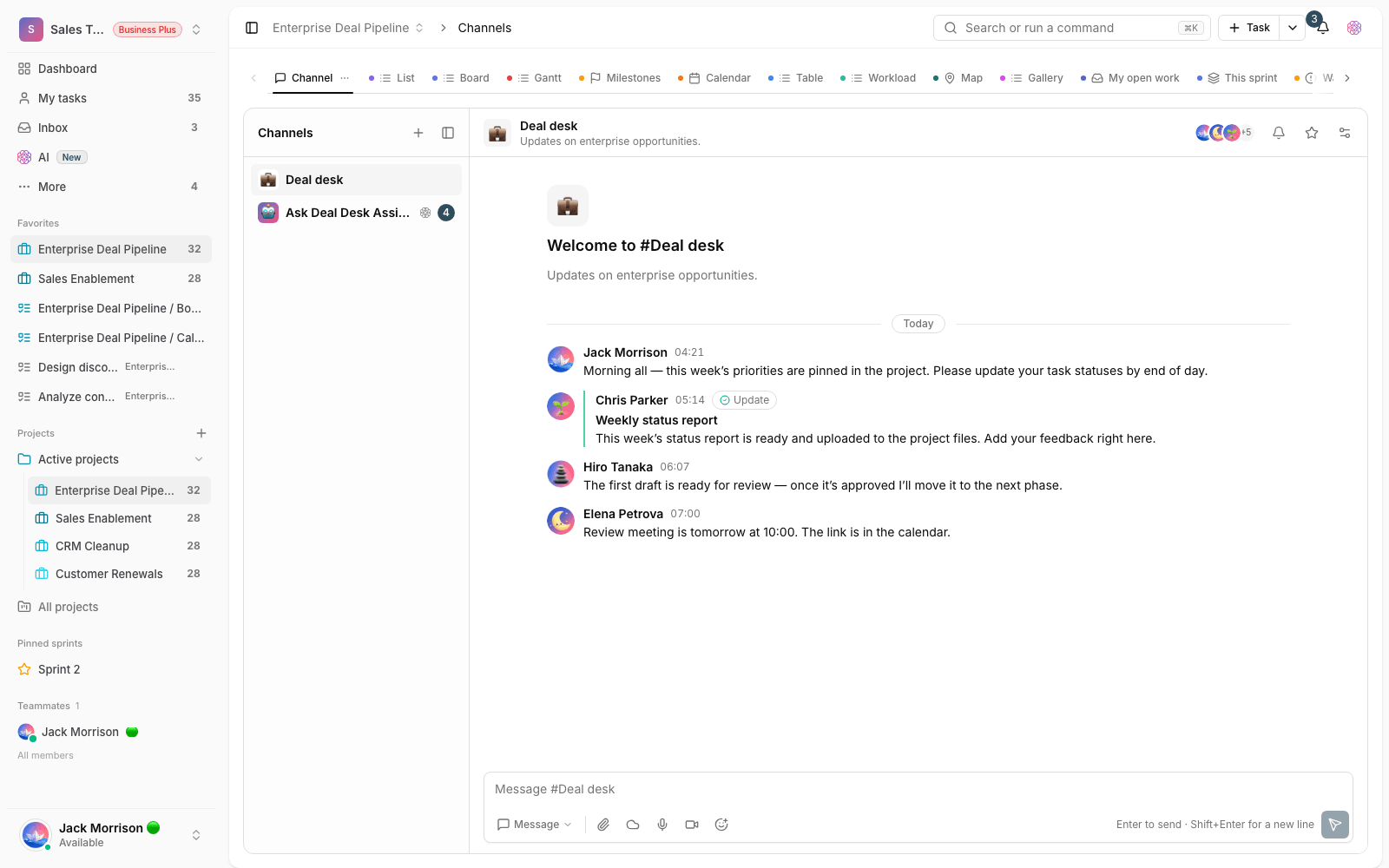
Until now, discussions about a project could easily get lost among the team's general messages. In 2.0.0, each project can have its own chat channel, so that project's messages, decisions and follow-ups stay in one place and members get to the right conversation faster. Following mentions and replies is clearer too: when someone mentions you in a channel or replies to your message, notifications help you catch important messages without rereading the whole conversation.
Finer permissions and a clearer view of your team structure
The bigger a team gets, the more it matters that access boundaries are clear. This release brings three new tools for exactly that:
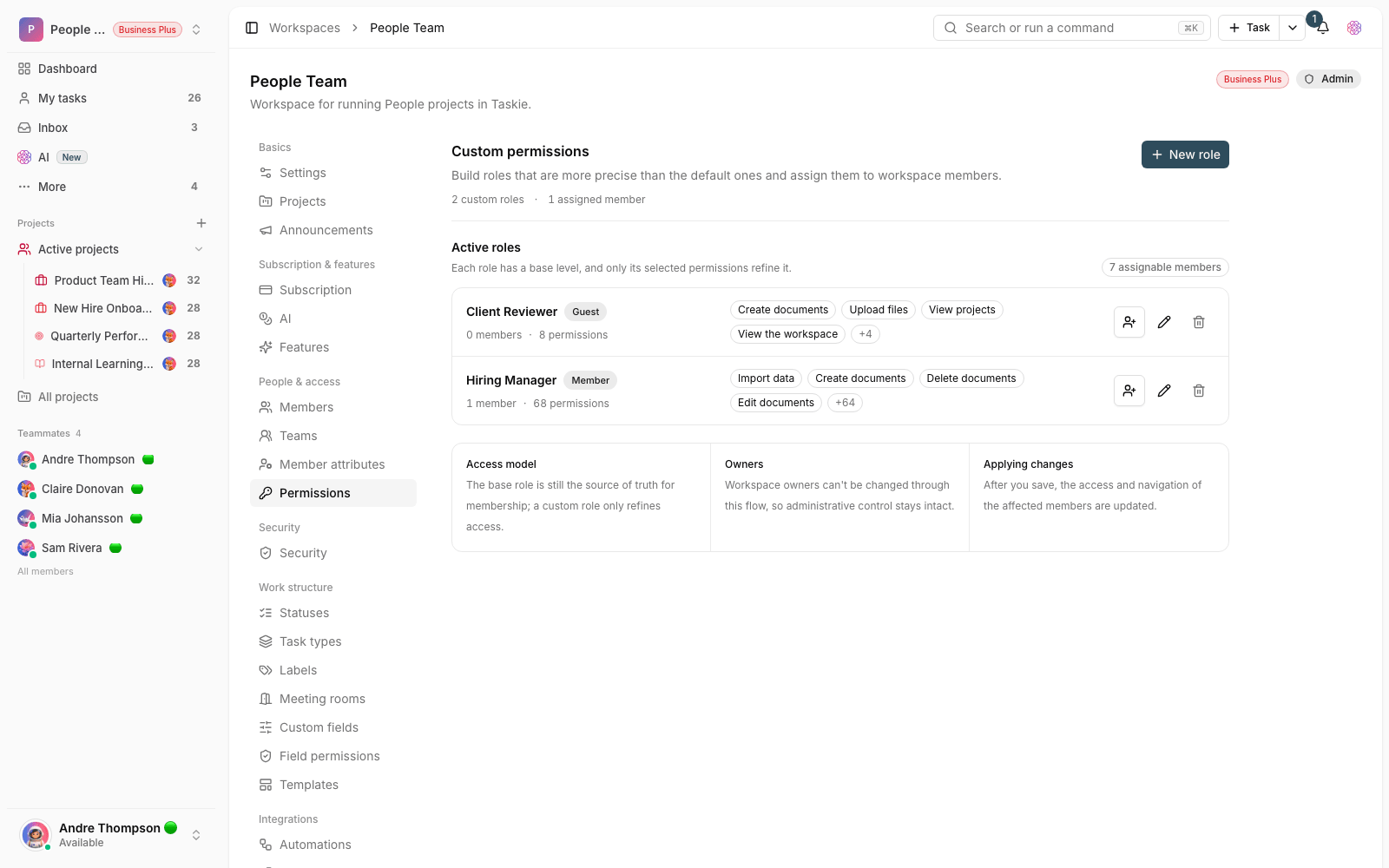
- Control over sensitive task information: project admins can decide who can view or change certain task information. This suits teams that work with financial, legal or internal data.
- Work details in workspace member profiles: record each member's role, department, direct manager or internal attributes, so managing the team and reporting on your org structure gets simpler.
- Restricting access to specific views: you can limit a member's access to only the project views or sections they need, so you can collaborate with outside or cross-team people without opening up the whole project.
Easier-to-read tasks in everyday work
A few small but frequently used changes make working with tasks lighter. You no longer always have to open a task's details to change its key information: you can edit the visible fields right from the task list. Each project can have its own readable task numbers, so referring to a task in a meeting, message or report takes a short ID instead of a long title. On top of that, a new report shows how long each task stayed in each status, a simple tool for finding bottlenecks and slow spots in your workflow.
Forms, documents and sharing outside your team
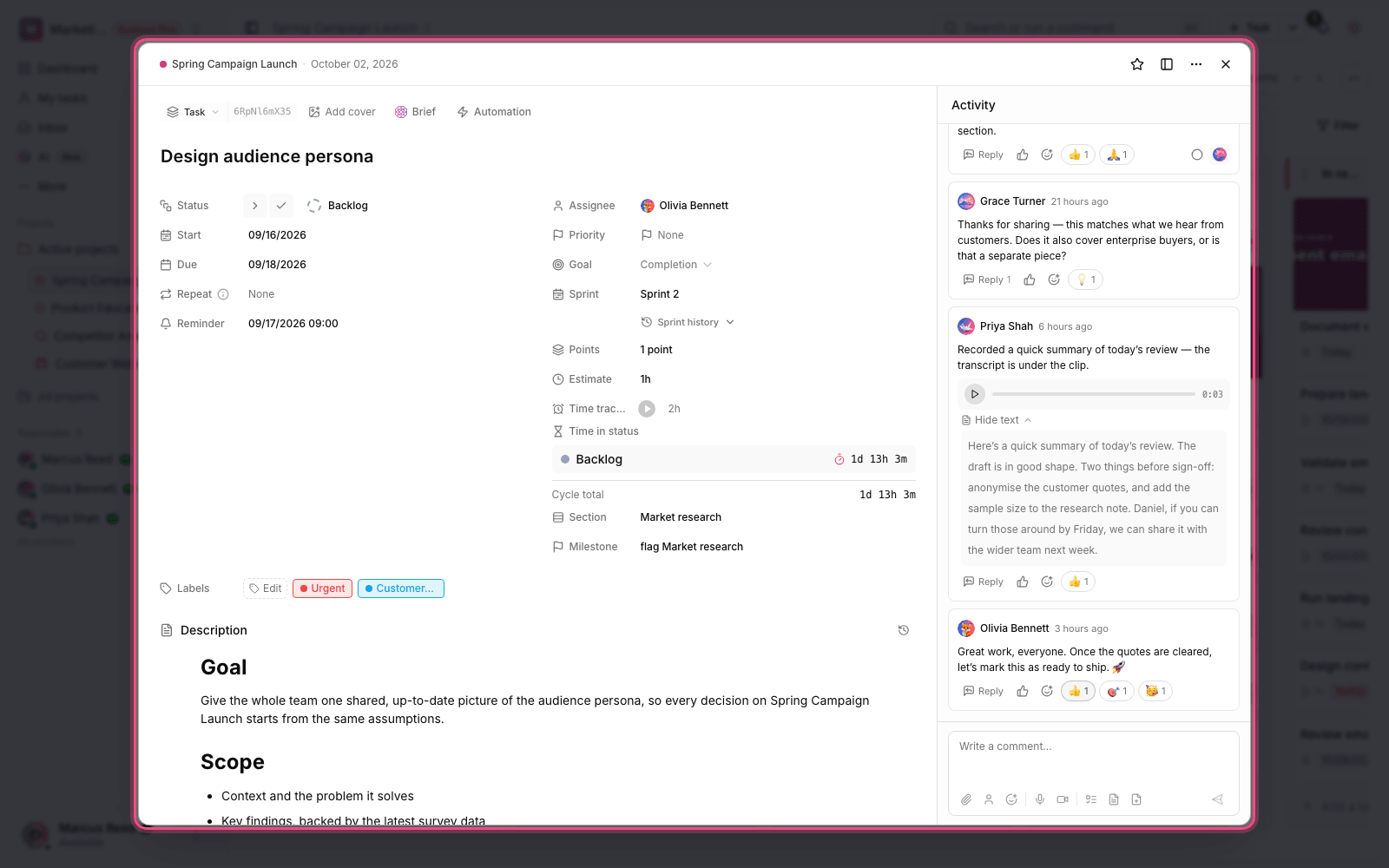
This release smooths the line between work inside your team and communication with the outside. The project form builder can now create multi-step forms, show questions based on earlier answers and report form views better, which is very handy for taking requests and collecting information from outside the team. In documents, you can share part of a document, or a read-only project view, with people outside the workspace without making them full members. Moving document pages and setting permissions for each page are simpler too, so team knowledge stays organized and sensitive information is only seen in the right place.
Automations, the AI assistant and faster search
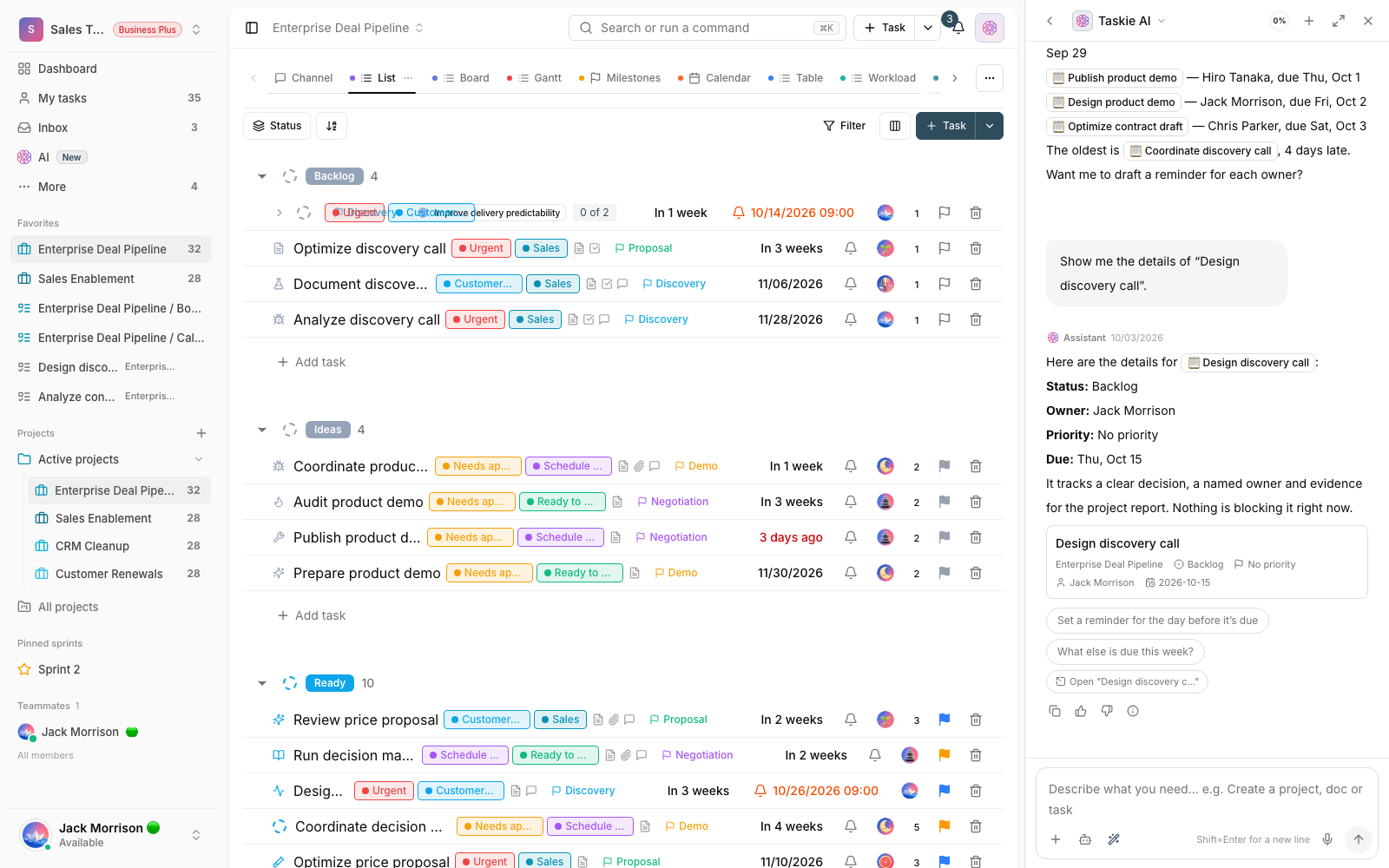
Part of 2.0.0 is about cutting manual work. Automations can run at a set time or on a schedule, so repetitive work like reminders, creating tasks or updating processes happens automatically. With a better understanding of your workspace information, the AI assistant helps you find content, summarize work and carry out some everyday operations. Global search is also more organized and more accurate, so when you remember a task's name, part of a document or some work content, you get to the relevant result faster.
How to get the most out of it
To make 2.0.0 really work for your team, we suggest taking a few simple steps right now:
- Create a dedicated channel for your busiest projects, so discussions are separated from general chats.
- Review the access level of new members and outside collaborators: set the views they're allowed to see and the sensitive task information.
- If you have an active form, turn it into a multi-step form and check its view report.
- Align your notification settings, message templates, time zone and reminders with your team's working habits.
- Workspace admins should review the subscription status, member capacity and payment process once, so they aren't caught off guard by the capacity limit.
In this release, setting up notifications, message templates, time zone and reminders is more precise, and the subscription, member capacity and payment section is clearer too, so workspace admins get a clearer picture of their plan status, costs and the steps to buy or renew.
A note about plans: some advanced features depend on your workspace plan. If you don't see an option described here, check your plan and access level, or check with your workspace admin.
To follow how Taskie evolved, take a look at What's new in 1.6.5 and see what improvements came before this major release.