
What's new in 1.4.5
A tour of what's new in Taskie 1.4.5, from the public form builder and sign-in security to calculated fields and quick-start project templates.
Taskie 1.4.5 matures four areas of work: building forms to communicate with people outside your team, safer sign-in to your account, faster project setup with templates and favorites, and more precise task data. Rather than adding showy features, these changes focus on rounding out the work teams deal with every day.
This update was released on May 5, 2026. If your work depends on collecting requests from customers or outside collaborators, or you care about data order and team account security, most of the changes in this release apply directly to your work, and you don't need to learn anything new to use them.
Project forms for collecting information from outside your team
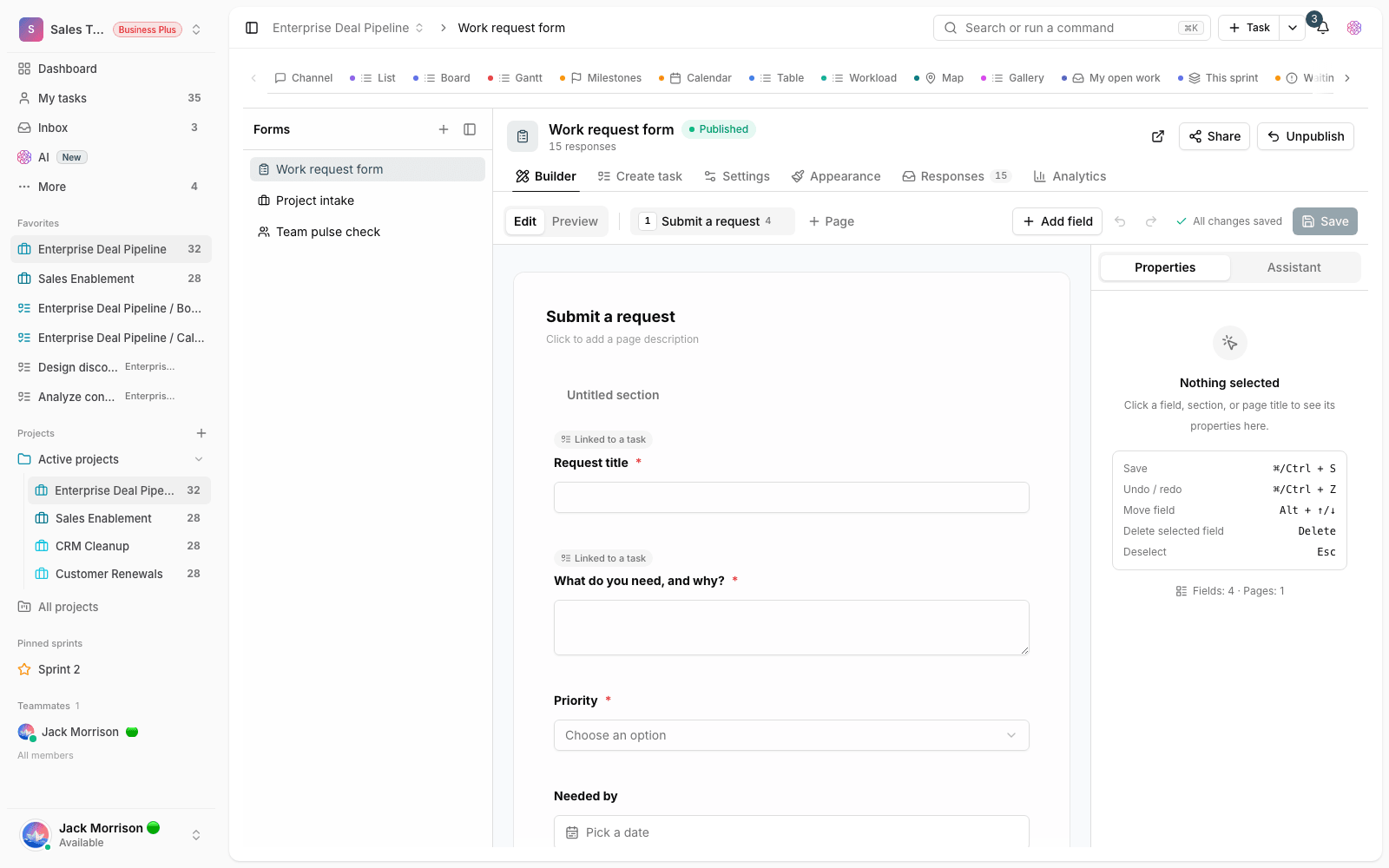
The most important addition in this release is the project form builder. With it, you can build a form and publish it publicly, so people outside the project, like a customer, an applicant or a colleague from another department, can submit their information or request without joining the workspace. To make a public form look more professional and stay safer, you can choose a cover image for it and turn on CAPTCHA to block automated and unwanted submissions. The stability of these public forms has also improved in this release, so displaying them and recording responses is more reliable.
Sign-in security and session control
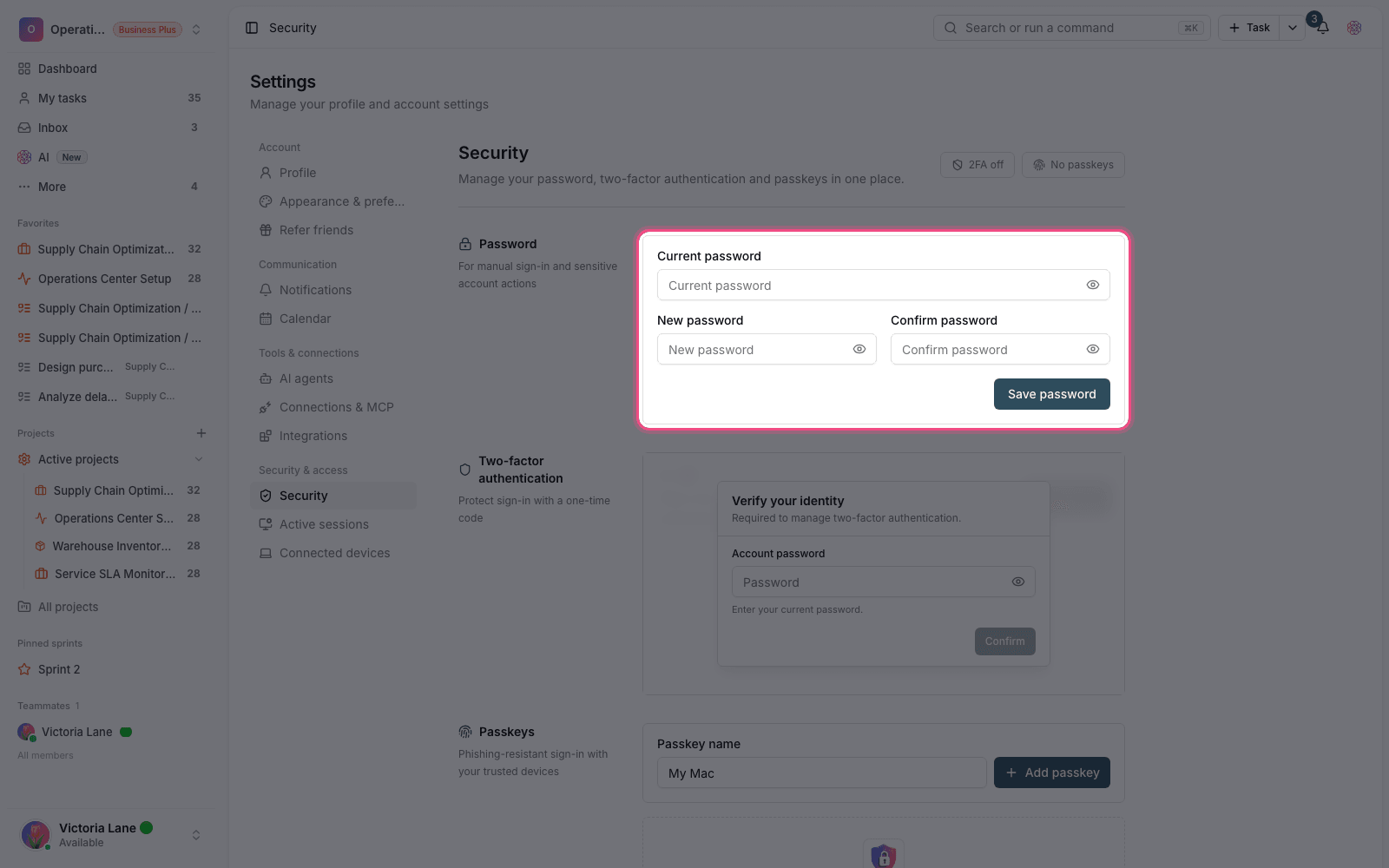
This release gives you more visibility into your account security. You can see your account's sign-in history and Active sessions, and if an important security event happens, alerts let you know sooner. This matters especially for accounts you sign in to from several devices, because it surfaces signs of unexpected access sooner and gives you a chance to react faster.
More precise task data and faster project starts
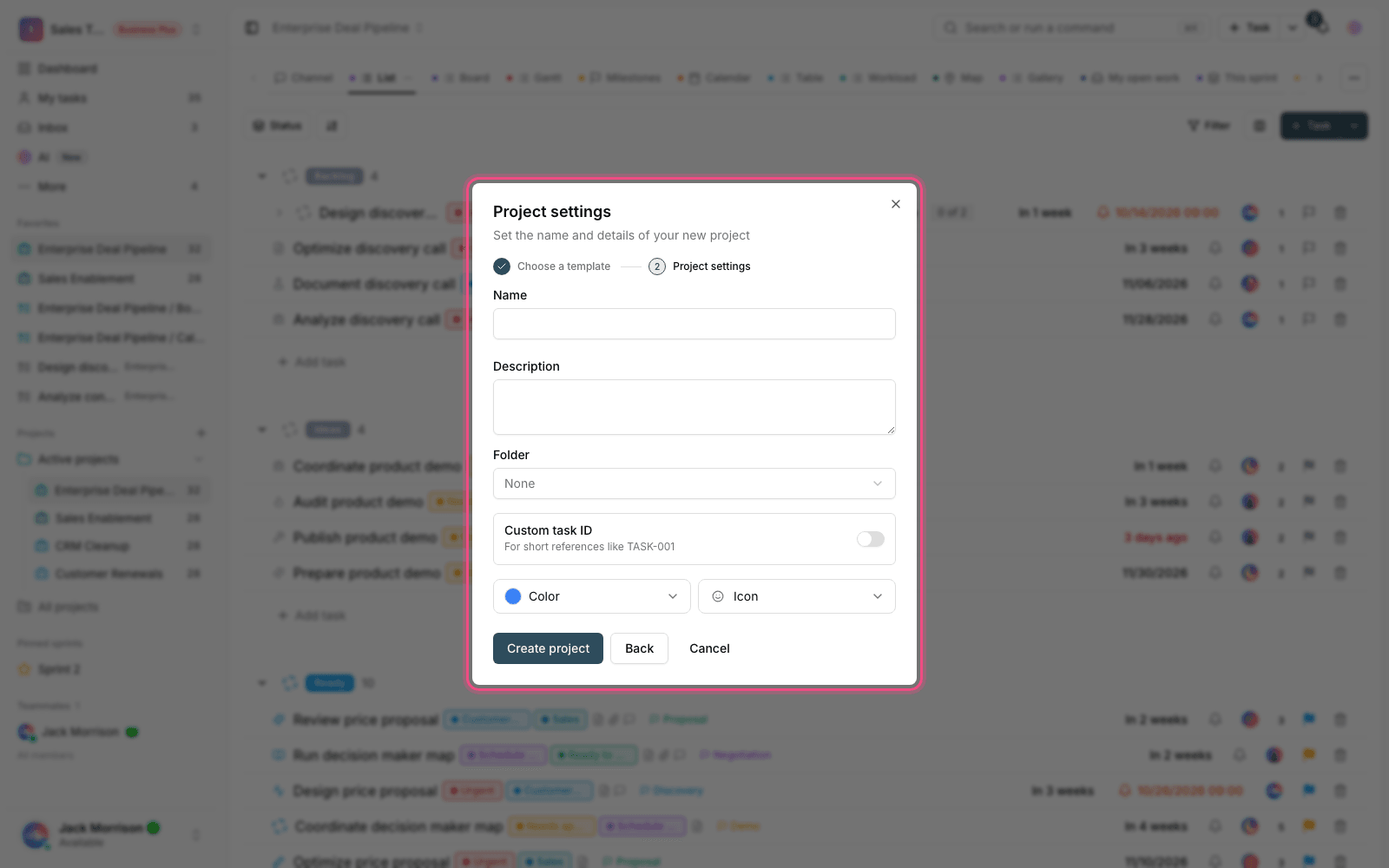
Two more changes help with data order and how fast you can get started. Calculated fields have been added to tasks: a value derived from other data is calculated automatically instead of by hand, which reduces human error. Alongside this, templates, private views and Favorites help you get to your most-used structures faster instead of building them from scratch every time, and let each user keep the views they want close at hand.
Better tracking of personal and team work
The Inbox, task followers, recurring tasks and workload capacity are also more complete in this release. Together, these tools make it clear what concerns each member: the Inbox gathers work that needs attention, followers define who should stay in the loop on a task, recurring tasks automate periodic work, and workload capacity shows how work is spread across members.
How to use this release
- If you need to collect information from outside your team, build a form in the project, set a cover image and CAPTCHA, and publish it publicly.
- In your account settings, review your sign-in history and active sessions, check any unfamiliar session and sign it out if needed.
- For tasks whose value comes from other data, define a calculated field so calculations aren't done by hand.
- Turn your frequently used project structures into templates, and add your most-used views to Favorites so you can start faster next time.
- Don't publish a public form without turning on CAPTCHA. Doing so increases the chance of unwanted submissions.
- Before relying on a calculated field in reports, check the formula once against a few real examples.
- Private views are only visible to you. If you want your team to see the same view, you need to set it up as shared.
- The stability of the sidebar, documents and workspace archive has improved too, so if you ran into inconsistencies in these areas before, you'll now have a smoother experience.
Some features in this release, like the form builder and calculated fields, are available depending on your workspace plan. If you don't see an option, check your workspace's current plan first.
To follow this path further, go to What's new in 1.4.4 and What's new in 1.4.3 to see how forms, sign-in security and update stability came together in the nearby releases.