
What's new in 1.6.5
Version 1.6.5 makes everyday work with tasks more precise, with nested filters, easier-to-read subtasks and more stable public pages.
Taskie 1.6.5 was released on June 10, 2026, and it focuses on making everyday work more precise and more stable: from building advanced filters to find tasks, to easier-to-read subtasks and better-prepared public pages. This release doesn't replace anything with a brand-new feature. Instead, it's a set of targeted improvements that make your day-to-day work with tasks smoother.
If you spend most of your time in task views and your My tasks list, you'll really notice the changes in this release. Below, we've grouped the most important improvements and explained what each one does for real work and where it helps you.
More precise filters and task creation
A big part of this release is about finding tasks faster and adding them more easily:
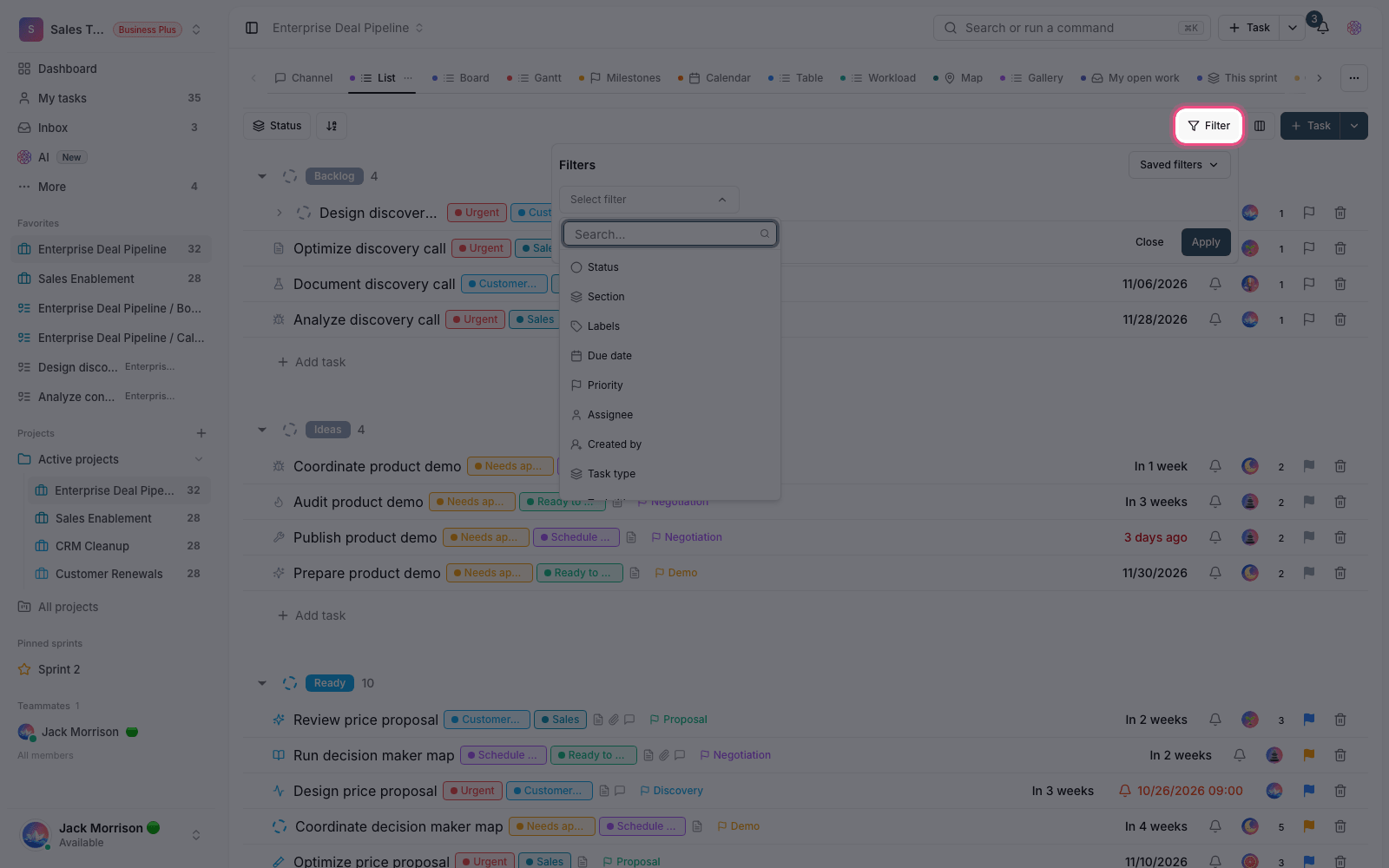
- Nested filters: you can now build more precise, combined conditions. For example, see tasks with several assignees, statuses or attributes side by side with clearer logic.
- Create tasks from inside a view: when you create a task from a filtered view, that filter's values are smartly applied to the new task, so there's less manual setup.
- Choosing the task type: if a project has several task types, picking the right one is clearer and easier to reach right in the task creation flow, so tasks get added with the right category.
Subtasks and your My tasks list
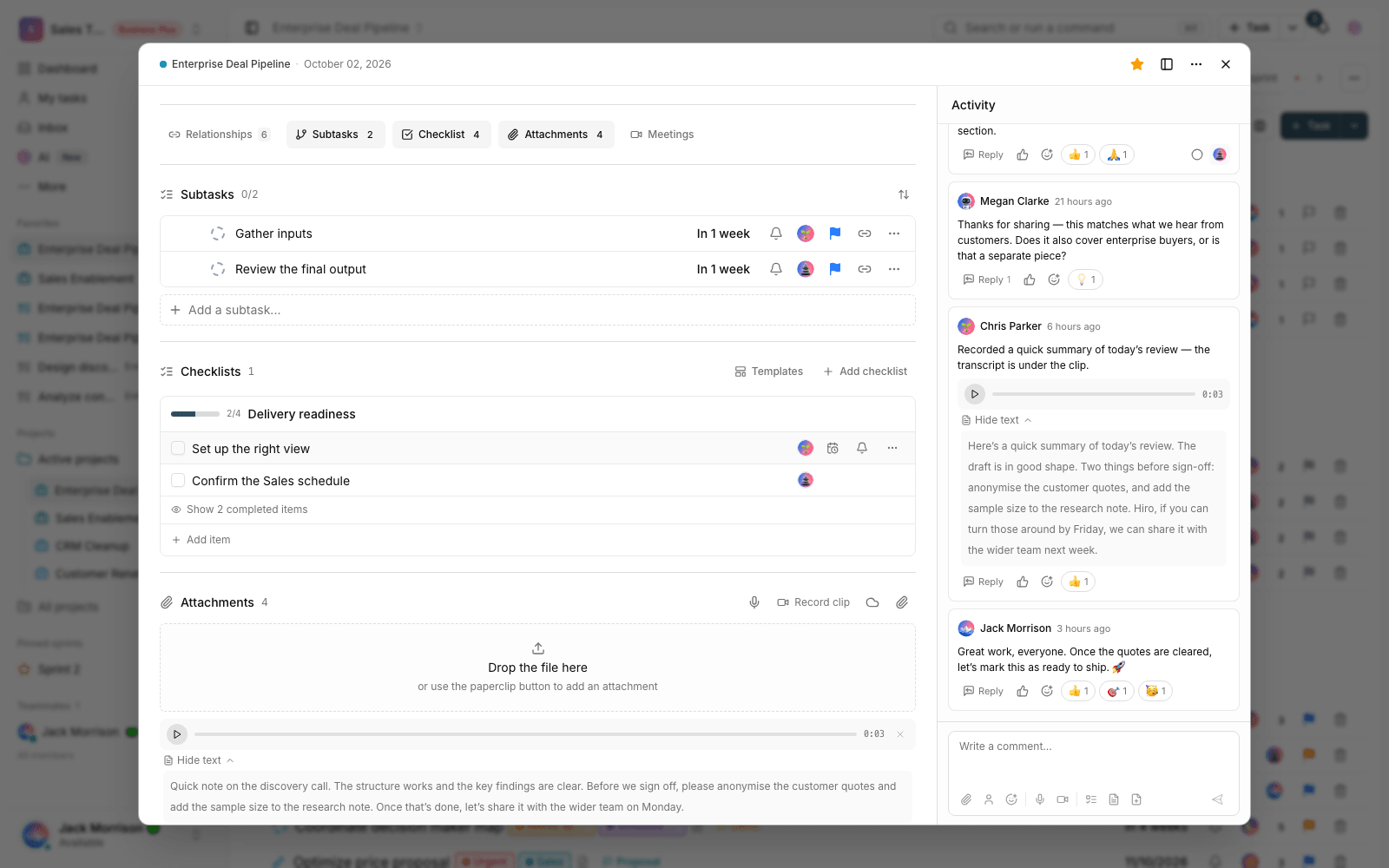
Small pieces of work assigned to you under a parent task now stand out more in your My tasks list, so smaller responsibilities don't get lost among big tasks, and assigned subtasks display better too. The setting for showing or hiding closed tasks is also more stable: your personal list keeps the state you chose for your daily focus and doesn't change every time you open the page.
Attachments and a tidier look
When you add a file to a task, you now see an upload progress bar, so you know where the file is and can wait for it to finish with more confidence. Alongside this, task cards and the flows for creating new projects, documents, files and other content have been reworked, so important options are quicker to find and lists look tidier and easier to read.
Recurring tasks and status guidance
Recurring tasks are now created with more attention to the project's status, so the next occurrences land at the right time and in the right place. Short guidance has also been added for work statuses, so team members better understand what each status means and what the next step is. This makes the path of work clearer, especially for new members.
Safer deletion and more stable public pages
Deleting tasks, documents, files and attachments is safer, and related files are handled more carefully, so unintended errors when deleting or keeping files happen less often. Public pages and the help center are also better prepared before they're shown, so they open faster for users and search engines read their content more accurately. The titles and canonical links of these pages are more consistent too, so page information shows up more accurately when you share a link in a messaging app or view it in a browser.
How to use this release
- Build one of your most-used views, and this time use nested filters to combine several conditions.
- Create a task from that filtered view to see how the filter values are applied to the new task automatically.
- In your My tasks list, lock in the closed-task display setting that fits how you work.
- Watch the progress bar when you add an attachment, and use recurring tasks for periodic work.
A note about plans: some advanced features depend on your workspace plan. If you don't see an option described here, check your plan and access level, or check with your workspace admin.
To keep going, see What's new in 1.6.4, or jump to the bigger changes in version 2.0.0.