
What's new in 1.3.1
Taskie 1.3.1 makes the Kanban board easier to read, and working with documents and the page list faster and tidier.
Minor and point releases usually don't bring big new features, but they're the ones that make everyday work smooth and friction-free. Taskie 1.3.1, released on April 25, 2026 under the name "A smoother board and documents experience", focuses on exactly these details: a Kanban board that's easier to read, and documents that open faster and in a more organized way.
If you spend most of your time in Taskie on the project board and in documents, you'll feel this release in exactly the places you visit every day. Below, we explain the important changes topic by topic.
An easier-to-read, smoother Kanban board
The Kanban board is one of the most-used views for seeing how work flows. In this release, the Kanban look has improved and columns and cards are easier to read. More importantly, editing task statuses on the board is smoother. As a result, your team can move tasks between statuses faster and manage the project's flow with less hassle.
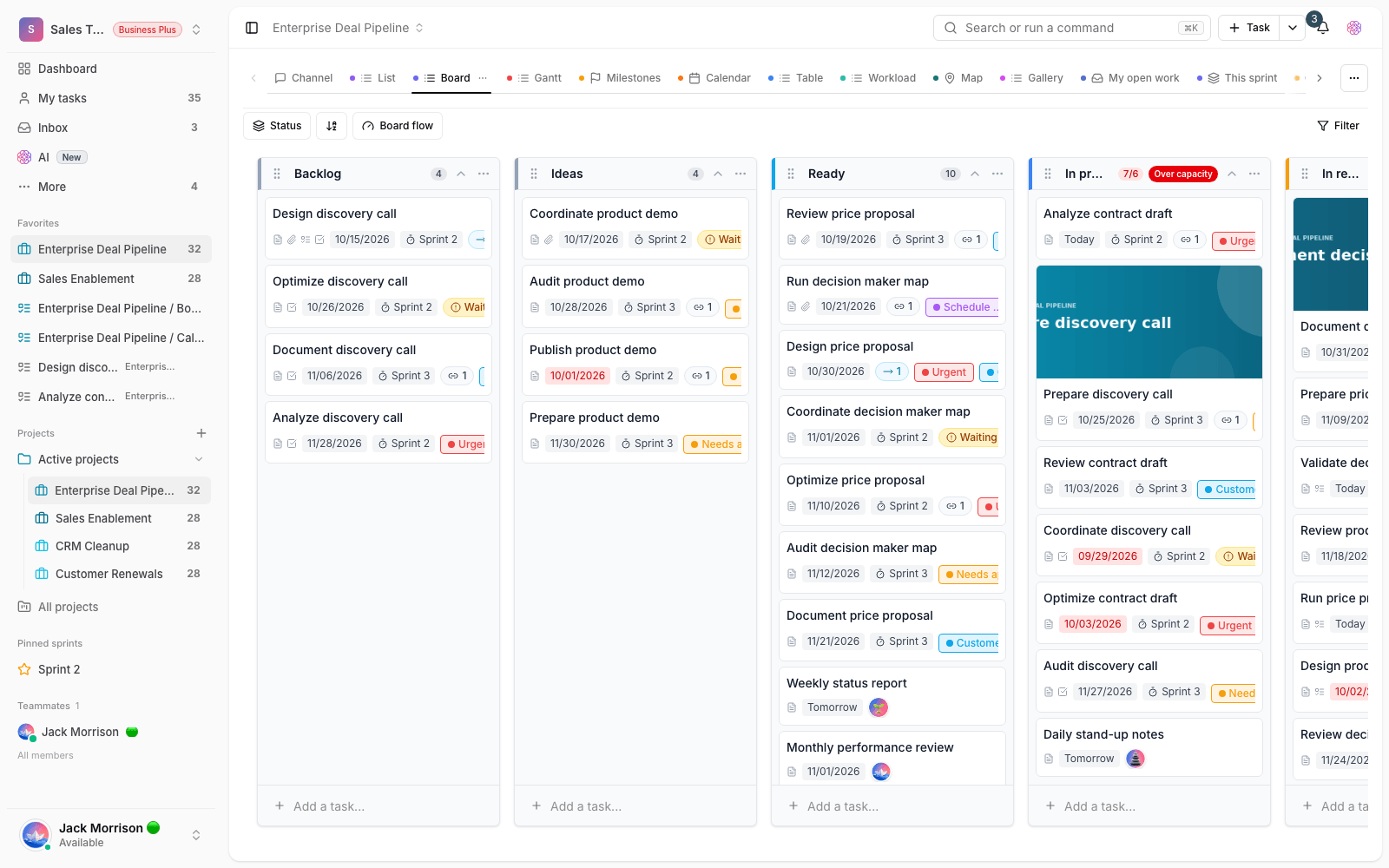
- Easier-to-read look: Kanban columns and cards look tidier, and the project's overall status is understood faster.
- Smoother status changes: moving a task between statuses on the board is simpler and faster.
- Better workflow management: when changing status is painless, keeping the board up to date becomes a daily team habit.
Tidier documents, especially on mobile
The second part of this release is about project documents. The hierarchy of document pages has been fixed, so the document structure looks tidier and finding the page you want is easier. The page list on mobile has improved too, so moving between pages on small screens is simple. On top of that, expanding and collapsing the page list is faster, which makes a noticeable difference in speed in large documents with dozens of pages.
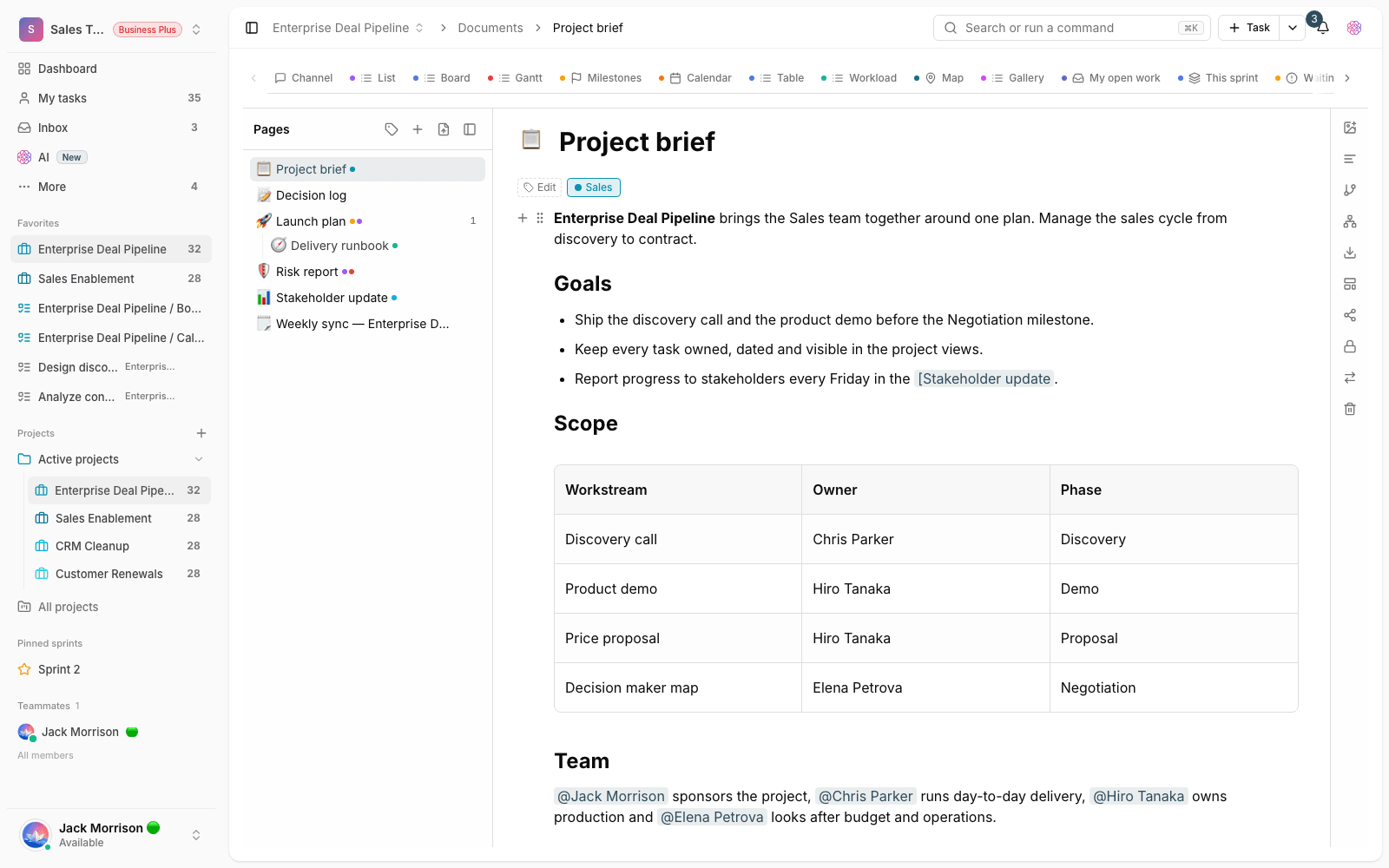
- Tidier structure: the hierarchy of document pages is clearer, and finding the right page is easier.
- Better mobile list: browsing and moving between pages on mobile is simpler.
- Faster expand and collapse: in large documents, collapsing and expanding the page list is more responsive.
Faster loading with smarter caching
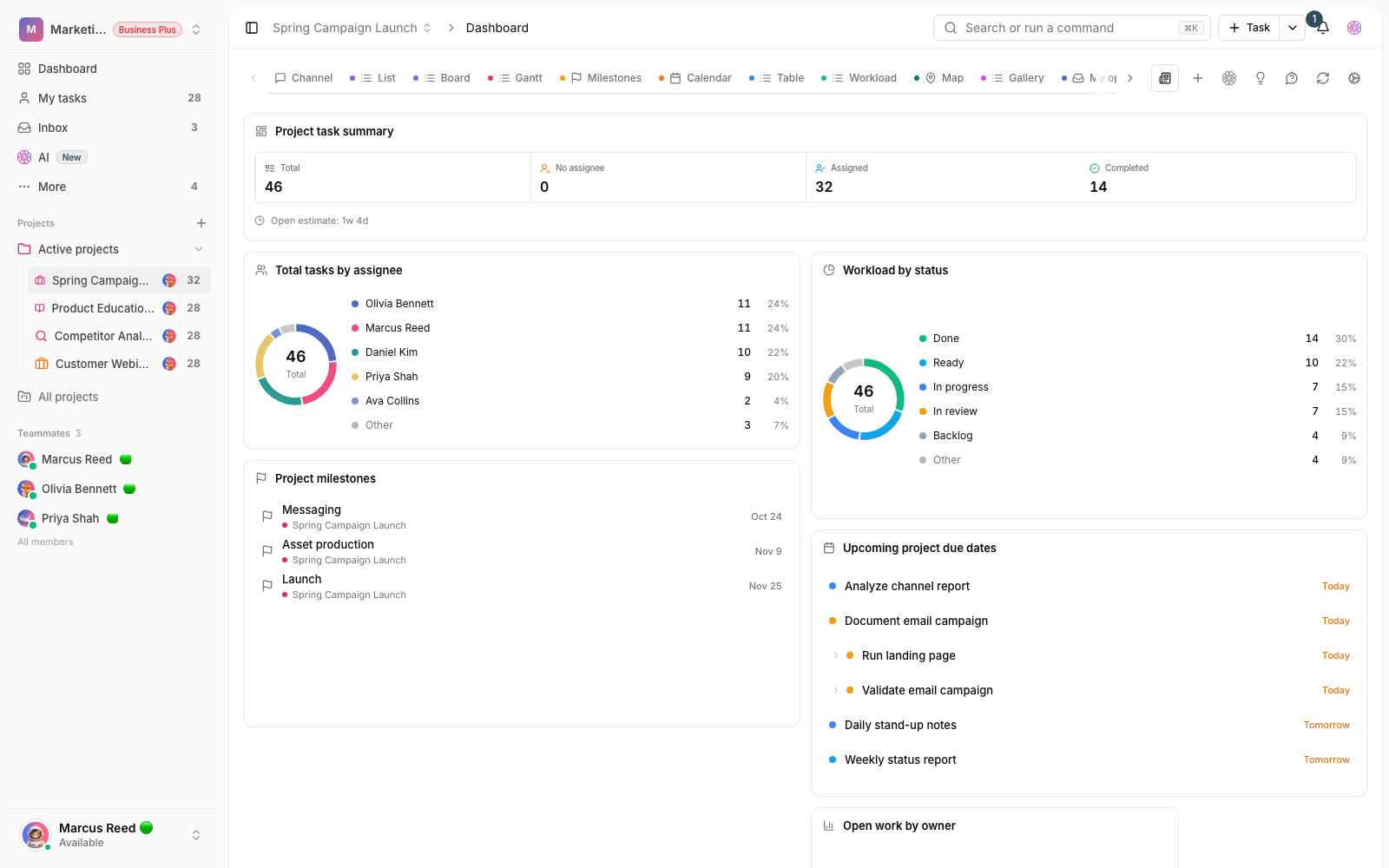
Under the hood, caching and requests have been optimized in this release. Some data is kept more intelligently, so the app sends fewer repeated requests and frequently used sections open faster. You won't see this change directly, but it shows up as less waiting and pages that open faster.
What changes for you
- Open the project's Kanban board and move a few tasks between statuses to see the smoother experience.
- Open a large document and expand and collapse the page list. You'll feel the tidier structure and extra speed.
- Browse project documents on mobile to experience simpler movement between pages.
- As you go about your everyday work in frequently used sections, you'll notice pages opening faster thanks to the caching optimizations.
Tip: this release is a polish update. Its goal isn't to add a big new feature, but to make the work you already do with boards and documents every day faster and easier to read.
Next step: to see the changes close to this release, review What's new in 1.4.0 and What's new in 1.3.0.