
What's new in 1.4.1
Taskie 1.4.1 makes the dashboard more customizable, reports easier to read and collaboration on documents more stable.
The dashboard is where every team should be able to see at a glance where work stands and what needs attention. Taskie 1.4.1, released on April 30, 2026 under the name "A more flexible dashboard and steadier collaboration", focuses on exactly these two things: a dashboard you can arrange around your team's real needs, and shared work on documents that happens with more confidence.
This release is more a step of refinement and stabilization than the addition of a brand-new feature: the same paths you use every day have become a bit smoother and more reliable. Below, we go through the important changes topic by topic and explain what difference each one makes to your work in practice.
A more flexible dashboard and easier-to-read reports
The biggest part of this release is about the dashboard. Widgets on the main dashboard and on each project's dashboard are more customizable, so you can match the layout to your team's real needs and put the most important information where it's seen most. Alongside this, task stats, charts and metric cards have been reworked, so numbers and trends read faster and more clearly, and reviewing a project's status takes less time.
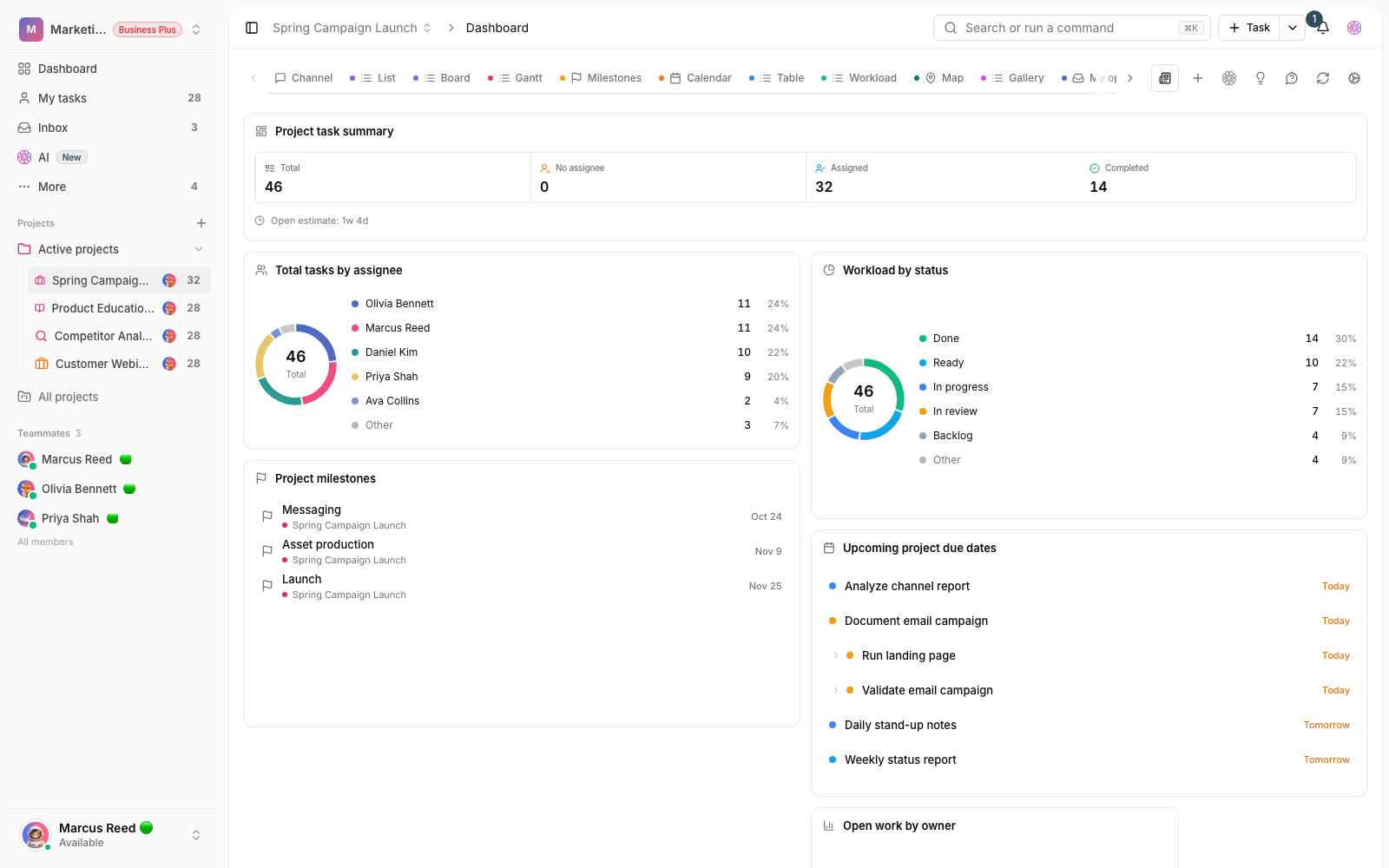
- Customizable layout: arrange widgets on the main and project dashboards more flexibly, so each team can build the work view that suits it.
- Easier-to-read metrics: metric cards and task charts look tidier and show project status and team performance faster.
- Easier decisions: when key numbers are clear at a glance, spotting priorities and bottlenecks is less of a hassle.
Collaboration on documents, more stable than before
The second focus of this release is team documents. When several people write in the same document at the same time, what matters most is that nobody's work gets lost and the text doesn't get jumbled. In this release, real-time collaboration and restoring document versions are more stable, so writing together goes ahead with more confidence, and going back to earlier versions is more reliable when you need it. Along the same lines, exporting documents and running some automation tools now happen with fewer errors and more predictable results.
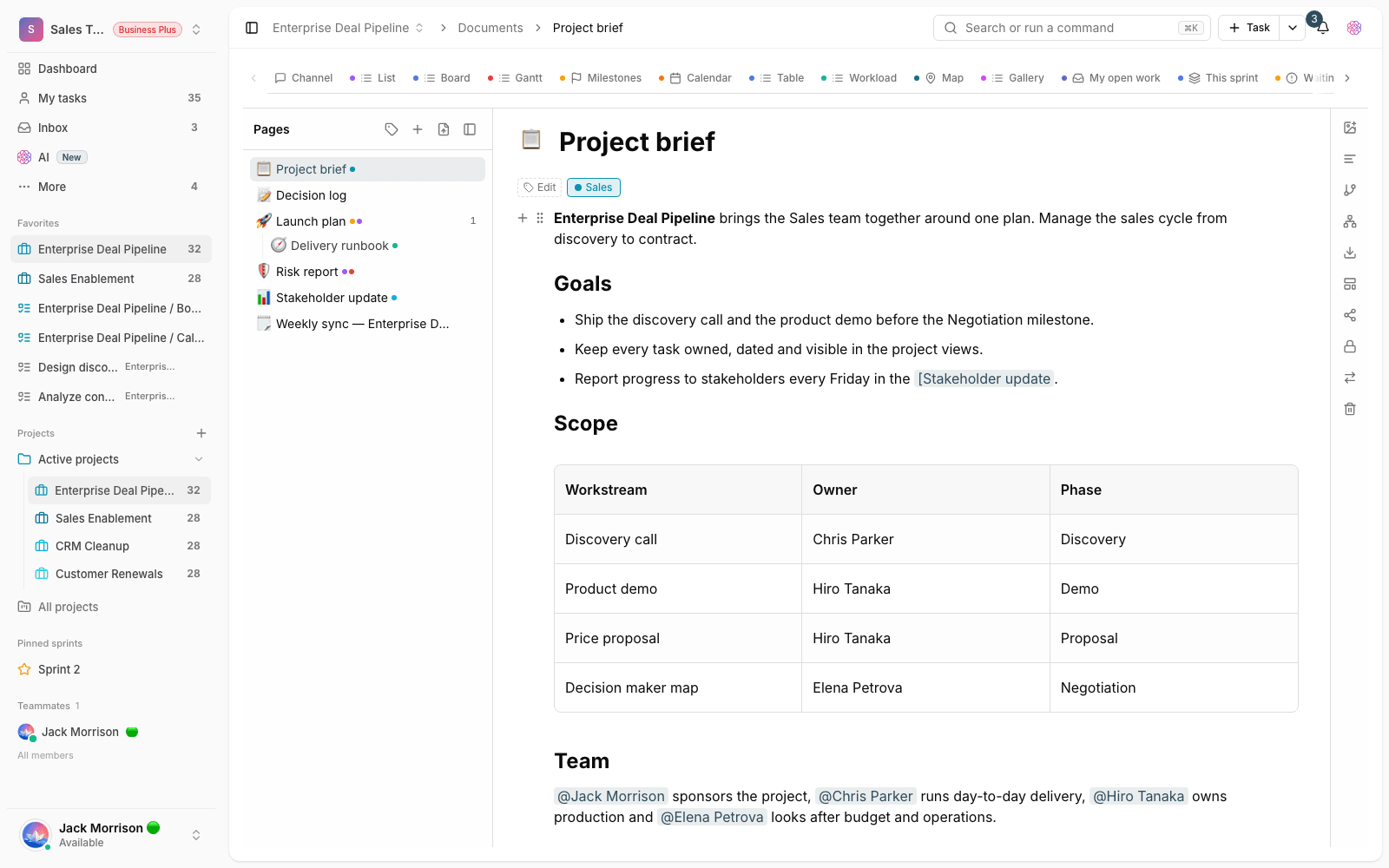
- Writing together: several people working on one document is more stable, and conflicts during shared editing are less likely.
- Restoring versions: if a change was saved by mistake, going back to the document's previous version is more dependable.
- Export and automation: exporting documents and the related automated workflows give more stable results.
Clearer roles and permissions
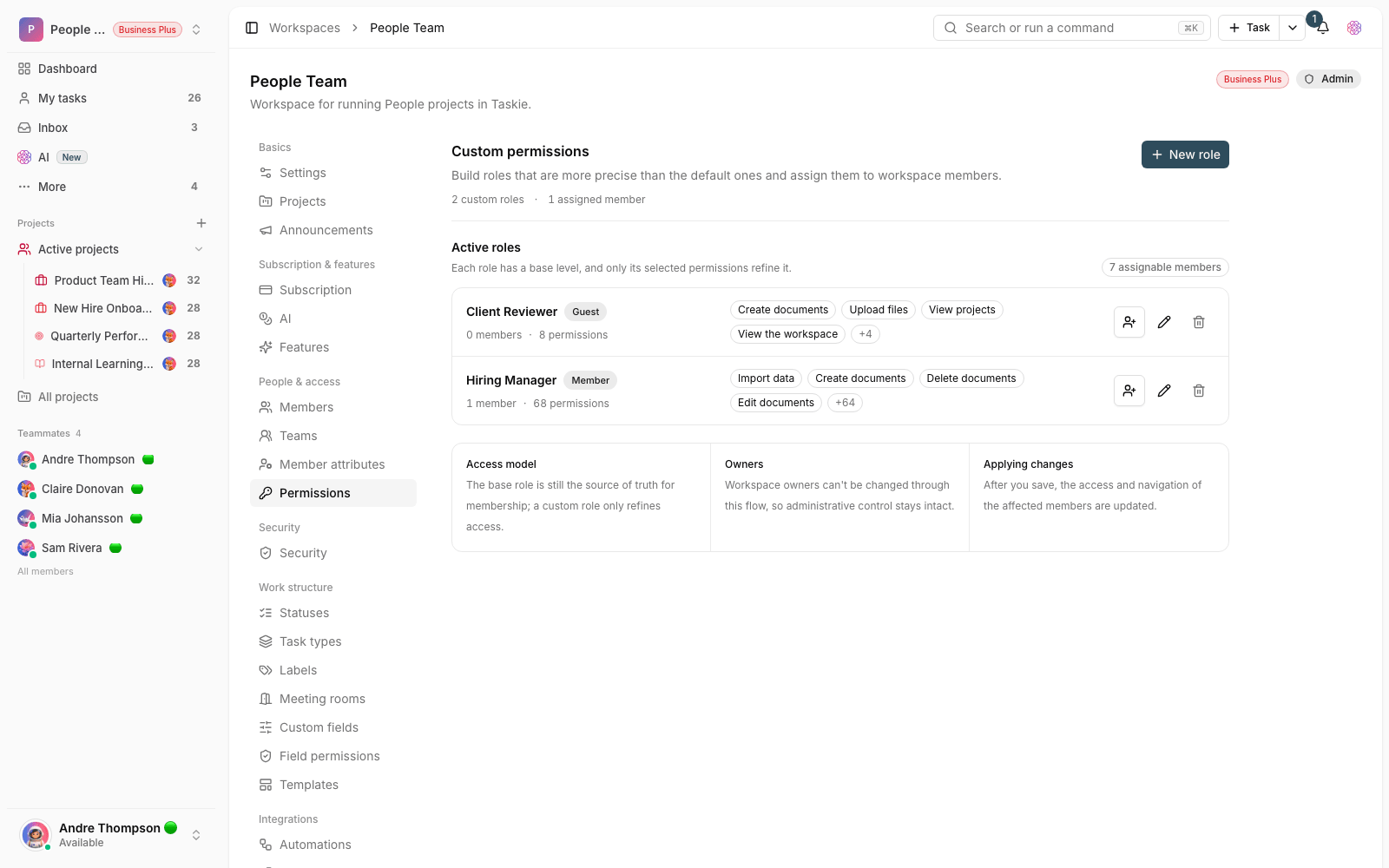
Another part of this update is about making roles clearer. Members' access levels in the workspace and in each project are shown more clearly, so both admins and members better understand what each role can do and who has access to which section. This transparency prevents misunderstandings and unintended mistakes, especially in larger teams with several projects and several access levels.
What changes for you
- Go to the main dashboard or a project's dashboard and rearrange the widgets around what your team needs every day.
- Review the metric cards and charts. You can now read project status and team performance faster.
- Work on a team document together in real time, and go back to the version you want from the version history if needed.
- In member settings, review each person's role and access level to make sure everyone can only reach the right sections.
Tip: since this release focuses on stability and readability, you may not see a big change at first glance. But a smoother dashboard, reports and document work was the main goal of this update.
Next step: to see how improvements developed in the nearby releases, review What's new in 1.4.0 and What's new in 1.3.1 to follow the changes in sequence.