
What's new in 1.2.0
Version 1.2.0 rounded out subscription management, ticket-based support, the AI assistant and task categorization for teams.
When a team grows, keeping work organized is no longer just about creating tasks and projects. You need to know your workspace subscription status, where support requests are tracked, and how tasks should be categorized so each member gets to their own work quickly. This release, named "More professional team and subscription management", focuses on exactly this layer of teamwork and matures several tools for growing teams.
Version 1.2.0 was released on April 11, 2026. On this page, we go through the most important changes topic by topic and explain what difference each one makes in everyday work, so you know which improvements really matter to your team and where to find them.
Clearer subscription management and plan upgrades
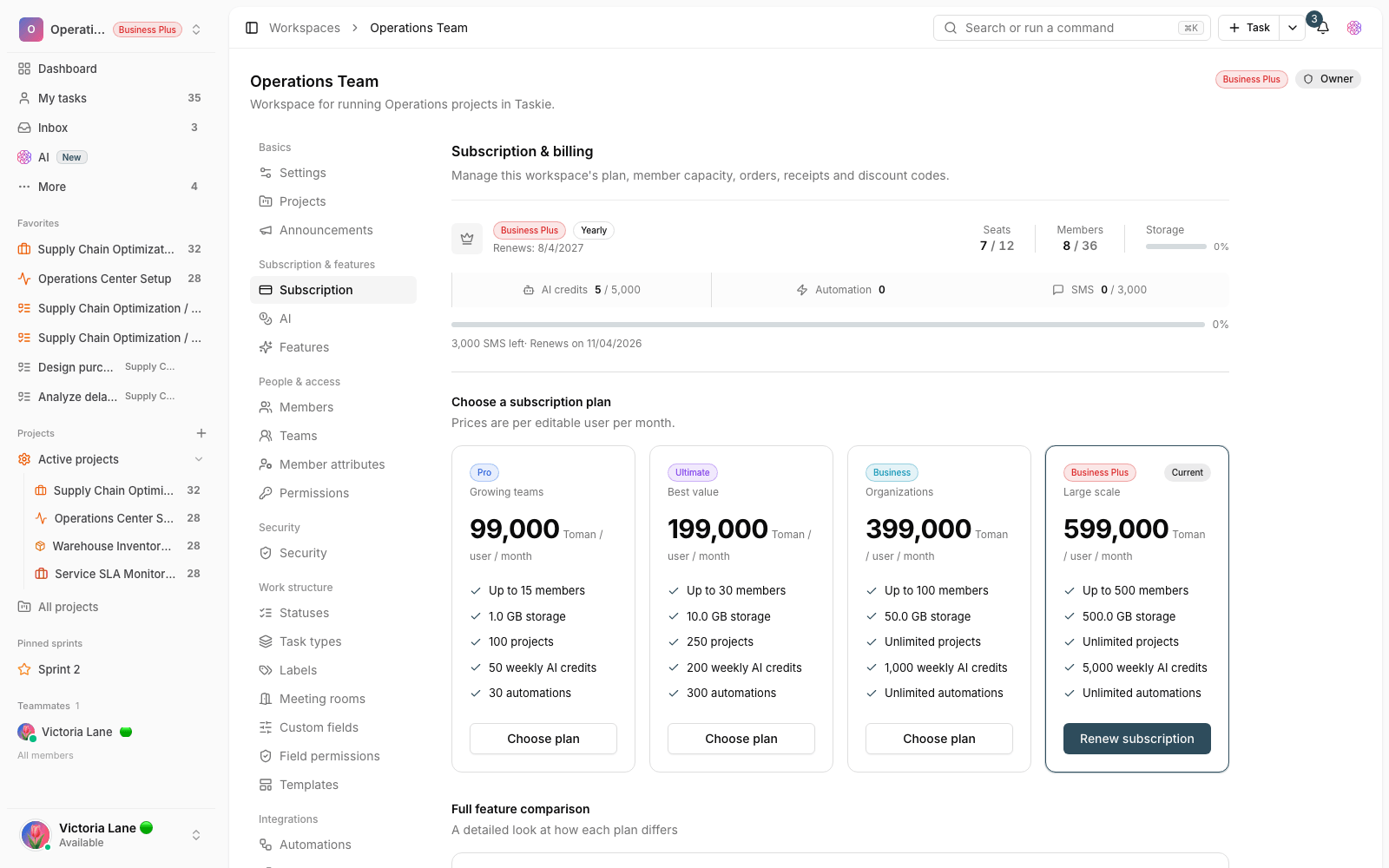
If you're a workspace admin, you now see your current plan status and upgrade path more clearly. Before, it was a bit unclear which features your team needed and which plan to choose to get them. In this release, this section is better organized, so decisions about upgrading or changing plans are based on your team's real needs, without guesswork. This change mostly helps the people responsible for managing the workspace's costs and capacity.
Submit and track requests formally with tickets
A ticket system has been added to Taskie, so support requests and issues that need formal handling have a dedicated place to be submitted and followed up. Instead of a request getting lost among scattered messages, you submit it as a ticket, and its handling status stays trackable. As a result, important correspondence is more organized, more formal and easier to refer back to, and both sides know what stage each request is at.
More useful tasks and AI assistant
Two improvements in this release directly affect your daily work with tasks and help you find and organize work faster:
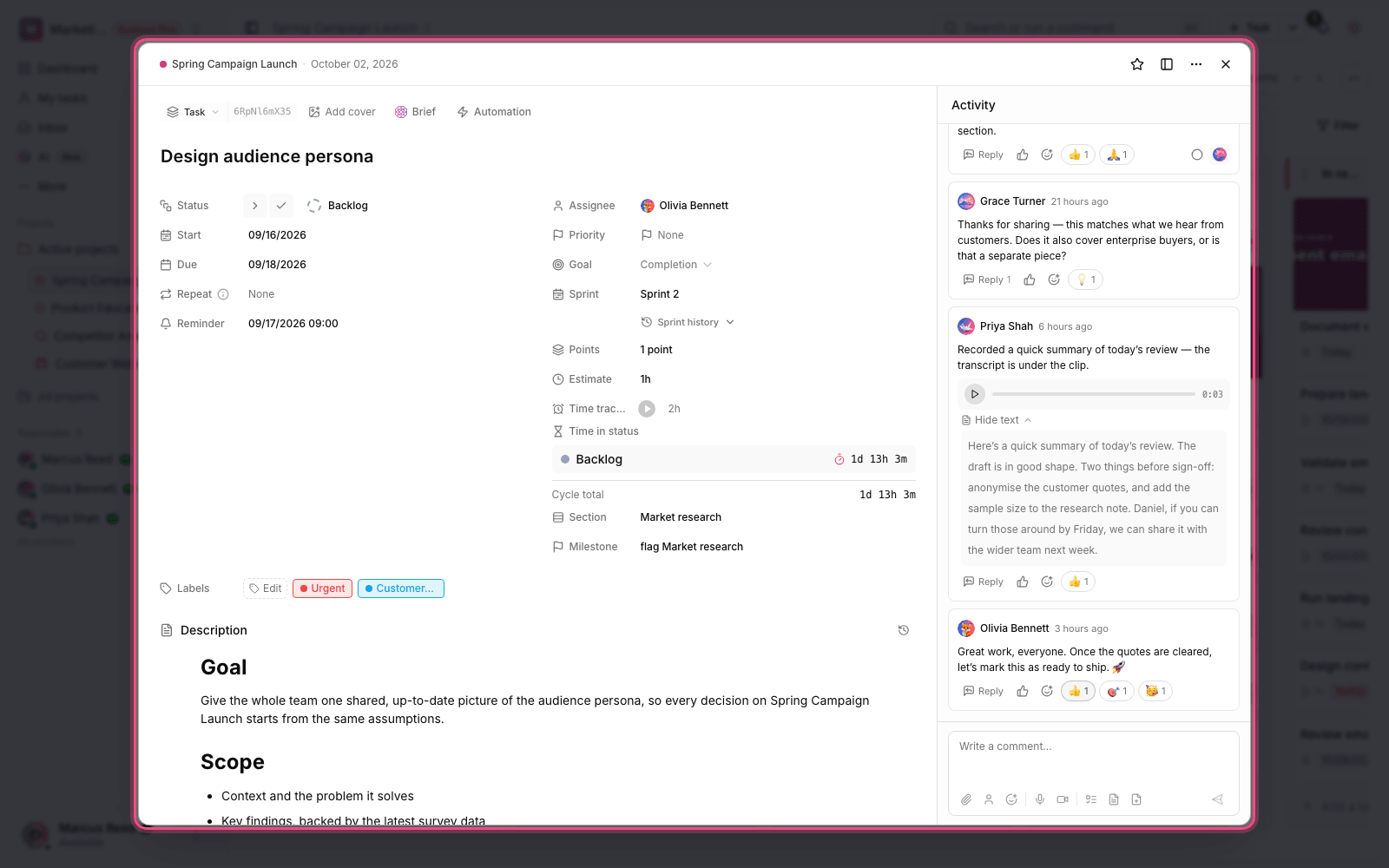
- A better-aligned AI assistant: the assistant fits in better with your team's information and way of working, and can give more practical help managing work. Its answers and suggestions are closer to how you actually work.
- Redesigned filters and categories: finding and grouping tasks follows a clearer structure, so each team can build a view that fits its own workflow and see related work side by side.
A more consistent editor and public pages
Writing content in the editor and displaying public pages have been reviewed, so the final result looks more professional and consistent. This matters both for content you write inside your team and for pages you show to outside audiences, because a tidier, consistent look makes text easier to read and more trustworthy.
What changes for you?
You don't need to install anything to use this release: the changes are available in the same places as always. We suggest going through these steps once to benefit from the improvements:
- If you're a workspace admin, visit the subscription section once and review your plan status and upgrade path.
- For support requests, submit a ticket instead of a scattered message, so follow-up stays organized and trackable.
- Rearrange your task filters and categories, so your team's work views match the new structure.
- Use the AI assistant to summarize and organize your daily work, and see where it really helps you.
- If you don't see a visual change, you probably just need to refresh the page so the new version loads fully.
- All features depend on your access level. Some subscription settings are only available to the workspace admin.
- Keep tickets for formal requests, and keep following everyday work conversations inside tasks, so everything stays in its place.
Remember: this page only summarizes the most important changes in 1.2.0. The best way to get to know each feature is to try it on a real project.
To keep going, follow the next release's changes in What's new in 1.3.0, or to see the path before this one, take a look at What's new in 1.1.0.