
What's new in 2.1.0
Version 2.1.0 makes day-to-day work and team collaboration smoother, with task approval workflows, push notifications, focus tools, smarter documents and more precise filters.
Taskie 2.1.0 was released on June 30, 2026. If 2.0.0 was about the structure of collaboration and access control, this release focuses on "confidence and focus": making sure important work is approved before it's done, staying informed about key events on time, and giving you tools that help you work with fewer distractions and more order.
On this page, we walk through the most important changes in 2.1.0 topic by topic, and for each one explain what it does for you in practice and where you can use it. You don't need to read it all at once. Just start with the section closest to your team's work.
Approval workflows: important work moves forward with confidence
Some work shouldn't be done or closed without review, like a payment, publishing content, a contract change or any decision that needs sign-off from someone in charge. In 2.1.0, you can set up approval workflows for these cases: you choose who needs to approve, and the task stays at that stage until it's approved. Approvals and rejections are recorded, so it's always clear what was approved, when and by whom. This feature is available both at the workspace level and on tasks.
Push notifications: stay informed on time
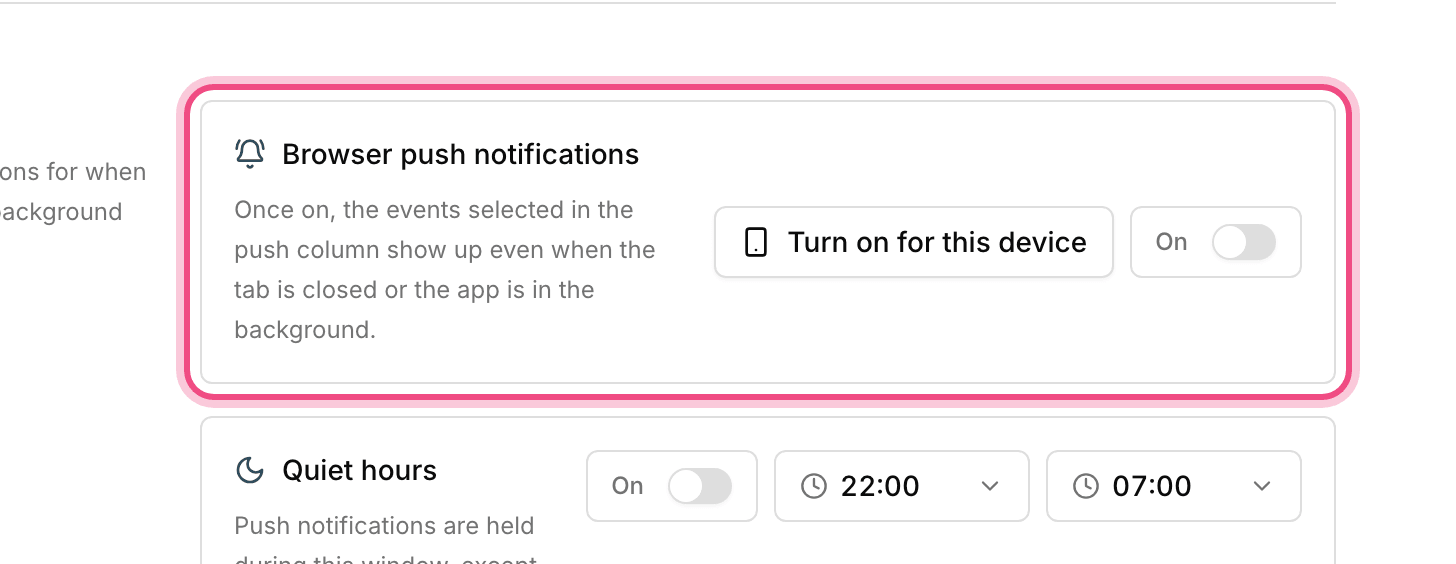
Taskie can now send push notifications straight to your browser, even when the Taskie tab isn't open. This way, you hear about mentions, replies, reminders and important events on time, without constantly checking the page. The first time you allow notifications, your browser asks you to confirm, and you can turn them off in settings at any time.
Alongside this, follow-up reminders for comments have been added: set a reminder on a comment to follow up on it at the right time, so important conversations don't go unanswered.
Focus tools and realistic planning
This release brings several tools for more organized, more realistic work:
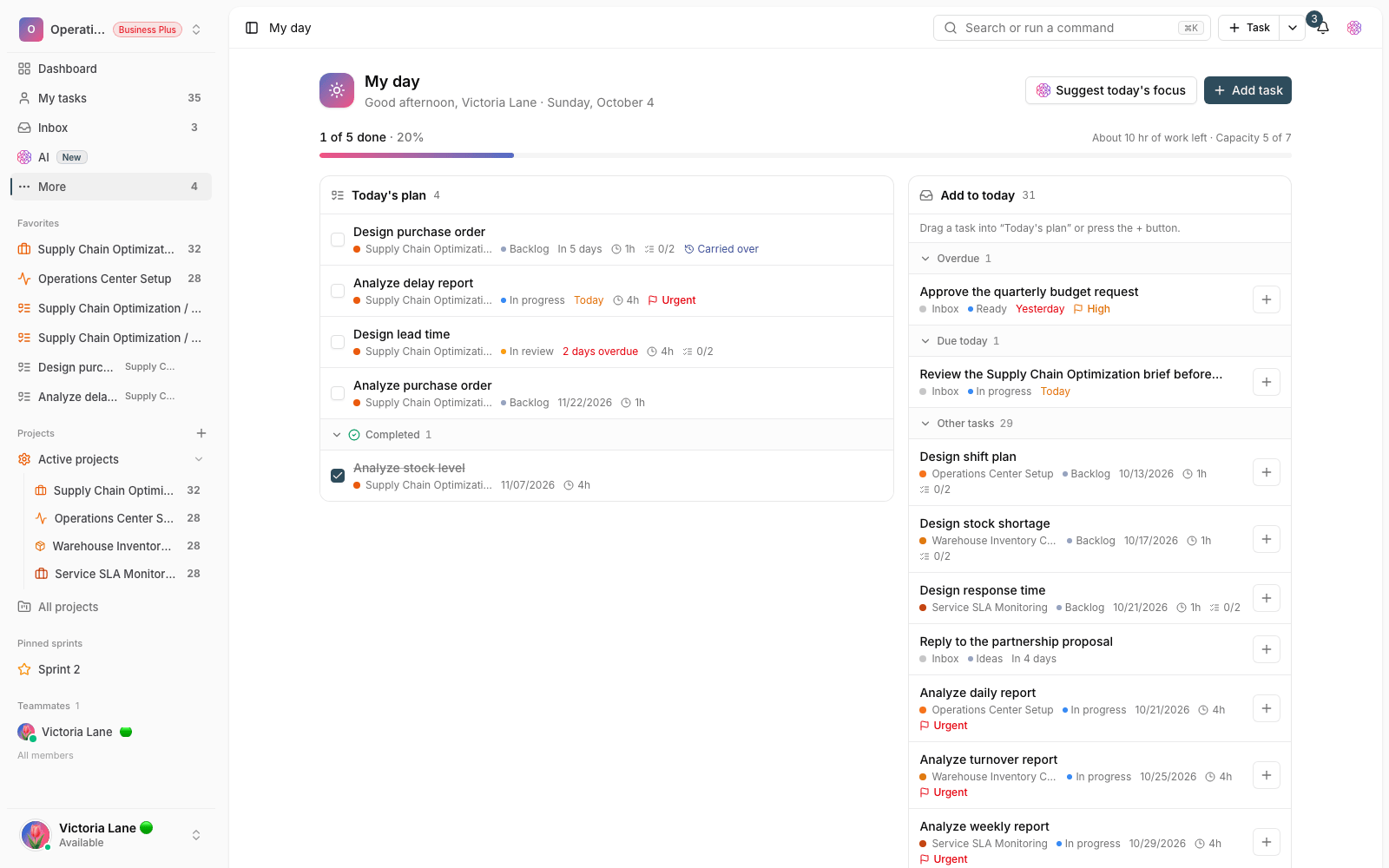
- Focus and pomodoro timer: run focus and break intervals on tasks, so you move forward at a steady rhythm with fewer distractions.
- Workspace work calendar: set your team's working days, holidays and working hours, so due dates, planning and reports match how you actually work.
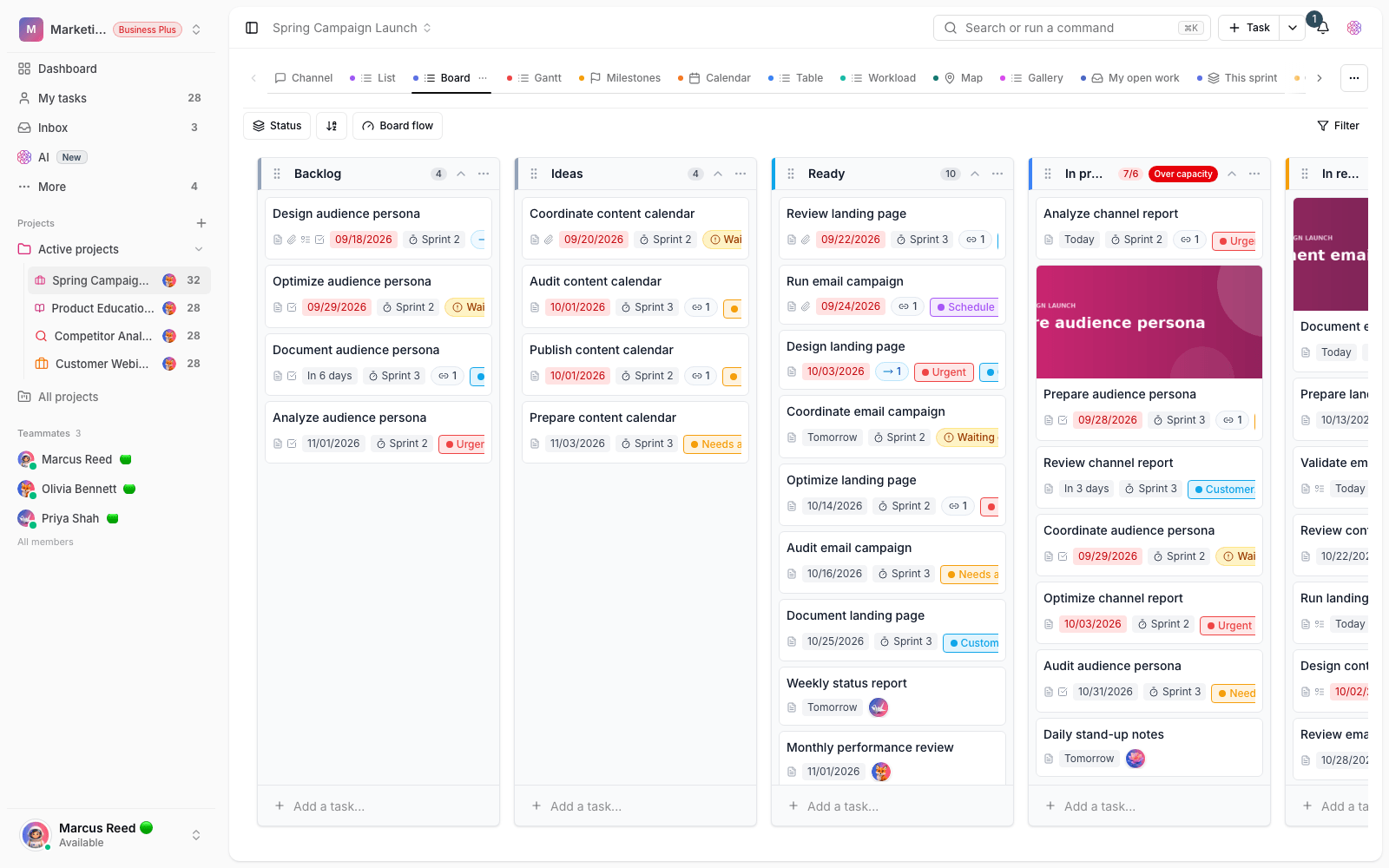
- WIP limits and swimlanes on boards: set a maximum number of tasks for each board column and group tasks into swimlanes, so the team stays focused on a limited number of tasks and bottlenecks show up sooner.
Tasks and lists: faster and smarter
A big part of this release is about making everyday work with tasks simpler:
- Smart task summary: for long tasks, create a smart summary with one button, so you quickly understand what it's about and what needs to happen.
- Create tasks from meeting notes: paste in your meeting notes, and AI extracts the action items and follow-ups as ready-made tasks.
- Smart starter views: based on your needs, a set of ready-made views is suggested, so you can organize work faster without manual setup.
- Import templates and creating tasks from forms: when you bulk import tasks or create tasks from a form, save the column mapping and default values as a template and reuse them.
- Due dates and reminders for checklist items: each checklist item can have its own due date and reminder, so small but important things don't slip through the cracks.
- Bulk editing in the Inbox and My tasks: select several tasks together and change their status, assignee or other details in one go.
More connected documents and team knowledge
Documents have matured in this release, so team knowledge stays more connected and more reliable. Backlinks show where each document is linked from, and the knowledge map shows the connections between documents visually, so you can follow the trail of related topics. You can also compare two versions of a document side by side and see exactly what was added, removed or changed. This is very useful for reviewing changes and confidently restoring a version.
More precise views, filters and search
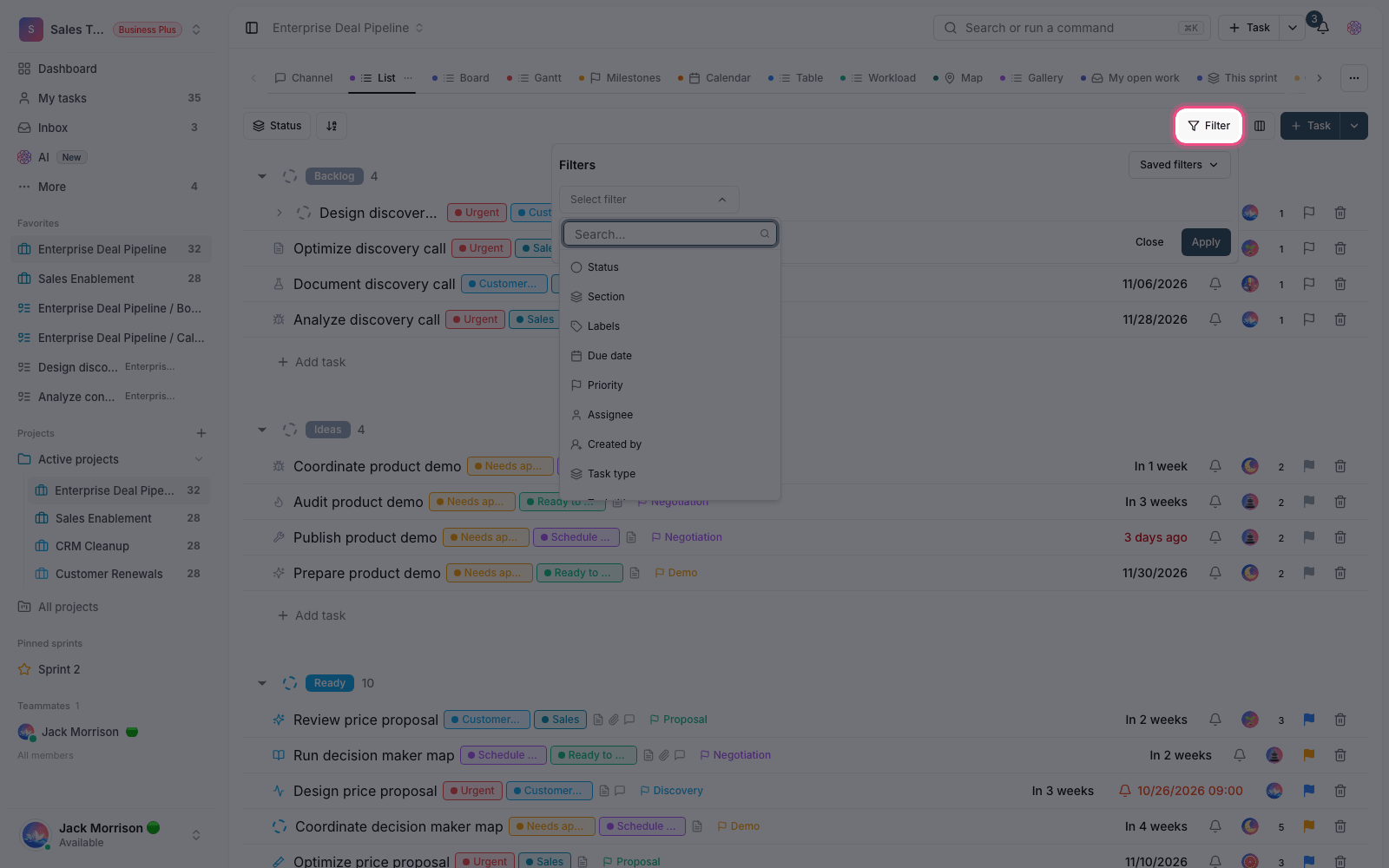
Finding exactly the right tasks is easier. Filters in views and search now support multiple selection, unified date ranges and custom fields, and you can filter and sort search results too. So when you only remember part of a task or one of its details, you get to the right result faster.
Smoother collaboration, access and communication
Several improvements make working together clearer and safer:
- Member profiles and activity: each member has a page that shows their role, contributions and recent activity, so you get a clearer picture of your team.
- Restricting access to project tabs: you can limit a member's access to only the project tabs they need, so they can collaborate without opening up every section.
- Channel moderation tools: admins can manage and monitor channels better, so team conversations stay organized and healthy.
- Visual proofing on attachments: mark a specific spot on an image or file and leave a comment there, so feedback is more precise.
- Live link previews: when you insert a link, a preview of its title and description is shown, so it's quicker to understand what a link points to.
- Global command palette: open the command box with one shortcut and find and run any task, project or command without jumping between pages.
- Workspace label management and calendar export (ICS): organize shared labels in one place, and connect tasks and due dates to your external calendar through a secure URL.
Clearer subscriptions, payments and plan management
Subscriptions and payments are more complete in this release. You can now buy and renew online, and refunds are supported when needed. You can also try out features in a trial period before you buy. AI feature usage is shown as weekly credits, so it's easier to plan how you use it. On top of that, you can schedule a plan change for the right time, and on advanced plans, apply your own workspace logo to the workspace and invoices.
How to get the most out of it
To make 2.1.0 really work for your team, we suggest taking a few simple steps right now:
- Set up an approval workflow for sensitive work, so it gets reviewed before it's done or closed.
- Turn on browser push notifications so you see mentions and important events on time.
- Set up your workspace work calendar, and set WIP limits for your busiest board columns.
- Rework one of your most-used views with multi-select filters and date ranges, so tasks show up more precisely.
- If you have an active subscription, take a moment to review your plan status, weekly AI credits and online payment options.
A note about plans: some advanced features depend on your workspace plan. If you don't see an option described here, check your plan and access level, or check with your workspace admin.
To review the changes that came before this release, take a look at What's new in 2.0.0 and see how team collaboration and access control got us here.