
What's new in 1.6.3
Version 1.6.3 makes everyday work smoother, with redesigned filters, keyboard shortcuts, tidier settings and clearer messages.
Taskie 1.6.3 was released on May 21, 2026, and it centers on making everyday work simpler and more reliable. This release mostly focuses on polishing frequently used paths: finding tasks with better filters, tidier settings, more precise permissions and clearer guidance messages.
None of these changes looks big on its own, but together they make working in Taskie noticeably smoother. Below, we go through the most important improvements in this release by topic and explain what each one does in practice.
Filters, shortcuts and quick add
Part of this release is about speeding up frequent tasks:
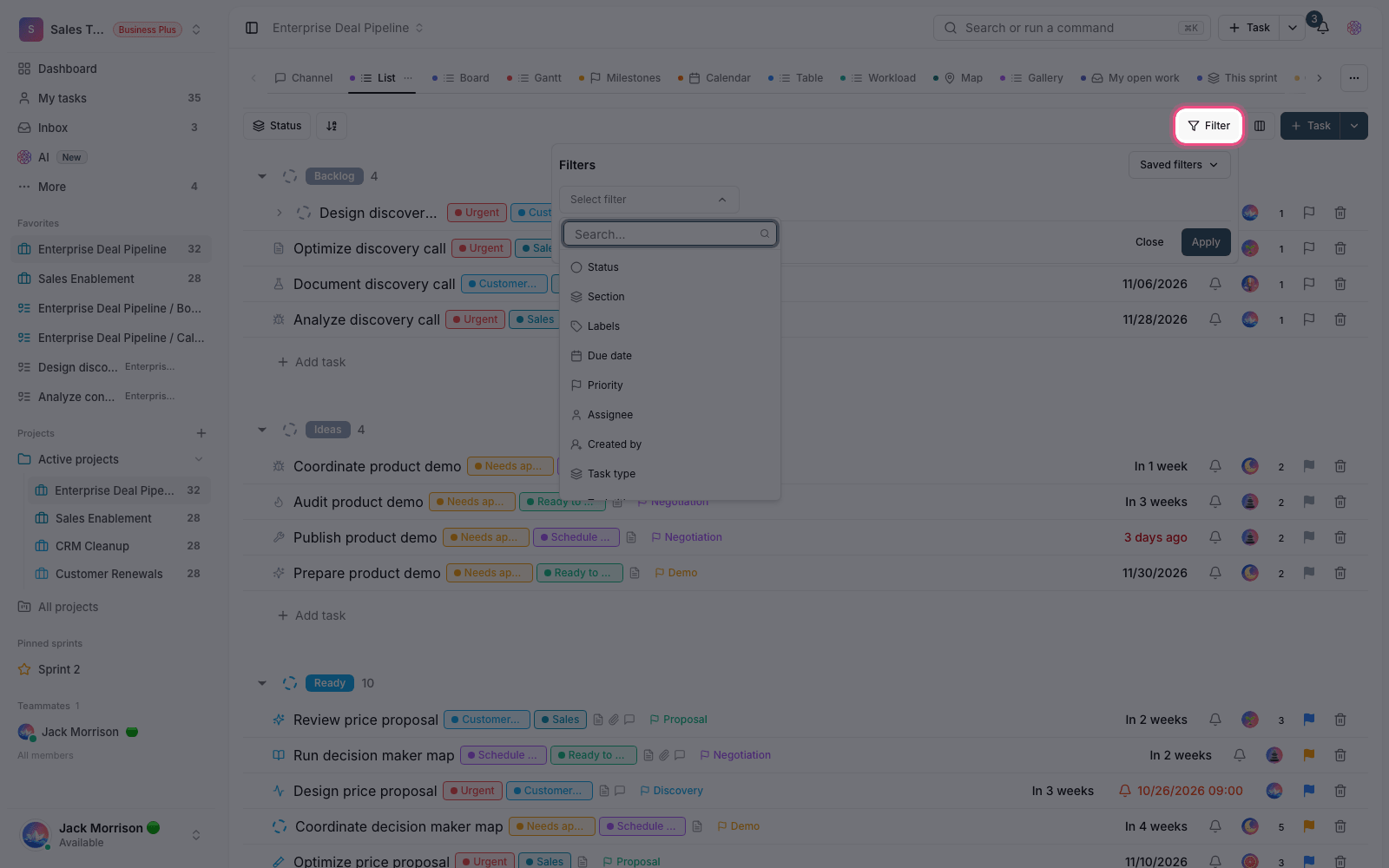
- Redesigned filters: building and changing filters is simpler and the options are better organized, so even casual users can easily build the work view that suits them.
- Keyboard shortcuts: some frequent actions are now faster with the keyboard, so you switch between mouse and keyboard less often.
- Quick add: choosing the project, assignee, date and other options in the quick add flow is tidier and clearer, so adding new work takes less time.
Settings, columns and custom fields
Settings have been reworked so options for your account, security and app appearance sit in more understandable places, and the setting you want is easier to find. In table views, column visibility is controlled with clearer toggles, so it's easier to decide what information shows on screen. Task custom fields are easier to read too, and entering information in them is smoother for team members.
Automations, calculated fields and integrations
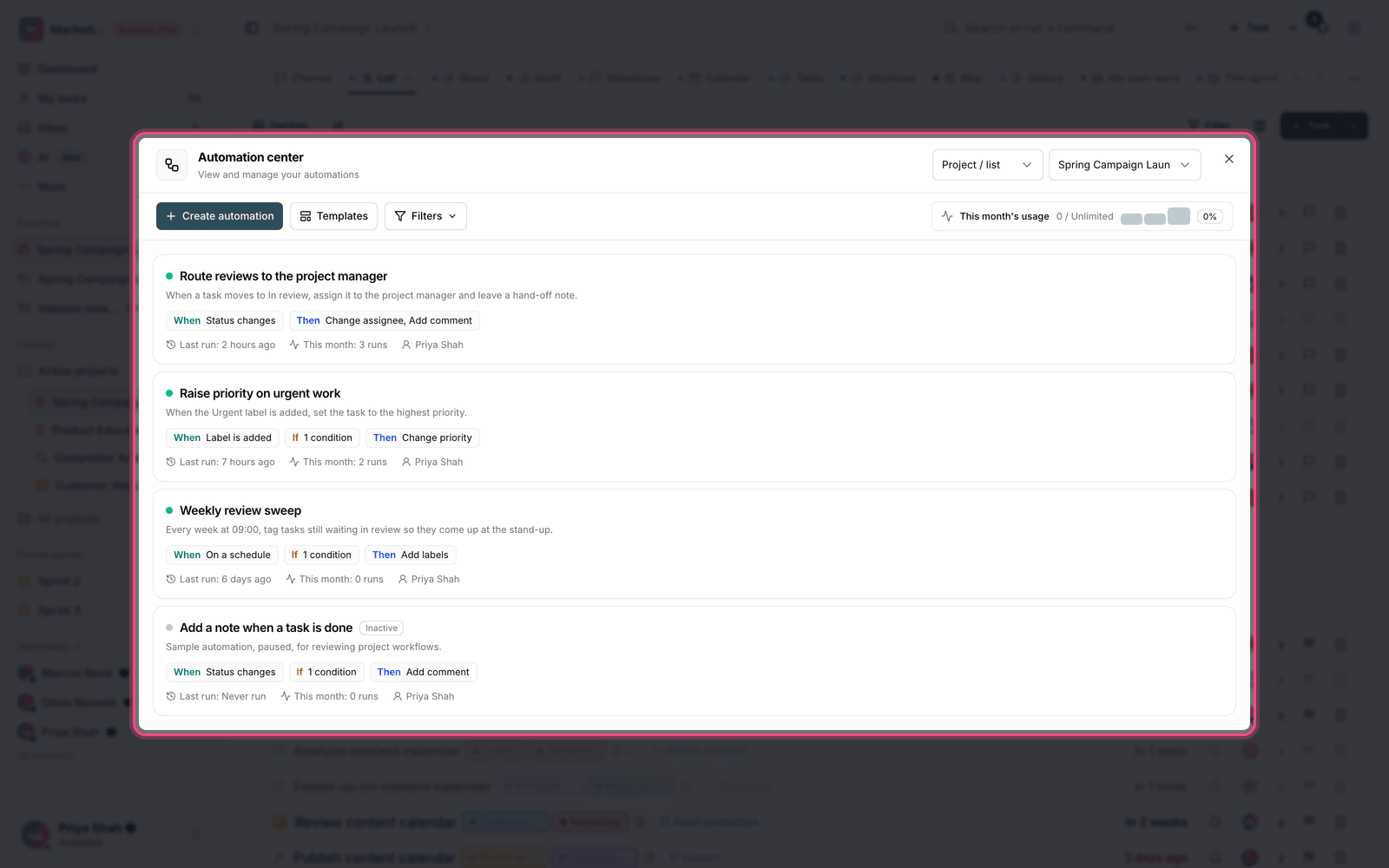
When data changes, the results of automations and calculated fields update more reliably, so you're less likely to see an outdated value. Alongside this, messaging bot connections, including Mattermost, are more complete, so teams that hold part of their work conversations in a messaging app can follow Taskie work in the same place.
Permissions and data consistency
Member access control in workspaces and projects is more precise, so each user only reaches the sections they're allowed to, and project and task information is shown according to each member's access level. The parts that show the state of work, from task assignment notifications and sidebar counters to file and document page titles, now update in better sync.
Mobile and limit messages
The mobile experience is more stable and predictable when signing out, in task menus and in on-screen dialogs. Messages about plan limits, member capacity and storage space are now fully localized and easier to understand, so they explain more clearly what happened and what you can do.
How to make the most of this release
- Review and tidy up your most-used filters once with the new layout.
- Take a look at the keyboard shortcuts and turn a few frequent ones into habits.
- Go through your account, security and appearance settings to get familiar with their tidier layout.
- If you use a messaging app, check your bot connection, so following work alongside your team gets simpler.
A note about plans: some features, member capacity and storage space depend on your workspace plan. If you see a limit message, its text usually explains the reason and how to continue.
To keep reviewing changes, go to What's new in 1.6.4 and follow Taskie's improvements step by step.