
What's new in 2.4.0
Version 2.4.0 brings a public API and mobile app infrastructure with offline work and sync, redesigns the whiteboard from the ground up, adds Mermaid diagrams and whiteboard and mind map embeds to documents, makes the dashboard more powerful with a unified widget engine and a custom dashboard builder, and smooths out project creation, the document center and the AI assistant.
Taskie 2.4.0 was released on July 17, 2026. This release focuses on "opening Taskie up" and "more powerful visual tools": Taskie now has a public API and mobile app infrastructure so you can stay connected to your work from anywhere and with any tool, the whiteboard has been redesigned from the ground up, documents accept Mermaid diagrams and embedded canvases, the dashboard is customizable, and project creation and the AI assistant are smoother.
On this page, we go through the most important changes in 2.4.0 topic by topic and explain, for each area, what it does for you in practice and where you can use it. You don't need to read it all at once; just start with the section closest to your work.
Public API
The biggest change in this release is a public, official API. Until now, your data was only available from inside Taskie itself; now you can access your workspace data in a controlled way with secure sign-in and connect Taskie to your other tools and services. That means you can create or read tasks from other systems, build the reports you want and set up automated workflows.
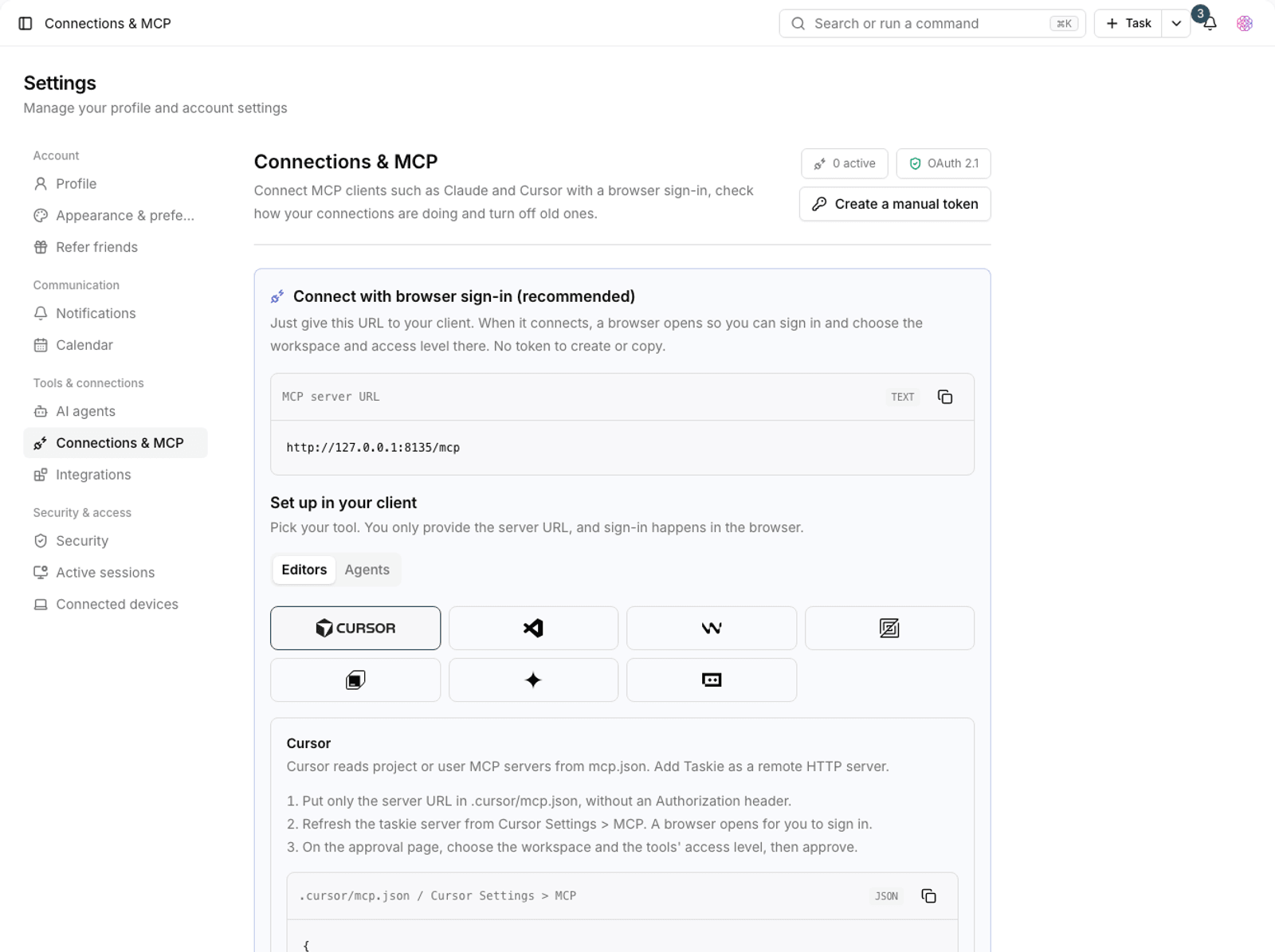
- Secure sign-in: apps get access through a secure, standard sign-in method, and each app only gets access to what it's allowed to.
- Broad coverage: tasks, comments, projects, documents, files, search and other areas are available through the API.
- Stability and control: rate limits are in place to prevent excessive use, so the service stays stable for everyone.
Tip: The API is for technical users and teams who want to connect Taskie to their own tools. If you don't work with the API, there's nothing you need to do; everything is still available from inside the app as before.
Mobile app infrastructure and offline work
This release lays the groundwork for the Taskie mobile app, from secure sign-in to syncing tasks and comments. The most important part of this groundwork is support for offline work:
- Work without internet: you can see and change your tasks even when you're offline.
- Sync queue: changes you make offline are kept in a queue and synced automatically as soon as you're connected again.
- Notifications and calendar: the infrastructure for mobile notifications and calendar export is also ready, so your tasks and due dates go everywhere with you.
These changes are mostly under the hood, and they lay the foundation for a better mobile experience in upcoming releases.
API documentation for developers
To make connecting apps to Taskie simple, complete, standards-based documentation of the services has been published. Developers can visit /api-docs to see the list of services and their inputs and outputs and build their integrations faster. The documentation is standards-based and machine-readable, so it works with common development tools.
A redesigned whiteboard
The whiteboard has been redesigned from the ground up so working on the infinite canvas feels more natural, faster and more reliable. Whether you're brainstorming alone or designing together with your team, the new experience is smoother:
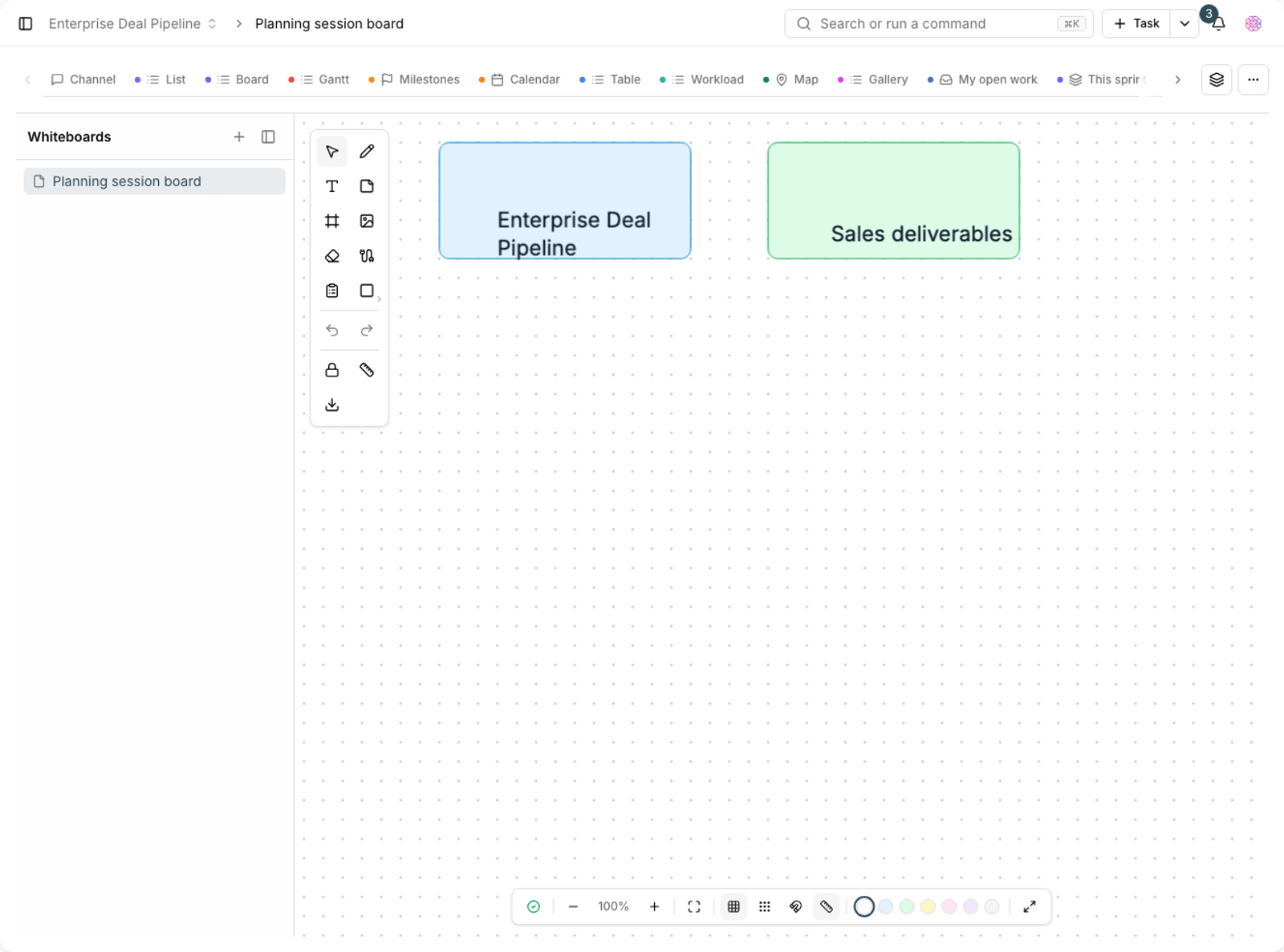
- Smoother interaction: drawing, moving and zooming on the canvas are smoother and more precise.
- Better real-time collaboration: when several people work on the same canvas, changes show up for everyone faster and more instantly.
- More reliable saving: your work is saved more reliably, so you don't have to worry about losing ideas.
- AI help: AI can help you create and organize ideas on the canvas.
The ready-made whiteboard templates have also been reviewed, and their icons and colors are more consistent and easier to read.
Mermaid diagrams in documents
You can now create diagrams inside documents. With Mermaid support, you build flowcharts, sequence diagrams and other diagrams by writing simple text, and if you prefer, AI can build the diagram for you. These diagrams also display correctly in document exports (for example, when you export to PDF), so your documentation is clearer.
Embed whiteboards and mind maps in documents
You no longer need to keep canvases and mind maps separate from documents. You can now place a whiteboard or mind map directly inside a project document page so text, diagrams and canvases all sit together in one place. This makes reviewing and sharing documents simpler, because everything is available on the same page.
A tidier document center
Navigating the document center is simpler. The tree sidebar and each item's menus have been redesigned and organized, so finding folders and pages, expanding and collapsing branches and doing common tasks (such as renaming, moving or creating a new page) are faster and clearer.
Custom dashboards with a unified widget engine
The dashboard has been redesigned in this release so it's fully in your hands. One unified engine now powers every widget, and you can build the dashboard you want:
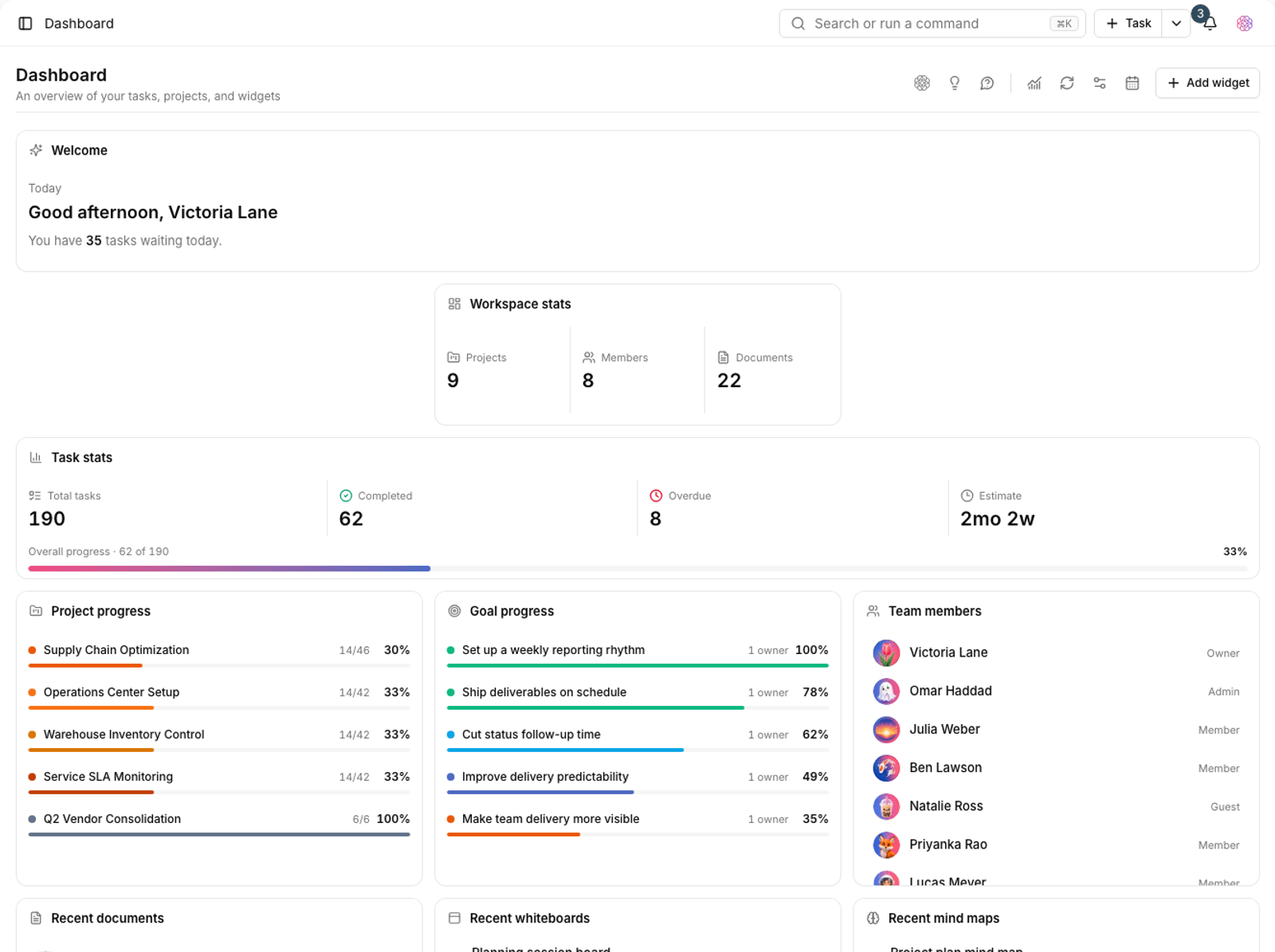
- Custom dashboard builder: choose, add and move widgets to lay out a dashboard that fits your work.
- Analytics widgets: new widgets have been added for reviewing task status, progress and team statistics.
- Everything at a glance: see the most important information you need every day side by side on one page.
Smoother project creation and management
Working with projects is simpler in a few key places:
- Project creation wizard: build a new project step by step without confusion, and set it up correctly from the start.
- Project overview page: a summary page that shows the project's status and most important information in one place.
- Quick project switcher: switching between projects is faster and smoother.
- Redesigned tab bar: the project's section bar is cleaner and easier to read, so getting to each area is simpler.
A smoother AI assistant
The AI assistant gets several practical improvements in this release:
- Saved prompt gallery: save your most-used prompts and reuse them from a ready-made gallery, so you don't have to write them from scratch each time.
- Voice replies: the assistant's replies can also be delivered as audio.
- Drag and drop files: drag files straight into the conversation and drop them.
- Answers based on the help center: the assistant can find answers to your questions about using Taskie in the app's help center.
- Smoother question handoff: questions are handed to the assistant more smoothly, and replies finish more reliably.
Task improvements
- A bigger cover gallery: you have more covers to choose from for tasks, so your work can look more distinctive.
- Cleaner task links: each task page's URL is shorter and easier to read, and sharing it is simpler.
Infrastructure update
Behind the scenes, the app's core has been upgraded to a newer version. You won't see this change, but it builds a more reliable foundation for Taskie's stability, speed and security and paves the way for future updates.
Bug fixes and small improvements
- The date picker in public forms has been fixed, and the assistant is now correctly hidden on these forms.
- Opening the task card from the title icon in table view has been fixed.
- Showing and managing My day reminders has improved.
- The invite members step in Getting started now takes you to the right tab.
- Installing and setting up on a fresh database is more stable.
How to get the most out of this release
To make 2.4.0 really help your work, we suggest taking a few simple steps right now:
- Build a custom dashboard and place the widgets you look at every day side by side.
- Place a whiteboard or mind map inside a project document to see the difference.
- Create a Mermaid diagram in a document, or ask AI to build one for you.
- Start a new project with the project creation wizard.
- If you're a technical user, visit /api-docs and look into connecting your tools to Taskie.
A note about plans: The availability of some features (especially some AI assistant capabilities, API access and a number of advanced features) depends on your workspace plan. If you don't see an option described here, check your plan and permission level or talk to your workspace admin.
To review the changes before this release, take a look at What's new in 2.3.0 and see how the App Center, a more capable assistant and a smoother mobile experience led up to this one.